
How to Build a Prospect List That Drives Revenue

In this post:
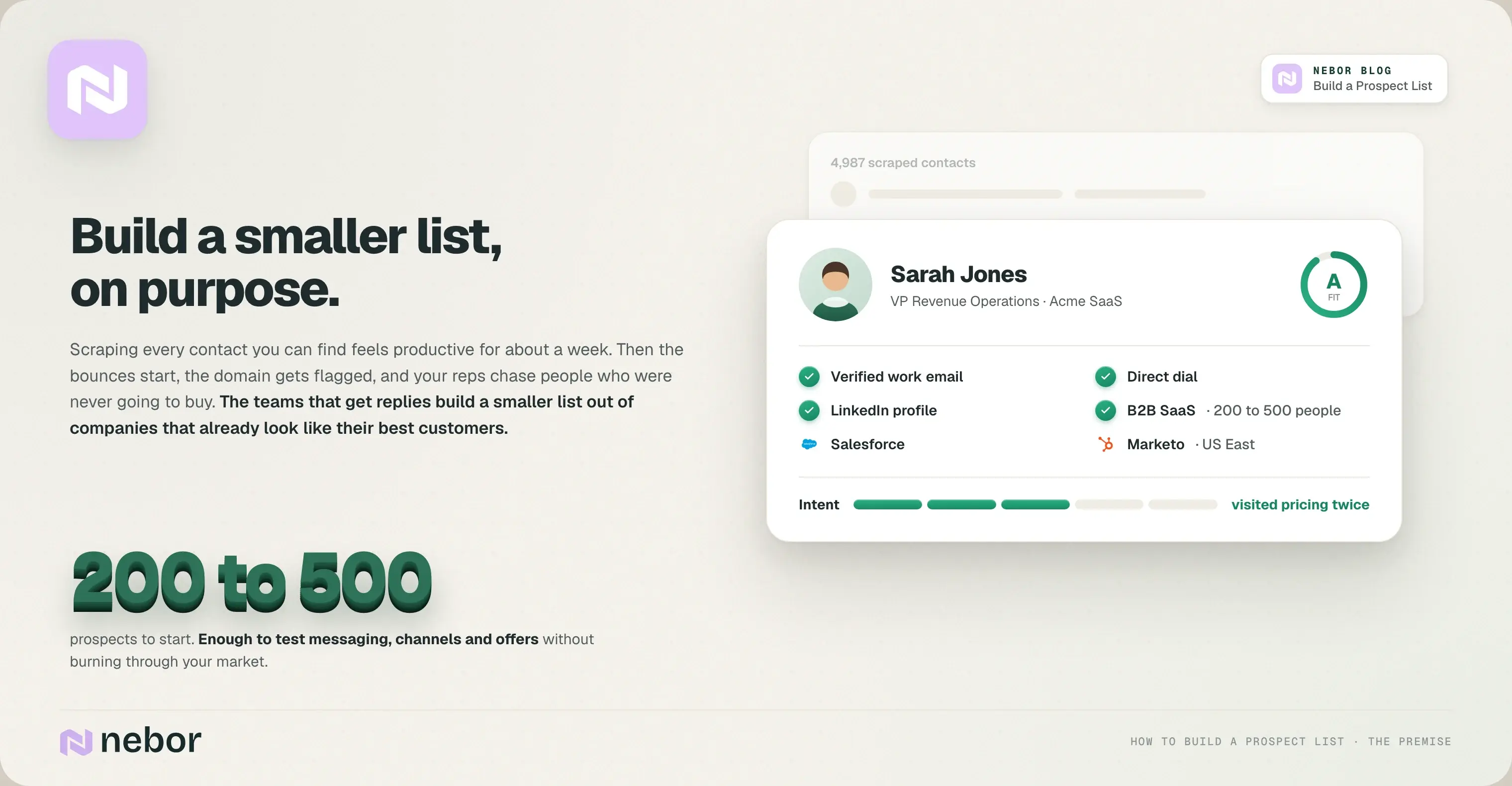
Most sales teams treat prospect list building like a numbers game, so they scrape as many contacts as they can, send everyone the same email, and hope a few people write back.
That feels productive until the bounces start, the domain gets flagged, and your sales reps end up spending their afternoons chasing people who were never going to buy from you.
From our experience building these lists for clients, the teams that get replies build a smaller prospect list on purpose, out of companies that already look like their best customers.
That accuracy is the foundation of every successful outreach campaign, and it's what separates a prospect list that fills the pipeline from one that just looks big.
In this guide, we'll walk you through how to build a prospect list that converts. We start with who you should be selling to, go through where to find those people and how to get their real contact details, and end with how to keep the data clean months after launch.
It's the same process we use at Nebor for clients, with the tools we use at each step, so you can copy it as it is or hire us to do it.
Key takeaways
A prospect list is a structured set of potential customers who match your ideal customer profile but haven't talked to you yet. Its quality decides your lead generation cost, your cost of customer acquisition, and how your sales reps and sales teams spend their days.
Start from your ideal customer and buyer persona instead of from whatever contact data you can scrape or buy. Building a sales prospecting list this way saves your team weeks and lowers acquisition cost.
The most reliable sources are your existing customers, LinkedIn Sales Navigator, industry-specific directories, and compliant data providers, stacked on top of each other in one table.
A good prospect list combines contact details (email, phone numbers, job title) with firmographics, tech stack, and intent signals, so you can prioritize outreach instead of working from the top of a spreadsheet to the bottom.
Prospect list quality is an ongoing job. Enrichment, verification, and re-prioritization on a schedule matter far more than one big prospect list build.
What is a prospect list, and how is it different from a lead list?
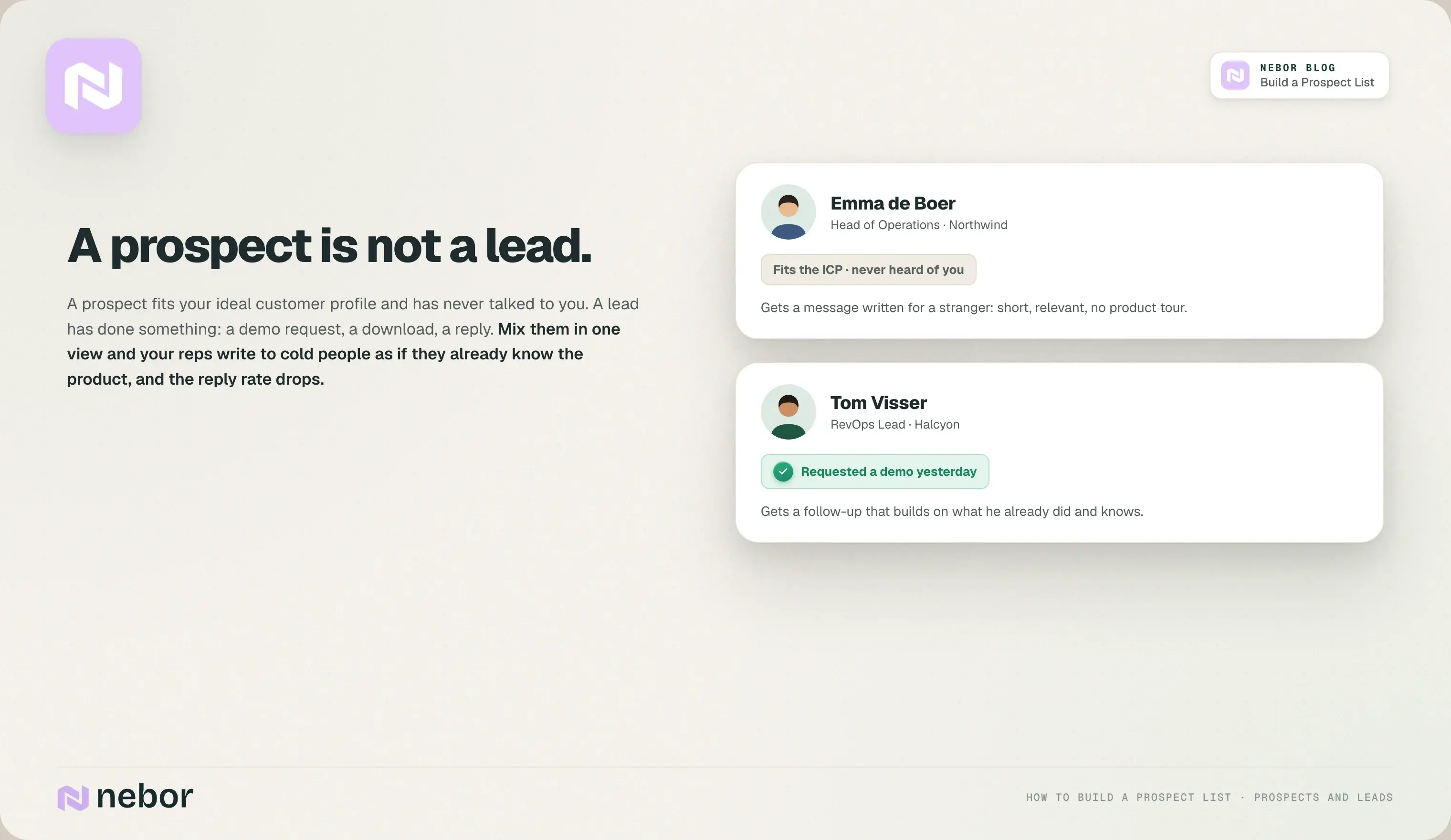
A prospect list is a set of potential customers who fit your ideal customer profile but haven't raised their hand yet. Nobody on it has asked for a demo or downloaded anything. You picked them because they look like the companies and people who buy from you, and that's the whole reason they're there.
A lead list is a different animal. Leads have done something: downloaded a guide, requested a demo, replied to an email, sat through a webinar. They're warmer, they're further along in the sales funnel, and they already know your name.
Prospects are cold potential customers. They match your target audience on firmographic and persona data, and that's all you know about them so far.
Both lists carry the same kind of data points, like company name, company size, job title, work email, and phone numbers. What separates them is how far along the person is in the buying process, and that changes everything about how you should talk to them.
We see this go wrong in almost every CRM we take over. If you mix prospects and leads in one view, your reps end up treating cold prospects like warm leads. They write as if the person already knows the product, the person has no idea what they're reading, and the reply rate drops.
Your metrics go the same way. Conversion rates, pipeline coverage, and reply rates all stop meaning anything when cold and warm contacts are lumped together, and follow-ups get spent on the wrong people.
A good sales prospecting list keeps the two apart, so your sales team reaches the people most likely to buy with a message written for someone who has never heard of you.
Define your ideal customer and buyer persona before you build anything
The first step in building a prospecting list is deciding who your ideal prospects are.
It sounds obvious, and most of the teams we start working with have still skipped it, because pulling a list feels like progress and defining an ICP feels like homework. If you skip it, you get a sales prospecting list that looks big and never closes.
Precise targeting is what makes a sales prospecting list efficient. It lets you spend your reps' time on qualified prospects instead of everyone who happens to have the right job title.
An ideal customer profile (ICP) describes the type of company that best fits what you sell. Writing one down narrows your target market to the companies that get real value from you, and every later step of the sales process reads from it, including how you prioritize prospects. Define it on a few concrete attributes:
Industry or vertical: the two or three industries where you've already won deals.
Company size: an employee band (say 50 to 500 people) and a revenue range.
Tech stack: the tools your best customers use, like Salesforce, HubSpot, or Shopify. These are strong fit signals for target companies, and you can check them against a company website with BuiltWith.
Geography: where the HQ is, or the regions they operate in.
Growth indicators: a recent funding round, a hiring wave, a new office.
A buyer persona describes the individual decision-makers in those target companies. In B2B it's rarely one person.
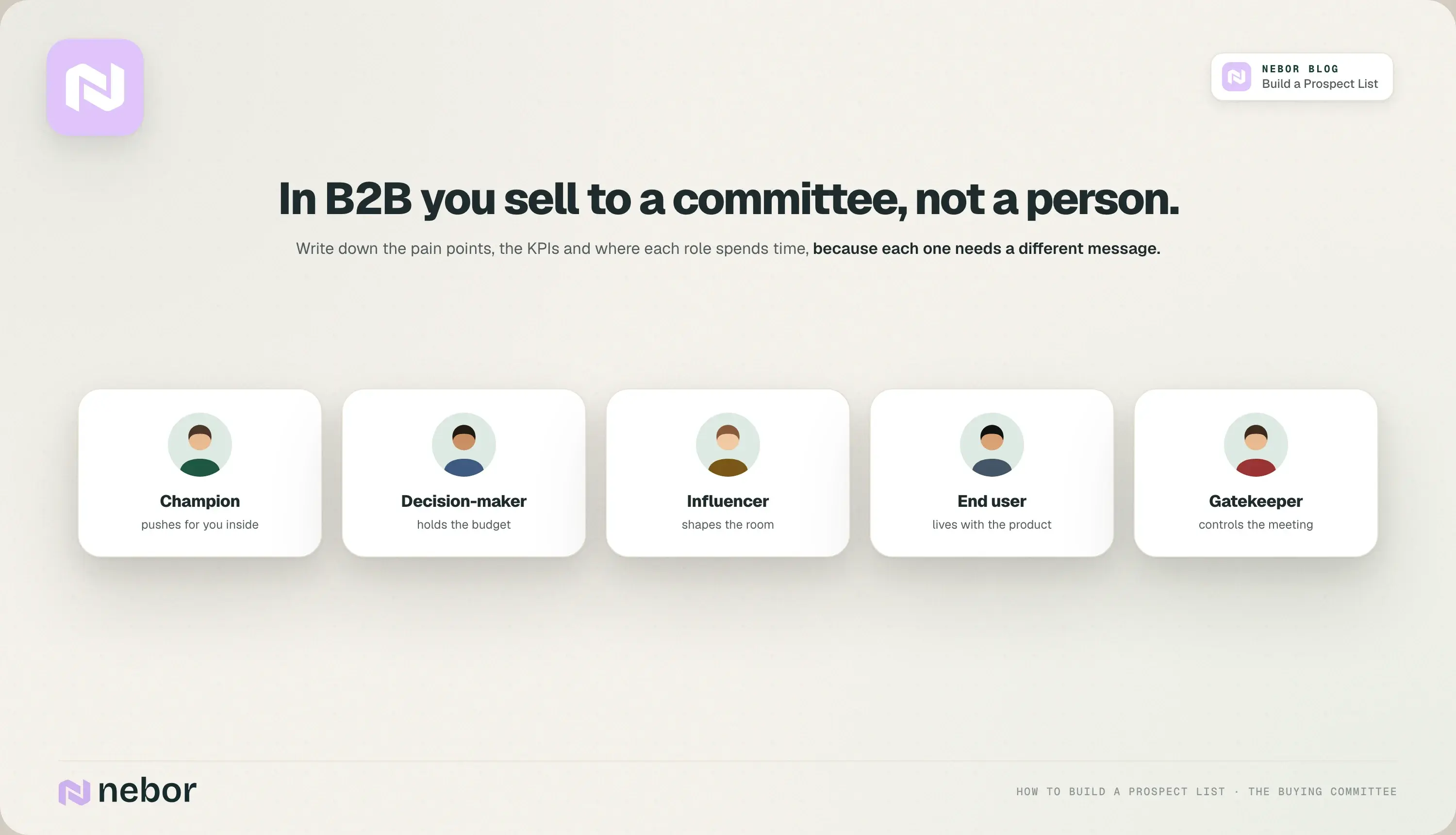
It's a buying committee: a champion who pushes for you internally, a decision-maker who holds the budget, influencers who shape the room, end users who'll live with the product every day, and gatekeepers who control who gets a meeting.
For each role, write down their pain points, what they care about (pipeline, cost, team productivity), and where they spend time (LinkedIn profiles, industry events, Slack communities).
What we do at Nebor is skip the guesswork that most sales professionals settle for. We interview a client's current customers, their lost deals, and a few industry experts, and we ask about their role, their KPIs, and how they move through the buying process.
Those answers are the most valuable insight you'll get, because they tell you how to position the message so it lands.
Turn your existing customers into a prospecting blueprint
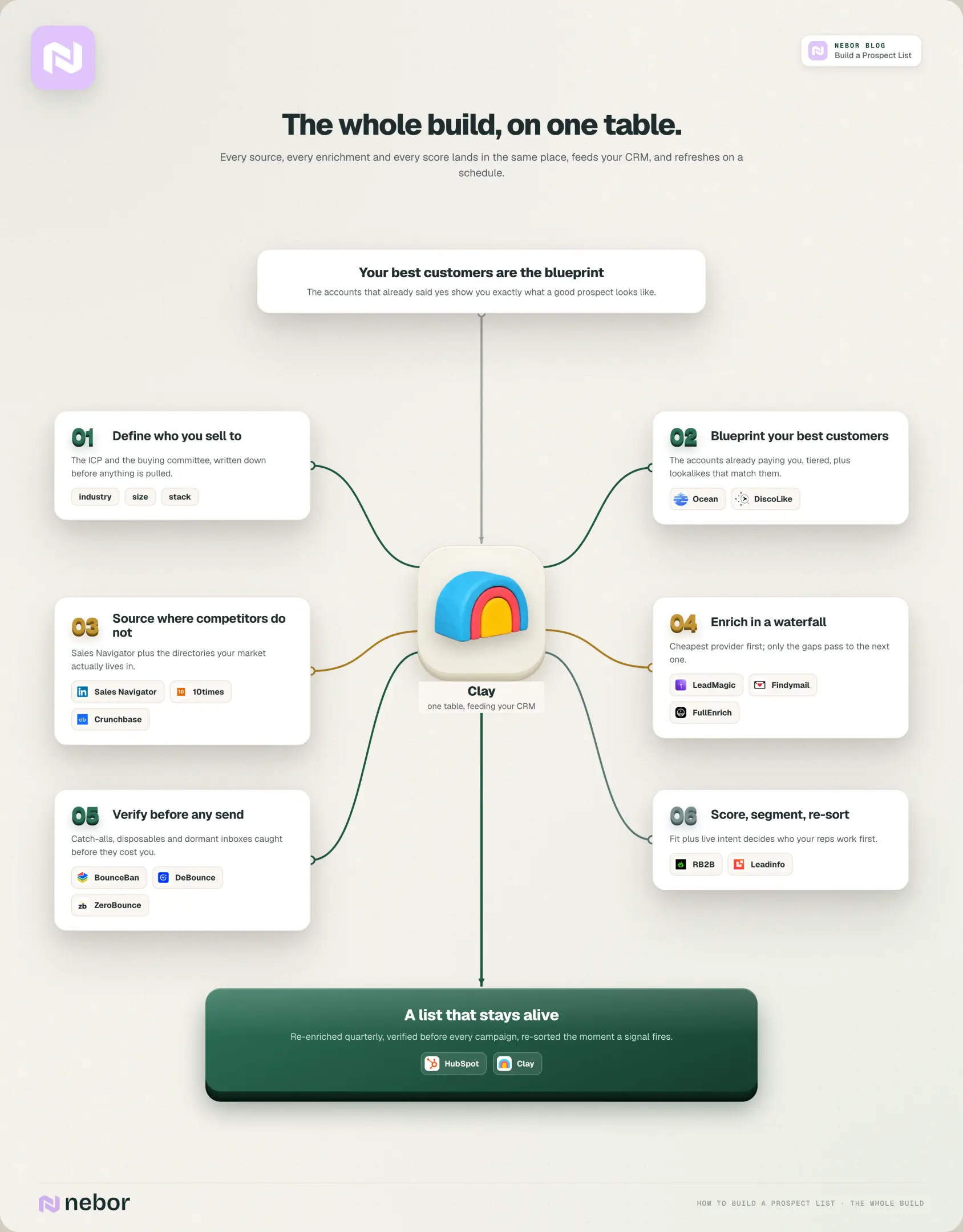
Your existing customer base is the best data source you have, and almost every team we've worked with only used it for upsell until we asked for the export. The accounts already paying you show you exactly what a good prospect looks like, because they already said yes.
Export and rank: pull your customers from the CRM and sort by revenue and how long they've stayed. The longest-staying, most profitable accounts are your blueprint.
Find the common threads: same industry, similar headcount, same core tools, comparable business model. Those patterns are the real shape of your ideal customer, whatever your pitch deck says.
Tier them: sort existing customers into A, B, and C by revenue and strategic value, then build prospect segments that mirror the A tier first.
Ask for introductions: one or two referrals per quarter from your top customers convert far better than cold outreach, and they go straight into the sales prospecting list with a warm note attached.
Contact customers and ask why they chose you. Their answers sharpen your prospecting strategy more than any tool will.
If your ICP is unusual, this is also where a lookalike layer earns its place. Feed your best twenty customers into a lookalike tool and let it find more potential customers that look like them.
The three we recommend are Ocean, DiscoLike, and AI Ark.
All three take a short list of seed companies and return more that match on what the company does, its size, and its market. When we test them for a client, we feed the same twenty seeds through each and keep the one whose results the reps recognize as real fits.
If you'd rather keep everything in one place, the same job works in a Clay table with Claygent and a research prompt against each company website. Either way, the output lands in the same table as the rest of the prospect list.
Decide which data points your prospect list should contain
More columns aren't always better, but there's a minimum set of data points you can't skip, because your sales reps can only contact prospects the right way if the contact details are there and correct. A good sales prospecting list includes at least these:
Contact-level fields for every prospect:
First and last name
Job title
Company name
Work email, direct address preferred
Direct dial or mobile number
LinkedIn profile URL
Account-level fields:
Industry
Employee band
HQ country or region
Estimated revenue
Tech stack highlights (CRM, marketing automation, e-commerce platform)
Scoring fields:
Fit score (A, B, or C on ICP match)
Intent score (1 to 5 on signals like website visits or content downloads)
Here's what one row in your sales prospecting sheet looks like once every field is filled:
Field | Example |
|---|---|
Name | Sarah Jones |
Job title | VP Revenue Operations |
Company | Acme SaaS |
Industry | B2B SaaS |
Company size | 200 to 500 employees |
Region | US East Coast |
Work email | Verified direct address |
Phone | Direct dial |
Profile URL | |
Tech stack | Salesforce, Marketo |
Fit score | A |
Intent score | 3 |
That's all the data we've found a rep needs to start a real conversation. Accurate prospect information like this is what lets you prioritize the people most likely to convert, and it's what your reps will read before they pick up the phone.
Stay compliant with privacy and email laws
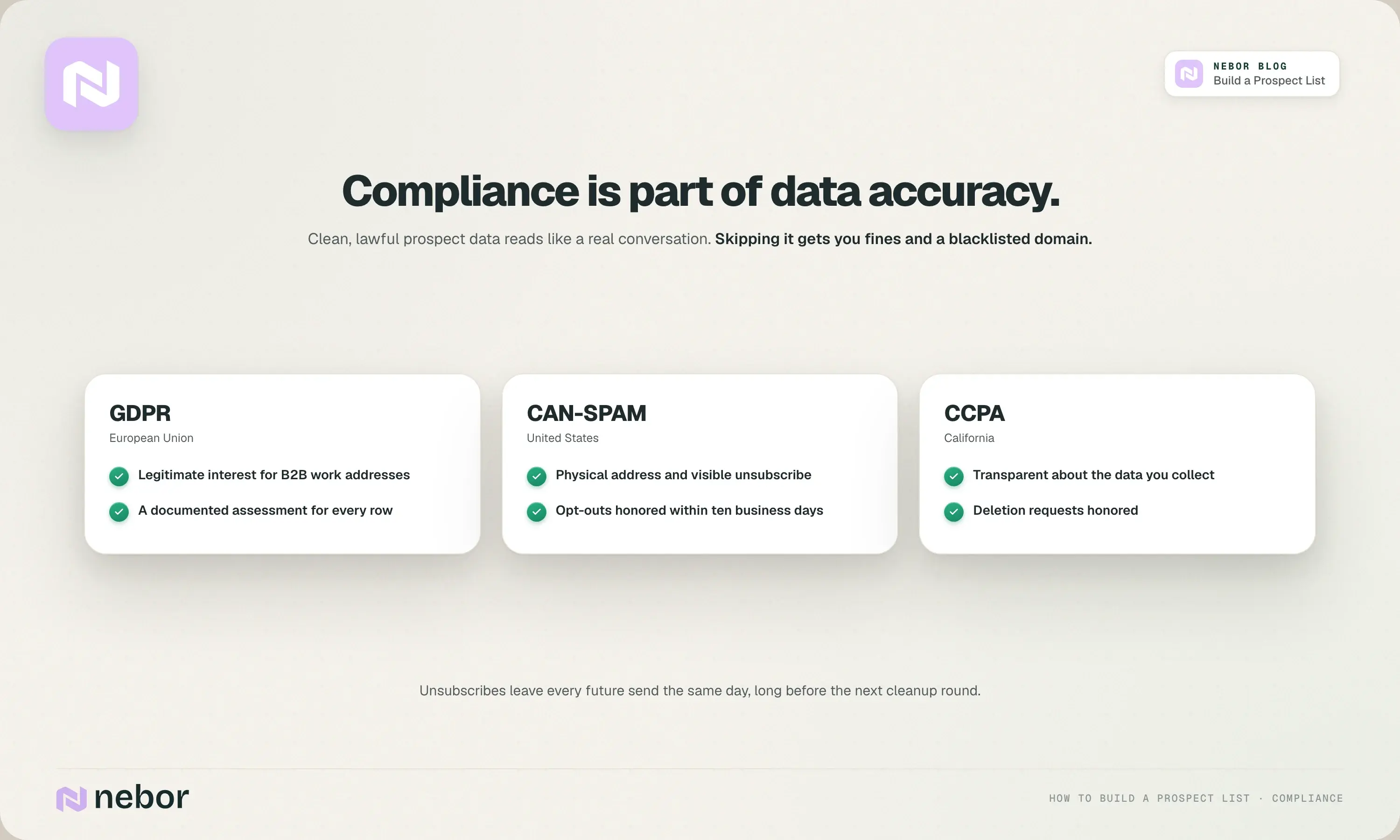
A prospect list that ignores GDPR, CAN-SPAM, or CCPA is a liability, and the fines are real. Compliance is also part of data accuracy. The sales teams that take it seriously get better replies, because clean, lawful prospect data reads like a real conversation instead of a blast.
CAN-SPAM (US): a physical address in every footer, a visible unsubscribe link, and opt-outs honored within ten business days.
GDPR (EU): for B2B cold outreach, legitimate interest can apply when you email a decision-maker's work address at a company that clearly benefits from your solution. You still need a documented assessment and a lawful basis for every row.
CCPA/CPRA (California): be transparent about what prospect data you collect and honor deletion requests.
Data provider diligence: before you use any prospecting list provider, ask how they source and refresh contact data, how often they verify it, and whether they track consent.
Suppress immediately: remove unsubscribed contacts from every future send the same day, long before the next cleanup round.
Choose your outreach channels before you source contacts
The channels you'll use decide which contact details you need on each record in the prospect list, so settle this before you collect anything. We've seen clients pay for phone numbers on thousands of records that nobody on the team ever called.
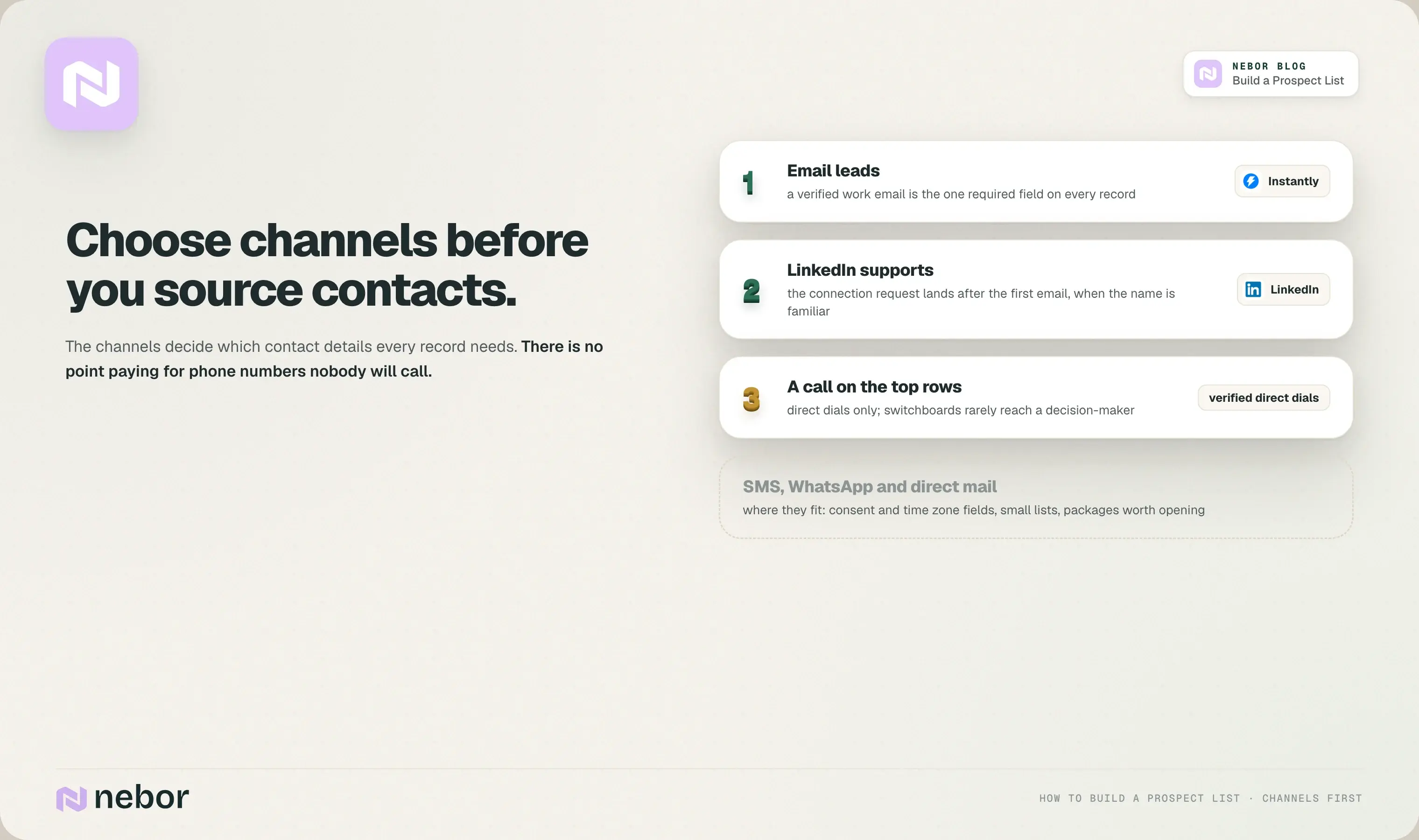
Email: the work email is the one required field for almost every prospect record, and personalized email is still the channel with the best return for most B2B teams.
Phone: if your sales team makes sales calls, you need direct dials or mobile contact lists, with the phone numbers verified. Switchboard numbers rarely reach a decision-maker.
LinkedIn: your buyers look you up on social media before they reply to anything, so LinkedIn profiles and LinkedIn Sales Navigator belong in your prospecting efforts. Connection requests work best after the first email has landed, when the name is already familiar.
SMS and WhatsApp: high open rates, but add consent status and time zone fields so you never message someone at the wrong hour.
Direct mail: it still works for senior buyers who ignore email, as long as the prospect list is small and the package is worth opening.
A multi-channel approach gives you more ways to reach new prospects further up the sales funnel. Most teams settle on email leading, LinkedIn supporting, and a call as the third touch on the top rows, then let the data tune the mix for each part of the target audience.
Build your first prospect list from LinkedIn Sales Navigator
LinkedIn Sales Navigator is one of the most precise sales prospecting tools for finding potential clients that match your ICP and buyer persona, and it's where we'd start a first sales prospecting list. Here's how to research prospects and build it in LinkedIn Sales Navigator:
Set up account filters: geography, headcount bands, industry, and technology keywords relevant to your solution.
Build lead lists within accounts: filter by seniority (Director, VP, C-level), function (Sales, Marketing, Operations), and years in role, so you identify prospects who are established decision-makers with the right job title, and skip the person who started last week and can't sign anything yet.
Save searches and turn on alerts: weekly alerts surface new matching prospects on their own, without anyone repeating the search.
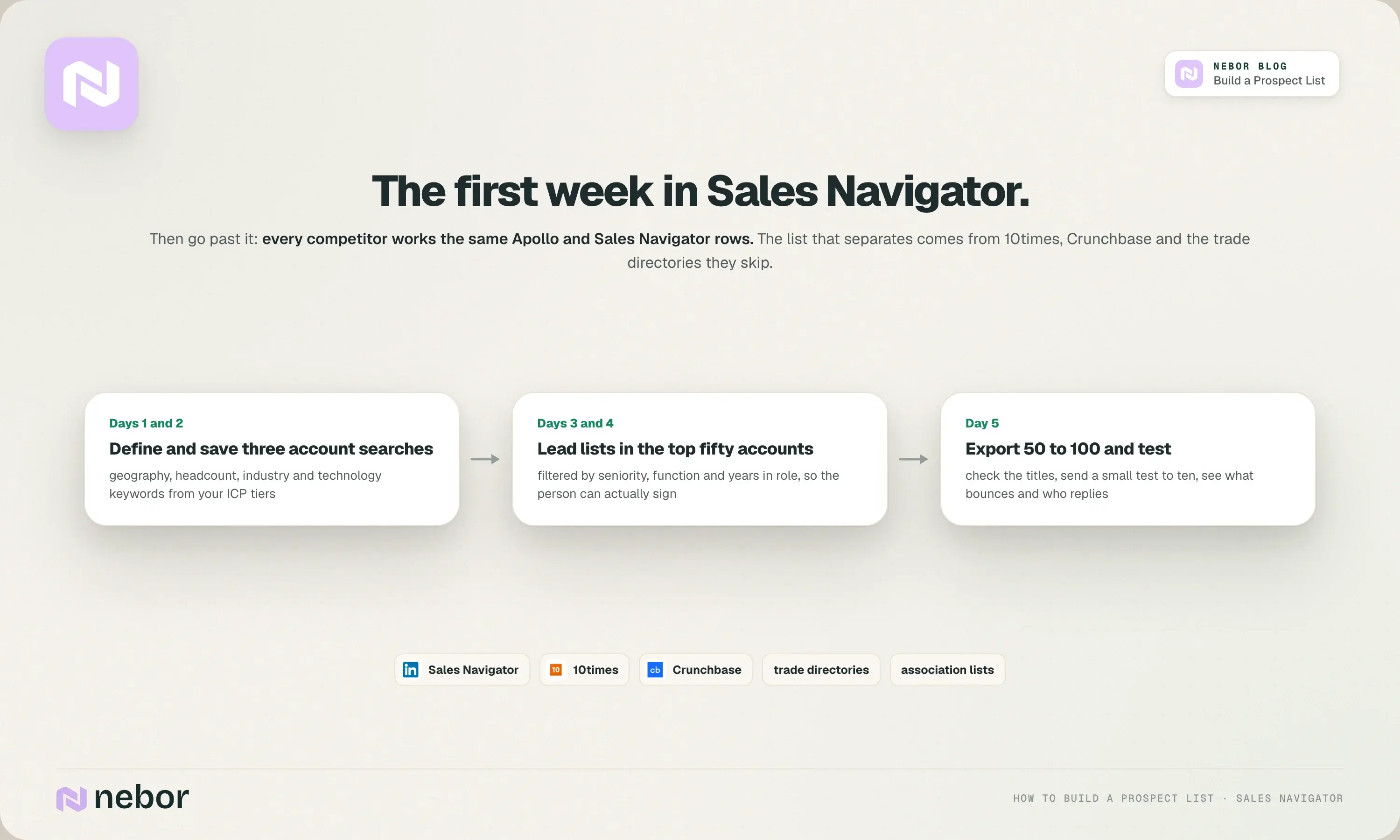
A rep's first week with LinkedIn Sales Navigator looks like this. Days one and two, define three account searches based on your ICP tiers and save them. Days three and four, build lead lists in the top fifty target companies, filtered for your buyer persona roles.
Day five, export 50 to 100 prospects, check that most of them have correct titles, and send a small test to five or ten of them to see what bounces and who replies.
Then go past LinkedIn, because Apollo and Sales Navigator draw from overlapping firmographic data, and every competitor in your space is working the same rows you are.
The lists that have performed best for our clients came from the industry-specific sources those competitors skip: 10times for companies hosting or attending events, Crunchbase for funding, association member lists, and trade directories.
Almost every industry has one full of potential prospects. Funeral homes have public registries, farms have agricultural associations, manufacturers have trade bodies. Most of it lives on a public web page, and Clay pulls it in and merges it with the LinkedIn rows in the same table.
Enrich and verify the contacts with data providers and lead generation tools
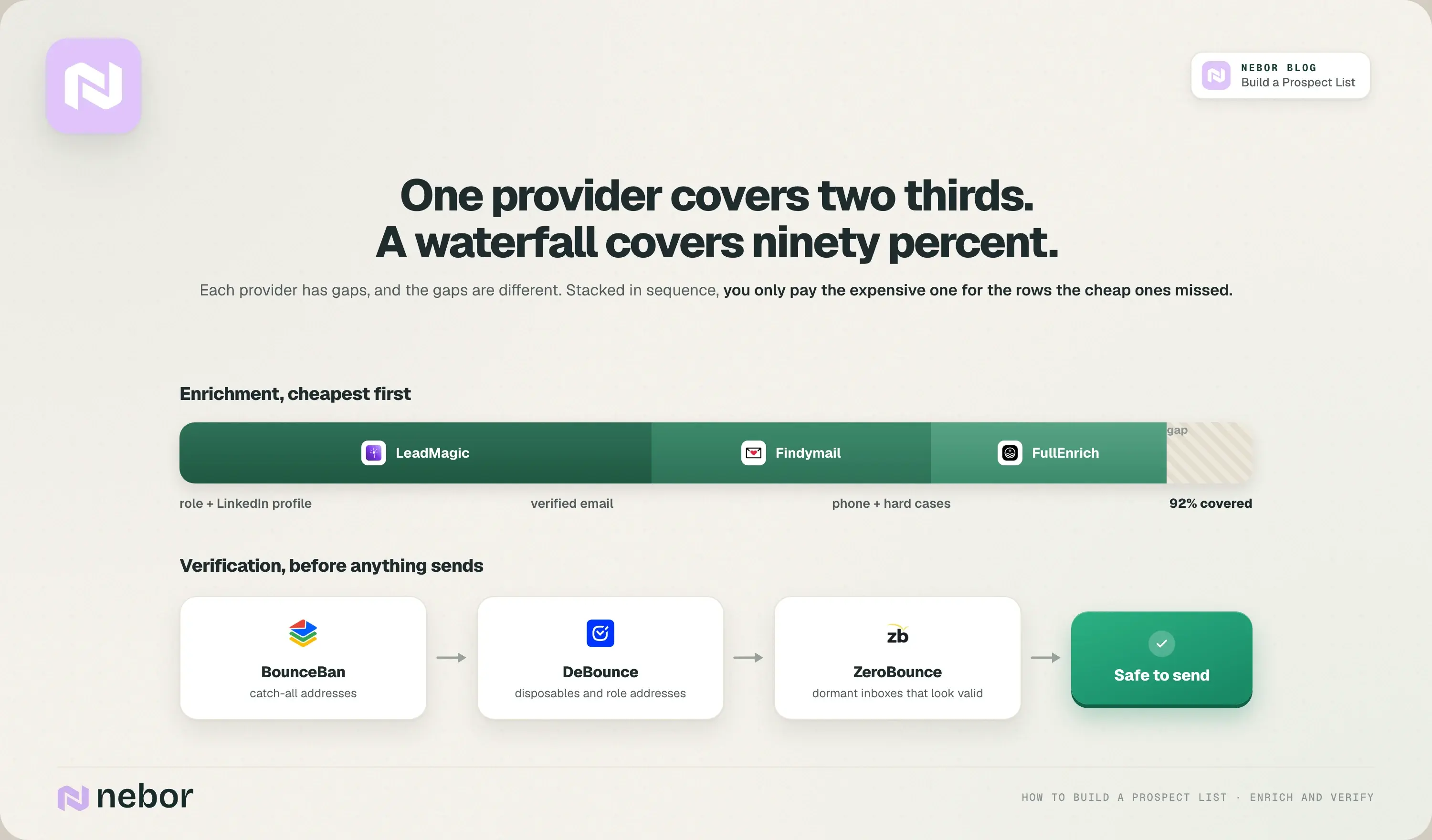
LinkedIn profile data alone isn't enough. You still need verified emails, phone numbers, and the firmographics that power a successful outreach campaign, and no single provider gets you there. Each one has gaps, and the gaps are different.
In the builds we've done, one data provider covers maybe two thirds of a typical prospect list. Three stacked in a waterfall in Clay get you past ninety percent, and because they work in sequence, you only pay the expensive one for the rows the cheap ones missed.
Our default stack, in order: LeadMagic first, because it's fast and returns the role and the LinkedIn profile.
Findymail second, to turn the name and domain into a verified email. FullEnrich last, for phone numbers and the hard cases nobody else could find.
Then verify before anything touches a sequence, because one bad send undoes months of inbox placement.
We use BounceBan first for catch-all addresses, DeBounce as a cross-check that removes disposables and role-based addresses, and ZeroBounce last for its activity signal, which tells you whether an inbox has been used recently.
A dormant inbox looks valid to a standard checker and still kills your reply rate. Our email deliverability guide has the full mechanics.
Two more things belong in this layer. Lead generation tools on your own company website, like gated content, pricing calculators, and webinar registrations, create records that should flow into the same table, tagged with what the person showed interest in.
And before you commit budget to any new data provider, do a pilot of a few hundred contacts and measure bounce rate, role accuracy, and region accuracy. Monitor brand mentions and industry chatter too, because providers gain and lose data quality faster than their marketing admits.
Use your CRM as the single source of truth
Once you pass a few hundred records, a spreadsheet becomes a liability, and we've inherited enough of them to know the pattern. Duplicates multiply, fields fall out of sync, two reps email the same person in the same week, and soon nobody trusts the data.
Your CRM is where all prospect data should live, with the Clay table feeding it.
Import properly: when you load into HubSpot, Salesforce, or Pipedrive, map custom properties like buyer persona, fit score, intent score, and ICP tier. Don't dump everything into the notes field.
Segment in the CRM: build views by ICP tier, persona, region, or campaign, so your sales prospecting sheet stays connected to real activity instead of living in a separate file.
Log every interaction: sales calls, meetings, replies, and LinkedIn messages on the record, with last-contacted date and outreach status. That's what turns a prospect list into a living asset.
Deduplicate regularly: merge partial duplicates at contact and account level. One enriched record per prospective client beats three incomplete ones.
Prioritize and segment, because not every prospect belongs in the same cadence
A 5,000-contact prospect list is useless if everyone gets the same email. A well-structured prospect list saves time and improves sales performance only when it's scored and segmented, so your sales reps spend their hours on the qualified prospects first and the rest wait their turn.
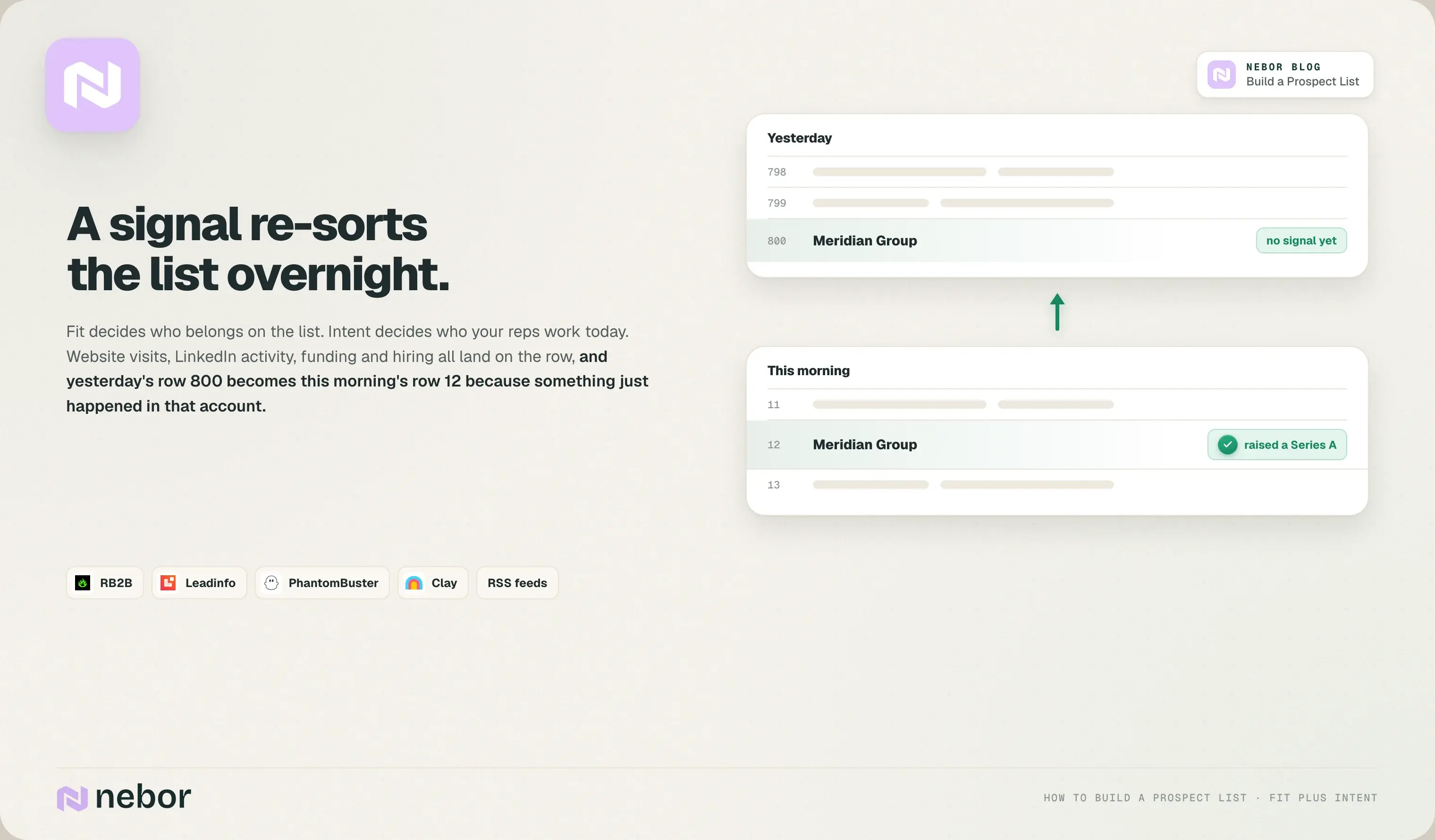
Combine fit and intent: weight ICP match alongside signals like website visits, event attendance, email engagement, and tech triggers. Intent is what tells you which high-value prospects are looking for a solution right now.
Keep the rules simple: Tier A plus engagement with two emails in the last thirty days goes into the high-priority sequence. Tier C with no engagement goes to nurture. Two columns and a sort do the job, and we've never needed an algorithm for it.
Segment by vertical, region, or use case: manufacturing prospects need different case studies and pain points than fintech prospects, and content that matches their world is what builds trust.
Measure per segment: reply rate, meeting rate, and pipeline generated. Scale the segments that convert and rethink the ones that don't.
The intent piece deserves its own tools. RB2B and Leadinfo reveal which target prospects are visiting your site, PhantomBuster watches LinkedIn activity at target accounts, and an RSS workflow catches funding rounds, leadership changes, and hiring waves across your whole market.
Each signal lands as a new row in the same Clay table and re-sorts the prospect list. Yesterday's row 800 becomes today's row 12 because something just happened in that account, and your rep reaches out while it's still news.
More on this in what intent data is and how to use it.
Keep your prospect list clean, current, and actionable
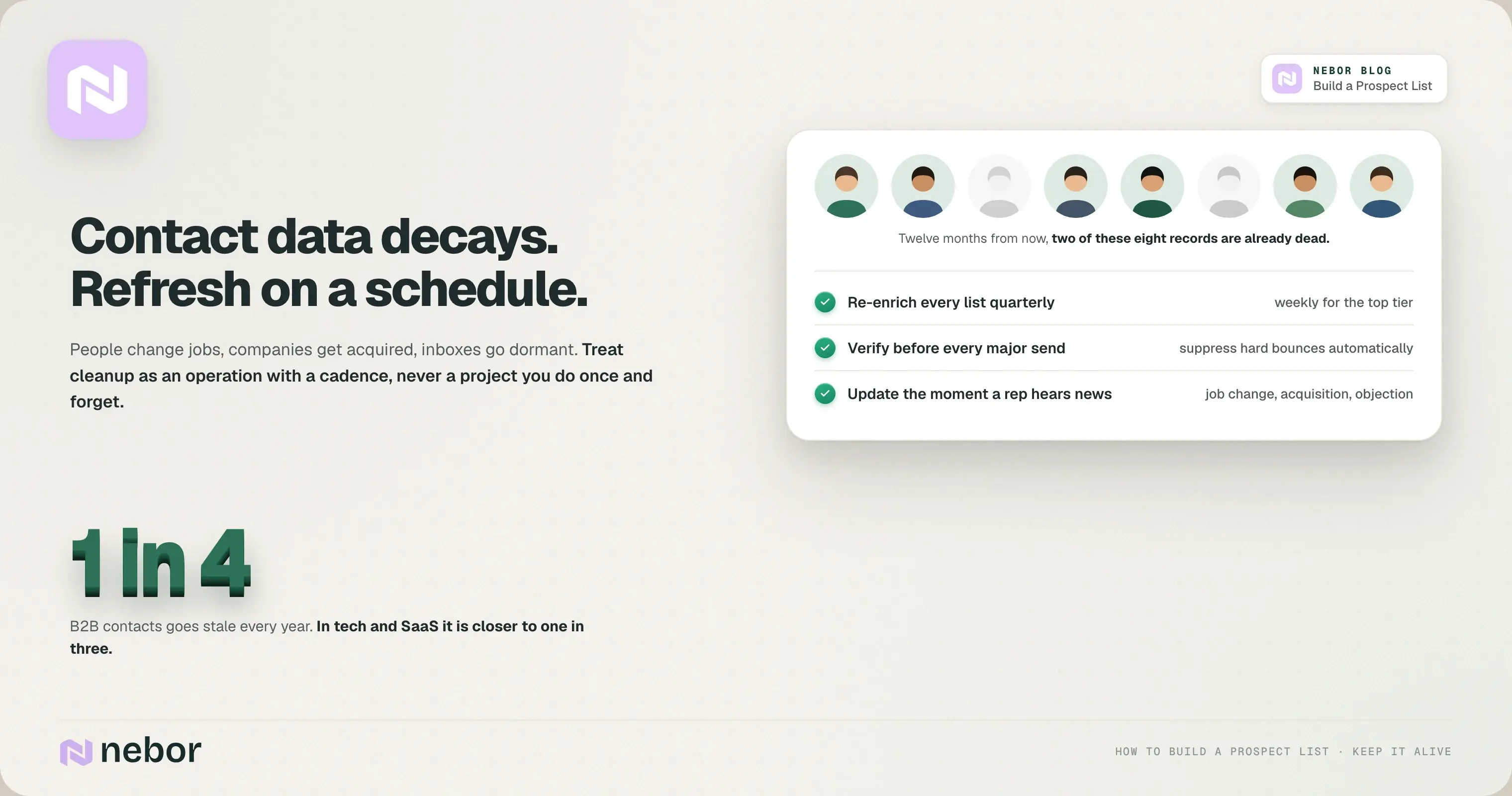
Contact details decay fast. Roughly a quarter of B2B contacts go stale every year, and in tech and SaaS it's closer to a third, because people change jobs so often.
Outdated data means bounces, wasted touches, and missed opportunities, and we've yet to take over a prospect list that didn't need a cleanup first. So treat cleanup as an ongoing operation rather than a project you do once and forget.
Set a concrete cadence: quarterly checks on bounced emails, invalid phone numbers, and unsubscribes, and every one to three months for the high-value segments. We re-enrich every prospect list quarterly at minimum and weekly for the top tier.
Validate before campaigns: put the list through the verification stack before any big send and suppress hard bounces automatically.
Merge duplicates and standardize: enforce field formats so "Acme Inc." and "Acme, Inc." don't become two records.
Update after every touch: status, last-contacted date, interest level, and any job change a rep heard about on a call. A short prospecting list checklist like this is what keeps client relationships warm and customer lifetime value climbing.
Build a feedback loop between sales, marketing, and operations
Prospect list building is a continual collaboration between your marketing and sales efforts, because markets shift, products evolve, and buyer personas change. A prospecting strategy that stands still while the market moves is how sales performance declines slowly, and then all at once.
Hold a monthly review where sales teams share which segments are responding and marketing teams adjust targeting and messaging to match.
Let RevOps track reply rate, meeting rate, and pipeline per segment, and use those numbers to tighten the prospect criteria.
Capture the qualitative signals too: frequent objections from one industry, patterns from discovery calls, loss reasons. Feed them back into the ideal customer definition, so the ideal prospects get sharper each quarter.
Make concrete decisions from it. If companies under twenty employees never have budget, stop targeting them and move the prospecting efforts to larger accounts.
Common mistakes when you build a sales prospecting list, and how to avoid them
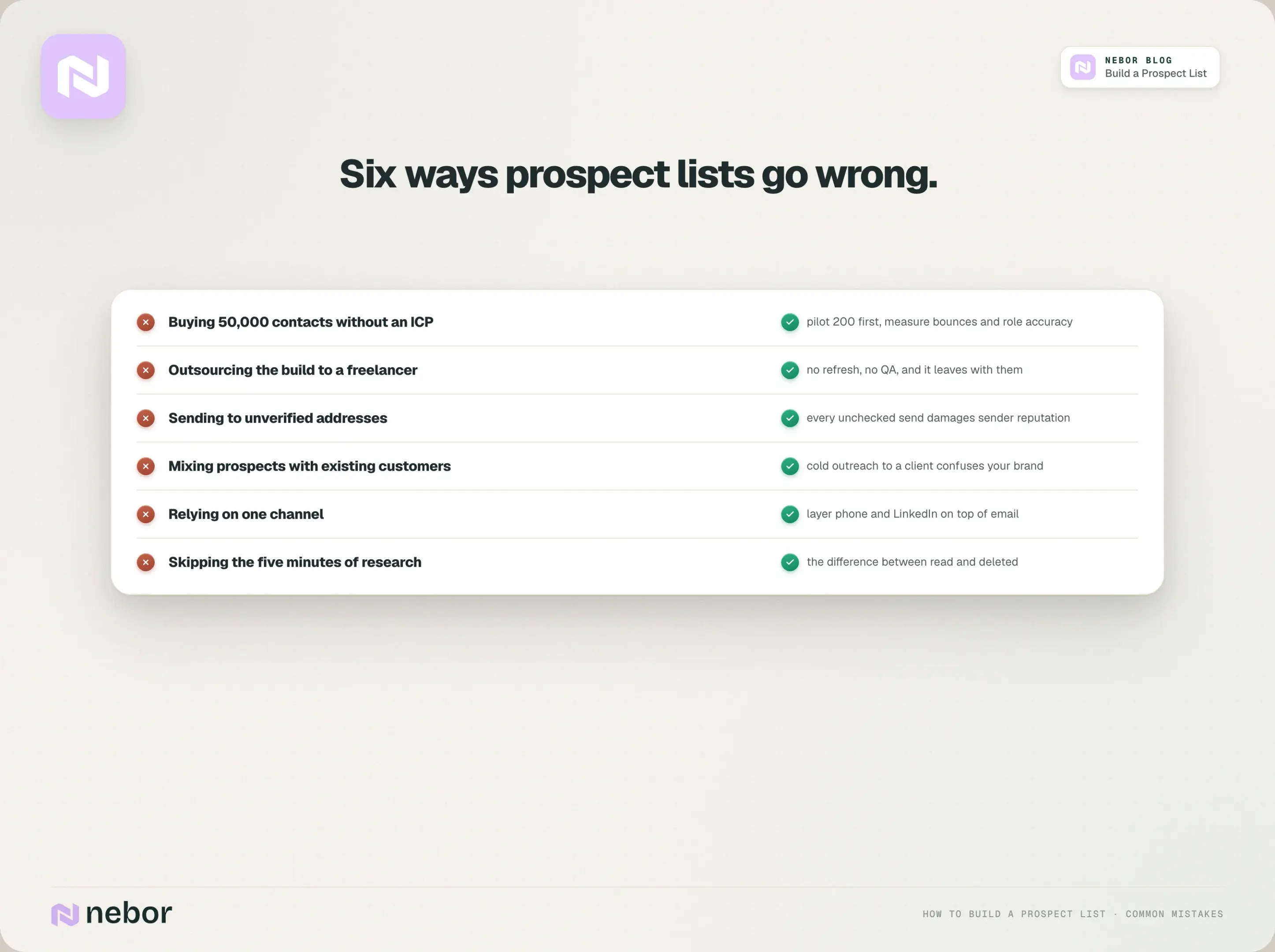
Buying a massive generic prospect list without an ICP: pilot 200 contacts before you buy 50,000, and test bounce rate, role accuracy, and region accuracy first.
Outsourcing the build to a freelancer: a twenty-dollar-an-hour spreadsheet has no refresh, no QA layer, and walks out the door with the freelancer. We've written about why outsourcing lead generation no longer makes sense for exactly this reason.
Ignoring compliance: skipping CAN-SPAM or GDPR gets you fines and a blacklisted domain. Build the checks in from day one.
Sending to unverified contacts: every campaign to unchecked addresses damages sender reputation. Verify before every major send.
Mixing prospects with existing customers: cold outreach to a current client confuses your brand and distorts your metrics. Tag customers clearly in the CRM.
Relying on one channel: cold email alone won't cut it. Layer in phone, LinkedIn, and where it fits, direct mail.
Skipping the prospect research: five minutes on a prospect's company website, recent funding, or LinkedIn activity is the difference between a message that gets read and one that gets deleted.
Frequently asked questions about prospect lists
How many prospects should be on my first list?
We start clients with 200 to 500 prospects for a new outbound motion. That's enough to test messaging, channels, and offers without burning through your total addressable market.
Once reply rate, meeting rate, and pipeline per segment are clear, scale to a few thousand per quarter while protecting data quality. A small, well-researched sales prospecting list beats a sprawling one every time, and it's the shape of every successful sales prospecting list we've built.
Should I ever buy a ready-made prospect list?
Buying from reputable, compliant data providers can speed things up if the prospect list is tightly filtered to your ICP and comes verified. We've never seen a list sold as “all industries, all regions” perform, so avoid those.
Test a few hundred contacts first, measure bounce rate and role accuracy, and only then commit budget. Your sales goals depend on reaching the right people, and more people is a different thing.
How often should I refresh my prospect data?
Review high-value segments every one to three months, do email verification before every major campaign, and update records the moment a rep learns about a job change or an acquisition. With a quarter of contacts going stale each year, treating refresh as optional is a fast track to wasted sales efforts.
Can I include existing customers in my prospect list?
Keep an existing customer in the same CRM, clearly tagged as a customer. Build separate expansion segments for them, and keep the cold prospect lists you use for lead generation apart from those. Your customer base is a goldmine for growth, and it needs a different approach than cold prospecting.
What's the fastest way to validate a new niche or segment?
Build a small, tight sales prospecting list of 50 to 100 target prospects in the new vertical from Sales Navigator, enrich it through the waterfall, and do a two to three week outreach sprint with your best-performing messaging.
If reply and meeting rates clear the bar you set beforehand, roll the segment into the main prospecting strategy and scale it deliberately.
When you'd rather not build any of this yourself
Everything above is a system you can build a sales prospecting list with in-house, and plenty of sales teams do. When teams come to us, it's usually because the sales reps are buried in prospect list building instead of conversations, and the fix isn't another SDR.
We build the whole prospecting workflow in your accounts, from ICP and TAM through sourcing, the enrichment and verification waterfalls, scoring, and the sequences in Instantly and HeyReach, and it keeps going after we leave.
It's one part of the growth engine we build for clients, alongside inbound, ads, intent monitoring, and the CRM.
If your prospect list has stopped producing meetings, book a 15-minute call and we'll look at what your build should look like.


Related Articles

By clicking Sign Up you're confirming that you agree with our Terms and Conditions.