

A credit-based B2B enrichment API for finding verified work emails and mobile numbers at a low cost per lookup, a strong waterfall source inside Clay.
What is
LeadMagic
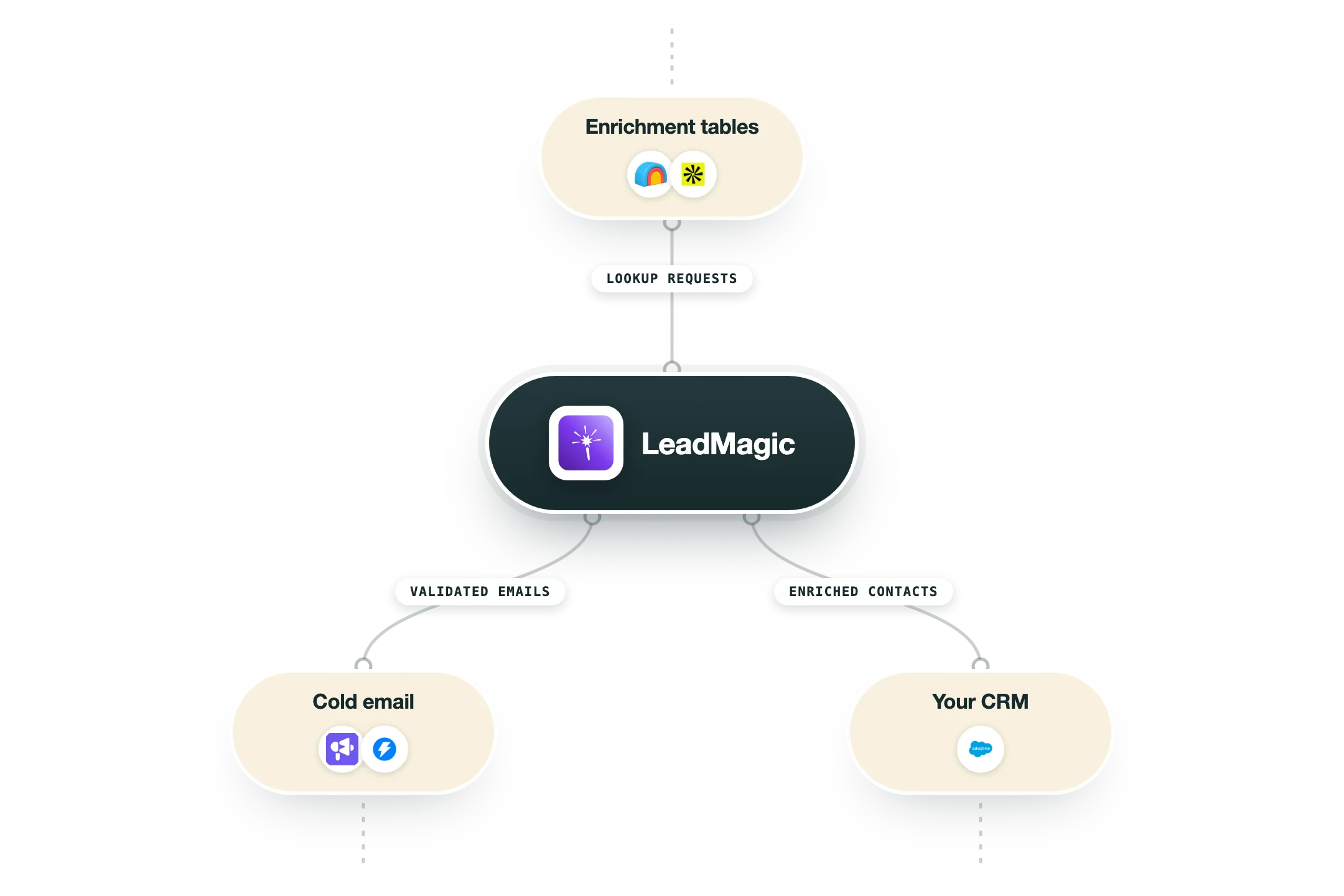
Cheap, fast, and accurate is a rare combination in B2B data, and LeadMagic earns its place by hitting all three. It is a credit-based enrichment API that turns a person or a company into reachable details: work emails, mobile numbers, and firmographics, with real-time freshness on every call. The product is a set of focused endpoints. Email finder, mobile finder, email-to-profile, and company enrichment each return one data point per call. Emails cost a single credit, mobiles cost a few more, and unused credits roll over while you stay subscribed. Inside Clay it acts as one provider in a waterfall, filling emails and mobiles before sequences go out. The API also drops neatly into pipelines built in Make or n8n. We use LeadMagic as a high-coverage, low-cost step in client enrichment waterfalls, especially for work emails and mobile numbers where its hit rate is genuinely strong. Pairing it with verification and a second provider keeps reachable rates high without inflating the cost per record. The fact that credits roll over while you stay subscribed and there is no annual contract makes it easy to scale volume up and down between client projects. On its own it needs that pairing to reach full coverage on hard lists, and being API-first, non-technical users tend to drive it through Clay rather than directly. Its firmographic depth is also thinner than a full database like Apollo.
Integrations and the modern GTM stack
LeadMagic is built to be called by other tools rather than lived in, and its AI surface goes deeper than most:
Clay | One of the most used providers in Clay waterfalls for finding and validating emails. |
Smartlead and Instantly | Verified contacts flow onward into your sending tool of choice. |
Apollo | Works as a provider inside Apollo's own enrichment waterfalls. |
Salesforce | Contacts in your CRM get enriched and synced automatically. |
MCP server and Claude plugin | An official MCP server with dozens of tools, plus a first-party Claude Code plugin, so AI assistants and coding agents can find and verify contacts as part of their work. |
API and CLI | A documented API with a published spec, and an official command line tool for scripted list work. |
Pro’s
Email lookups at one credit each make it one of the cheapest verified email sources.
Strong mobile-number hit rate fills a gap many email-only providers leave open.
Credits roll over while subscribed, so you do not lose unused balance each month.
Clean API and native Clay support slot it neatly into an enrichment waterfall.
No annual contract keeps it flexible for testing or scaling volume up and down.
Cons
As a single source it needs pairing with other providers to reach full coverage on hard lists.
Pricing tiers vary across sources, so the exact per-credit rate can be hard to pin down.
The product is API-first, so non-technical users lean on Clay or a wrapper to drive it.
Data depth is thinner than full databases like Apollo for firmographic filtering.
Pricing
Trial
$0 no card required
100 free credits
Full API access to test
Email and mobile finder endpoints
Basic
$49.99/mo entry tier, no rollover
2,000 credits per month
Email finder at one credit each
Company and profile enrichment
Essential
$99.99/mo credits roll over while subscribed
Around 10,000 credits per month
Mobile finder included
Credit rollover and full API
Growth
$249/mo higher volume, lower per-credit rate
Around 20,000 credits per month
Priority enrichment throughput
Cheaper effective cost per credit
Scale
$499/mo top published tier
Around 50,000 credits per month
Lowest published per-credit rate
High-volume API limits
How it fits your stack
Alternatives


At a glance
Credit-based enrichment API
Email finder at one credit each
Mobile number finder
Company and profile enrichment
Real-time data freshness
Credits roll over while subscribed
Native Clay integration
No annual contract required
Read some of our client stories





GTM Workflows
Learn how to use GTM tools in workflows
Guides and tutorials to get the most from your workflows








Ready to get started?




By clicking Sign Up you're confirming that you agree with our Terms and Conditions.








