

Email finding and verification tool that locates professional addresses from a name and domain, with a Chrome extension, API, and basic outreach.
What is
Hunter
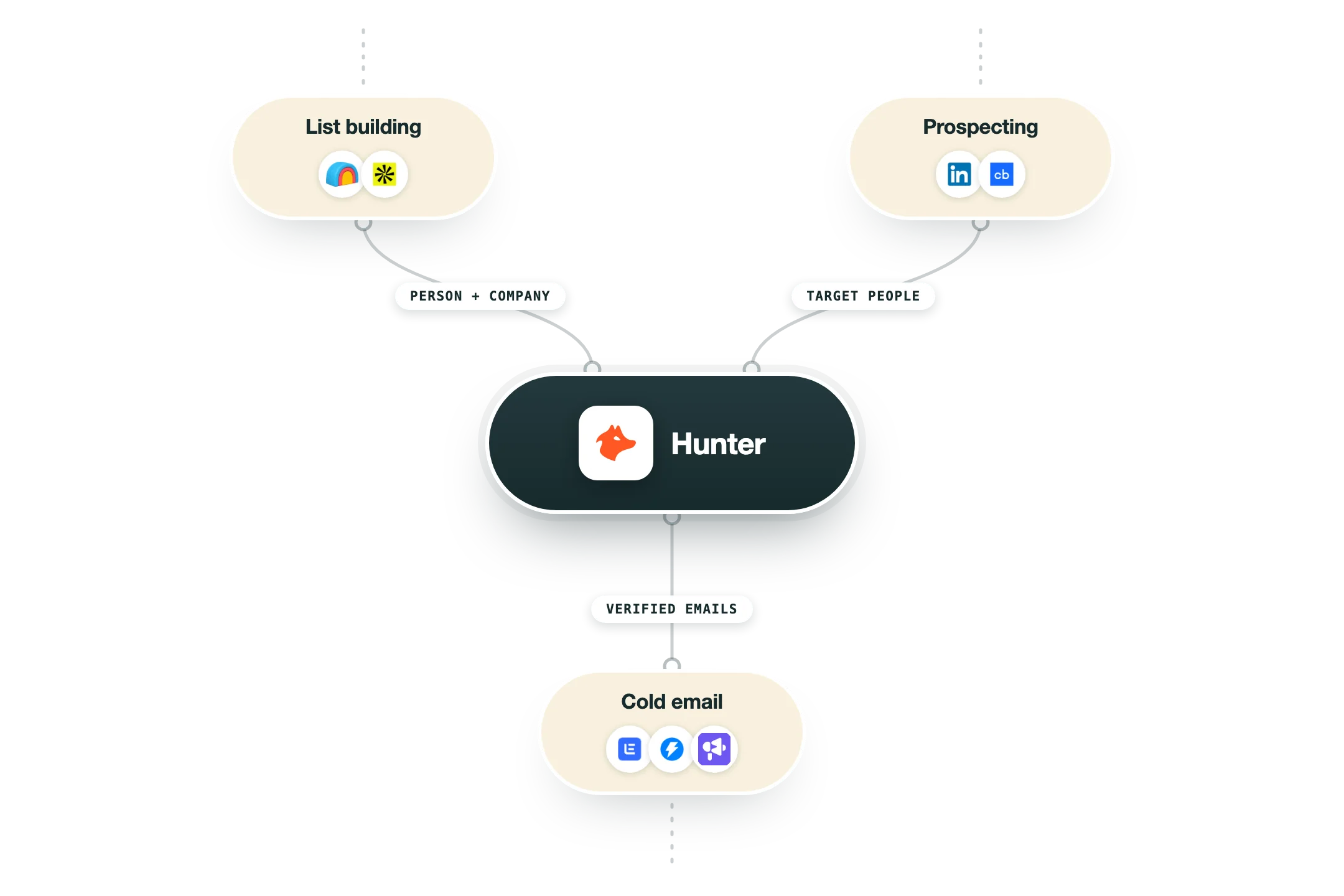
Hunter is an email finding and verification tool for B2B prospecting. Its core features locate professional addresses from a name and company domain, return every public address tied to a domain, and verify whether an address is safe to send to before a campaign goes out. Each result comes back with a confidence score and the pattern behind the guess. Hunter also ships a Chrome extension, bulk verification, lead enrichment, a developer API, and a basic built-in cold email feature with follow-ups and open tracking, all on a unified credit system across plans. In a GTM stack Hunter belongs in the contact-data layer. It finds and validates the email behind a prospect so the rest of the system can personalize and route with a clean address rather than a bounce risk. At Nebor we treat Hunter as one option in the enrichment waterfall, not a default we reach for on every build. We pull from several providers and route the right one to the right field instead of forcing everything through a single source. When a case calls for it, Hunter slots into that cascade alongside tools like LeadMagic, LeadsFactory.io, FullEnrich, and Findymail, with each provider searched in turn until a valid match comes back. We reach for it when its coverage fits the data we need, then verify at each step before any contact enters a sequence.
Integrations and the modern GTM stack
Hunter plugs in right where you build your lists, and it now talks directly to AI assistants too:
Google Sheets | An official add-on finds and verifies email addresses inside the spreadsheet you are already working in, which is usually the fastest way to work through a scraped list. |
CRMs | The moment Hunter finds an email, it can create the lead in HubSpot, Salesforce or Pipedrive for you, with the source attached. |
Gmail and Outlook | Hunter has its own sequence product called Campaigns, and it sends through your real Gmail or Outlook inbox rather than some separate system. |
Clay | Inside Clay, Hunter works as one of the data providers your enrichment can draw from. |
MCP server | Hunter's official MCP server is available on every plan, even the free one. In practice it means you can ask Claude or ChatGPT to search a domain, verify an email or save a lead, and Hunter does it behind the scenes. |
API | Developers can use every Hunter feature from code, and campaigns can notify your other tools when something happens. |
Pro’s
Clean interface and fast onboarding make it one of the easiest email finders to use.
Verification accuracy is strong, with independent tests validating around 97 percent of returned results.
The API is well documented and easy to integrate into custom workflows.
A generous free tier and unlimited team members on every plan lower the barrier to entry.
Combines domain search, verification, and basic outreach in a single tool for small teams.
Cons
It focuses only on email, with no phone or mobile numbers and limited enrichment.
Pattern guesses with low confidence scores are not confirmed mailboxes, which misleads users who treat any result as valid.
Reviewers report outdated data, with stale or departed contacts still listed.
Built-in campaigns are basic, with no A/B testing, inbox rotation, or multichannel sequences.
Coverage is weaker outside the US and Europe and there is no intent or signal data.
Pricing
Free
$0
50 credits per month
1 connected email account
Basic Discover filters and AI Assistant
Starter
$49/mo $34/mo billed yearly
2,000 credits per month
3 connected email accounts
Auto-verification and lead enrichment
Growth
$149/mo $104/mo billed yearly
10,000 credits per month
10 connected email accounts
All Starter features plus advanced filters
Scale
$299/mo $209/mo billed yearly
25,000 credits per month
20 connected email accounts
All Growth features plus unlimited Signals
Enterprise
Custom contact sales
Custom credit volume
Custom connected accounts
Dedicated account manager and priority support
How it fits your stack
Alternatives


At a glance
Find emails by name and domain
Domain search for all contacts
Built-in email verifier
Confidence score per result
Chrome extension included
Developer API access
Bulk verification on paid plans
Basic cold email outreach
Read some of our client stories





GTM Workflows
Learn how to use GTM tools in workflows
Guides and tutorials to get the most from your workflows





Ready to get started?




By clicking Sign Up you're confirming that you agree with our Terms and Conditions.








