

A pipeline-first sales CRM that keeps deal tracking visual and low-admin, a pragmatic fit for lean teams that want adoption over enterprise complexity.
What is
Pipedrive
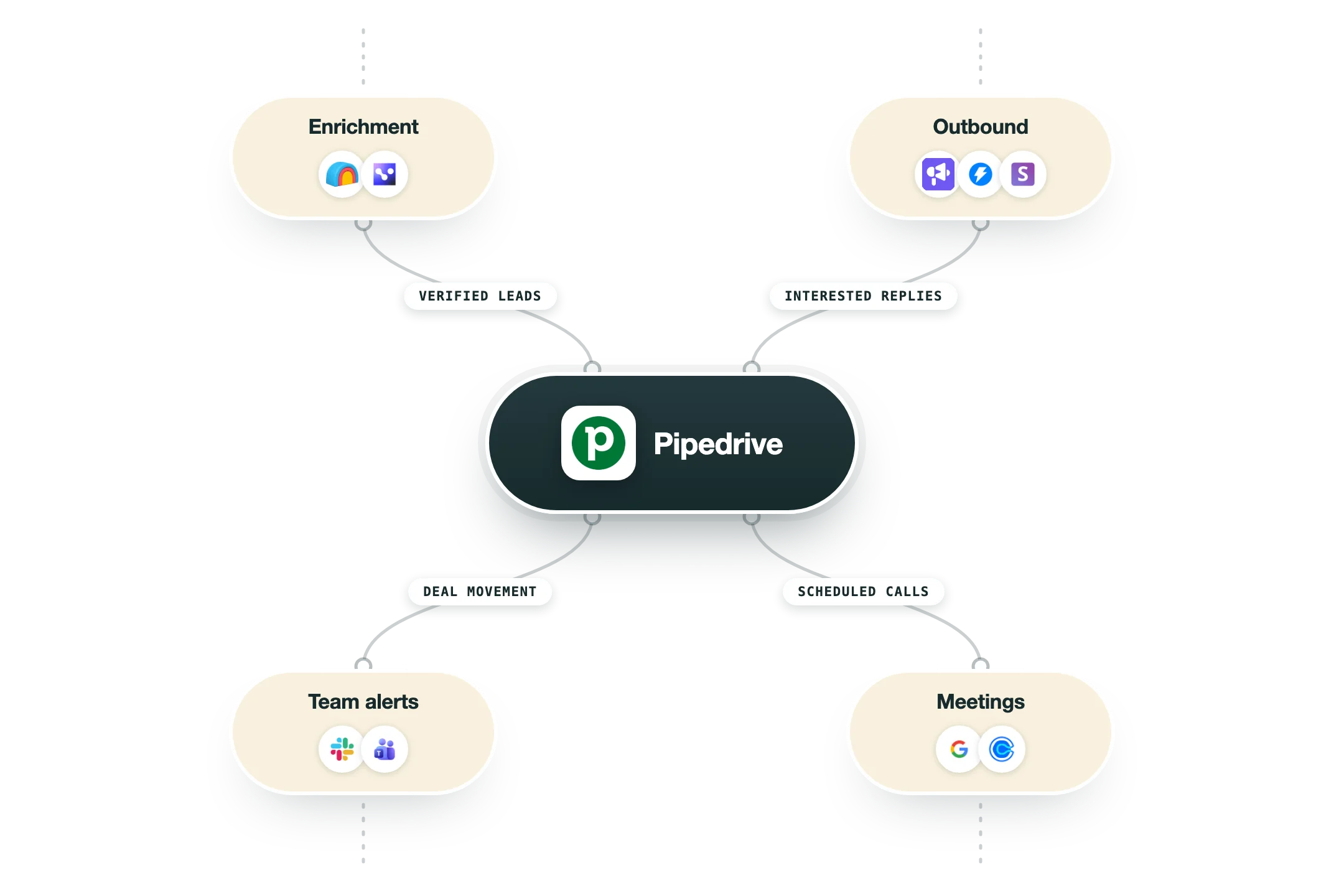
Pipedrive is a sales CRM built around the deal pipeline. Its job is to give reps a clear visual board of every open deal, the activities due on each, and what has to happen next, all without heavy admin. The whole product is organized to keep deals moving. Deals flow left to right through stages you define, automations handle follow-up tasks and emails, and reporting rolls the pipeline up into forecasts. It stays deliberately simpler and faster to set up than the enterprise suites, which is the reason teams pick it. In a GTM stack it is the system of record for active selling. Enrichment and outbound tools feed leads in, the rep works the pipeline, and won deals push out to onboarding or finance through a broad integration marketplace and API. At Nebor, Pipedrive is one of the many CRM systems we build on. We architect CRM and RevOps infrastructure on top of HubSpot, Salesforce, or Pipedrive depending on what you already use, so we reach for Pipedrive when a lean sales team wants a CRM reps will truly use day to day. When that is your setup, we wire the Clay engine and GTM stack into it so records stay clean and current. We see it as the pragmatic call when the heavier suites would be more than the team needs. We would rather hand a small client a CRM they keep current than a powerful one they abandon.
Integrations and the modern GTM stack
Pipedrive keeps the CRM lean on purpose and lets its marketplace of 500+ apps do the connecting:
Zapier | The most-installed app on the marketplace, bridging Pipedrive to thousands of tools. |
Google Meet and Zoom | The next most popular: video calls scheduled and launched from deals and activities. |
Slack | Dealbot posts deal movement where the team talks. |
Microsoft Teams | The same notifications and meetings for Microsoft shops. |
Gmail | Native two-way email sync, with a CRM sidebar inside the inbox. |
API and webhooks | A solid public API and built-in event notifications. One gap to know: there is no official MCP server yet, so AI assistants reach Pipedrive through community-built connections only. |
Pro’s
The visual pipeline is intuitive, so reps adopt it quickly with little training.
Setup is fast and light compared to the heavier enterprise CRMs.
Entry pricing is affordable for small and growing sales teams.
Automation and email sync cover the day-to-day follow-up most reps need.
A large integration marketplace connects it to the rest of a GTM stack.
Cons
It is built for sales, so marketing and service capabilities are thin versus full suites.
Deeper features like AI scoring and enrichment are gated to the top tiers.
Reporting and customization are limited next to Salesforce or HubSpot Enterprise.
Add-ons for projects, lead generation, and more stack onto the per-seat cost.
Pricing
Lite
$14/user/mo billed annually, $24 monthly
Visual pipeline and deal tracking
Contact and email integration
Mobile apps
Growth
$39/user/mo billed annually, $49 monthly
Email sync with templates
Workflow automation
Enhanced reporting
Premium
$59/user/mo billed annually
Revenue forecasting
Lead routing and AI deal scoring
Granular team permissions
Ultimate
$79/user/mo billed annually
Advanced security and compliance
Data enrichment
Priority support
Add-ons and Credits
Modular stacks per seat, priced separately
Projects, Campaigns, and LeadBooster add-ons
Smart Docs and web visitor tracking
AI sales assistant features on higher tiers
How it fits your stack
Alternatives


At a glance
Visual drag-and-drop pipeline
Activity and follow-up reminders
Workflow automation builder
Email sync and templates
Revenue forecasting and reports
AI deal scoring on higher tiers
Mobile apps for reps
Broad integration marketplace
Read some of our client stories





GTM Workflows
Learn how to use GTM tools in workflows
Guides and tutorials to get the most from your workflows





Ready to get started?




By clicking Sign Up you're confirming that you agree with our Terms and Conditions.








