

A cold email sending platform with unlimited mailboxes, automatic inbox rotation, free warmup, and a master inbox for outbound at scale without burning domains.
What is
Smartlead
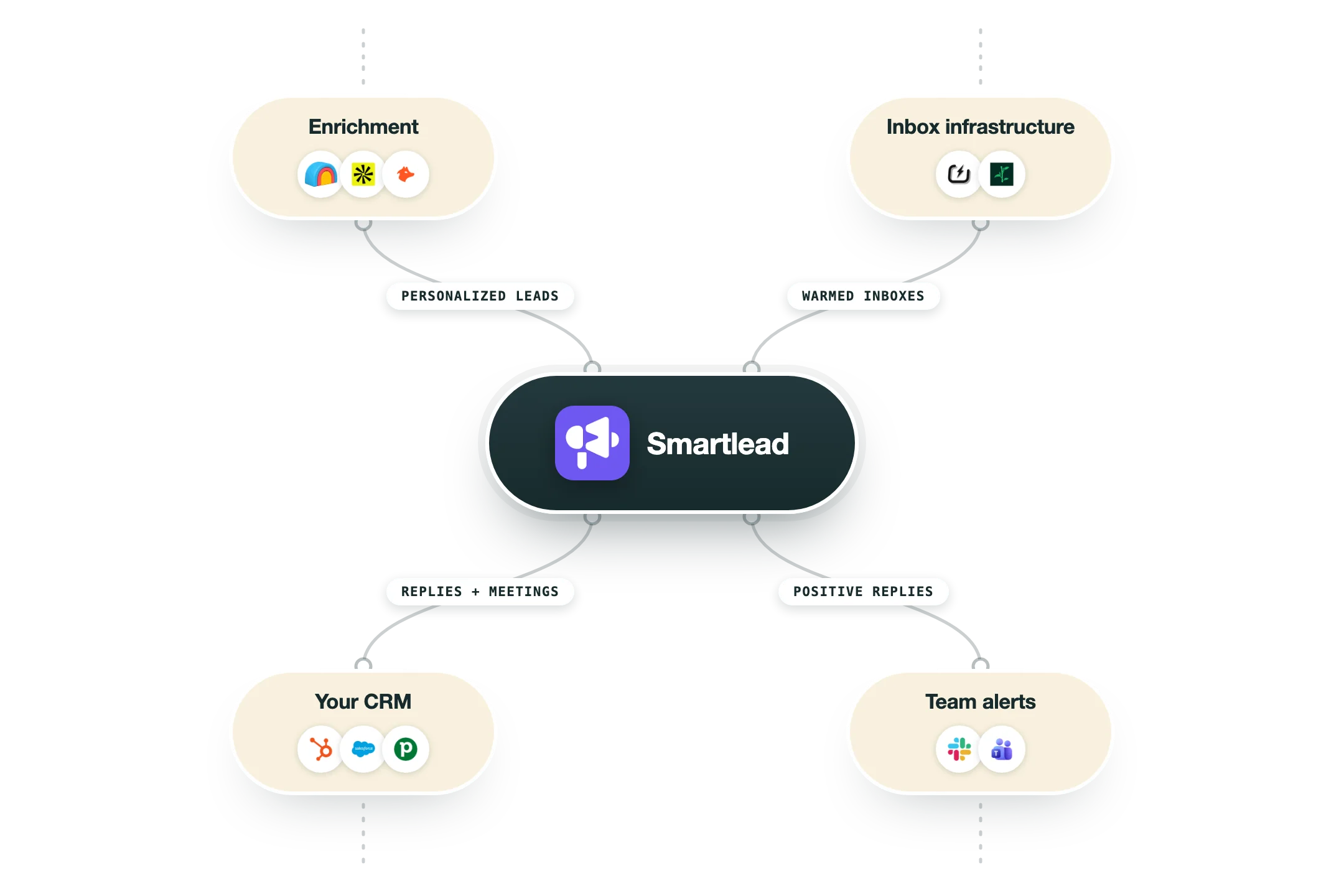
Smartlead is a cold email sending and deliverability platform built for outbound at scale. Its job is to send sequenced cold emails across unlimited connected mailboxes, rotate sends so no single inbox exceeds safe daily volume, and warm accounts automatically so messages land in the primary tab. Under the hood, it stitches your domains and mailboxes into one sending engine, keeps free warmup on every connected account, and collects replies from every campaign in a single master inbox. A strong API, webhooks, and white-label support let it slot into an automated stack. So, in a GTM stack, Smartlead is the sending tool. You feed it verified, enriched, personalized leads from a tool like Clay, and it handles rotation, deliverability, and reply management so volume can climb without burning domains. At Nebor, we use Smartlead as an alternative sender to Instantly, not the default on every system. We pick the sending engine that fits the client setup, and Smartlead is the one we reach for when its mailbox model suits the build. When we use it, Clay owns the data and the routing, then pushes verified leads in to send. The unlimited mailboxes and automatic inbox rotation are what keep deliverability steady once daily volume gets serious, which is exactly why it earns a place in those builds.
Integrations and the modern GTM stack
Smartlead is sending infrastructure built API-first, and its integration list is honestly native almost everywhere:
Clay | The native hand-off from enrichment to inbox: finished leads flow from Clay tables into campaigns. |
CRMs | Real two-way sync with HubSpot, Salesforce and Pipedrive, with Attio, GoHighLevel and Zoho native too. |
Gmail and Outlook | One-click mailbox connection is the sending backbone. |
Slack | Replies and bounces alert the team in the channels they already watch. |
Webhooks | Every meaningful event, a reply, a bounce, an unsubscribe, can instantly notify the rest of your stack. |
MCP server | An official hosted server lets Claude manage campaigns directly, and a popular community server extends that to more than a hundred tools. |
API | A deep API with its own developer portal, which is exactly why agencies script Smartlead. |
Pro’s
Unlimited mailboxes on a flat fee make scaling send volume cheap next to per-seat tools.
Automatic rotation and free warmup keep deliverability stable as you add domains and inboxes.
The master inbox pulls every campaign reply into one place for fast follow-up.
A solid API, webhooks, and native Clay support fit it cleanly into an automated GTM stack.
White-label and client workspaces make it practical for agencies with many accounts.
Cons
The Basic plan blocks API access, CRM integrations, and team seats, so most teams need Pro or higher.
Agency client workspaces beyond the first cost extra per client and stack up fast.
It only sends and warms, so data, enrichment, and personalization need a separate layer like Clay.
Warmup heat scores can read high while real inbox placement still lags behind.
Pricing
Basic
$39/mo or about $32/mo billed annually
2,000 active leads and 6,000 emails per month
Unlimited mailboxes and free warmup
No API, CRM sync, or team seats
Pro
$94/mo or about $78/mo billed annually
30,000 active leads and 150,000 emails per month
API, webhooks, and white-label
GPT-4 personalization and advanced analytics
Custom
$174/mo or about $145/mo billed annually
Up to 12 million active leads
Dedicated IP and custom setup support
Advanced API and priority support
Add-ons and Client Workspaces
Modular stacks on any plan, priced separately
Extra agency client workspaces around $29 per client per month
Capacity add-ons for more leads and email volume
Dedicated IP and managed deliverability options
How it fits your stack
Alternatives



At a glance
Unlimited connected mailboxes
Automatic inbox rotation on sends
Free warmup on every account
Unified master inbox for replies
Multi-step conditional sequences
API and webhook access
White-label and client workspaces
Deliverability and reply analytics
Read some of our client stories





GTM Workflows
Learn how to use GTM tools in workflows
Guides and tutorials to get the most from your workflows
No items
Ready to get started?




By clicking Sign Up you're confirming that you agree with our Terms and Conditions.








