

The calm team workspace: projects, to-dos, docs and chat with deliberately few knobs. Another home a workflow's library can land in, when this is where the team already lives.
What is
Basecamp
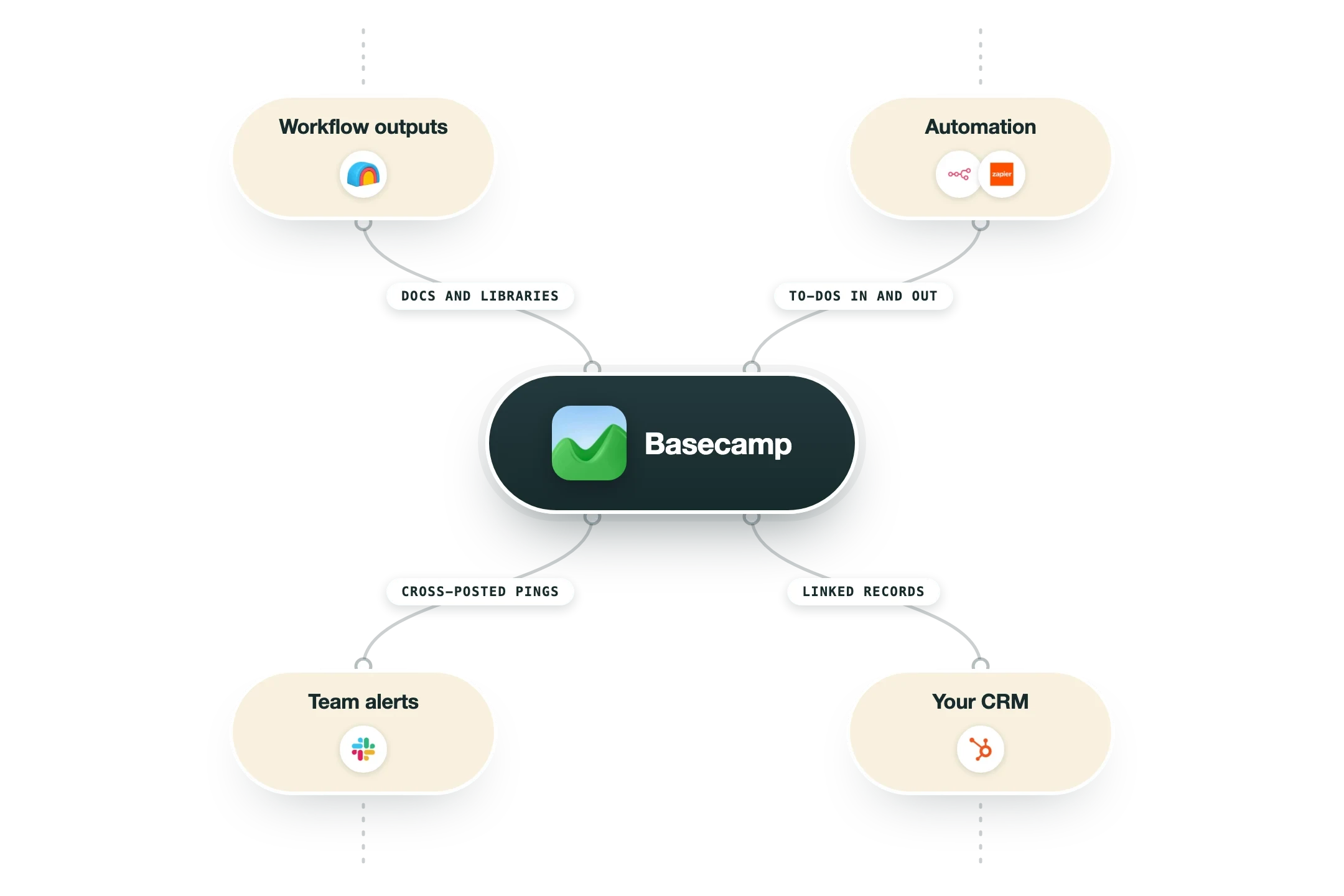
Basecamp is a team workspace built by 37signals around one opinion: most project tools demand too much attention. Every project gets the same six tools, a message board, to-dos, docs, a schedule, chat and file storage, and that is deliberately all. Teams choose it for the quiet. There are no dashboards to feed, no custom fields to design, and notifications arrive in a daily digest unless something needs you now. Work moves because people can see it, and hill charts show honestly whether a piece is still being figured out or just being finished. In our workflow builds it appears as an alternative home for what the machine writes: a library, a playbook, a weekly brief, filed into the project where the team already talks. If your team lives in Basecamp, the workflow plugs in there rather than asking anyone to move. The trade is capability for calm. A team that wants portfolio views, custom fields and reporting will outgrow it, and a team drowning in its current tool's noise will feel like it can breathe again. Both reactions are correct, and knowing which team you are is the entire decision.
Integrations and the modern GTM stack
Basecamp keeps its surface small, and connects through a few solid doors:
API | To-dos, docs, messages and schedules all read and write, which is everything a workflow needs to file its outputs. |
n8n and Zapier | The main wiring: a signal elsewhere becomes a to-do here, and a completed to-do reports back. |
Email in | Forward a thread to a project and it lands on the message board with the context intact. |
Slack | Cross-posted pings for teams that keep chat in Slack while the work lives in Basecamp. |
Pro’s
The calm is real: fewer notifications and a flat structure mean the tool asks for less attention than any rival.
Pro Unlimited's flat price stops the per-seat math, which suits teams that grow.
Clients can live inside the project with exactly the visibility you choose.
Every project has the same six tools, so nobody designs a workspace and nobody inherits a maze.
The API covers to-dos, docs and messages, so a workflow can file its outputs without a human.
Cons
The fixed structure that keeps it calm also caps it: no custom fields, no dashboards, no portfolio view.
Reporting is thin, and leadership used to dashboards will ask where they went.
Fewer native integrations than rivals, so more of the wiring goes through Zapier or n8n.
Per-user pricing on the standard plan is high next to ClickUp's tiers.
Pricing
Free
Free
1 project, up to 20 users
1GB storage
Enough to feel the calm
Pro
$15/user/mo
Unlimited projects
500GB storage
30-day free trial
Pro Unlimited
$299/mo billed annually
Unlimited users, flat price
5TB storage, priority support
Timesheet and Admin Pro Pack included
How it fits your stack
Alternatives


At a glance
Projects, to-dos, docs and chat together
Flat pricing option for unlimited users
Message boards replace long email threads
Hill charts show where work really stands
Campfire chat per project
Client access with fine-grained visibility
Calm by design: fewer pings, fewer badges
API for tasks, docs and messages
Read some of our client stories





GTM Workflows
Learn how to use GTM tools in workflows
Guides and tutorials to get the most from your workflows


Ready to get started?




By clicking Sign Up you're confirming that you agree with our Terms and Conditions.








