

The workspace where tasks, docs and dashboards live together. It is the tool we manage Nebor's own client work in, and one of the team homes a workflow's library or playbook can land in.
What is
ClickUp
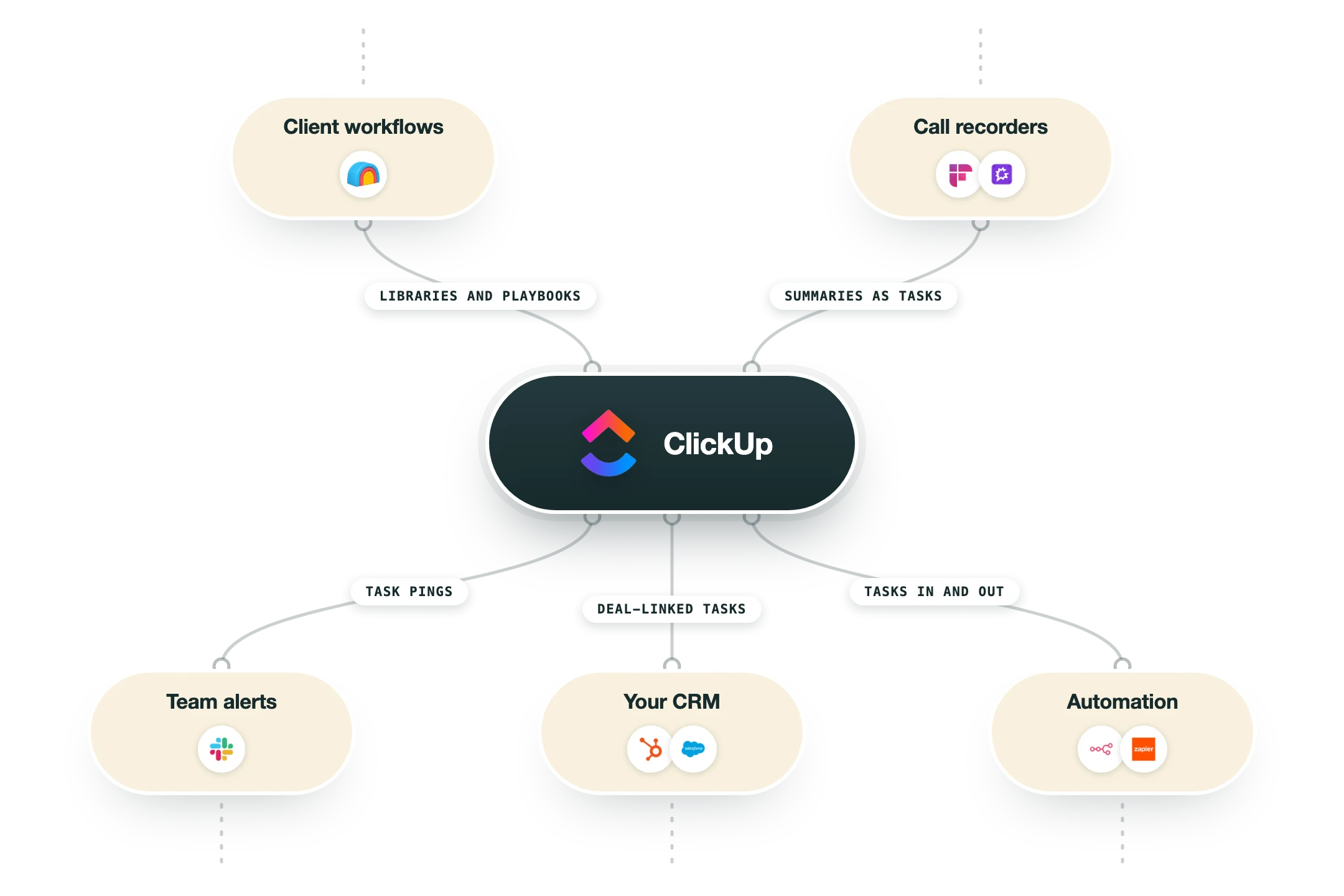
ClickUp is a team workspace that folds project tasks, documents, goals and dashboards into one product. Lists and boards hold the work, docs live next to the tasks they describe, and automations move things along without anyone dragging cards. We can describe it from experience, because Nebor manages its own client work in ClickUp: every build, every review round and every delivery lives there as tasks and docs. That is also why it shows up in our workflow charts as a home for the outputs a build produces. In those builds the workflow does the writing. A voice-of-customer library, a playbook, a weekly brief: each lands in the workspace the team already opens every morning, through the API or a ready-made automation, so nobody adopts a new tool to read what the machine found. The honest caveat is curation. ClickUp will hold any process you pour into it, including a messy one, so the teams that get the most from it decide their structure once and prune it now and then. Set up that way, it is the cheapest way we know to keep a whole agency's work visible in one place.
Integrations and the modern GTM stack
ClickUp connects to a GTM stack in both directions:
Public API and webhooks | Everything a workflow needs: create and update tasks, read lists, and hear about changes the moment they happen. |
Slack | Task pings land in the channels the team already reads, and a message can become a task without leaving Slack. |
HubSpot | Deal-linked tasks keep delivery work attached to the revenue it serves. |
n8n and Zapier | Ready-made nodes for the steps where wiring beats coding: a closed deal opens an onboarding list, a finished task updates the CRM. |
Email in | Every list has an address, so a forwarded thread becomes a task with the context attached. |
Pro’s
One workspace replaces a project tool, a docs tool and a goals tracker, so the work and the writing about the work stay in the same place.
The free plan is genuinely usable, and the paid tiers stay cheap enough that nobody rations seats.
Custom fields and views bend it to almost any process, from a sprint board to an agency delivery pipeline.
Automations and the API mean a workflow can create and update tasks without a human copying anything.
Docs attached to tasks keep a voice-of-customer library one click from the deal work it feeds.
Cons
The flexibility is the tax: a workspace nobody curates grows views and fields until finding things is work.
It can feel slow on very large workspaces, and power users feel the lag first.
The AI features are a paid add-on on top of the seat price.
Notifications need taming on day one, or the team learns to ignore them.
Pricing
Free Forever
Free
Unlimited tasks and members
60MB storage, kanban, calendar
Enough to try the real product
Unlimited
$7/user/mo billed annually, $10 monthly
Unlimited storage and integrations
Gantt, goals, portfolios
Native time tracking
Business
$12/user/mo billed annually, $19 monthly
Advanced dashboards
Automations at scale
Mind maps, custom exports
Enterprise
Custom contact sales
SSO and governance
Custom roles
250K automations monthly
How it fits your stack
Alternatives


At a glance
Tasks, docs, goals and chat in one place
Free Forever plan with unlimited tasks
Dashboards over any list or team
Automations without a developer
Native time tracking
Docs live next to the work they describe
AI assistant across tasks and docs
Public API and webhooks
Read some of our client stories





GTM Workflows
Learn how to use GTM tools in workflows
Guides and tutorials to get the most from your workflows





Ready to get started?




By clicking Sign Up you're confirming that you agree with our Terms and Conditions.








