

Deliverability testing and monitoring for cold email operators: seeded inbox placement tests, spam scoring across 162 data points, blacklist and DMARC monitoring, and masking proxies for your sending domains.
What is
EmailGuard
Reply rates on a domain that worked all month drop to nothing on a Tuesday and nobody on the team can say why. EmailGuard is built for that Tuesday, giving you a list of seed addresses at the major providers to send your email to and reporting whether it reached the inbox, the spam folder or nowhere. Each test comes with a unique phrase you must include in the email so the results can be matched, and placement comes back within minutes. Around it are checks you would otherwise do in four other tabs: a spam filter score across 162 data points, blacklist monitoring, DMARC aggregation and contact verification. The part that separates it from a plain testing tool is the domain masking proxy, which serves each secondary sending domain as its own site on EmailGuard's IPs rather than a bare redirect. EmailGuard claims reply rates two to five times higher behind corporate filters like Proofpoint and Mimecast, on its own unaudited numbers. We would put EmailGuard in a cold email build as the measurement layer and keep expectations there. It tells you where you stand and leaves the fixing to you, so it earns its money next to someone who can act on a red result by cutting volume, repairing DNS or pulling a domain out of rotation.
Integrations and the modern GTM stack
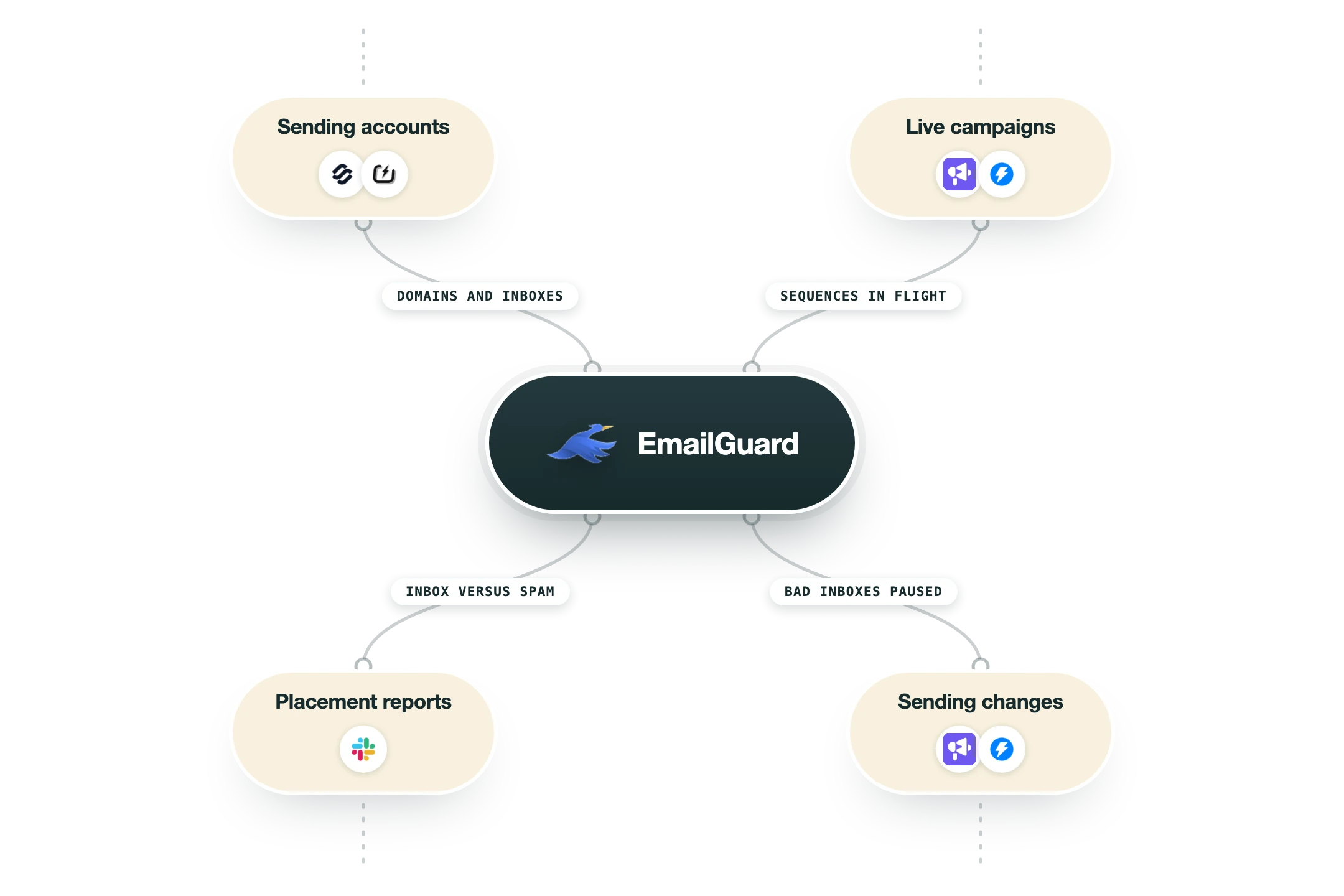
EmailGuard has no integrations directory and no marketplace listings, because the product connects to your mail accounts and your DNS rather than to other software. What it does have is an API, webhooks and an MCP server, so anything beyond the dashboard is something you wire yourself.
Google Workspace and Microsoft 365 | Connected through a one-click login rather than raw credentials. EmailGuard's own help centre says Google and Microsoft will not allow plain IMAP and SMTP connections, so the OAuth route is the only supported path for the two providers most cold email depends on. |
Other mailboxes over IMAP and SMTP | Anything outside Google and Microsoft connects with a username, password, host and port, with AOL documented at imap.aol.com on 993 and smtp.aol.com on 465. Two-factor authentication on the mailbox is called out as a common cause of failed connections. |
Your sending platform | There is no native app for Instantly, Smartlead, Lemlist or any other sequencer. A placement test works by giving you seed addresses and a unique phrase to include, so the email goes out from whatever tool you already send with and the platform never needs to know EmailGuard exists. |
Your DNS and registrar | SPF, DKIM and DMARC records are looked up, generated and monitored, and DMARC reports are aggregated with failure analysis and sending sources. EmailGuard reads and checks the records, and you publish the changes at Cloudflare, Namecheap or wherever the zone lives. |
Spamhaus Intelligence | Paid plans carry Spamhaus Intelligence credits, 75 on Pro through 500 on Agencies, which is the commercial reputation data rather than the free public lookup everybody already uses. Blacklist monitoring happens weekly by default with ad-hoc checks on demand. |
API, webhooks and MCP | The API reference at app.emailguard.io/api/reference documents workspaces, domains, email accounts, contact verification, blacklist checks, DMARC reports, authentication records, spam analysis, hosted redirects and spam filter tests. The help centre carries separate sections for webhooks and an EmailGuard MCP server. |
Domain masking proxy and hosted redirects | Secondary sending domains are served as their own sites on EmailGuard IPs with managed SSL, on a rotated shared pool by default or a dedicated IP for $100 a month. There is an API for teams with hundreds of domains, so this can be provisioned in bulk. |
What is missing | No Zapier, Make or n8n app, no CRM connection and no native hook into cold email infrastructure. If you want a failed placement test to pause a campaign or open a ticket, that logic lives in your own automation calling the API or catching a webhook. |
Pro’s
Pricing tracks domains and email accounts instead of headcount, so every paid plan carries unlimited team members and unlimited workspaces and an agency can keep forty client workspaces on the $199 tier.
One login covers placement tests, spam filter scoring, blacklist monitoring, DMARC aggregation, SPF and DKIM records and contact verification, which replaces three or four single-purpose subscriptions.
Tests can happen on a schedule rather than only when somebody remembers, so a placement drop arrives as an alert instead of a rep mentioning that replies went quiet.
Paid plans include Spamhaus Intelligence credits, from 75 on Pro to 500 on Agencies, and that is the commercial reputation feed rather than the free public lookup.
The API at app.emailguard.io/api/reference covers domains, email accounts, spam tests, blacklist checks and hosted redirects, so tests can be wired into an n8n or Clay workflow.
The free plan stands on its own with one domain, three email accounts, weekly blacklist monitoring and unlimited DMARC monitored emails, so you can watch a domain without paying anything.
Cons
A placement test samples inboxes that have never opened, replied to or bought anything, so a green result tells you the domain and the content are clean without promising the same landing in a real prospect's mailbox.
EmailGuard publishes no seed list size and no provider breakdown on its site, its help centre or its API reference, which leaves you unable to judge how much weight a passing test deserves.
It diagnoses and stops there, since there is no warmup, no sending and no list building, so every red result becomes work you do somewhere else.
Inbox placement tests are absent from the free plan and capped at 300 a month on the $49 Pro tier, so the headline feature is the one you have to pay for.
The two to five times reply lift claimed for the domain masking proxy is EmailGuard's own unaudited number, and shared proxy IPs put your masked domains on a pool whose reputation depends on other customers.
Pricing
Free
$0/month No credit card, no inbox placement tests included
1 connected domain and 3 connected email accounts
50 contact verification credits
Weekly automated and ad-hoc blacklist checks
10 email tests with spam filters and 20 content spam checks
Unlimited SPF, DKIM, DMARC checks and DMARC monitored emails
Pro
$49/month Entry paid tier, first with placement tests
25 domains and 100 email accounts
300 inbox placement tests
500 spam filter tests and 500 content spam checks
10 domain masking proxies or hosted redirects
3,000 verification credits and 75 Spamhaus Intelligence credits
Business
$129/month For teams with several domains at volume
75 domains and 300 email accounts
500 inbox placement tests
1,000 spam filter tests and 1,000 content spam checks
25 domain masking proxies or hosted redirects
20,000 verification credits and 300 Spamhaus Intelligence credits
Agencies
$199/month Unlimited workspaces, one login for every client
200 domains and 1,000 email accounts
1,500 inbox placement tests
2,000 spam filter tests and 3,000 content spam checks
120 domain masking proxies or hosted redirects
50,000 verification credits and 500 Spamhaus Intelligence credits
How it fits your stack
Alternatives


At a glance
Inbox placement tests, ad hoc or scheduled
Spam filter test across 162 data points
Blacklist monitoring for domains, IPs and servers
SPF, DKIM, DMARC lookup and DMARC aggregation
Domain masking proxies and hosted redirects
Spamhaus Intelligence credits on paid plans
Unlimited workspaces and team members when paid
Free plan with 1 domain and 3 email accounts
Read some of our client stories





GTM Workflows
Learn how to use GTM tools in workflows
Guides and tutorials to get the most from your workflows






Ready to get started?




By clicking Sign Up you're confirming that you agree with our Terms and Conditions.








