

Cloud LinkedIn automation with a dedicated IP per account, branching smart sequences and image or GIF personalisation, priced per seat from $79 a month.
What is
Expandi
Expandi handles your LinkedIn outreach from the cloud, sending connection requests, follow-ups and InMails on a schedule without your browser open. Every account gets a country-based dedicated IP, an automatic warm-up period, and daily action caps tuned to keep the pattern looking like one busy person. The campaign builder is where the money goes. Smart sequences give you 19 actions and 11 conditions, so a reply, a profile view or a like on a post can send someone down a different branch. Image and GIF personalisation through Hyperise drops a prospect's photo or company logo straight into the creative. Two things are worth pricing out before you commit. The personalisation add-ons and any real email tooling fall outside the $99 seat, and stacking Hyperise and Sendspark on top pushes the true per-seat figure toward $200 a month. G2 and Trustpilot reviewers also flag a steep learning curve and occasional LinkedIn restrictions. Expandi and HeyReach solve one problem in different shapes, Expandi per seat with deep personalisation for a single operator, HeyReach per connected sender for agencies with many accounts. We use HeyReach, so reach for Expandi when one person owns the outreach and the personalisation matters more than sender count.
Integrations and the modern GTM stack
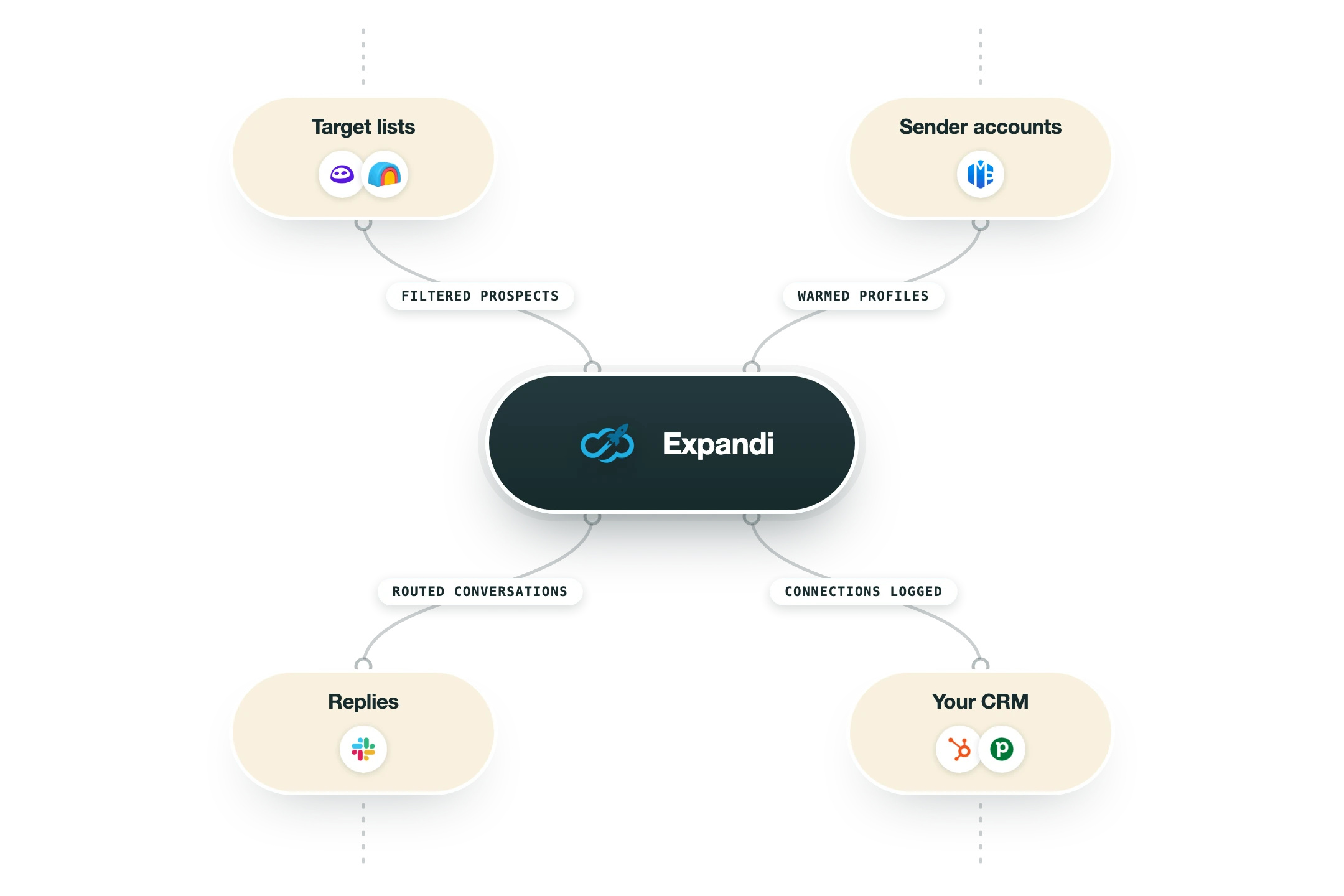
Expandi connects out to the rest of your stack through a handful of native CRM connectors and, for everything else, a two-way webhook system that does most of the work a public API would.
HubSpot, Salesforce and Pipedrive | All three are direct CRM connectors rather than Zapier workarounds. Leads move across automatically or on demand and the full activity trail travels with them, covering the connection request, every message, replies and later LinkedIn interactions, so reps retype nothing from the smart inbox. |
Webhooks (outbound) | Campaign events send a webhook to any endpoint you point at, which is the documented route for sending Expandi data into a CRM, a warehouse or an automation tool. A test button confirms the connection before you go live. |
Reversed webhooks (inbound) | Expandi's help centre calls these the closest thing to a publicly available API. You can push people into a campaign from an outside system and pause or resume them, which is enough to drive Expandi from Clay or n8n. |
Zapier and Make | Zapier has a documented setup path in the help centre and is the usual bridge to anything without a native connector. Make and similar tools work the same way through the generic webhook endpoints. |
LinkedIn Sales Navigator | Sales Navigator searches and lead lists can be used as campaign sources, and the tool also builds audiences from post engagers, group members and event attendees. The Navigator seat is your own subscription and its search result caps still apply. |
Hyperise and Sendspark | Direct integrations for personalised images and GIFs (Hyperise) and personalised video thumbnails (Sendspark). Both are billed by those vendors on top of your Expandi seat, so the demo you saw is not what the base plan costs. |
Email and workplace tools | Gmail and Microsoft Outlook connect for the email steps inside a sequence, and Slack, Microsoft Teams, Google Sheets, Mailchimp and Zendesk appear on third-party integration directories, mostly reached through Zapier. |
What it does not have | There is no published REST API with open documentation, no MCP server, and no native email finding or verification, so email addresses come from LinkedIn profiles or a CSV you import. Enrichment has to happen upstream in Clay or a similar layer. |
Pro’s
Each seat gets its own country-based IP plus automatic warm-up and tuned daily limits, so the sending pattern stays closer to a real person browsing than most cloud tools manage.
Smart sequences with 19 actions and 11 conditions let you branch on real behaviour, so a profile view or a post like can trigger a different follow-up than silence does.
Image and GIF personalisation via Hyperise, and video via Sendspark, are wired in as first-class steps rather than something you bolt on with a Zap.
CRM sync to HubSpot, Pipedrive and Salesforce is native and carries full activity history, with webhooks in both directions for anything the connectors miss.
The agency layer covers white labelling, granular roles, shared templates, centralised campaign management and a dedicated customer success manager.
Campaign types go past cold search into people who engaged with a post, joined a group or attended an event, which is warmer ground to open on.
Cons
The $99 seat does not include image, GIF or video personalisation, and adding Hyperise and Sendspark can push real cost per seat past $200 a month.
Per-seat pricing stings once you have many LinkedIn accounts, because volume discounts only start at the 10-seat agency tier and that tier is quote-only.
The tool is LinkedIn-first, and email steps rely on addresses already visible on a profile or imported by CSV, since there is no native email finder or verifier.
Reviewers on G2 and Trustpilot report LinkedIn restrictions and bans. No vendor removes that risk, because LinkedIn's user agreement forbids automated access outright.
The interface takes real time to learn, and reviewers repeatedly mention leaning on help-centre guides to get advanced sequences and CRM connections working.
Pricing
Business (annual)
$79/month per seat Billed annually, roughly two months free against monthly
Dedicated country-based IP and automatic warm-up
Unlimited campaigns with smart sequences and if/then logic
Multichannel steps including email follow-ups
Global smart inbox, blacklist and duplication protection
Business (monthly)
$99/month per seat Same features, no annual commitment, 7-day free trial
Everything in the annual Business plan
Detailed campaign statistics and A/B testing
Dynamic placeholders and unlimited templates
Webhooks and native CRM integrations
Agency
Custom quote Minimum 10 seats, priced on a sales call, discount grows with account count
Roles and permission management across clients
Centralised campaign management and template sharing
White-label branding and client-facing reports
Dedicated customer success manager
Personalisation add-ons
From about $49 to $69/month each Hyperise for images and GIFs, Sendspark for video, billed by those vendors
Hyperise pulls prospect photos and company logos into images
Sendspark handles personalised video thumbnails
Both are demonstrated in Expandi campaigns but sold separately
How it fits your stack
Alternatives



At a glance
Cloud-based, works without your browser open
Dedicated country-based IP per account
Automatic profile warm-up and daily action caps
Smart sequences with 19 actions and 11 conditions
11 campaign types including post engagers
Image, GIF and video personalisation as paid add-ons
Native HubSpot, Pipedrive and Salesforce sync
White-label agency plan from 10 seats
Read some of our client stories





GTM Workflows
Learn how to use GTM tools in workflows
Guides and tutorials to get the most from your workflows






Ready to get started?




By clicking Sign Up you're confirming that you agree with our Terms and Conditions.








