

A visual no-code automation platform that connects apps and moves data through scenarios, the connective tissue wiring a GTM stack together without writing code.
What is
Make
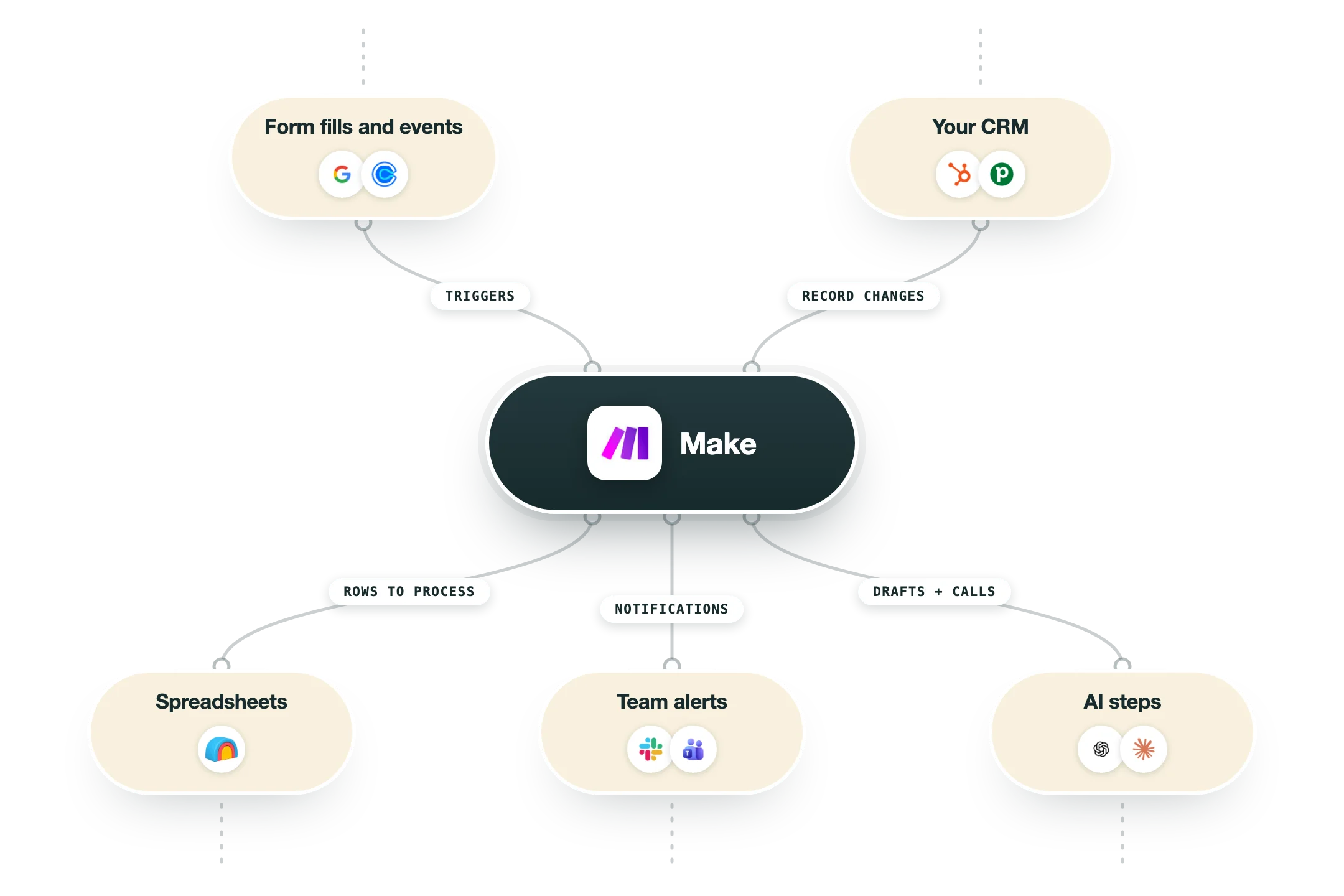
Make is a visual automation platform that connects apps and moves data between them without writing code. Its job is to let you build scenarios on a canvas, where one trigger sets off a chain of steps across thousands of services. You map fields, add filters, transform values, and route logic as you go. Scenarios work on a schedule or in real time. Each module is one action in an app, and Make passes data down the chain step by step. Routers, filters, and iterators handle branching and loops, so fairly complex logic stays readable on a single canvas. In a GTM stack Make is connective tissue between tools that do not talk natively. It pushes enriched leads from Clay into a CRM, syncs replies back, posts Slack alerts on intent signals, and triggers sequences, working underneath the data layer and wiring the stack together. At Nebor, n8n is our default orchestrator, so Make is a tool we sometimes reach for rather than the one we wire into every build. We pick it when a client workflow needs branching or scheduled syncs a native integration cannot handle alone. When it fits, the visual canvas makes handoffs easy to document and hand back, which matters when we build a system a client will eventually own and operate without us in the room.
Integrations and the modern GTM stack
Make is the visual glue layer: you draw the workflow, and its 3,000+ apps do the rest:
HubSpot | Full modules for reading, writing and deduping CRM records inside your scenarios. |
Google Sheets and Gmail | The everyday data and email plumbing most agency workflows depend on. |
Slack | Alerts and interactive messages from any step of any scenario. |
OpenAI and Claude | Native AI modules drop model calls into a flow, for research, classification or personalization on the way through. |
Make CLI and API | An official command line tool and a full platform API mean your technical team can manage scenarios from code and CI, something Make did not have until recently. |
MCP server | Make's official MCP server turns your scenarios into tools an AI assistant can trigger: ask Claude to kick off a workflow, and it happens. |
Pro’s
The visual canvas makes multi-step branching logic readable and easy to document for handoff.
Operations-based pricing is far cheaper than Zapier at the same workflow volume.
Routers, filters, and iterators handle complex logic that simpler tools cannot.
Broad app library plus webhooks and HTTP modules connect almost anything.
Minute-level scheduling and real-time webhooks keep syncs current.
Cons
The 2025 switch from operations to credits made cost forecasting harder, with AI steps consuming credits unevenly.
Extra-operation packs now carry a markup, so overages get expensive fast.
The learning curve is steeper than Zapier for non-technical first-time builders.
Debugging large scenarios can get slow, and full log search is behind the Pro tier.
Pricing
Free
$0/mo no time limit
1,000 operations per month
Unlimited no-code workflow builder access
3,000+ apps, routers, and filters
Core
$9/mo billed annually, 10,000 ops base
Unlimited active scenarios
Minute-level scheduling
Make API access
Pro
$16/mo billed annually, 10,000 ops base
Priority scenario execution
Custom variables
Full-text execution log search
Teams
$29/mo billed annually, 10,000 ops base
Team roles and permissions
Shared scenario templates
Unlimited users
Enterprise
Custom contact sales
Custom credit allocation and overage protection
SSO, SCIM, and audit logs
24/7 support and account team
How it fits your stack
Alternatives


At a glance
Visual drag-and-drop scenario builder
3,000+ app integrations
Routers, filters, and iterators
Minute-level scheduling
Webhooks and HTTP modules
Full API access on paid plans
Reusable scenario templates
Native Clay and CRM connectors
Read some of our client stories





GTM Workflows
Learn how to use GTM tools in workflows
Guides and tutorials to get the most from your workflows





Ready to get started?




By clicking Sign Up you're confirming that you agree with our Terms and Conditions.








