

The most popular no-code automation tool, connecting 8,000-plus apps so a trigger in one sets off actions in others, the fast glue for simple GTM syncs.
What is
Zapier
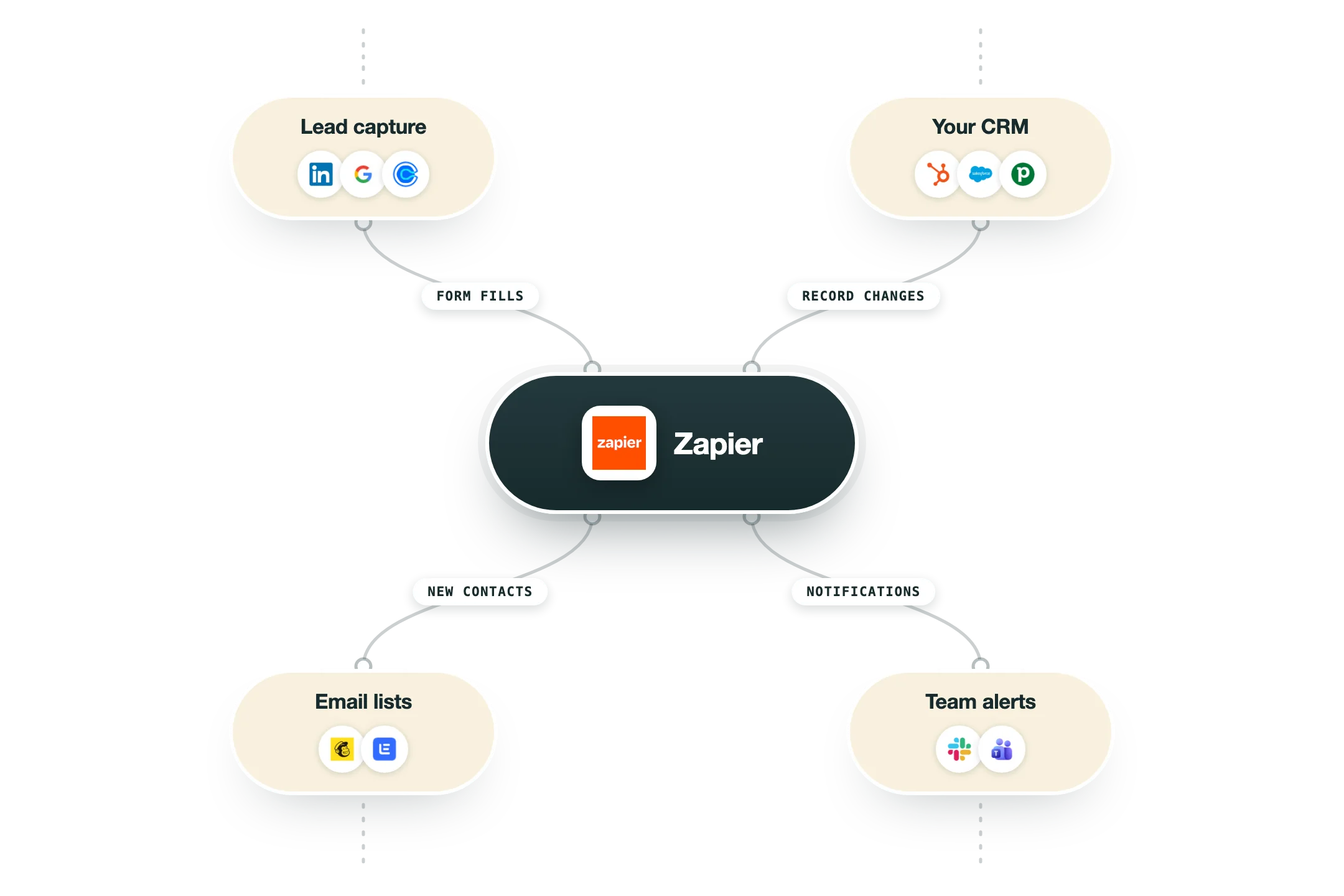
Zapier is the most widely adopted no-code automation tool. It connects thousands of apps through simple trigger and action Zaps that move data between them without anyone writing a line of code. It is genuinely strong at lightweight, linear automation. A form fills, a row gets added, a Slack alert lands. The enormous app catalog and gentle learning curve are why most teams reach for it first, and recent additions like Tables, Interfaces, and AI steps widen what a single Zap can do. Where it strains is the work a real GTM system actually needs. Pricing is task based, so the bill climbs with volume, and branching, conditional, or asynchronous workflows get awkward and expensive to maintain once the logic grows past a few steps. For our client builds the default orchestrator is n8n. It handles the event driven logic and direct API calls that Zapier struggles with, costs far less at real sending volume, and can be self hosted so the client keeps every workflow as an asset they own. Zapier still earns a place for quick, simple connections between mainstream apps. Where a client already has it we build around it rather than rip it out, and we point teams to it when the job is genuinely that light.
Integrations and the modern GTM stack
Zapier has the broadest app directory anywhere, and its MCP server turns that reach into something AI assistants can use:
8,000+ apps | The largest connector library in the category. When two tools need a quick bridge and neither connects natively, Zapier is usually the answer. |
Google Sheets, Slack, Gmail | The classic trio for lists, alerts and follow-up, all first-class. |
HubSpot | React to CRM changes and write records back, no code involved. |
Webhooks by Zapier | A built-in step that catches events from any tool and passes them on, available on paid plans. |
Zapier MCP | The official hosted MCP server gives an AI assistant governed access to thousands of apps at once. One thing to budget for: each AI tool call costs two tasks from your plan. |
Platform CLI | For teams building their own Zapier integration, an official command line toolkit in Node. |
Pro’s
The largest app library means almost any tool you use already has a connector.
Setup is fast and beginner-friendly, so simple Zaps ship in minutes.
AI Copilot speeds up building and troubleshooting from a plain-text description.
Tables, Forms, and MCP now ship inside every plan as one bundle.
Reliable and well-documented, with templates for most common workflows.
Cons
Task-based pricing gets expensive fast at high volume compared to operation-based tools.
Branching and complex logic are weaker than Make or n8n for involved workflows.
The jump from Professional to Team is a steep price increase for modest added tasks.
Multi-step debugging is limited, and deep data transformation needs workarounds.
Pricing
Free
$0/mo no card required
100 tasks per month
Two-step Zaps
Visual editor and templates
Professional
$19.99/mo billed annually, or $29.99 monthly
750 tasks per month
Multi-step Zaps, Paths, and filters
Full access to 8,000+ integrations
Team
$103.50/mo billed monthly, starts at 2,000 tasks
Up to 25 users
Shared folders and admin permissions
Faster update times and priority support
Enterprise
Custom contact sales
SSO and SCIM provisioning
Audit logs and custom data controls
Unlimited users and a success manager
How it fits your stack
Alternatives




At a glance
8,000+ app integrations
No-code Zap builder
Multi-step Zaps with Paths
Filters and formatting tools
AI Copilot build assistance
Webhooks on paid plans
Tables, Forms, and MCP bundled
Native Clay and CRM connectors
Read some of our client stories





GTM Workflows
Learn how to use GTM tools in workflows
Guides and tutorials to get the most from your workflows





Ready to get started?




By clicking Sign Up you're confirming that you agree with our Terms and Conditions.








