

The open review platform where customers rate the whole company. In our review-site intent workflow it's the fourth scrape source, and the one that catches service and billing complaints about your rivals.
What is
Trustpilot
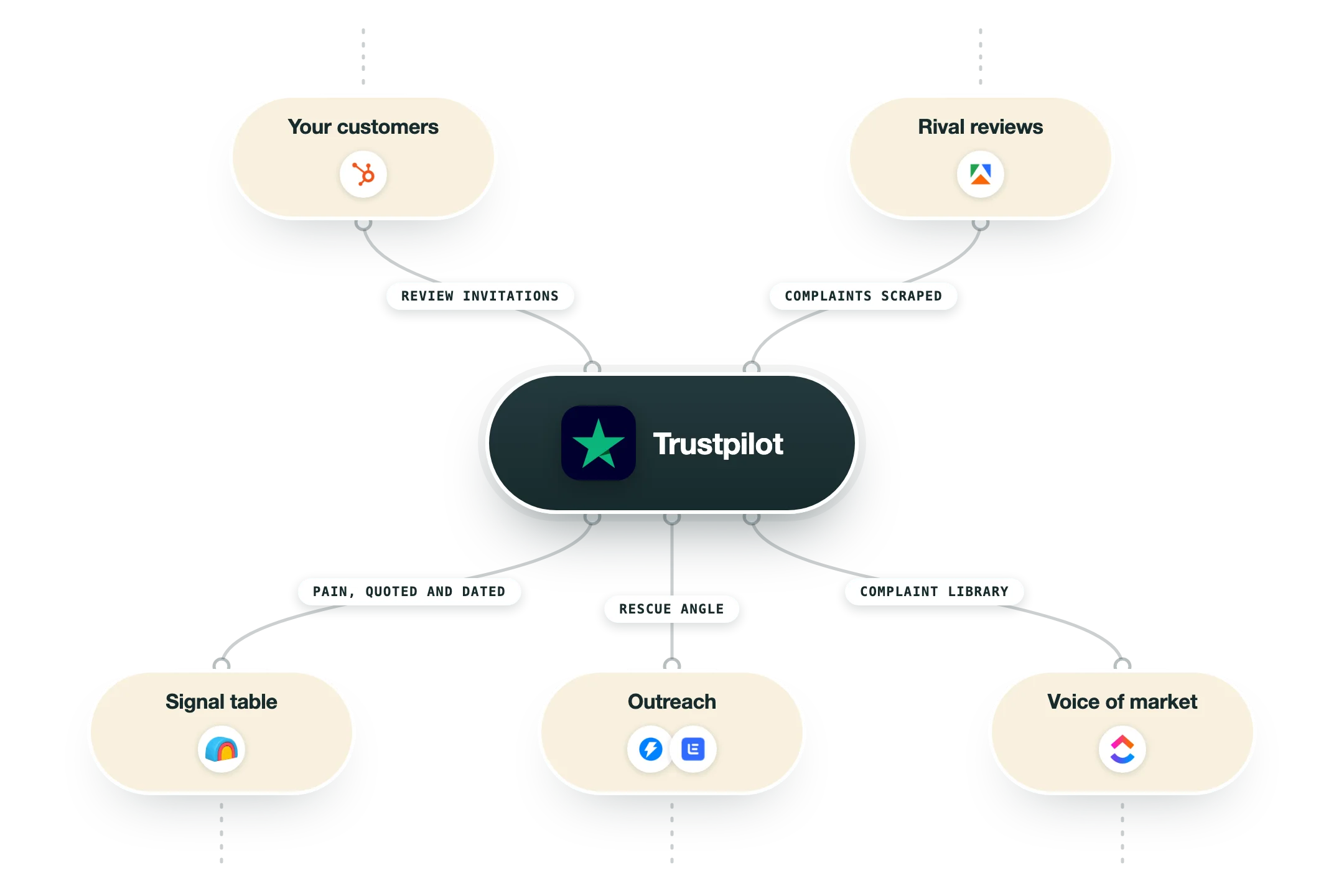
Trustpilot is an open review platform: anyone can review any company, invited or not, and companies claim their profile to reply, invite reviews and show them on their own site. It's the biggest of its kind, and unlike G2 or Capterra it isn't limited to software, so it covers the whole company experience, from onboarding to billing to support. That breadth is what makes it useful in a B2B stack. When a rival's customers start leaving one-star reviews about being ignored by support or surprised by an invoice, that's a company with a churn problem, and its customers are the ones your outreach should meet. Software category pages don't show that. Trustpilot does. In our review-site intent workflow, Trustpilot is the fourth site a scraper reads on a schedule, next to G2, TrustRadius and Capterra. Fresh reviews of your competitors land in one table, a model reads each for what broke and what it cost, and the complaint feeds the rescue-angle message. Over months the archive becomes a library of what your market complains about, in its own words. The trade is precision for reach. Trustpilot reviews rarely name a feature, and the open model brings noise. But for the service and billing side of a rival's story, and for markets G2 doesn't cover, it's the source that fills the gap. Reading it is free. Claiming and growing your own profile is where the plans come in.
Integrations and the modern GTM stack
Trustpilot connects to a GTM stack on both sides:
Public profiles | The scrape source: Clay or Apify reads new reviews of your competitors on a schedule. |
Review invitations | Your CRM or billing system triggers invitations to real customers through the Trustpilot integrations, so your own profile grows on evidence. |
TrustBox widgets | Live review widgets on your landing pages, pulled from your profile. |
HubSpot, Salesforce and Zapier | Invitation triggers and review data move in and out on the paid plans. |
Google Seller Ratings | Verified reviews feed the star ratings shown on your ads. |
Pro’s
Because anyone can review, the complaints are unfiltered, and a streak of one-star reviews about a rival's billing or support is a real signal about that company right now.
It covers companies that don't live in a software category, so it catches rivals and buyers G2 never sees.
The free business plan lets you claim your profile and invite reviews at low volume, and the paid tiers scale that up.
Widgets and TrustBoxes put your own reviews on your site, which is a cheap trust win on landing pages.
Profiles are public, so a scheduled scrape of your competitors' pages costs nothing.
Cons
Reviews are about the whole company experience, so software-specific detail is thinner than on G2 or TrustRadius.
Paid plans are annual and priced per domain, which adds up for multi-brand companies.
The open model attracts noise: angry customers, and occasionally competitors.
It's strongest in consumer markets, so B2B coverage varies a lot by category.
Pricing
Free
Free
50 review invitations a month
Basic profile and replies
Enough to claim your name
Starter
$99/mo billed annually
100 invitations a month
2 widgets, 1 user, 1 domain
15 integrations
Plus
$319/mo per domain, billed annually
300 invitations a month
10 widgets, 3 users
All integrations
Premium
$799/mo per domain, billed annually
1,000 invitations a month
21 widgets, 10 users
Dedicated success manager
How it fits your stack
Alternatives


At a glance
The largest open review platform for whole companies, software included
Anyone can review any company, invited or not
Business plans from free to enterprise
Review invitations, widgets and TrustBox embeds
Reviews often about service, billing and support
Public profiles, free to read and scrape
Strong in consumer and B2C-adjacent markets
Owned reviews can be shown on your own site
Read some of our client stories





GTM Workflows
Learn how to use GTM tools in workflows
Guides and tutorials to get the most from your workflows
No items
Ready to get started?




By clicking Sign Up you're confirming that you agree with our Terms and Conditions.








