

The B2B review site with the longest, most detailed reviews. In our review-site intent workflow it's one of four sources of scraped competitor complaints, and its intent data names accounts reading your category.
What is
TrustRadius
TrustRadius is a B2B software review site owned by Gartner Digital Markets. Buyers read and write long, vetted reviews for free, and vendors pay for a managed profile, review sourcing, the right to republish what customers said, and intent data on which accounts are researching their category. The reviews are the reason we read it. Where a lot of review sites collect a star and a sentence, TrustRadius reviews stretch to several hundred words, and a customer describing what went wrong with your rival's onboarding is describing the problem you solve, in their own words, in public. In our review-site intent workflow, TrustRadius is one of four sites a scraper reads on a schedule, alongside G2, Capterra and Trustpilot. Fresh reviews of your competitors land in one table, a model reads each one for the concrete failure and the cost of it, and the quote travels with the outreach so the first line speaks to a pain the buyer already named. The vendor-side intent data, when you have it, adds the accounts reading your category right now. The honest caveat is volume and price. TrustRadius has fewer reviews than G2 in most categories, and the vendor packages are priced for established products. Reading it is free, though, and that's the part the workflow uses most.
Integrations and the modern GTM stack
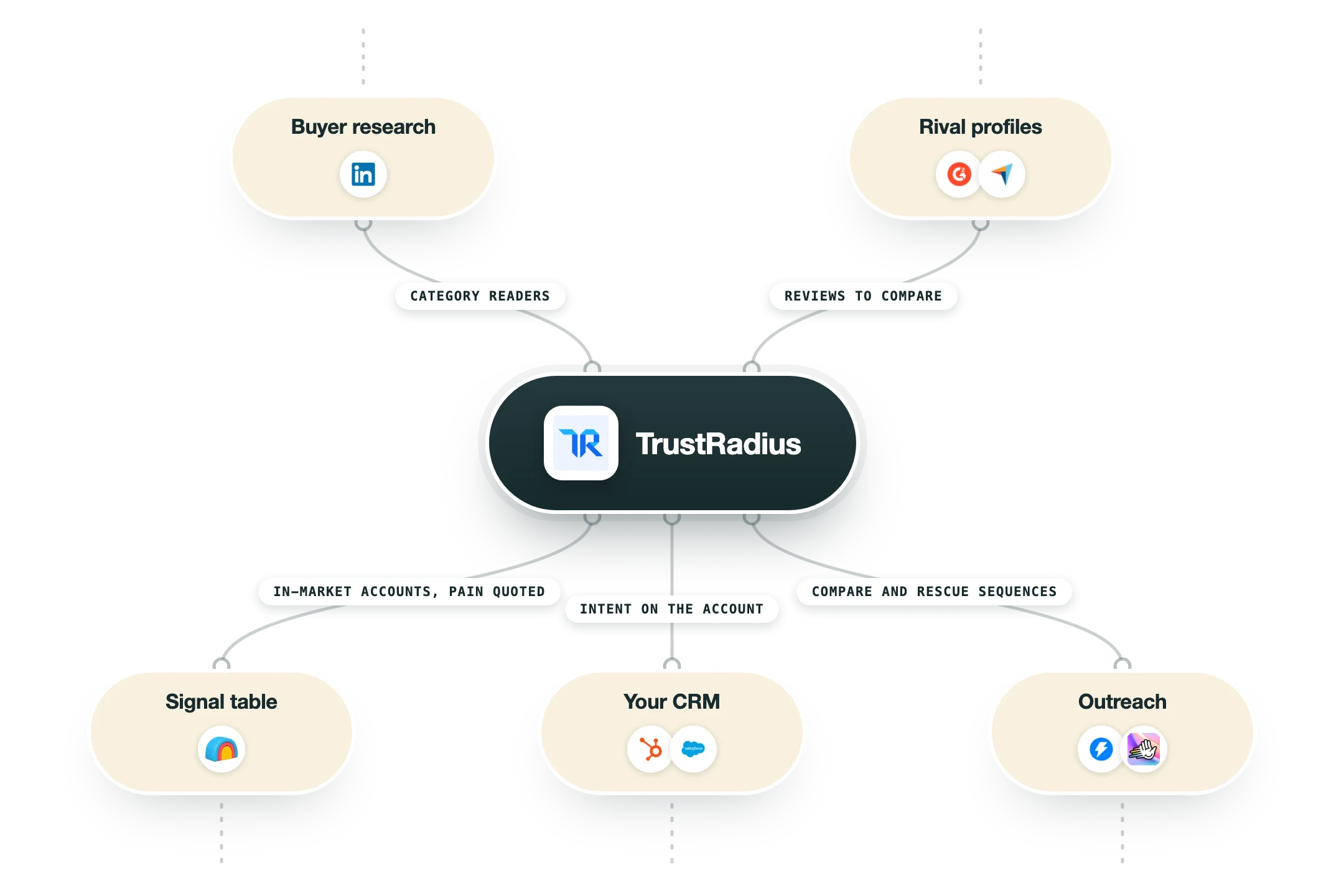
TrustRadius connects to a GTM stack in a few useful ways:
Intent data feeds | Category and competitor intent lands in your CRM or your ad platforms as account lists, so reps and campaigns act on the same shortlist. |
Salesforce and HubSpot | Intent signals write to the account record through the vendor integrations, so an evaluation shows up where the rep already works. |
LinkedIn matched audiences | Intent accounts become an audience for warming ads before outreach starts. |
Review scraping | The public review pages are the source for a scheduled scrape in Clay or Apify, no vendor package required. |
Widgets and badges | Reviews and awards embed on your own site with republishing rights attached. |
Pro’s
The reviews are long and specific, so a rival's two-star review usually names the exact thing that broke, and that's the line your outreach can open on.
The intent data names accounts reading your category and your competitors' pages, which is a shortlist of companies mid-evaluation.
Vendors can republish reviews with rights attached, so proof from TrustRadius travels onto your own pages legally.
Reviewer vetting is stricter than most, and it shows in how few reviews read like a vendor wrote them.
The buyer side is free and open, so scraping fresh reviews of your competitors costs nothing.
Cons
Vendor packages start around $30,000 a year per product, which is a serious line item for a small team.
Volume is lower than G2 or Capterra, so in some categories there are too few reviews to read a pattern.
The intent data is an add-on and priced by quote, so the useful part costs extra.
Enterprise-leaning audience, and thin coverage in some SMB categories.
Pricing
Buyer side
Free
Read and write reviews
Compare products by category
No account needed to read
Customer Voice
From $30,000 per product per year
Review sourcing and custom questions
Republish reviews, badges and quotes
Dedicated success manager and SEO help
Intent add-ons
Quote
Category and competitor intent data
Intent-driven lead programmes
Priced per product, annual
How it fits your stack
Alternatives



At a glance
In-depth B2B software reviews, vetted for authenticity
Vendor profiles with review sourcing and republishing rights
Category intent data: which accounts are researching you
Reviews average 400+ words, so the detail is real
Buyer-side is free, vendor packages are annual
Badges and quotes for your own site
Lead capture on the vendor profile
Owned by Gartner Digital Markets alongside Capterra
Read some of our client stories





GTM Workflows
Learn how to use GTM tools in workflows
Guides and tutorials to get the most from your workflows
No items
Ready to get started?




By clicking Sign Up you're confirming that you agree with our Terms and Conditions.








