

A technographic tool that detects website tech stacks and turns them into prospect lists, with bundled email verification and an API at a lighter entry price.
What is
Wappalyzer
Wappalyzer is the other technographic source we keep on hand for stack-based targeting, alongside BuiltWith. It identifies the technologies behind any website: CRM, ecommerce platform, analytics, ad tech, payment tools, and the underlying frameworks behind them. It began as a browser extension for instant on-page lookups and grew into a full lead-generation suite with technology lists, email verification, firmographics, and an API. You query by a single stack or by combinations of tools, then export the matching companies with their contacts. When a client offer depends on a buyer using a specific tool, the lists become a precise fit signal. The bundled verification trims dead contacts before they enter a sequence and quietly burn a sending domain's reputation over time. We reach for Wappalyzer when a client's offer hinges on a stack and the budget favors a lighter technographic option. It is a situational pick, not a default, and the choice usually comes down to cost and the exact technologies in play for that ICP. From there the flow is familiar. We pull the tech-matched companies, verify the emails, then enrich and route everything through Clay before outreach starts, so the list is both clean and tightly fit to what the client actually sells.
Integrations and the modern GTM stack
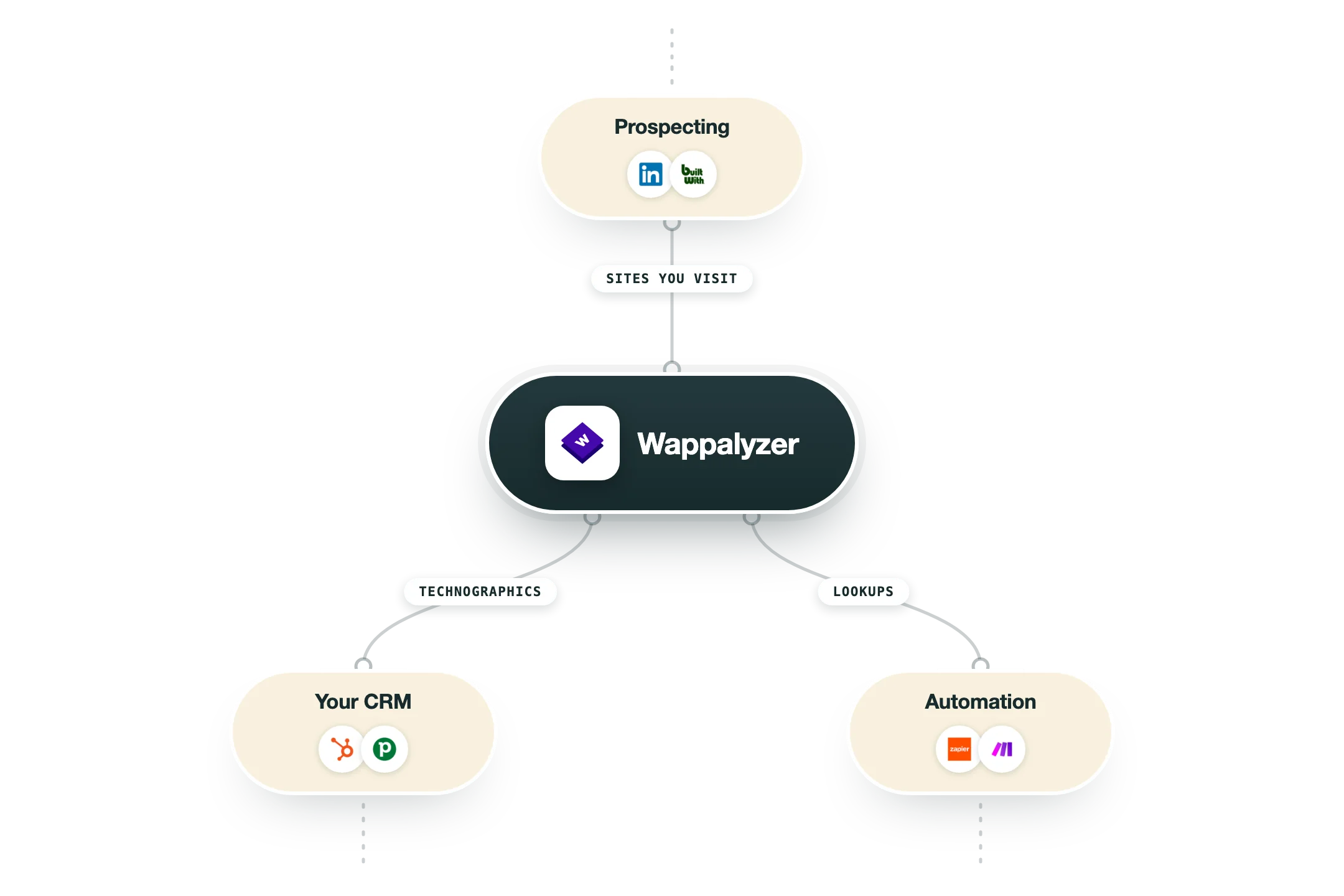
Wappalyzer identifies tech stacks from your browser or at scale, and its official list is short but real:
Browser extension | The flagship: open any website and see what it is built with, in Chrome, Firefox or Edge. |
HubSpot | An official connection adds technology data to records for qualification. |
Pipedrive | An official sidebar app shows each lead's tech stack inside the CRM. There is no Salesforce app, despite what aggregator sites claim. |
Zapier and Make | Official connectors for no-code lookups mid-workflow. |
Gmail | A Workspace add-on shows company technology next to the person you are emailing. |
MCP server | An official server lets AI assistants do technology lookups and discover subdomains as part of their research. |
API | Credit-based lookups, one domain or thousands. |
Pro’s
The browser extension makes instant stack checks on any site effortless.
Entry pricing is friendlier than the heavyweight technographic tools.
Bundled email verification trims dead contacts before a sequence goes out.
Technology combination filters let you target a precise stack fingerprint.
Cons
The Pro plan caps lead lists to 2 technologies, forcing an upgrade to scale targeting.
API credits expire after 60 days, so unused volume is lost.
Contact coverage is shallower than dedicated data providers.
Detection can miss or misread sites that mask their stack.
Pricing
Pro
$250/mo 1 user
2 technology targets for lists
5,000 technology lookups
5,000 email verifications
Business
$450/mo most popular, 5 users
Unlimited technology targets
20,000 lookups and verifications
20,000 API credits
Enterprise
$850-plus/mo 25-plus users
Unlimited technology targets
200,000-plus lookups and credits
Dedicated support and custom terms
How it fits your stack
Alternatives


At a glance
Instant on-page tech lookup
Browser extension and web app
Lists by technology stack
Technology combination filters
Bundled email verification
Firmographic enrichment
API credits on paid plans
Free 50-lookup tier
Read some of our client stories





GTM Workflows
Learn how to use GTM tools in workflows
Guides and tutorials to get the most from your workflows
No items
Ready to get started?




By clicking Sign Up you're confirming that you agree with our Terms and Conditions.








