
How to Set Up the Marketing to Sales Handoff in HubSpot in 2026

by

In this post:
When marketing hands a lead to sales in HubSpot, the first thing your rep wants to know is why they're getting it. Did the person ask for a demo, or did they just check your pricing page twice and download every template you have?
In most companies, that second one is enough to make someone a hot lead. So the rep picks up the phone and finds a marketer at a competitor who was looking at your pricing.
After a few calls like that, your rep stops trusting the leads marketing sends over.
The way out is to send every lead over with a reason. You agree on what each label means, like hot, warm, cold or MQL, and your rep gets a short note that says why this lead is worth calling now.
To write that note, you need to know more than what someone clicked. You need to know whether the company is a fit, which is how you catch the competitor before anyone calls them.
You also want to know if they're really shopping around, like when they read the page that compares you with the tool they use today. And it helps to know what's going on at their company, like a new sales leader or a hiring push.
When someone only downloads a guide, you look into them first before you hand them to sales. When someone asks to talk to you, they go straight to a rep.
In HubSpot, you need four things to make this work. You write down what every label means, and you track it with lifecycle stages and lead status.
Then you build one workflow that gives the lead an owner and tells your rep why they're getting it, and you put a clock on every handoff so no lead is left waiting.
We're Nebor, a GTM and RevOps agency. We build this handoff in our clients' HubSpot accounts, mostly for B2B and SaaS companies where marketing passes leads to SDRs, and if you'd rather we build yours, you can book a meeting with us.
TL;DR
Before you touch HubSpot, agree with sales and write down what every lead label means, what counts as fit and intent, what skips the queue and who owns each stage.
Use HubSpot's eight default lifecycle stages, give each one a single owner, and use lead status or the Leads object to track what your sales reps have done.
Keep fit and engagement as separate scores, ignore email opens, and add intent data and outside signals so every lead score comes with a reason.
When someone asks to talk to you, send them straight to sales and enrich them at the same time. When someone downloads content or signs up for your newsletter, enrich them first.
Build one workflow that sets the lifecycle stage, assigns leads to an owner, creates follow-up tasks and tells your rep why they're getting the lead, then add a clock that chases and reassigns leads nobody calls.
Ask sales for a reason every time they send a lead back, and go through those reasons with marketing every month.
If you'd like us to build it, Nebor sets up the whole marketing to sales handoff in your own HubSpot and hands it over so your team can change it. You can book a meeting to talk it through.
Where does a marketing to sales handoff setup usually break down in HubSpot?
A marketing to sales handoff in HubSpot is the moment a lead stops being marketing's job and becomes a sales rep's. On the contact record in your CRM, you'll see it as a change in the lifecycle stage and the contact owner.
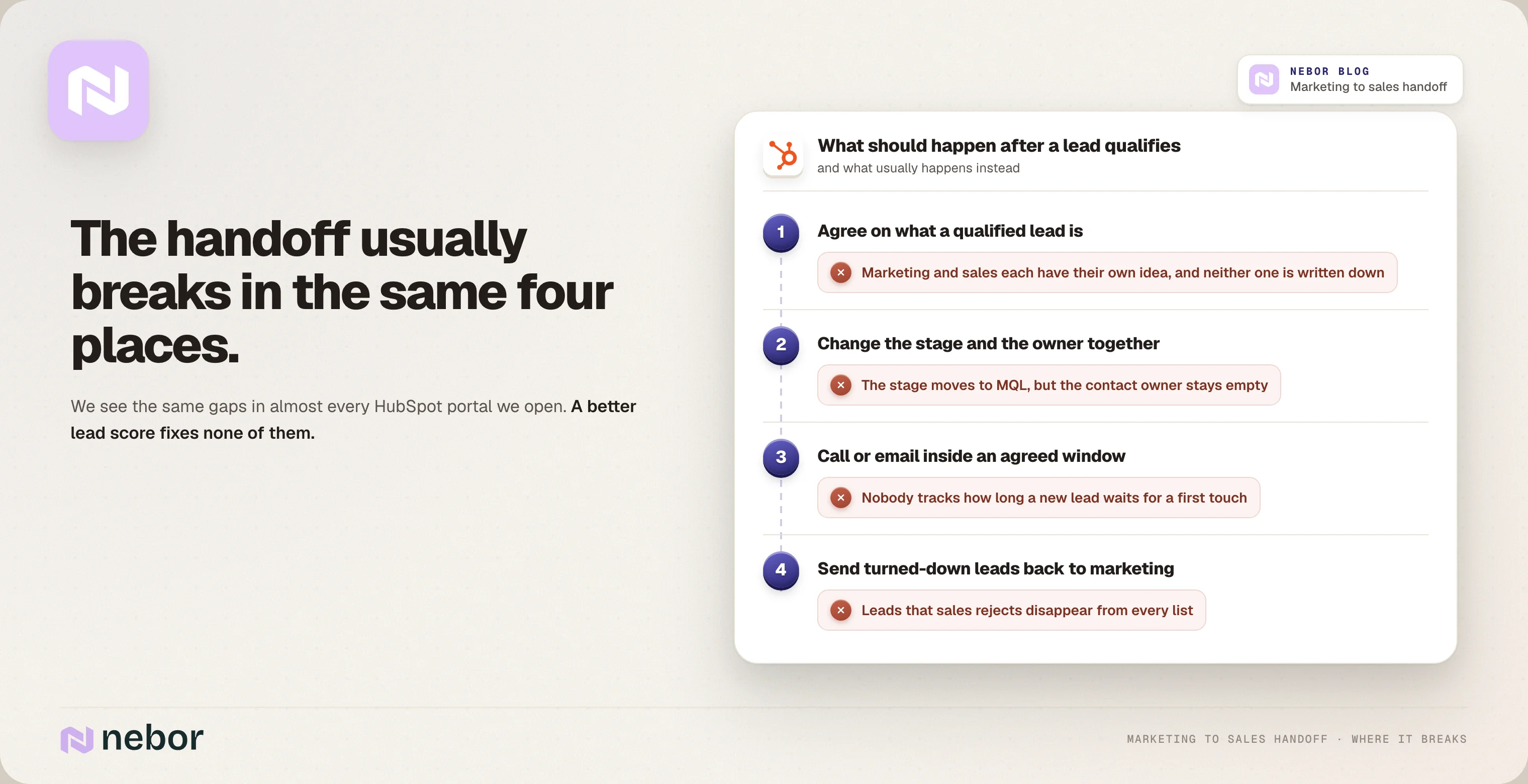
When we open up a new client's HubSpot CRM, the handoff process usually breaks in the same four places.
Marketing and sales each have their own idea of what a qualified lead is, and nobody has written it down.
The lifecycle stage changes but the owner doesn't, so the lead belongs to nobody.
Nobody keeps track of how long a new lead waits before someone calls or emails.
Leads that sales turns down just disappear, when they should go back to marketing.
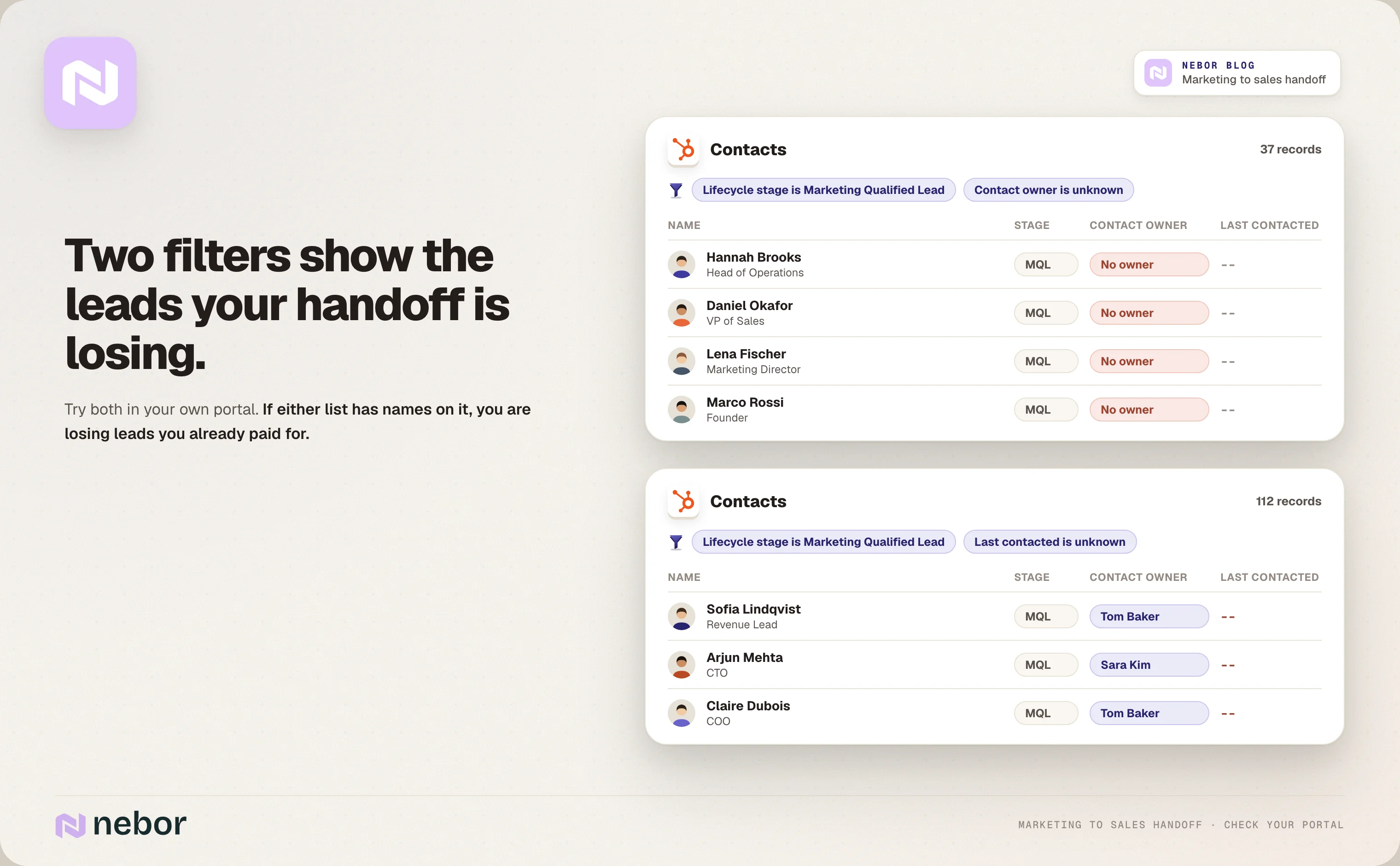
Check your HubSpot portal for MQLs that nobody owns or contacts
You can check your own portal in a few minutes. First, filter your contacts for the Marketing Qualified Lead stage with no contact owner. Then filter for MQLs where Last contacted is unknown, which means nobody has logged a call, email or meeting with them.
If there are names on either list, you're losing leads you've already paid for.
What should a marketing qualified lead mean before you change a single HubSpot setting?
HubSpot can only enforce what your marketing and sales teams have already agreed on. If you start by building HubSpot workflows, all you do is automate the argument between the two teams, and it just happens faster.
That's in several engagements our first job is to get both teams in a room and write the process down in plain words.
Agree on fit, intent, fast lane, ownership and rejection rules
Fit is the company size, industry, region and job titles that make prospects worth a sales conversation.
Intent is the specific actions that count as buying signals, like a demo request form, a visit to your pricing page, engagement with your LinkedIn ads or a reply to outbound.
Fast lane is anything that skips the queue. A demo request should go straight to a rep, whatever the lead score says.
Ownership is who owns each stage and what has to happen before a lead moves on.
Rejection is how a rep sends a lead back, how long a lead can wait and who gets chased when it waits too long.
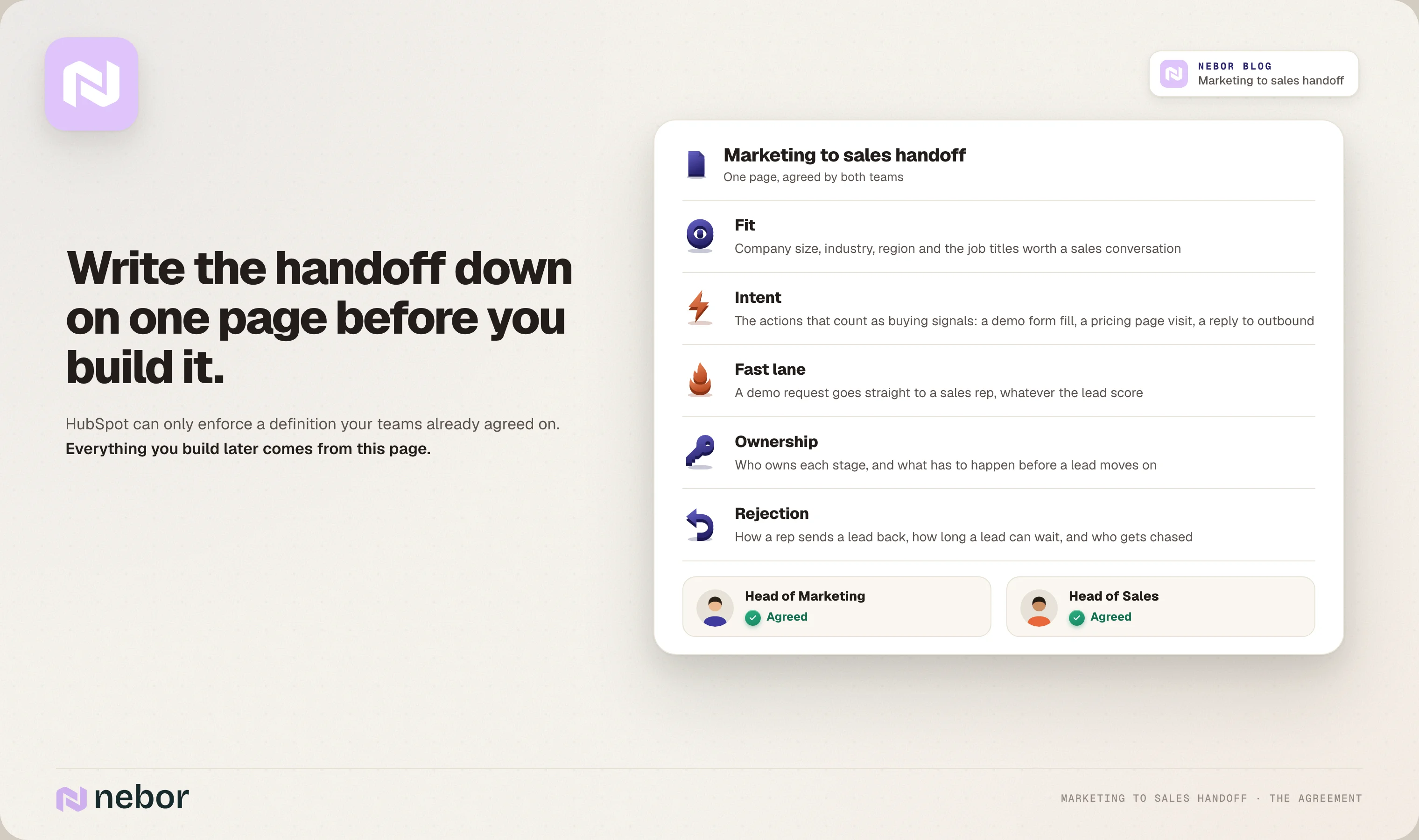
Define every lead label so lead quality means the same thing to both teams
Add a line for every label your reps will see, like hot, warm, cold and each lifecycle stage. That way, when a rep gets a hot lead, they already know what made it hot before they pick up the phone, and your written qualification criteria give both teams one way to judge lead quality.
In our experience, this one page does more for lead quality than any HubSpot setting, because everything you build comes from it.
How should you set up lifecycle stages and lead status in HubSpot for the handoff?
Lifecycle stage tells you where a contact is in the buyer journey, and lead status tells you what sales has done about it. You need both, because the stage alone won't tell you that nobody has called.
HubSpot CRM comes with eight default lifecycle stages. They are Subscriber, Lead, Marketing Qualified Lead, Sales Qualified Lead, Opportunity, Customer, Evangelist and Other. We'd stick with those before you create new ones, because every custom stage is one more thing your teams need to agree on.
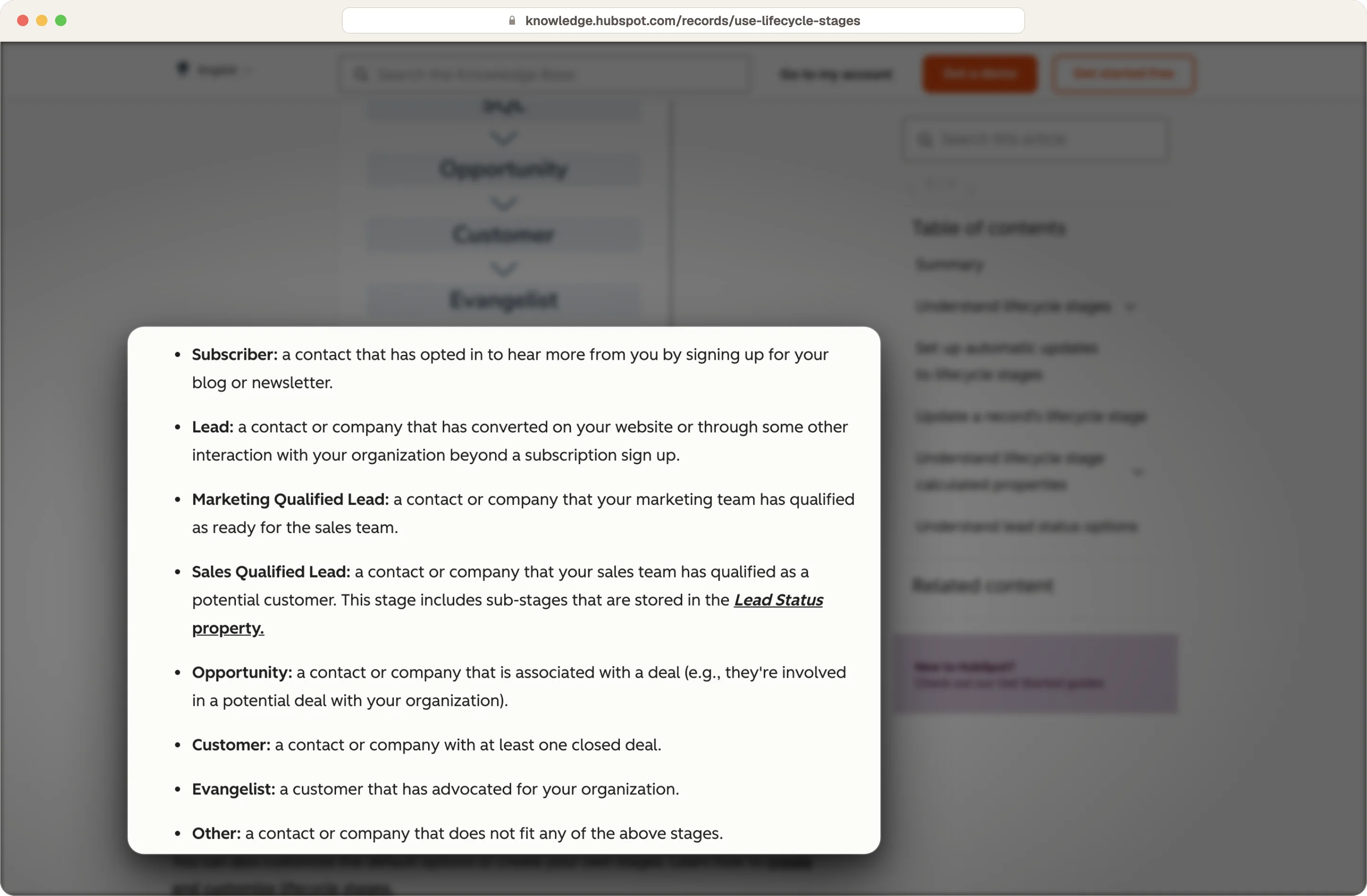
Source: HubSpot
Give every lifecycle stage in the handoff one clear owner
Lifecycle stage | Who owns it | Our rule for moving a contact here |
|---|---|---|
Lead | Marketing | A form fill, or they get added from outbound |
Marketing Qualified Lead | Marketing | They meet your qualification criteria, or do something on the fast lane list |
Sales Qualified Lead | Sales | A rep reviews the lead, accepts it and sets the stage |
Opportunity | Sales | A deal gets created after a discovery call |
Customer | Sales, then customer success | The deal closes won |
Use lead status or the Leads object to track whether sales is actively working the lead
HubSpot's default lead status values are New, Open, In Progress, Open Deal, Unqualified, Attempted to Contact, Connected and Bad Timing. For most sales teams those are enough, as long as reps keep them up to date.
Switch to the Leads object on Sales Hub Professional or Enterprise
If you're on Sales Hub Professional or Enterprise, you can use the Leads object instead and manage each lead as its own record.
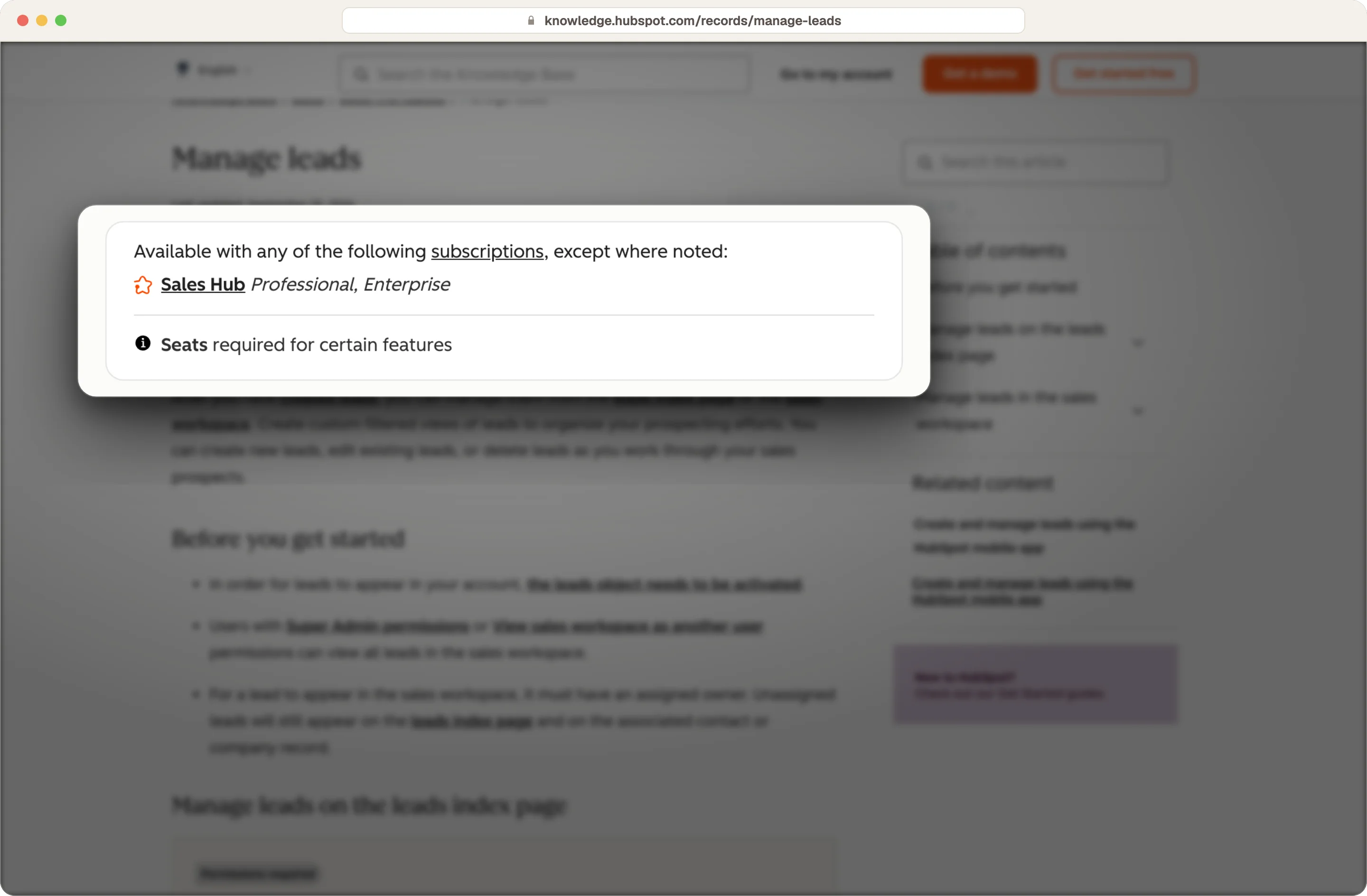
Source: HubSpot
Its default pipeline goes New, Attempting, Connected, Qualified and Disqualified. HubSpot moves a lead to Attempting when your rep sends or logs an email or call, and to Connected when the buyer replies to an email or books a meeting.
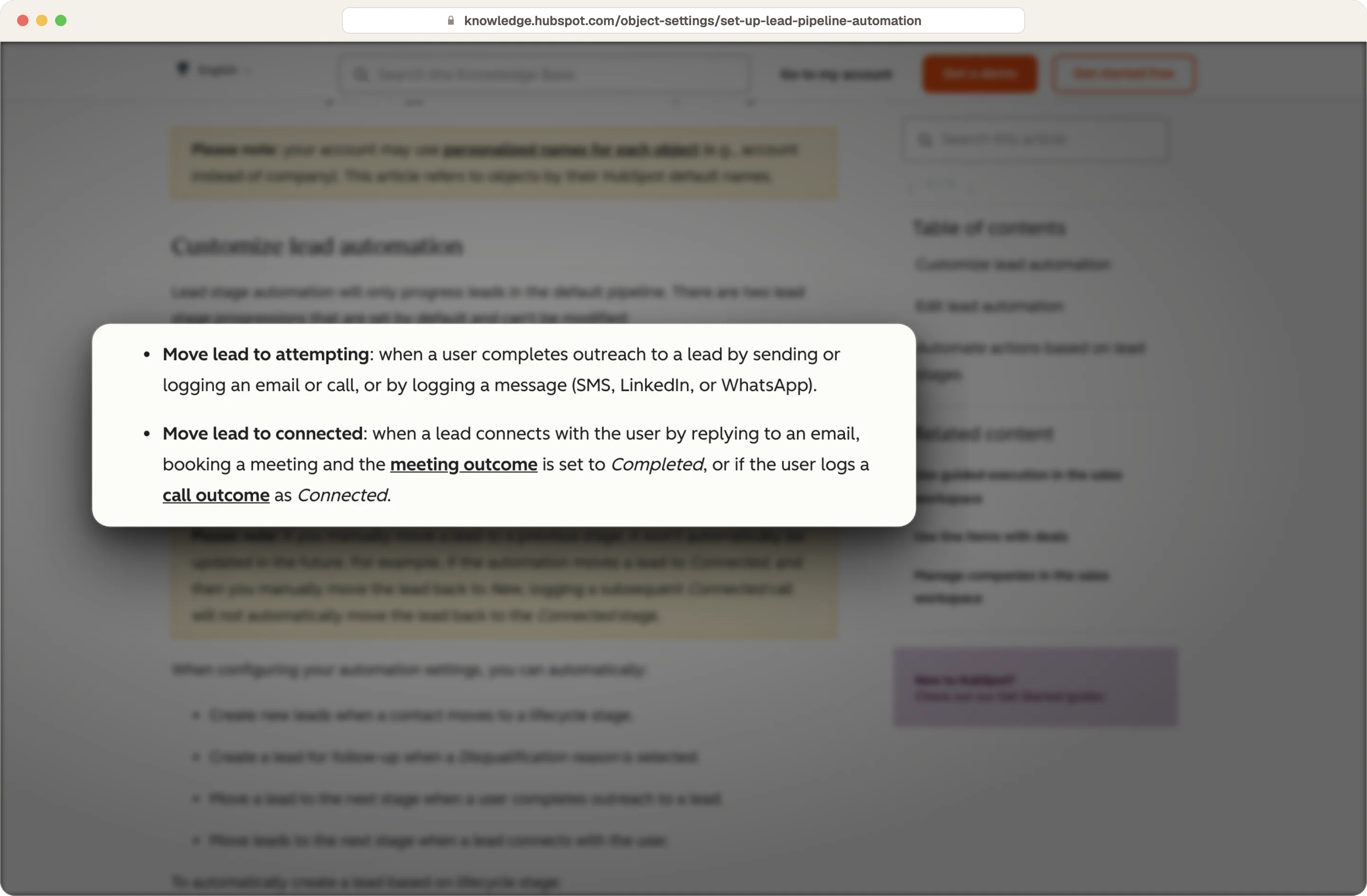
Source: HubSpot
How do you build a lead score that tells sales why a lead is ready?
Set up fit and engagement scores in HubSpot's lead scoring tool
HubSpot's lead scoring tool lets you build a fit score and an engagement score, either separately or combined. Fit is about who the person is, like their job title and company size. Engagement is about what they do, like visiting your site or filling in a form.

Source: HubSpot
Contact scoring needs Marketing Hub Professional or Enterprise. The tool replaced HubSpot's old score property, which stopped updating on August 31, 2025, so check that none of your workflows still use it.
Keep fit and engagement as two separate scoring criteria
Think of a student who reads ten of your blog posts, which is plenty of engagement and zero fit, and then a VP of Sales who looked at your pricing once, which is the opposite. Put them in one combined lead score and they can end up with the same number, and your rep has no way of telling them apart.
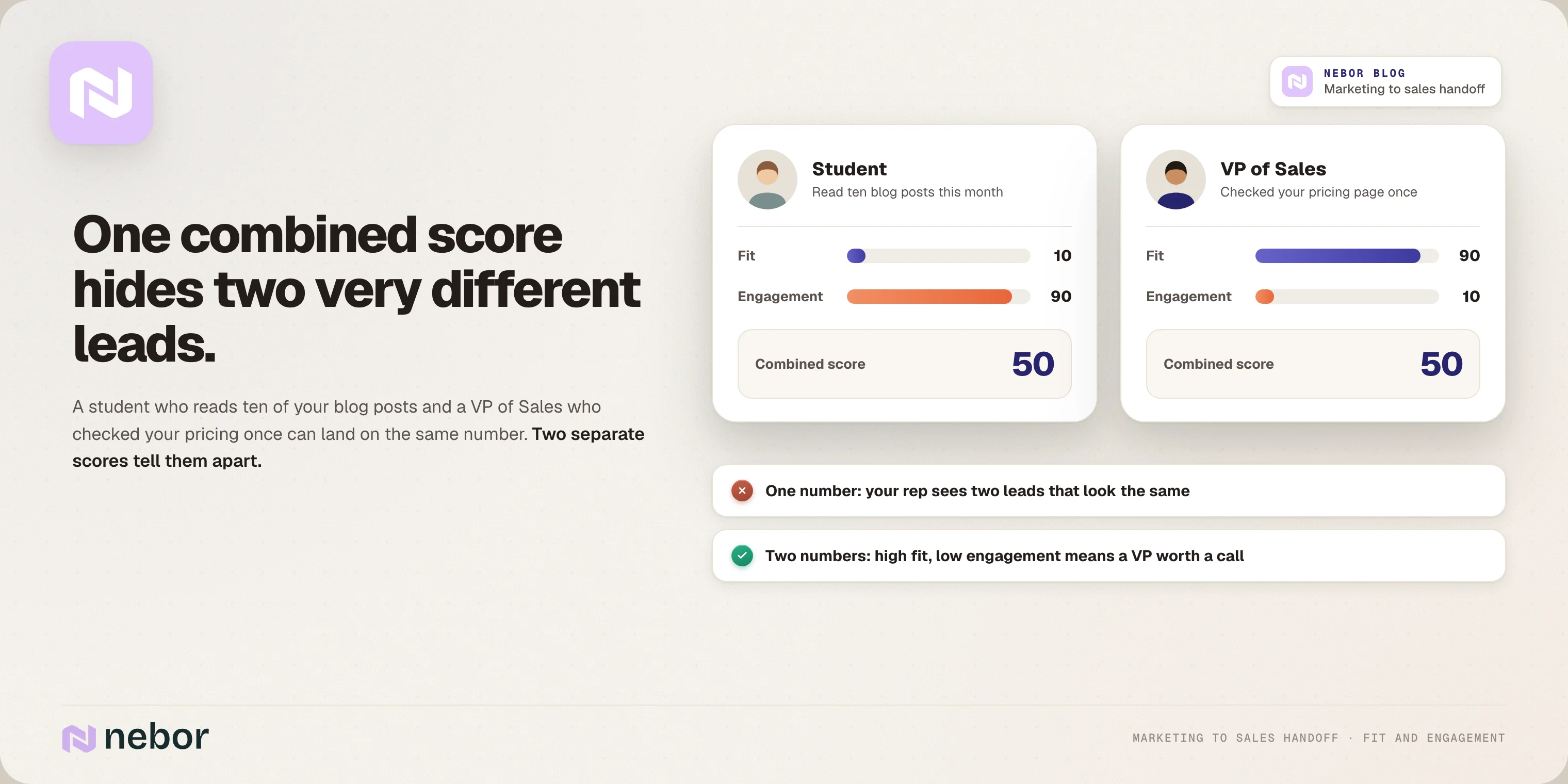
We'd rather send your sales reps fewer MQLs that turn into revenue than a long list they ignore.
Leave email opens out and add intent and outside signals to the score
We'd leave email opens out of the engagement score completely. Apple's Mail Privacy Protection downloads emails in the background whether or not anyone reads them, so you end up counting opens that never happened.
But engagement alone still can't tell you if someone wants to buy, so we add two more kinds of signals.
Intent signals show that someone is interested in you. On top of form fills and website visits, a tool like Stairoids picks up LinkedIn engagement with your team's profiles, your company page and your ads, and website visitor tools like Leadinfo add intent data on known accounts, which we cover in our website visitor workflow examples.
Outside signals tell you what's going on at the company itself, like a new sales leader, a hiring push or a funding round. We find those with research in Clay.
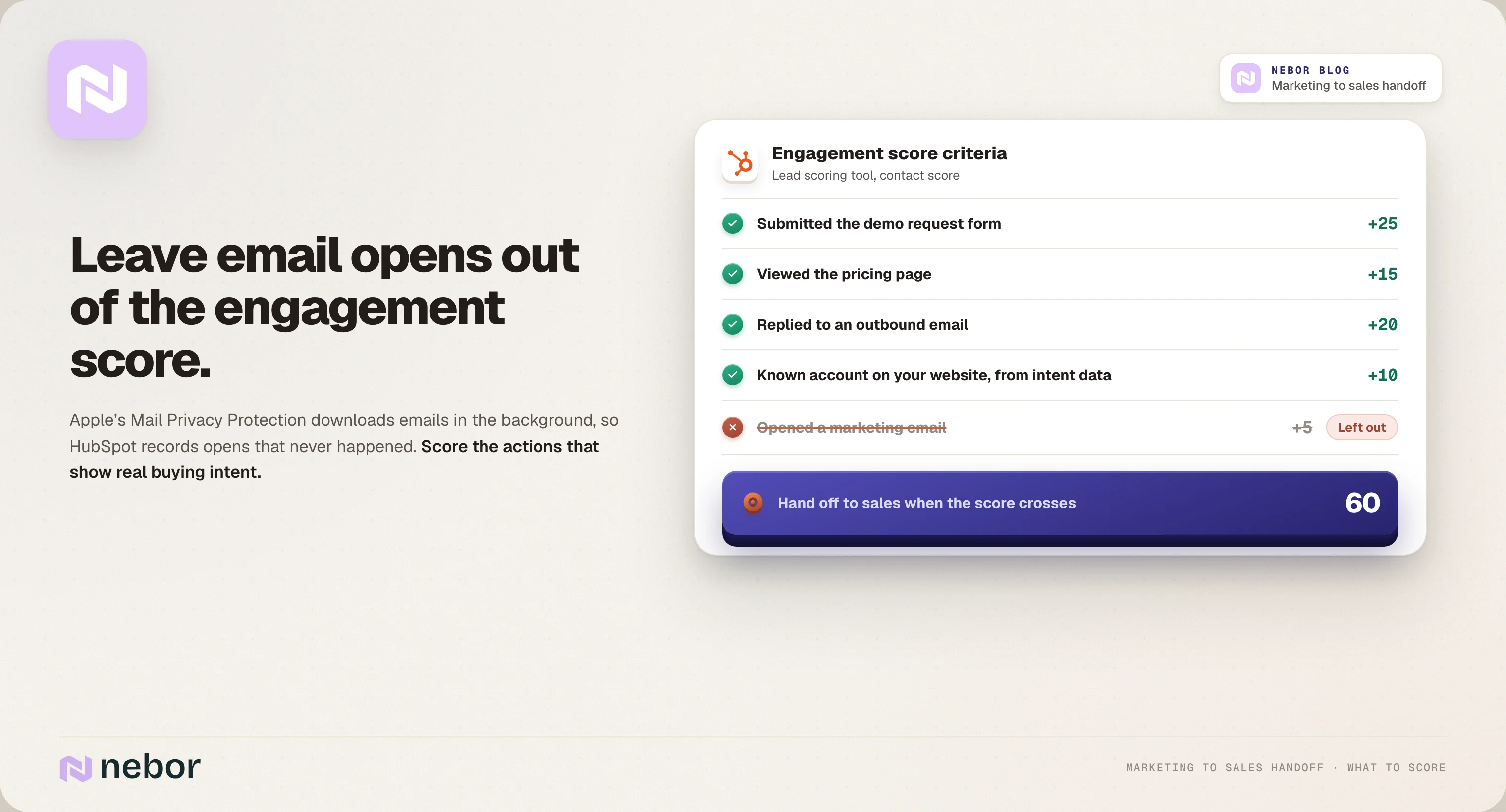
Put together, they tell your rep why this lead is coming to them now. We go deeper into the scoring model in our guide to HubSpot lead scoring.
How should contact requests and content downloads reach sales differently?
Every inbound lead gets enriched, but when you do it depends on the lead. Someone who asks to talk to you is ready for sales right away, and prospects who download a guide usually aren't.
Send contact requests straight to sales and enrich them while the rep picks them up
When someone asks to talk to you, the lead goes straight into the lead pipeline and the workflow will notify sales right away. At the same time, Clay looks up the person and the company and reads the question they asked.
A few minutes later, the rep gets a summary on the record. Sometimes it's a customer support question, a potential partner or someone who's probably not a fit, like a deal that would be too small, and a short, polite reply is enough.
Enrich content downloads and newsletter sign-ups before anything reaches a rep
A download or a newsletter sign-up doesn't mean someone is ready for sales, so enrichment happens before any lead is created. By enrichment we mean research with prompts, where Clay looks for a reason this person might be interested in you right now. If it finds one at the company, the workflow creates a lead for sales with that story attached.
Here's what that looks like for a business like ours. Someone downloads a guide and doesn't engage after that, but their sales team is five people, they don't have a GTM engineer, the company is growing fast and the founder posts on LinkedIn all the time. That lead goes to sales right away, with the reason spelled out.
Fill in the blanks when people sign up with a Gmail address
A lot of newsletter sign-ups use a personal Gmail address, and enrichment can often fill in the blanks there too, like the person's full name and where they work.
Keep nurturing the rest, and watch the company for new signals
If enrichment doesn't find a reason to call, marketing keeps nurturing the contact, and the company goes on an active list (a segment in HubSpot, a list view in Salesforce) that we watch for outside signals. Whichever gets high enough first, the engagement or the signals, sends the lead to sales.
What should your HubSpot handoff workflow do the moment a lead becomes an MQL?
We build the marketing to sales handoff as one workflow, and we don't let any other workflow touch the lifecycle stage. When three workflows can change the same CRM property, they overwrite each other and nobody can tell which one moved the lead.
Source: HubSpot
Use automated routing to assign leads to an owner the moment they qualify
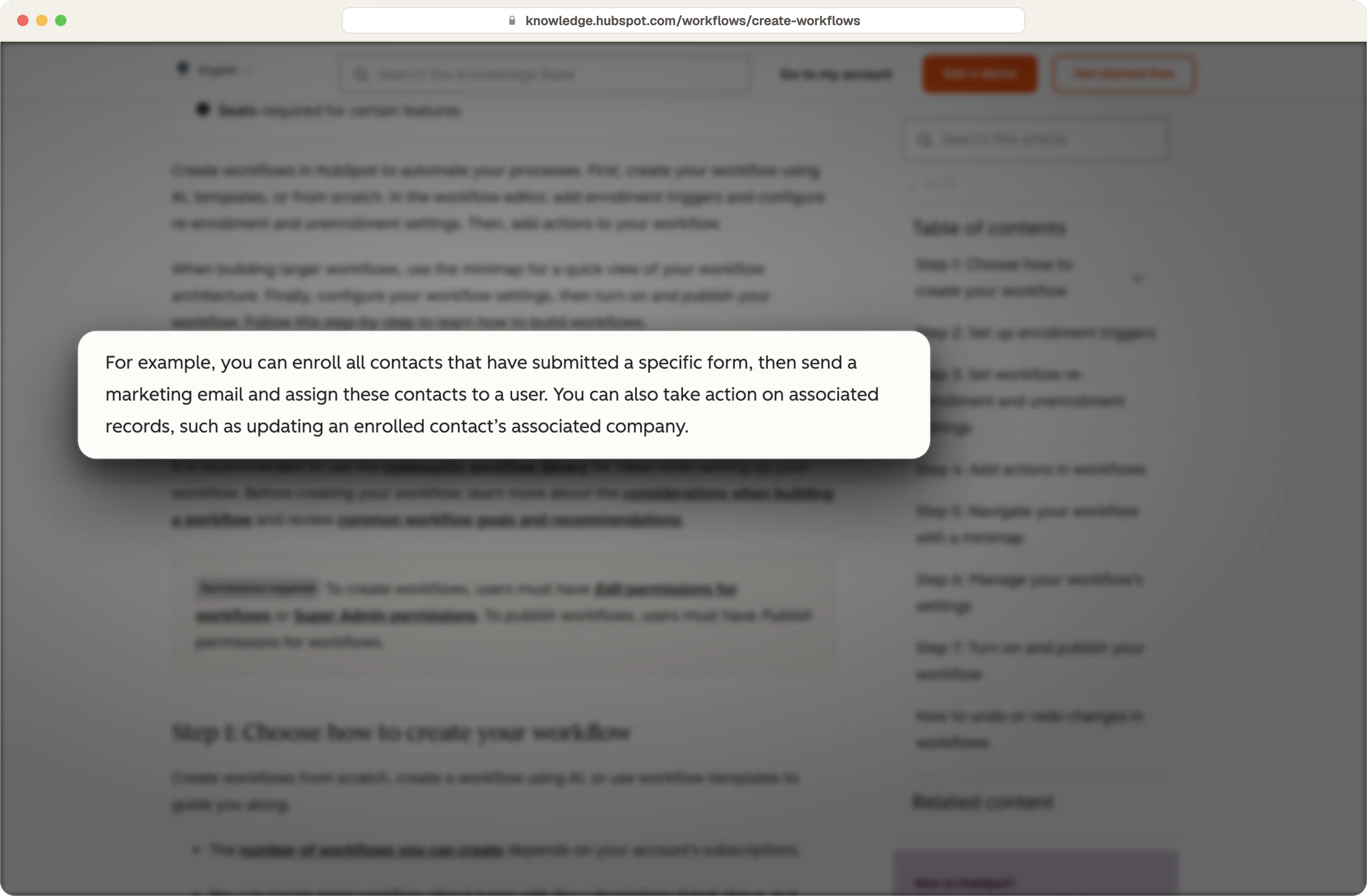
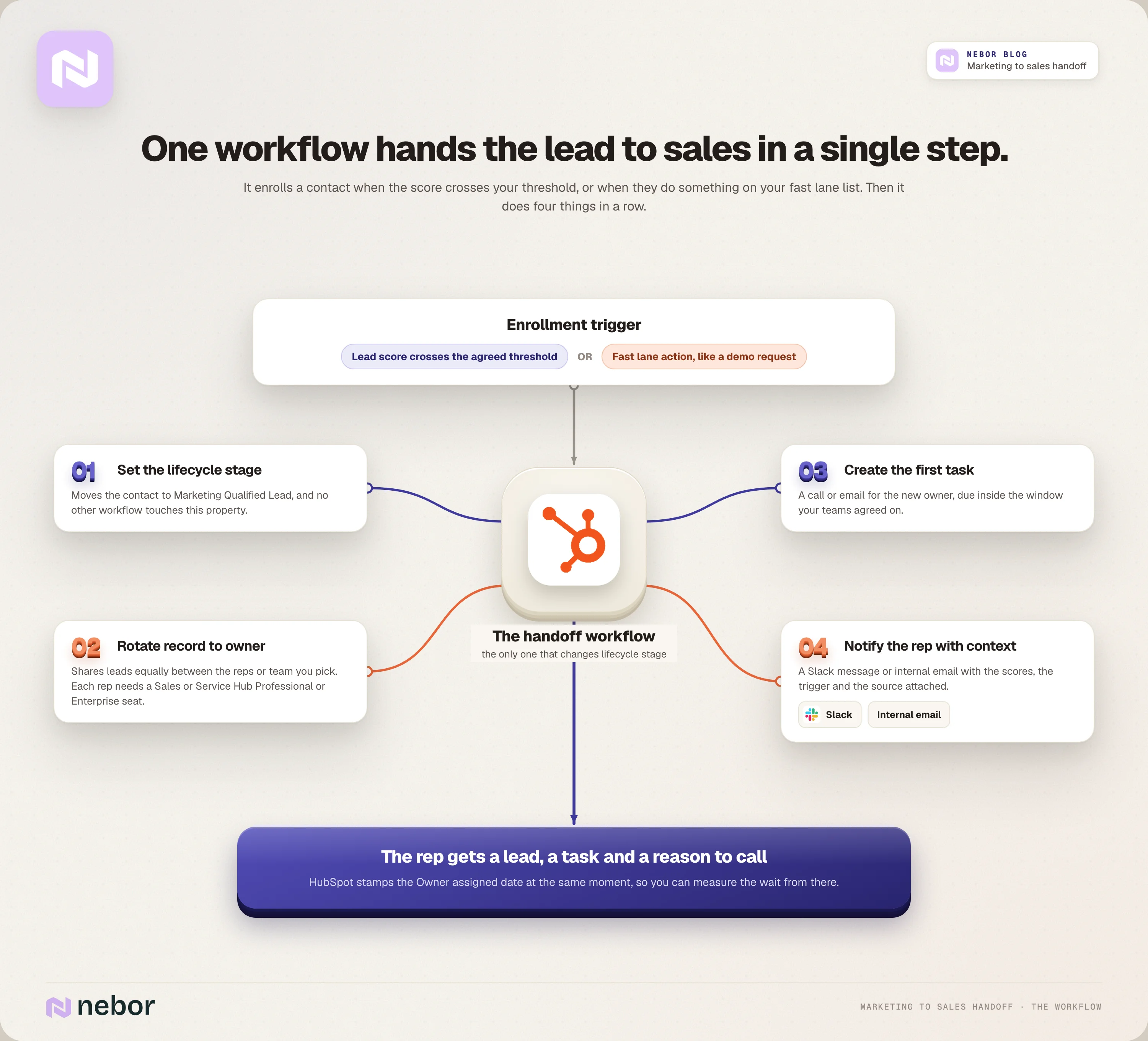
The workflow picks up a contact when its lead score crosses your threshold, when they do something on your fast lane list like a demo request form, or when enrichment finds a signal that gives your rep a reason to call. Then it does four things, one after the other.
It sets the lifecycle stage to Marketing Qualified Lead.
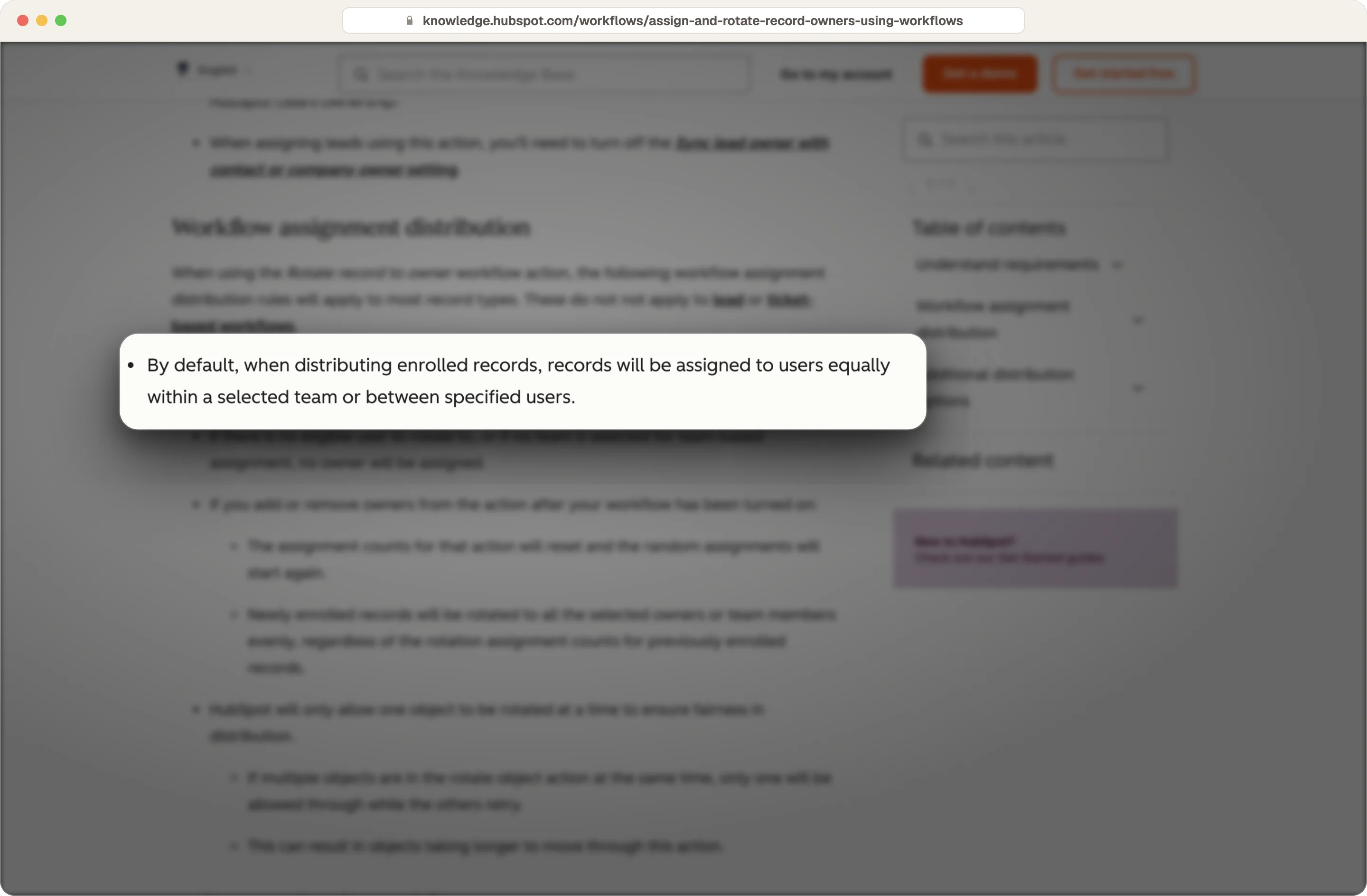
It handles automated routing with HubSpot's "Rotate record to owner" action, which spreads contacts evenly across the sales reps or team you choose. Any rep who gets leads this way needs a Sales or Service Hub Professional or Enterprise seat.
It creates follow-up tasks for the first call or email, due within the time your teams agreed on.
It uses Slack or an internal email to notify sales, with the context attached.
Source: HubSpot
When the owner changes, HubSpot fills in the Owner assigned date on the contact, so you can track the wait from that moment.
Take reps who are away out of the rotation
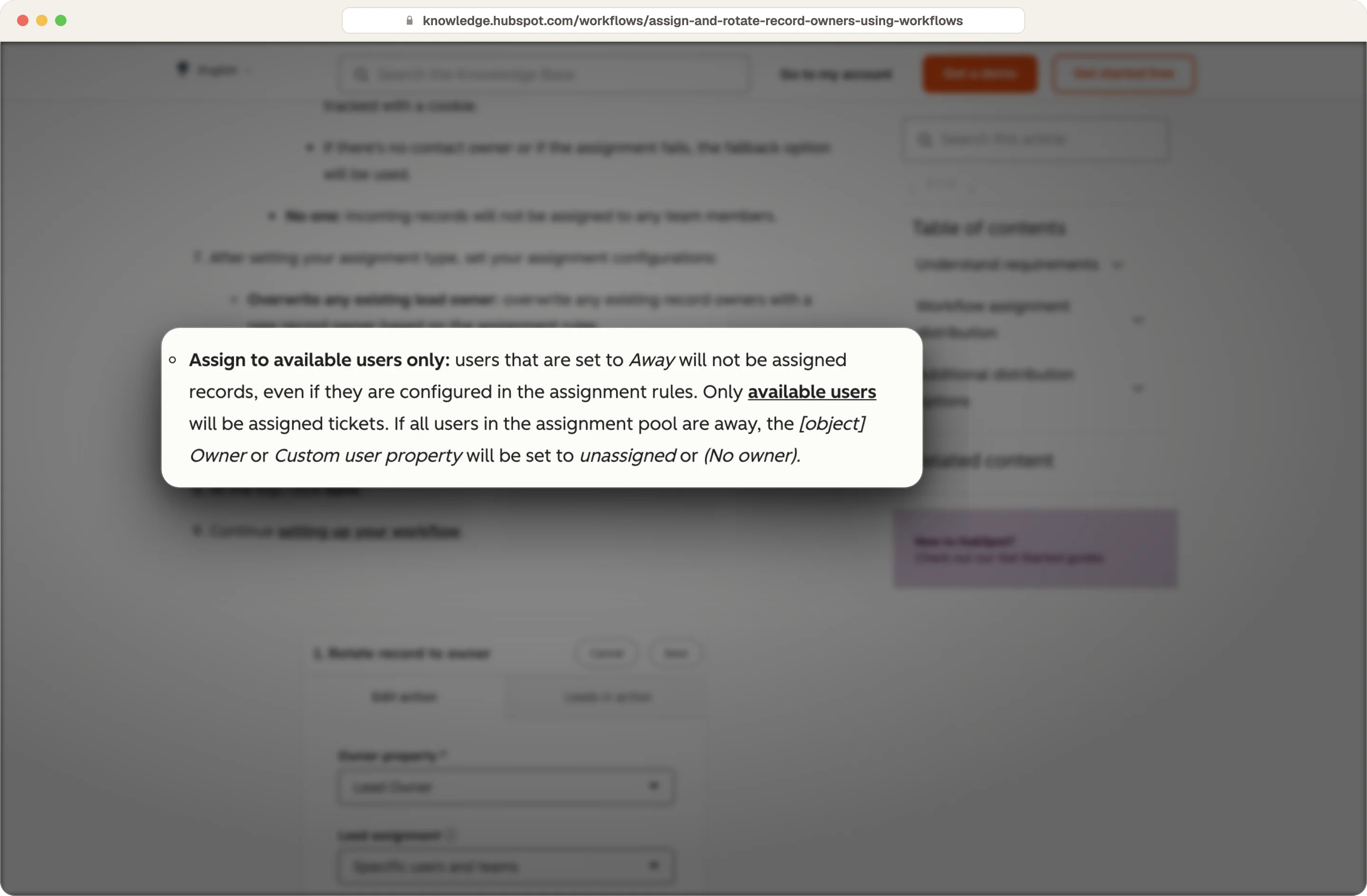
Rotating contacts doesn't skip reps who are away, so you have to take them out of the rotation yourself. Lead records work differently, because HubSpot won't assign them to anyone set to Away.
Source: HubSpot
Send the context, engagement history and reason for the handoff before the first call
Your rep needs to see the lead score, the form or page that triggered the handoff, the pages they viewed, the source, their job title, and company record details like industry and size. If a signal at the company triggered the handoff, the rep needs to see that story too. Context-rich notifications make the follow-up much better, and here's what a good one looks like.
New lead for you, a VP of Sales at a 120-person fintech company with high fit and high engagement. They requested a demo today after viewing the pricing page twice this week, and they came in from the LinkedIn campaign on pipeline reviews.
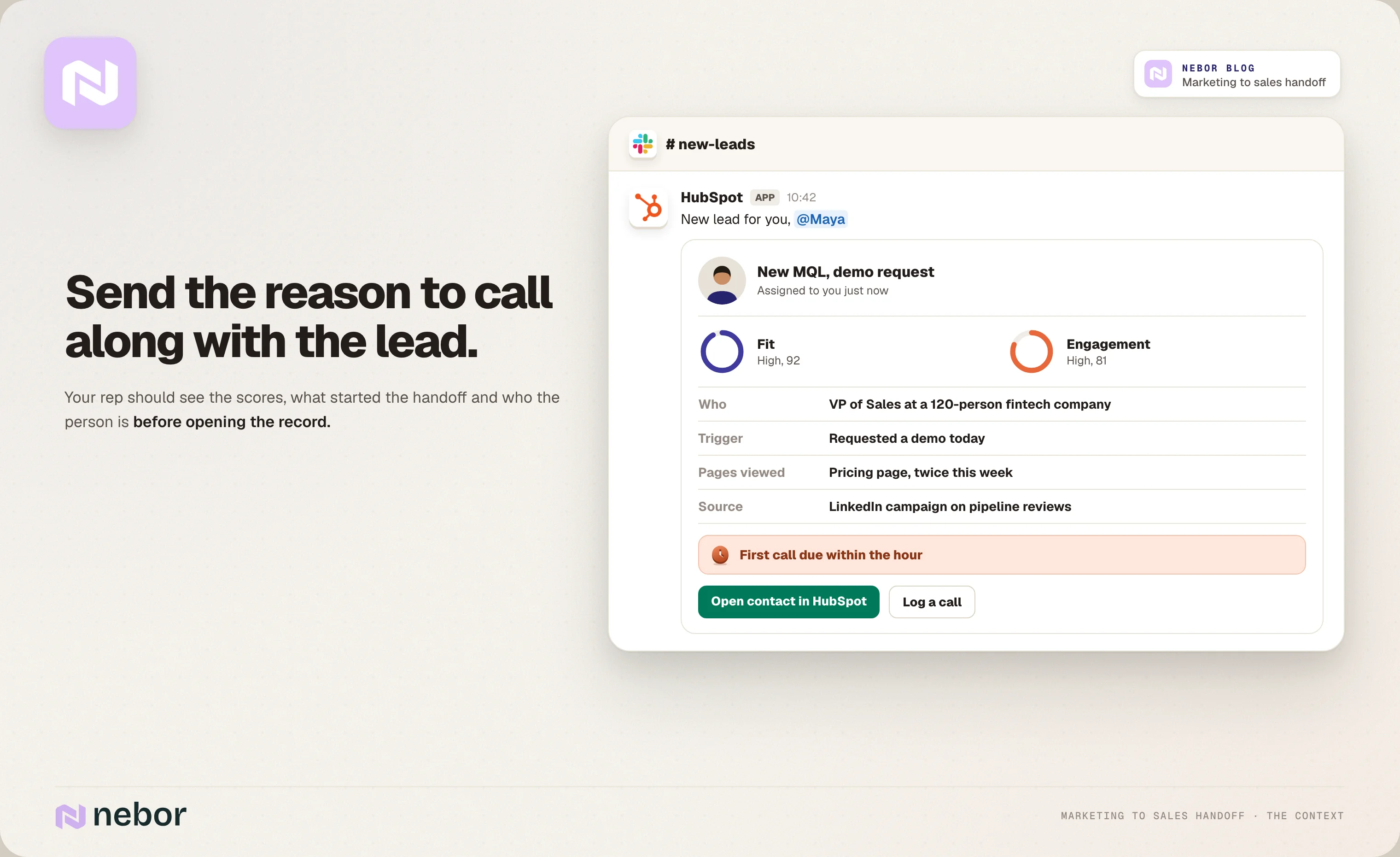
If you'd like the research done before the rep even opens the record, we've written about how we automate lead research in HubSpot.
How do you stop leads waiting without an owner, and where do rejected leads go?
A lead with an owner who never calls is harder to spot than a lead with no owner, and it costs you more, so every handoff needs a clock.
Set a response window for each kind of lead
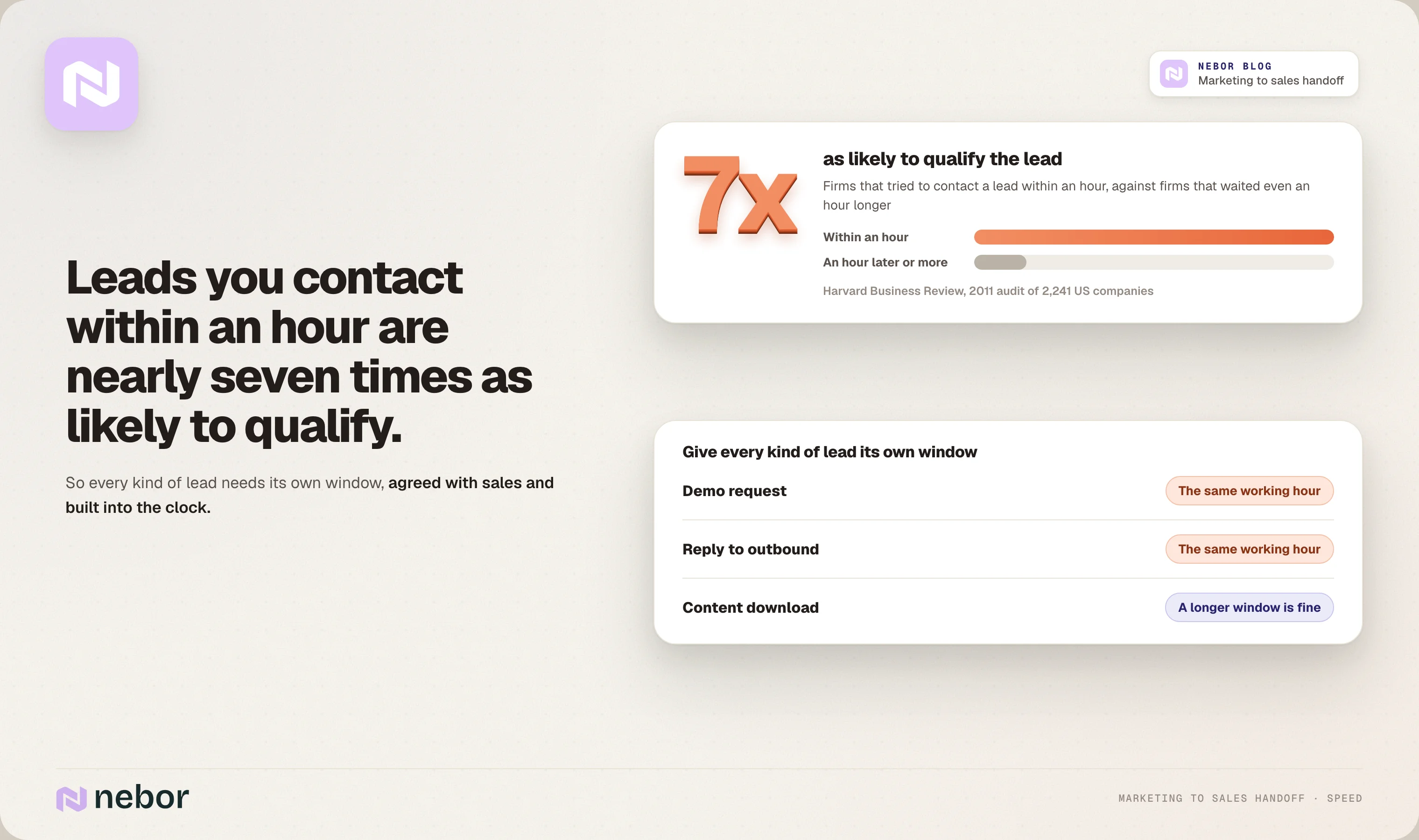
A 2011 Harvard Business Review study looked at 2,241 US companies and found that firms that tried to reach a lead within an hour were nearly seven times as likely to qualify it as firms that waited even an hour longer.
So set a window for each kind of lead. We'd want demo requests to hear from a rep within the same working hour, for example, while prospects who download content can wait a bit longer.
Build the clock with HubSpot workflows so no lead waits for a first touch
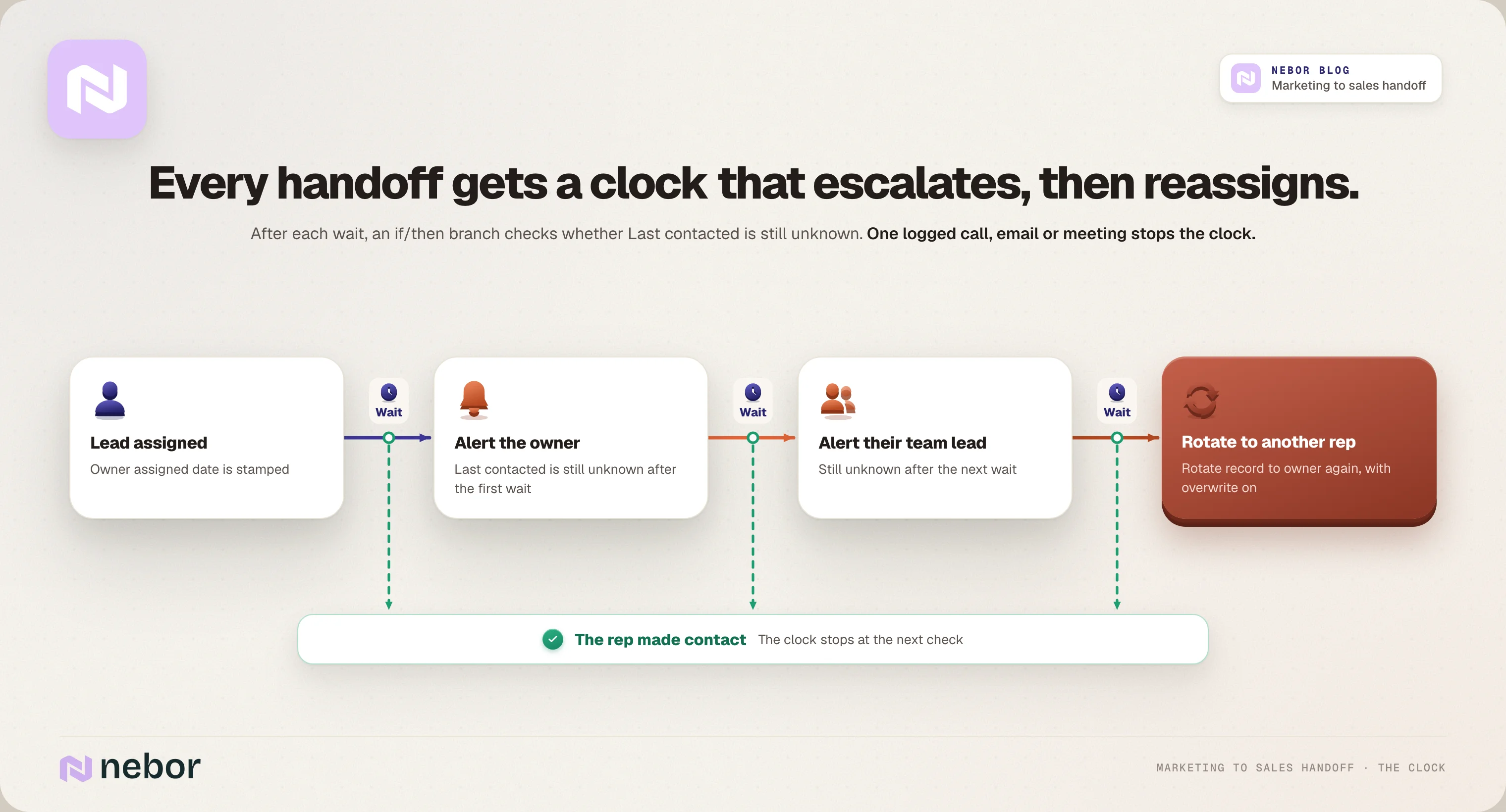
You build the clock in the workflow with a delay, followed by an if/then branch that checks whether Last contacted is still unknown.
If it is, the workflow pings the owner, waits again, and then pings their team lead. At the last check, it uses "Rotate record to owner" again with overwrite turned on, so the lead goes to another rep.
Track lead response time in HubSpot's sales analytics
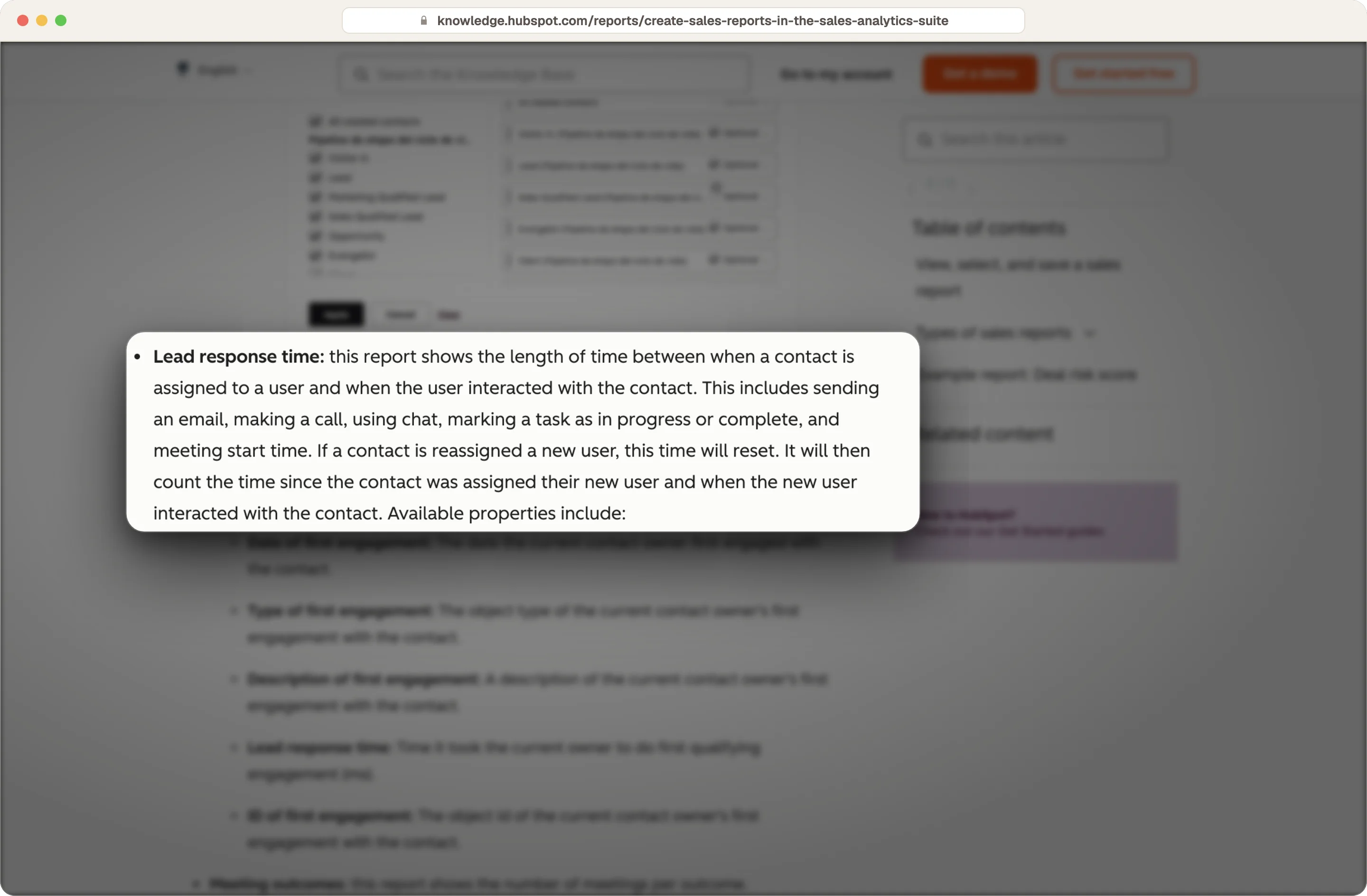
HubSpot's Lead response time report in Sales Analytics, on Sales Hub Professional or Enterprise, measures the time from assignment to the owner's first email, call, chat, task or meeting, and it counts nights and weekends too.
Source: HubSpot
Make sales record a disqualification reason for every lead it turns down
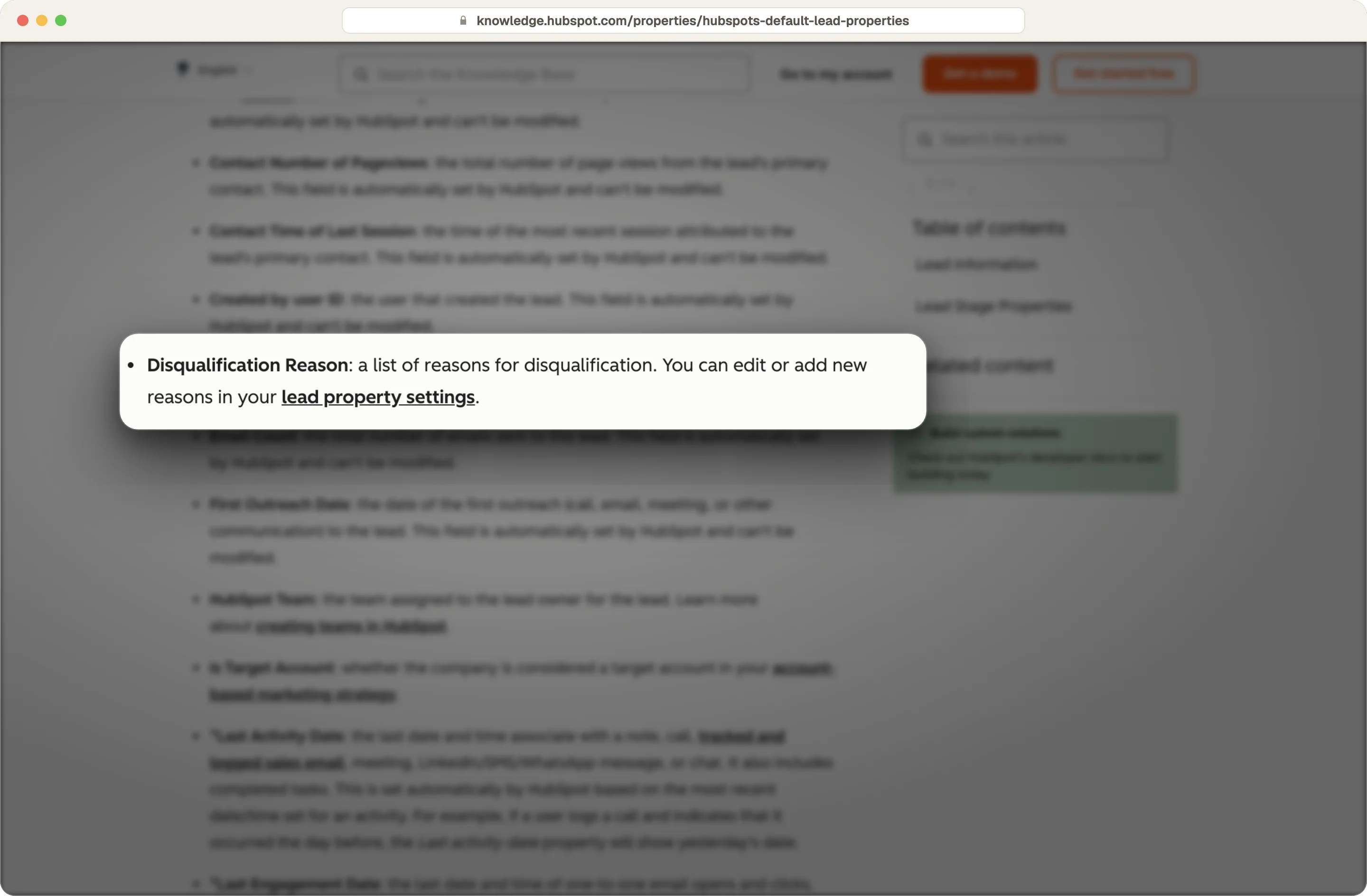
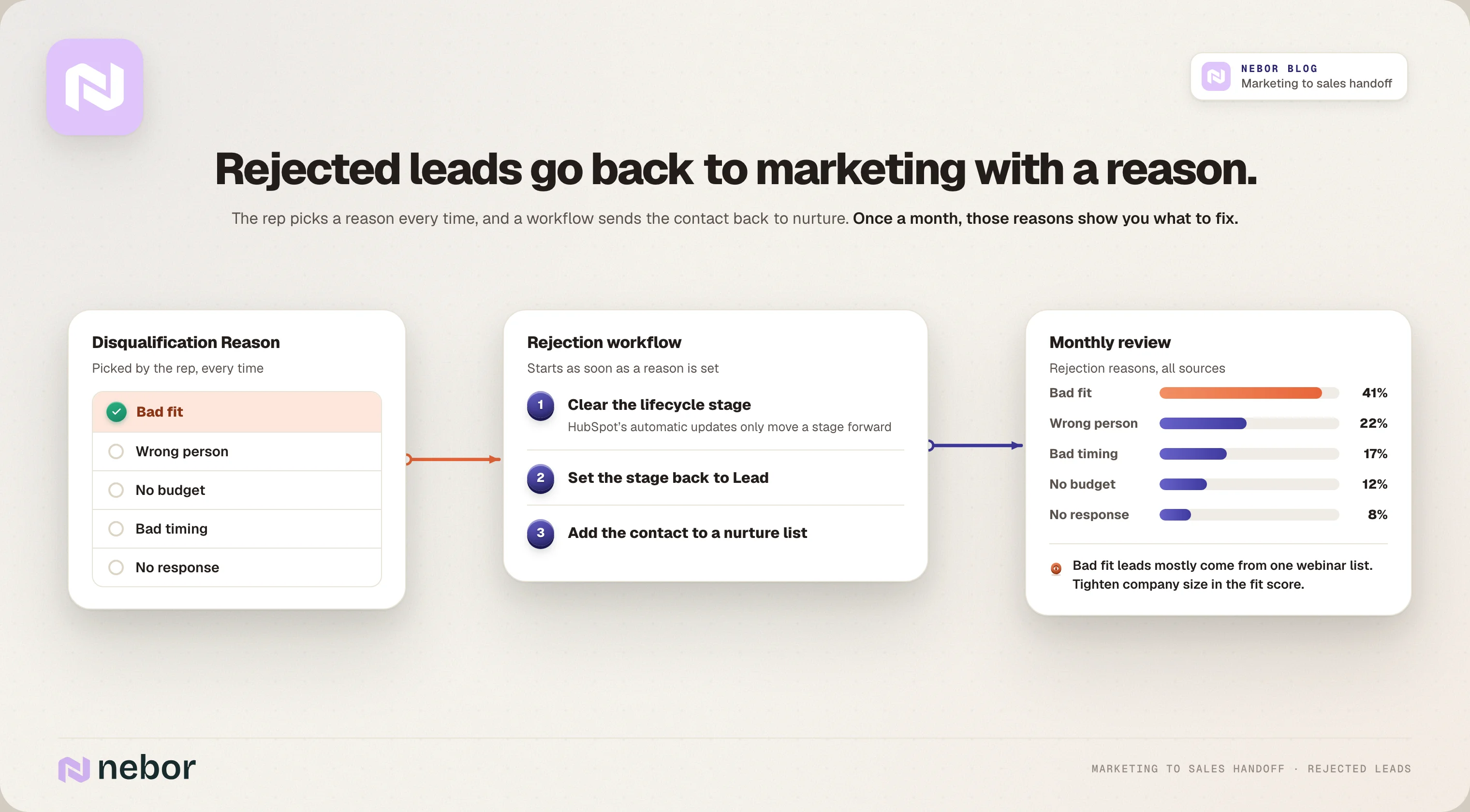
The Leads object comes with a Disqualification Reason property you can edit, and without the Leads object you'll need to create your own. Either way, your reps should pick a reason every time, like bad fit, wrong person, no budget, bad timing or no response.
Source: HubSpot
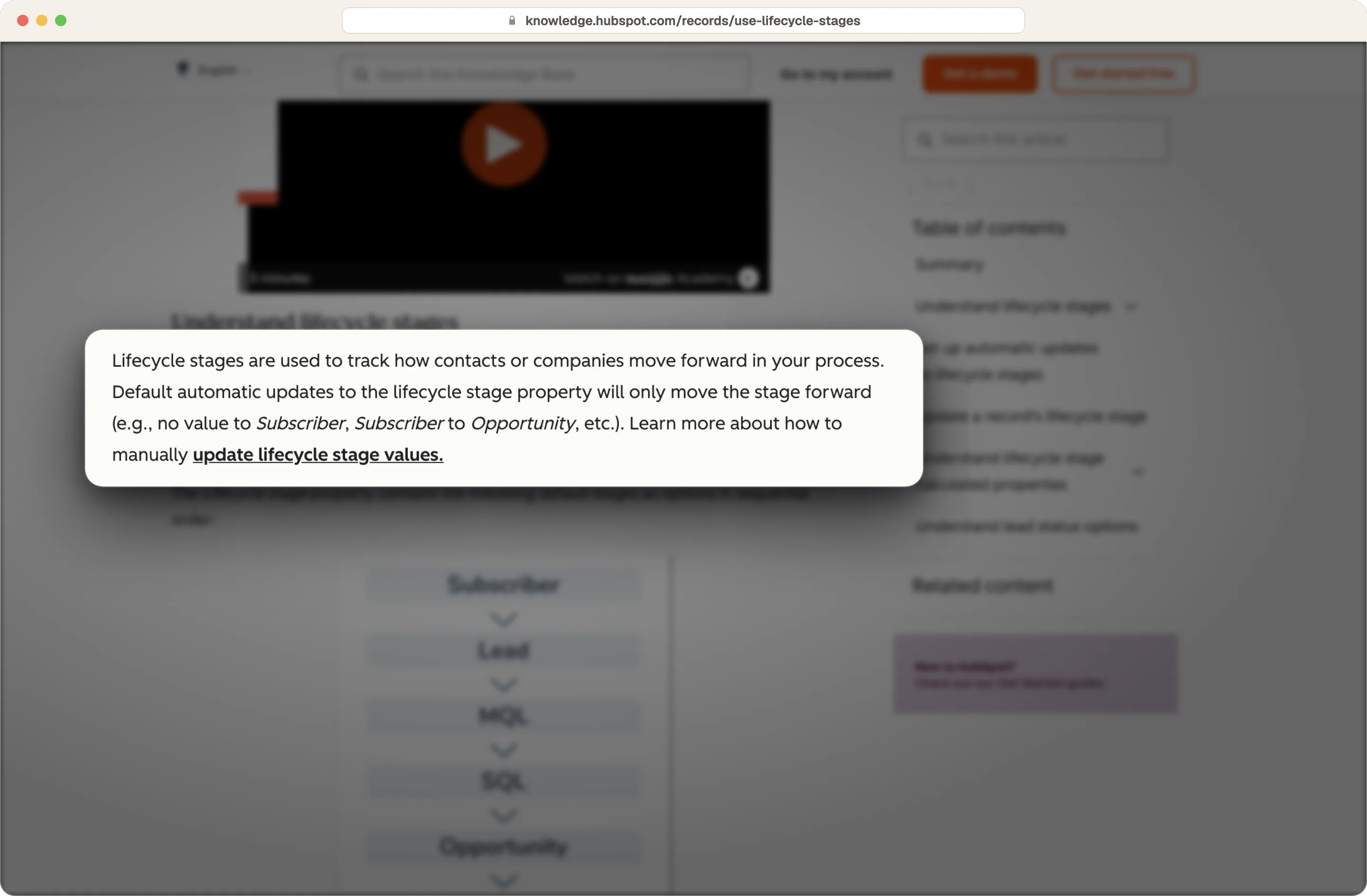
Then a workflow clears the lifecycle stage, sets it back to Lead and adds the contact to a nurture list. It has to clear the stage first, because HubSpot's automatic updates only ever move the stage forward.
Source: HubSpot
Use those reasons as feedback loops between your marketing and sales teams
We think those reasons are the most useful data in the whole setup. When you go through them once a month with marketing, that sales feedback shows where targeting is off and which scoring criteria and signals to change.
Hire Nebor to build a marketing to sales handoff in HubSpot your team can operate
Nebor is a GTM and RevOps agency started by salespeople, so we build the handoff around what a rep needs when a lead comes in, which is the lead and a clear reason to call.
We start by writing down the definitions with your marketing and sales teams. Then we connect HubSpot engagement with intent and outside signals from Clay, so the lifecycle stage change, the new owner and the context arrive together, and every handoff gets a clock.
We build everything in your own HubSpot CRM, you own your tool accounts, and your team can change any definition after we hand it over.
The handoff also connects to the outbound, ABM and paid ads work we set up, and across the systems we build, our clients save more than 20 hours a week on repetitive tasks.
If your marketing to sales handoff is losing leads, book a meeting and we'll go through your HubSpot setup together.
What else do people ask about the marketing to sales handoff in HubSpot?
What's the difference between an MQL and an SQL in HubSpot?
An MQL is a lead that meets the qualification criteria your teams agreed on, so marketing passes it to sales. An SQL is a lead a rep has looked at and accepted, and that step from MQL to SQL is where you hand off the lead.
Can a lead go to sales before it's a marketing qualified lead?
Yes, if you find a signal at the company that sales should know about. Someone who only downloaded a guide wouldn't be an MQL on engagement alone, but if their company just hired a new sales leader and fits your ICP, sales should hear about them early.
What lead score should trigger the handoff in HubSpot?
There's no standard number, so you pick the threshold with sales and test it. Many teams start with something like 50 points on engagement plus a minimum fit score, then adjust it based on rejection reasons.
Should you create a deal at MQL, or only for real opportunities?
We wouldn't, because a deal should mean there's a real opportunity, and that usually comes after a discovery call confirms a need, a budget and a timeline. If you create deals at MQL, your pipeline fills up with contacts who've never had a sales conversation.
Which HubSpot plan do you need to automate the handoff?
You need a Professional or Enterprise plan for workflows. Contact scoring needs Marketing Hub Professional or Enterprise, and any rep you rotate leads to needs a Sales or Service Hub Professional or Enterprise seat. Source: HubSpot
Do you need extra tools besides HubSpot for this handoff?
For the basic handoff, HubSpot is all you need. For intent and outside signals, we add Clay and a tool like Stairoids or Leadinfo, and everything gets written back to the CRM record your rep already uses.
Can HubSpot route leads by region, company size or product line?
Yes, because HubSpot automates lead routing based on the criteria you set. You add branches to the handoff workflow that split leads by region, company size or product interest, and we'd keep them few, because every branch is another place a lead can fall through.
Does the handoff work the same way for outbound leads?
Yes, and outbound leads should go through the same workflow as inbound ones. A reply to an outbound email belongs on your fast lane list, as long as your outbound tool syncs replies to your CRM.
What should a marketing to sales handoff SLA include?
An SLA is the written agreement on how marketing will hand off leads and how sales follows up. It covers what counts as an MQL, what each label means, how fast sales follows up, what task completion looks like and how a lead goes back to marketing.
How do you know if your marketing to sales handoff is working?
We'd watch three numbers, each split by source. Lead response time shows how fast reps pick leads up, conversion rates from MQL to SQL show whether your definition is right, and rejection reasons show what to fix.


Related Articles
By clicking Sign Up you're confirming that you agree with our Terms and Conditions.








