
Clean CRM Data Before Migration: A CRM Data Cleanup Plan for 2026

by

In this post:
Before you move to a new CRM, you need to clean the data you’re taking with you. It’s the cheapest moment to do it, because nothing in the new system depends on that data yet.
The first job is finding duplicates, and it’s the one teams skip most often. If you leave them in, they move to the new CRM with everything else, and your team spends the migration working around records that should never have been there.
To catch them, your records need to look the same first. Agree on how companies, contacts and deals are named, decide what counts as a match, usually the company domain, and dedupe companies before contacts.
Then you give every open record an owner, archive what nobody needs, standardize the fields you filter on and enrich the gaps that matter, all before the first record moves.
In this article, we’ll go through each of those steps in order, plus the checks you do right before you migrate.
If you own RevOps, sales ops or the CRM at a B2B or SaaS company and a CRM migration is coming up, this is the post for you.
TL;DR
Clean your CRM data before the CRM data migration, while nothing in the new system depends on it.
Set naming conventions and decide which fields you'll match duplicates on before you start.
Normalize first, dedupe companies before contacts, and check where every deal lands when you merge.
Then assign owners, archive what you don't need, standardize the fields you filter on and enrich the gaps that matter.
Nebor cleans CRM data before migrations and sets up the automations that keep it clean in your own HubSpot or Salesforce. You can book a meeting to talk it through.
Why your CRM data needs cleaning before a CRM data migration, and what an import won't fix
Your CRM data migration tool moves what you give it. If you give it clean data, the new CRM starts clean, and if you give it messy data, the new CRM starts with the same mess and none of the context people had in their heads.
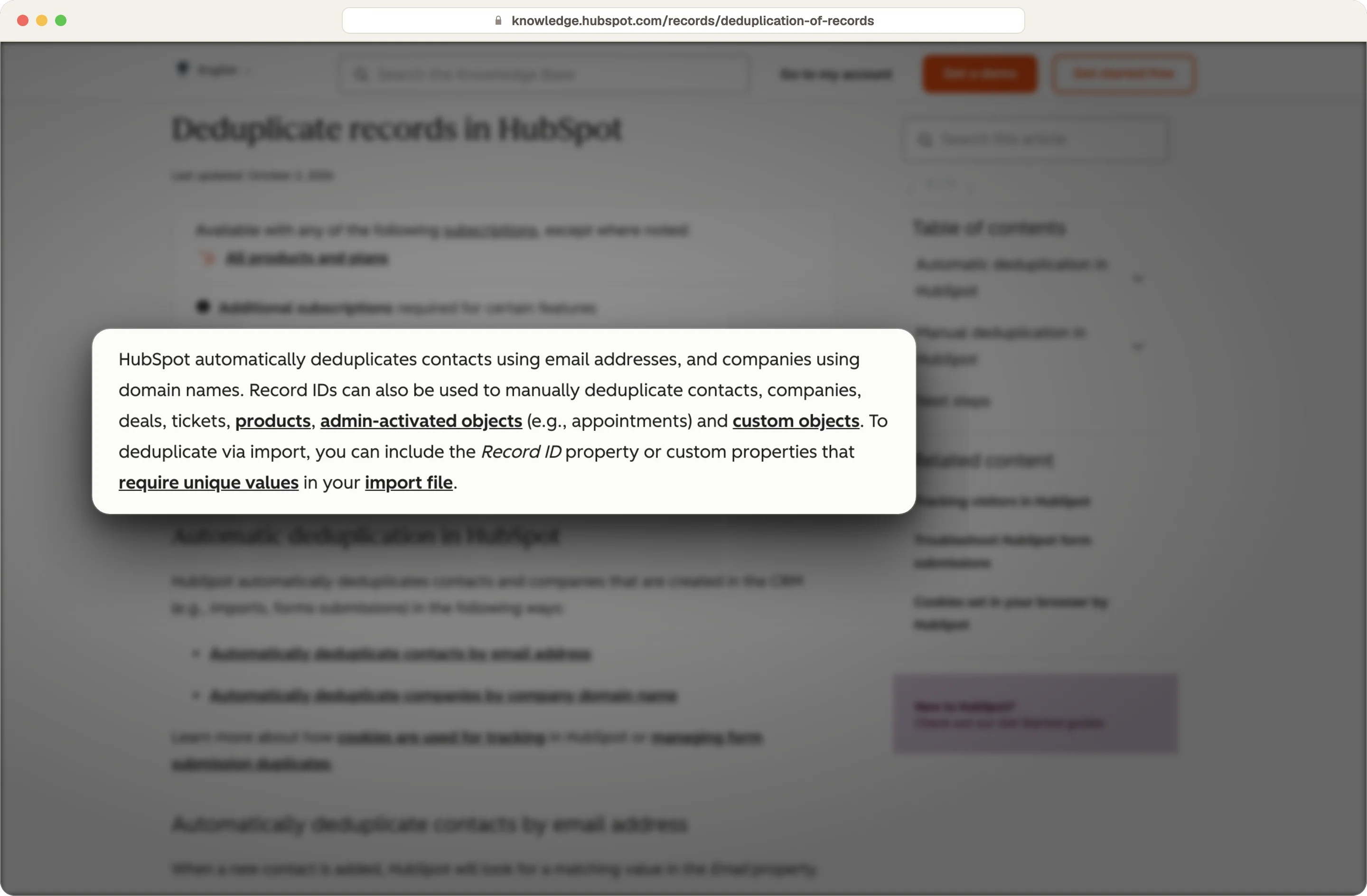
HubSpot's deduplication shows where the limits are. It matches contacts on email address and companies on domain name, and you can use record IDs to update existing records during an import. That catches exact matches and nothing else.
Source: HubSpot
These data quality issues move over untouched.
The same person with two different email addresses, or a typo in one of them
Companies with different spellings and no domain, like "Acme Ltd" and "Acme Limited"
Orphaned records, like deals and accounts owned by people who left the company
Contacts with empty or inconsistent job titles, countries and industries
Deals with no contact or company attached
Each of these is easier to fix in your legacy system or an export file than in the new system. Once the new CRM is live, the same fix means checking every workflow, report and list that already uses the record, which is where the real business impact of a skipped cleanup shows up.
In our experience, teams that clean after the move end up doing it twice. Cleaning first is the single biggest factor in CRM migration success, and our step-by-step CRM migration plan covers the rest of the migration process. A CRM migration is often part of a wider digital transformation, so clean data in the new system pays off well beyond the migration itself.
How to measure dirty data and data quality issues in your CRM before you start
You need a data quality baseline before you change anything. It tells you how big the cleanup is, and it gives you a before and after you can show your leadership once you migrate.
Measure these five things on the CRM data you plan to move.
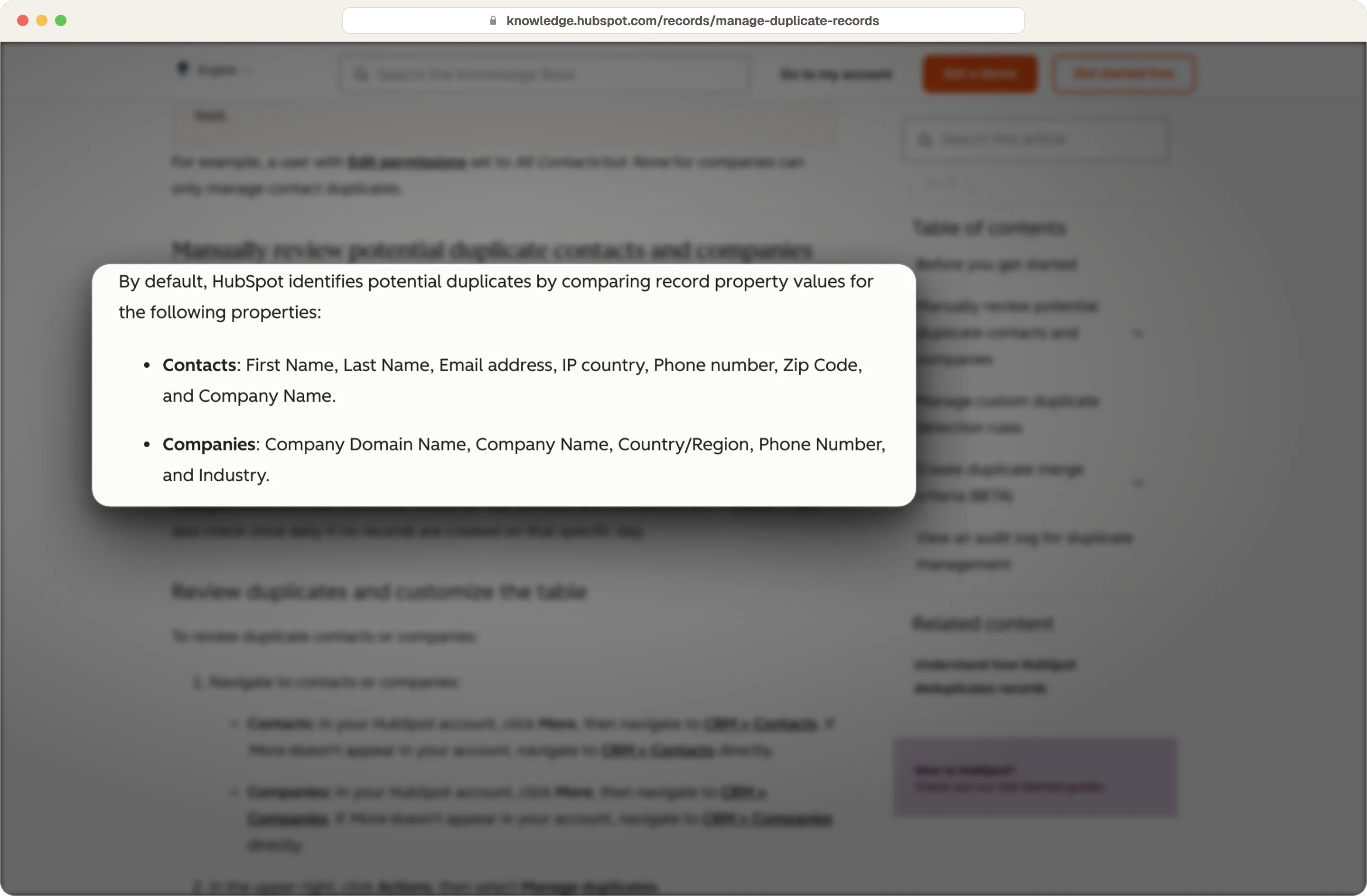
Duplicates: Count contacts that share a name and company, and companies that share a name or domain. HubSpot's duplicate manager shows suggested pairs on Professional and Enterprise plans.
Empty key fields: Check how much of your customer data is missing the fields your team relies on, like email, owner, job title, country, industry and, outside HubSpot, the company domain.
Unowned records: Count open deals, customers and active leads owned by people who no longer work there, or by nobody.
Stale records: Find stale contacts and companies with no activity history or other historical data worth keeping for a period your team agrees on. Stale contacts are usually the biggest share of the data volume you can leave behind before you migrate.
Broken associations: Count deals with no contact or company, and contacts with no company.
Source: HubSpot
You can do most of this with filtered views and exports in your legacy system. For large datasets, we pull the data into Clay and count each problem there, which also sets up the cleanup that follows.
Agree on naming conventions, match keys and what clean data means before you touch a record
A cleanup without clear rules turns into one person's opinion. So before you merge or archive anything, write down the rules with your sales and marketing leads.
Set naming conventions for companies, contacts, deals and leads
Naming conventions decide whether two records can be matched at all. Companies always use the same name, without legal suffixes, and people only need their full name.
Deals are the hardest, because reps like to write notes in the deal name. Agree on a fixed pattern, like company name plus product, and if you use a leads object, give it a naming convention too.
Choose the fields you'll match duplicates on
Decide up front which fields define a duplicate, because that rule also stops new duplicates later. For companies, the domain is usually the best key, and when one domain covers several accounts, like offices in different cities, you combine the domain and the city.
HubSpot fills in the company domain automatically, but many CRMs don't, so check and fill your domains before you rely on them.
Here's the kind of rule sheet we build with a team. The examples are starting points, and your team needs to set its own values.
Rule | Example |
|---|---|
What counts as a duplicate | Same email, or same name at the same company domain |
Which record wins in a merge | The one with the most recent activity and an active owner |
Required fields on every kept record | Email, owner, job title, country and lifecycle stage |
How fields are formatted | Countries as full names, phone numbers in international format, standard currency codes |
When a record counts as stale | No activity and no open deal for a period your team agrees on |
What gets archived instead of deleted | Anything tied to a contract, an invoice or a legal requirement |
That rule sheet becomes the playbook for the cleanup and for keeping the CRM clean later. Agreeing on it up front gives you stakeholder alignment, so nobody argues about a merge halfway through the entire process.
The 05 data cleansing jobs, in the order we do them for every client
The order of these jobs matters, because if you enrich before you dedupe, you pay to enrich the same company twice.
1. Remove duplicate records first, companies before contacts
Start with companies, then contacts, then deals. Those complex relationships between objects break if you merge in the wrong order, and they're hard to rebuild once they're gone.
You need to normalize before you match, so the same domain with and without "www" counts as one, and "Acme Ltd" and "ACME Limited" count as one name. You can't dedupe what doesn't look the same.
Then merge the pairs you're sure of, and send fuzzy matches to a person, because two similar names can be a parent and a subsidiary. Those edge cases are why we only merge automatically when the match is exact.
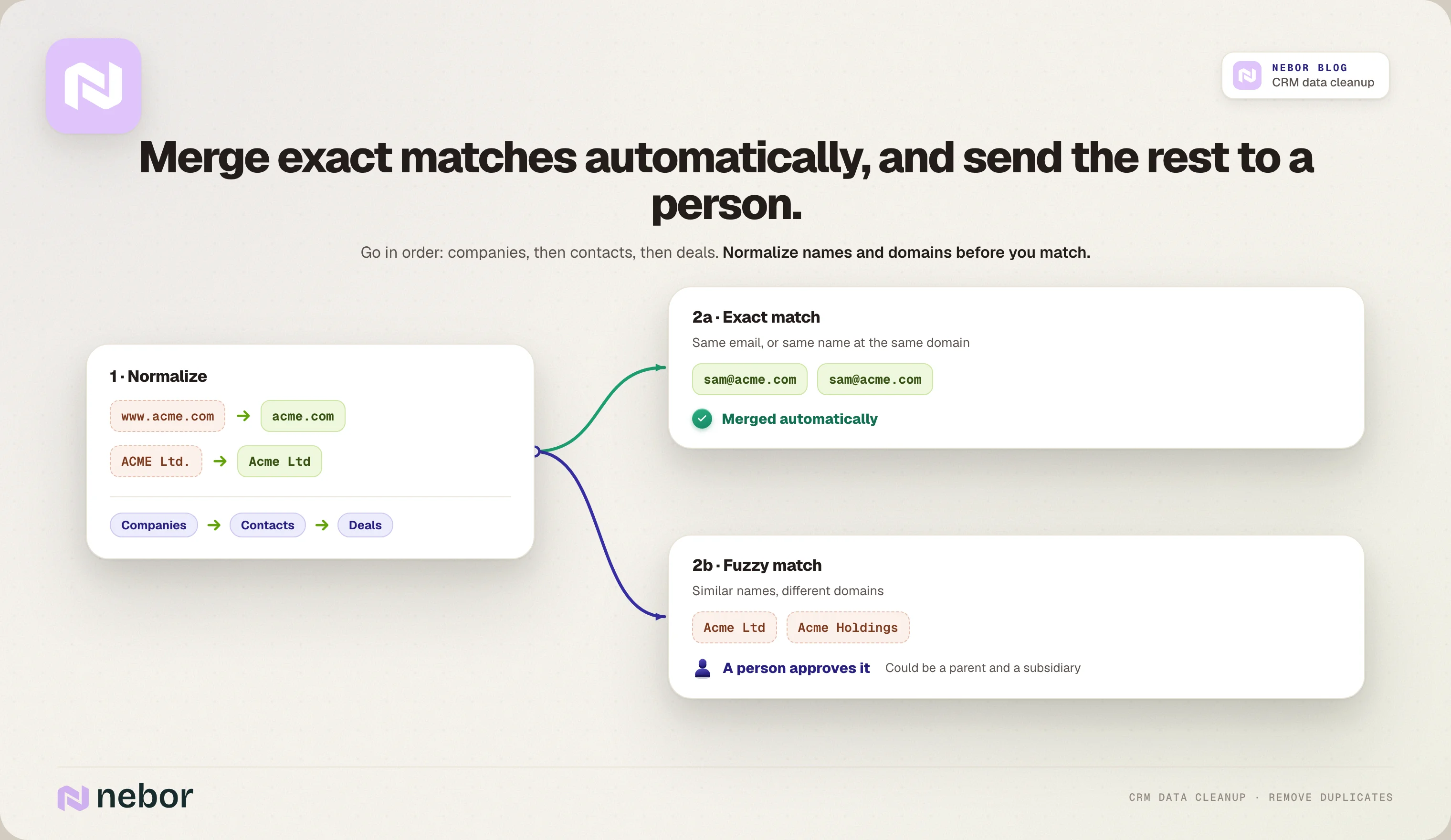
When you merge, check how the deals are associated, so no deal ends up on a company owned by a colleague in another region and drops out of the right rep's pipeline.
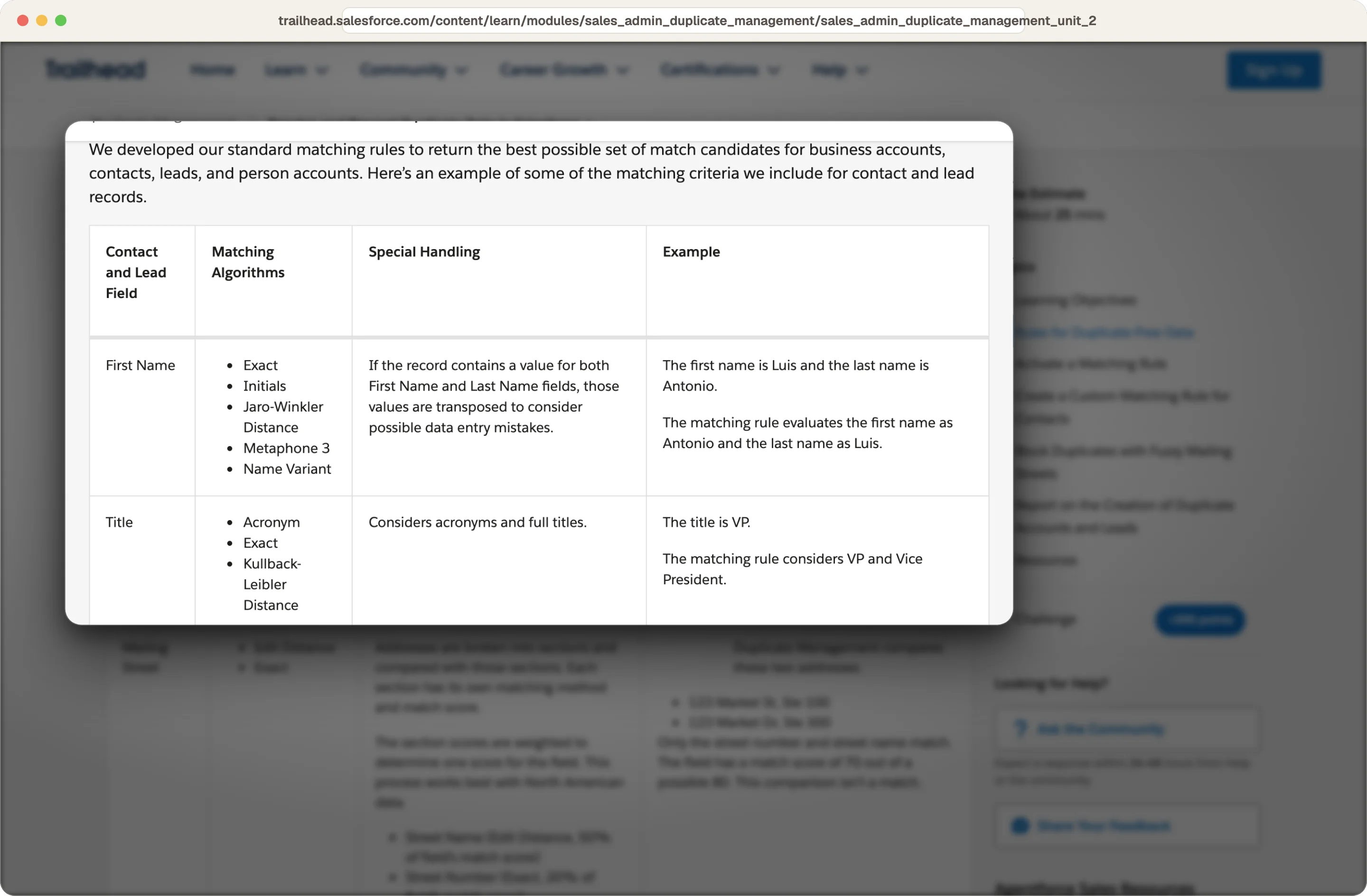
If you're on Salesforce, its standard matching rules match contacts and leads on an exact email plus a fuzzy name, and accounts on a fuzzy name plus an exact address, and duplicate rules decide whether to alert, block or report.
Source: Salesforce
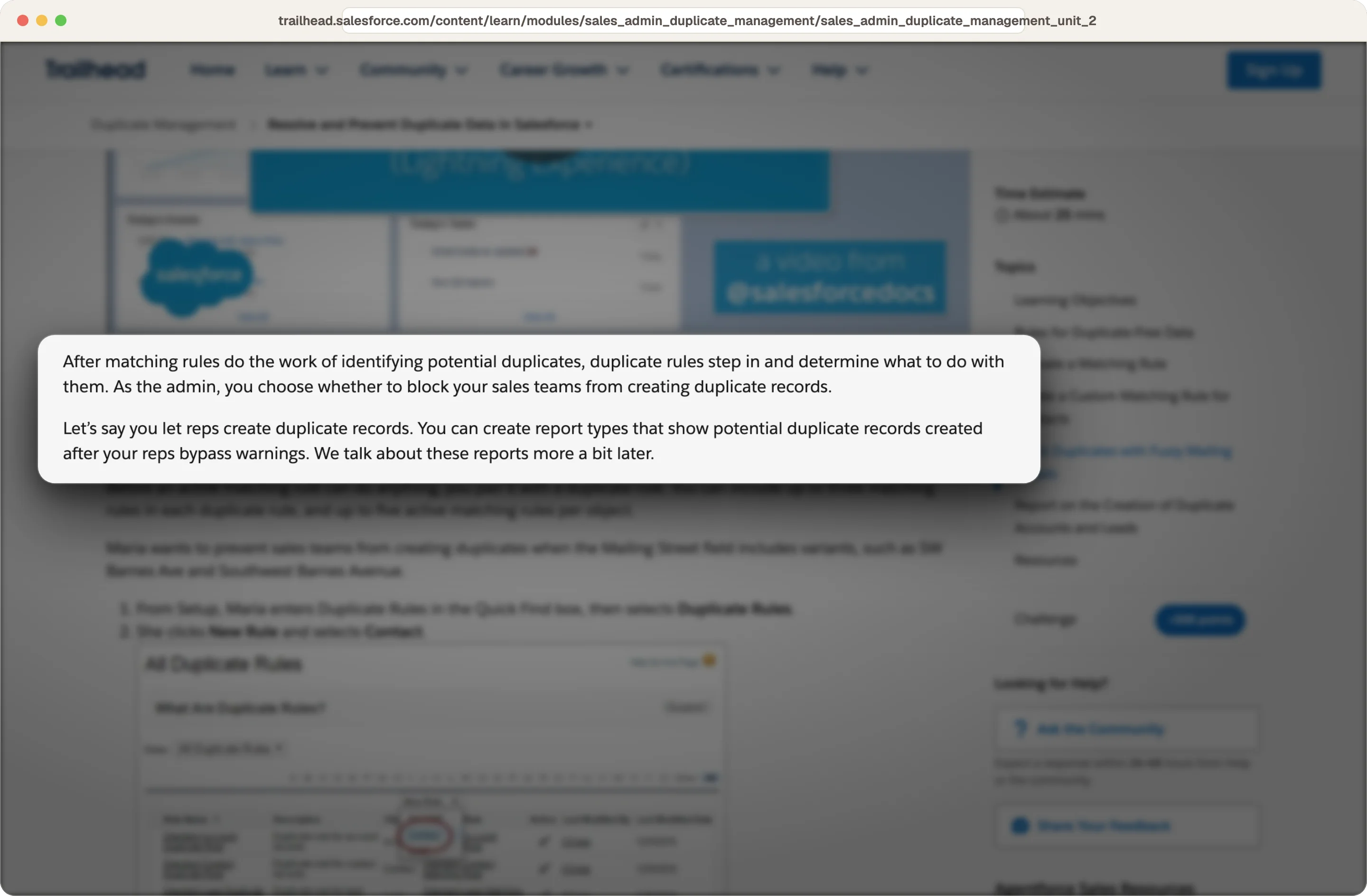
Source: Salesforce
In HubSpot, bulk duplicate handling needs Data Hub Professional or Enterprise, which raises the number of duplicate pairs you can work through.
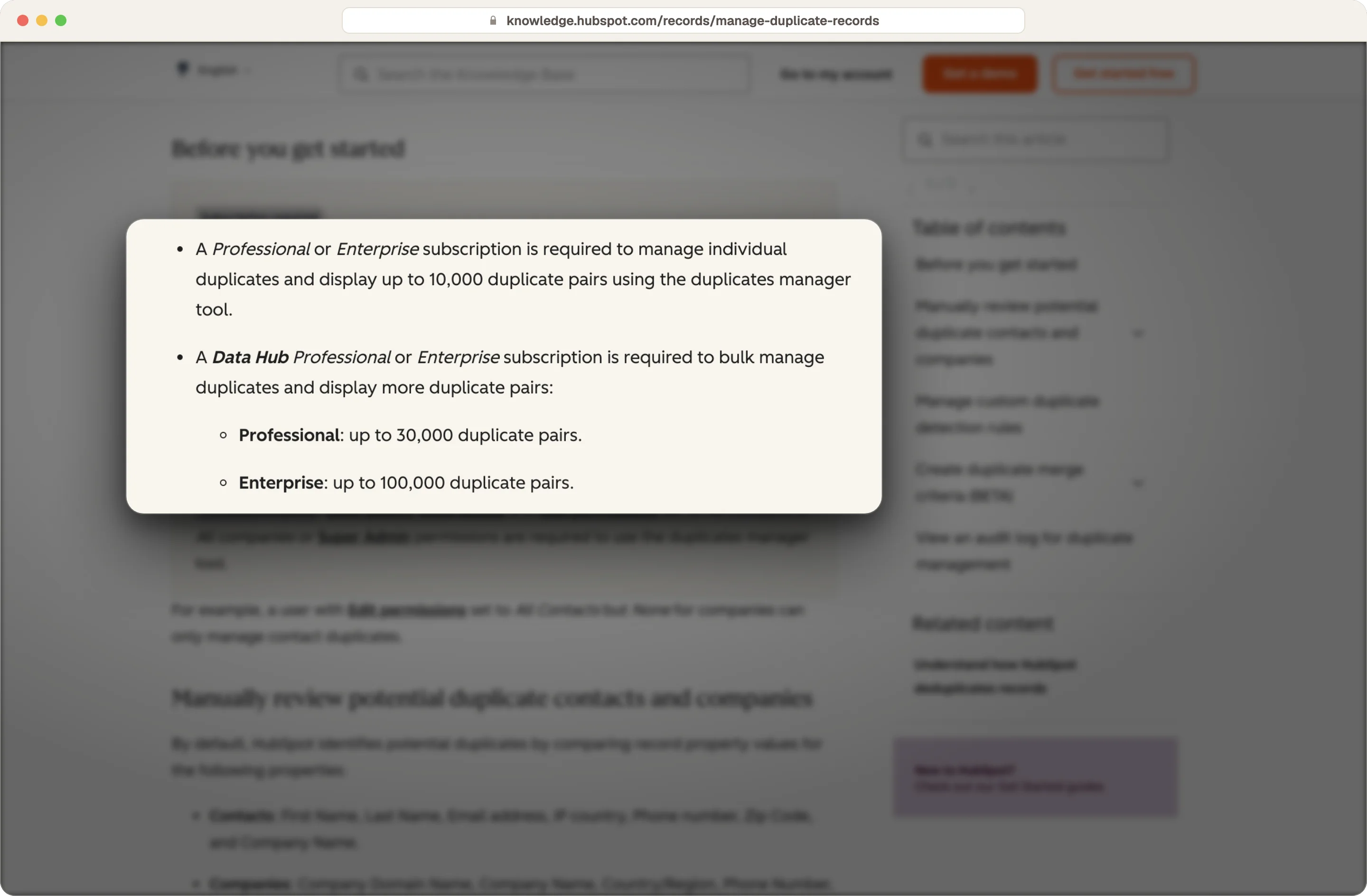
Source: HubSpot
2. Give every open deal, customer and active lead an owner
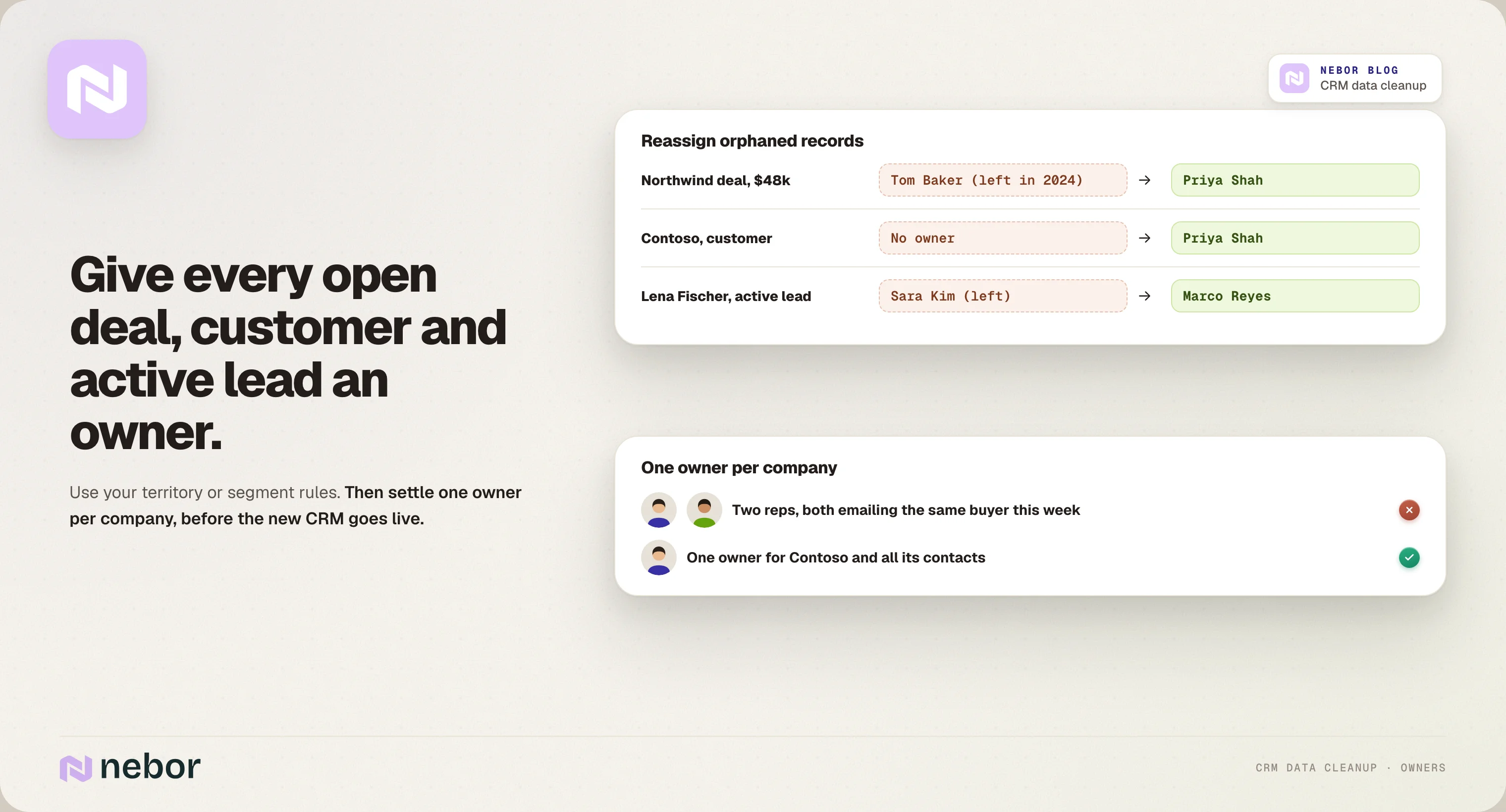
Data owned by people who left is where deals go quiet. Reassign every open deal, current customer and active lead to someone who works there now, using your territory or segment rules.
This is also the moment to check that each company has one owner. When two reps own contacts at the same company, they end up emailing the same buyer, and the new CRM should start with that settled.
3. Decide what to keep, what to archive and what to delete
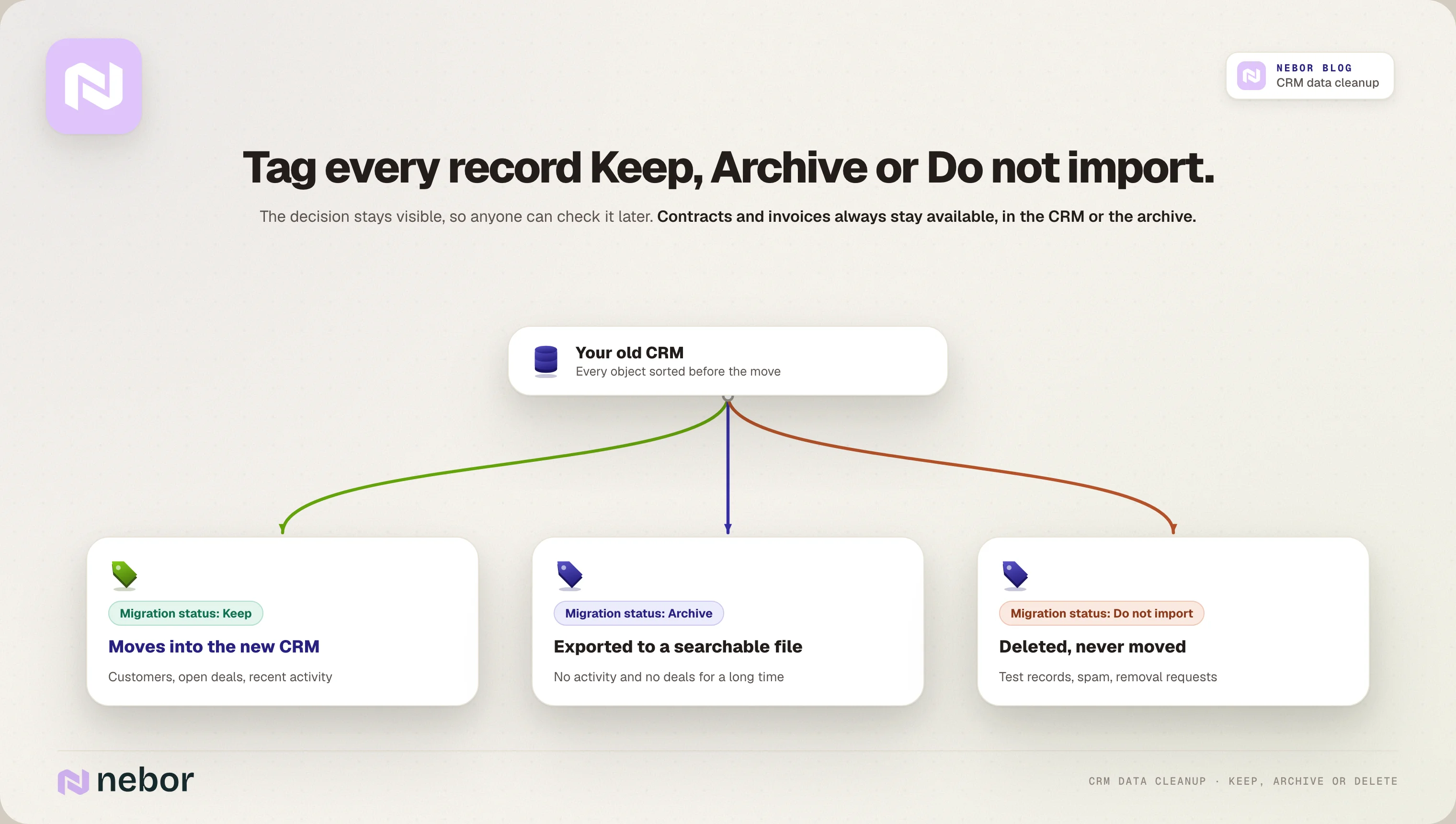
You don't need to move everything, and moving less lowers the migration complexity, makes the CRM data migration faster and keeps the new system easier to use.
Tag every record with a migration status, like Keep, Archive or Do not import, so anyone can check the decision later. Archive means you export the data and store it outside the new system, and you only delete test records, spam and contacts that asked to be removed.
Here's how we'd sort each object, and your team agrees on the cutoffs.
Object | Keep | Archive | Delete |
|---|---|---|---|
Contacts | Customers, open deals, recent activity | No activity and no deals for a long period | Test records, spam and removal requests |
Companies | Customers, open pipeline, target accounts | No contacts, deals or activity | Spam and obvious junk |
Deals | Open deals and recently closed ones | Old closed deals your forecast doesn't use | Duplicates and test deals |
Activities | History tied to the data you keep | Old bulk email logs | System noise with no value |
Contracts, invoices and anything you need for regulatory compliance or audit trails stay available in the CRM or your archive.
4. Standardize the fields your new CRM will filter on
Your new system will route leads, score them and build reliable reporting from a handful of fields, so those fields need consistent formatting rules. Country, industry, job title, lifecycle stage and lead source are the usual ones.
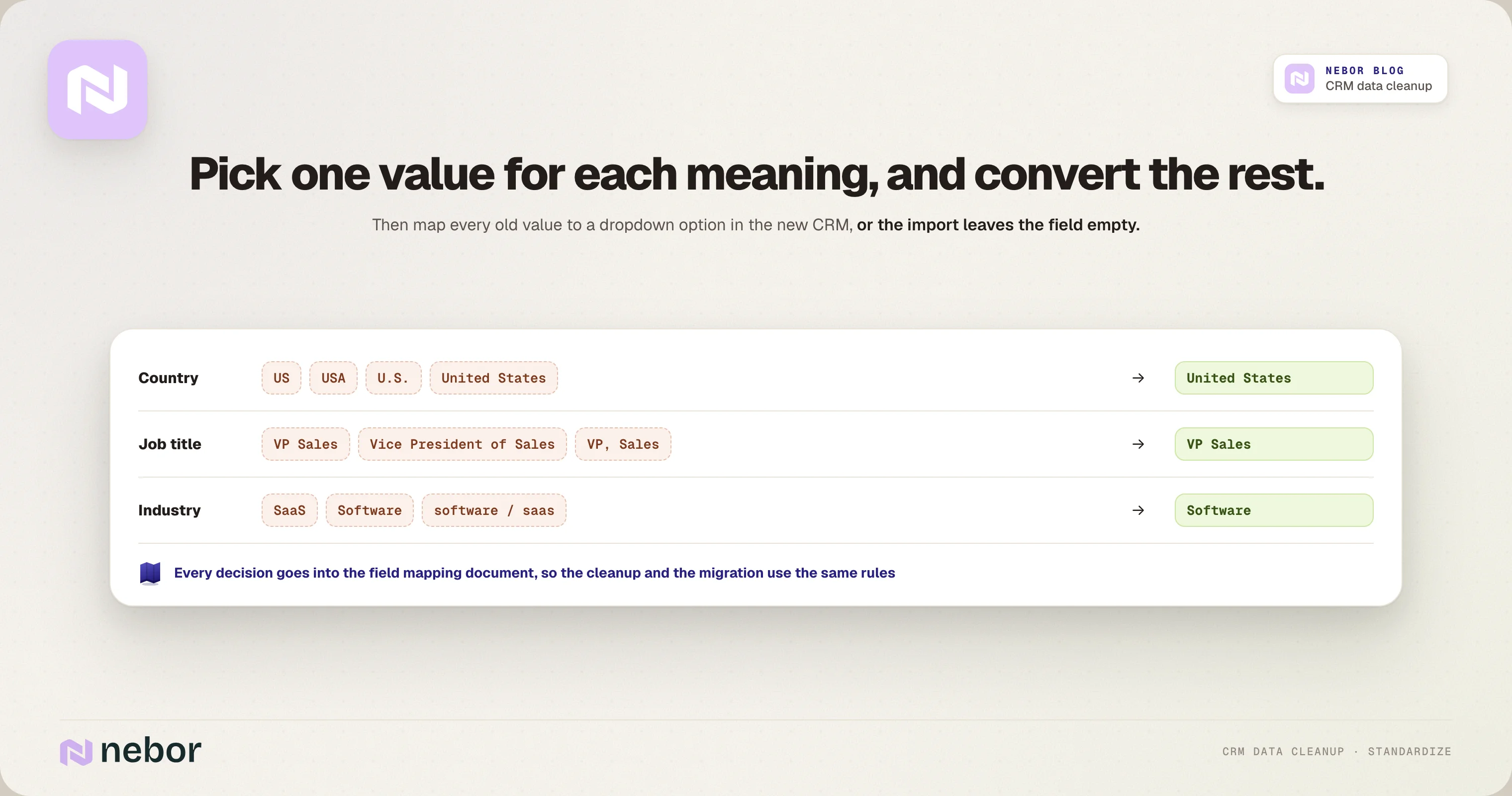
Pick one value for each meaning and convert the rest. "US", "USA" and "United States" become one value, and "VP Sales" and "Vice President of Sales" become one title. Where your new system uses dropdowns and other data types, map every old value to an option that exists there, or the import leaves the field empty. Keep those decisions, including any custom properties you add, in your field mapping document, so the cleanup and the CRM data migration use the same rules.
5. Enrich only the fields your team will use
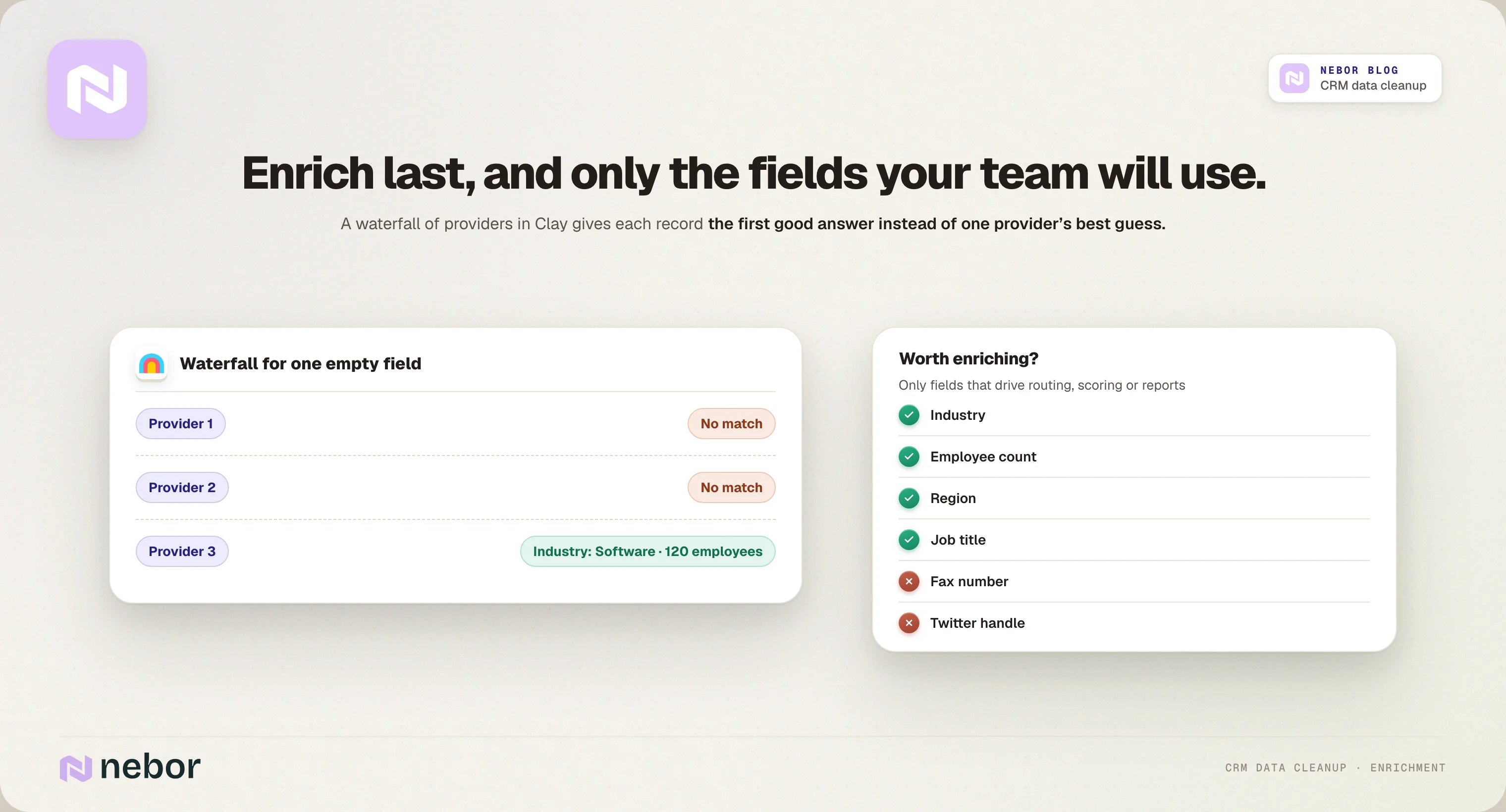
Enrichment comes last, because it's the only job that costs money per record. Fill the gaps that drive decisions, like industry, employee count, region and job title, and leave out fields nobody filters or reports on.
We usually enrich through a waterfall of providers in Clay, so each record gets the first good answer instead of one provider's best guess. Our list of CRM enrichment and data hygiene agencies covers the tools and partners that do this well.
Clean the fields your lifecycle stages, lead scoring and routing depend on
A CRM data migration is also your chance to fix the fields that drive your business processes, before you rebuild those automations in the new system.
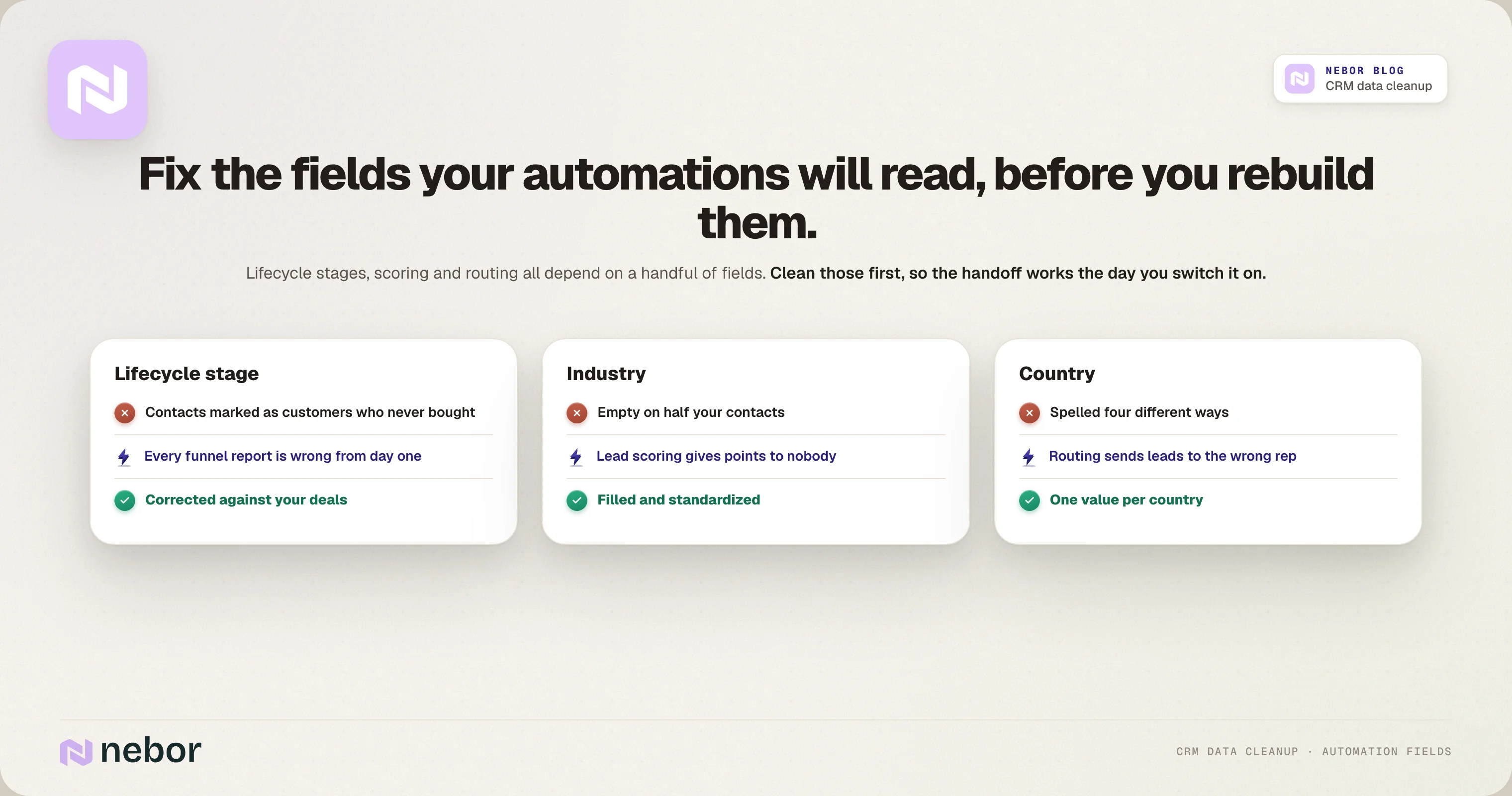
Start with lifecycle stages, because contacts marked as customers who never bought and leads marked as qualified that nobody ever called make every funnel report wrong from the first day. Correct those stages against your deals before the move.
Then check the fields your scoring and routing will read. A lead scoring model that gives points for industry is useless when half your CRM data has that field empty, and a routing rule that sends leads by country fails when the same country is spelled four ways. Fill and standardize those fields first, so the marketing to sales handoff works as soon as you switch it on.
Best practices for using Clay and your CRM together before you migrate
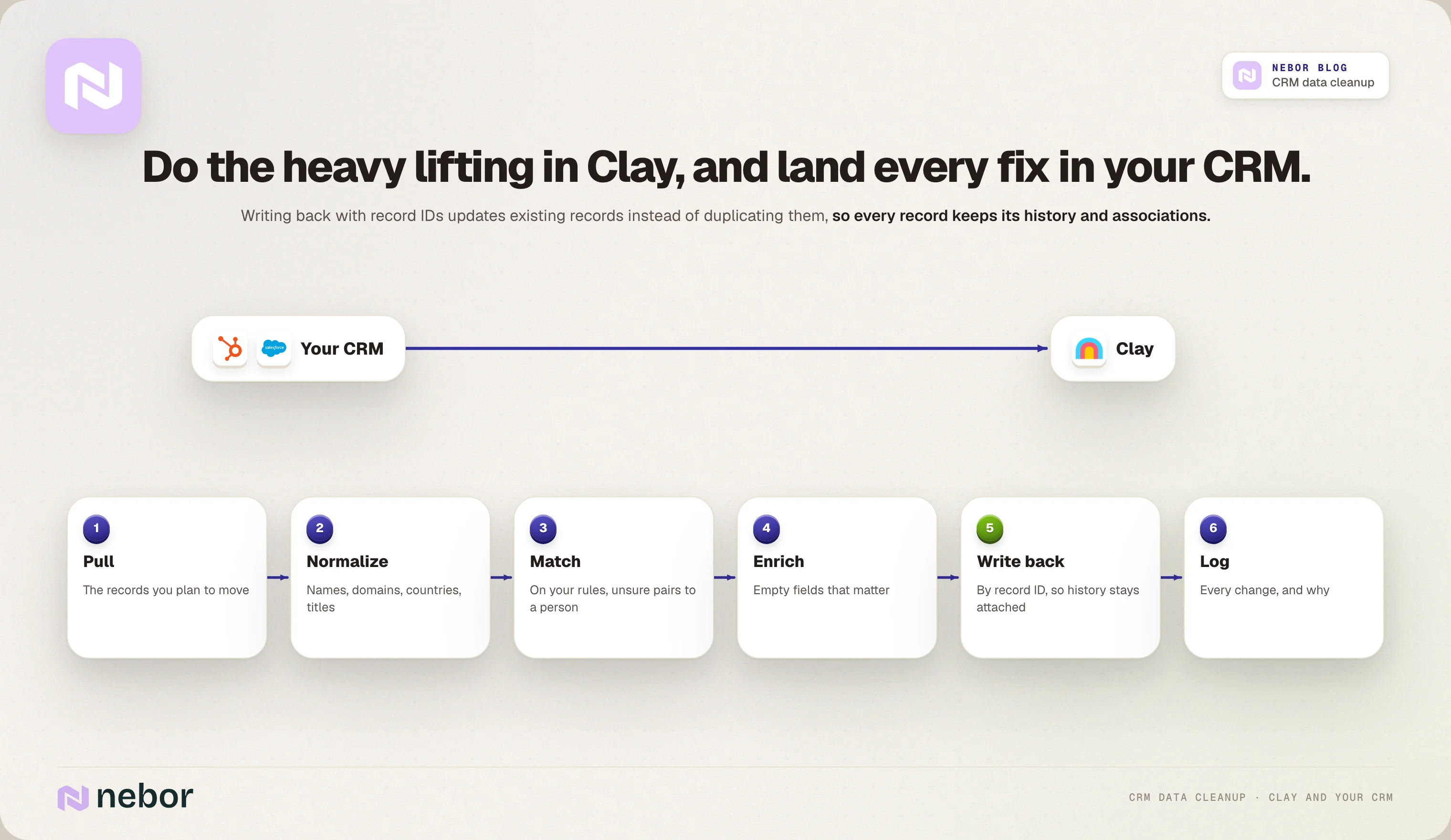
Most of the heavy lifting happens in Clay, with your CRM as the place where every fix lands, so tool selection matters less than the rules you follow.
Pull the existing data you plan to move from your source system into Clay, which keeps transferring data between tools simple.
Normalize, match duplicates and enrich the empty fields that matter.
Write the cleaned data back by record ID, so history, associations and customer relationships stay attached.
Log every change, so anyone can see what changed and why.
How to check your clean CRM data before the CRM data migration starts
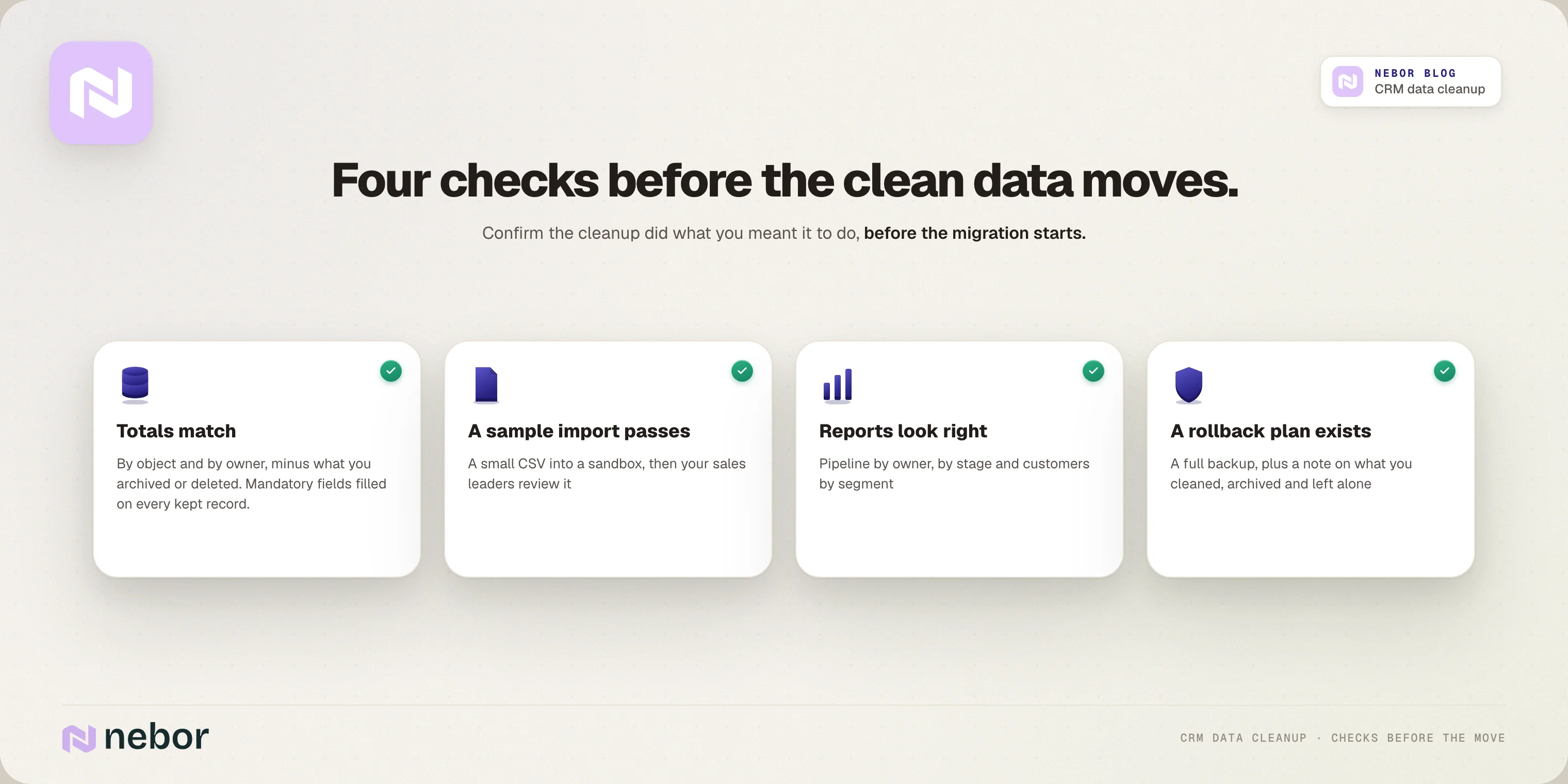
Before you migrate, confirm the cleanup did what you meant it to do. These four checks are the best practices we follow on every CRM data migration.
Compare data totals between the old system and the new system
Count your data by object and by owner, and make sure the differences match what you chose to archive or delete. Then identify the mandatory fields your new system requires and validate that every kept record has them filled in before you migrate, so the import doesn't reject records or leave fields empty.
Test a sample with a CSV import and user acceptance testing
Do a CSV import of a small batch of data into a test environment or a sandbox, and check that associations, owners and stages come through correctly. Then ask your sales leaders to review it. They'll spot a top customer with the wrong owner or a deal value that's obviously wrong faster than any rule will.
Build a few reports to confirm reliable reporting
Pipeline by owner, pipeline by stage and customers by segment will show split companies or missing deals quickly. If those reports look right on the sample, you can trust the same reports after the full data migration.
Keep a rollback plan in case the data migration goes wrong
Take a full backup of the legacy system first, so you can restore any customer data the CRM data migration damages. Write down what you cleaned, what you archived and what you knowingly left alone, because your team needs to know what the new CRM contains on the first day.
How to keep your CRM data clean after the migration, week after week
Getting your data clean is one thing, but keeping it clean matters even more if you want to maintain data quality and keep your business operations working from accurate customer data. Every week people change jobs, phone numbers stop working and new duplicates come in through forms.
And people don't always follow the process, however good your rule sheet is.
So we automate as much as we can, in the CRM itself or outside it when that's the better fit.
Use workflows for data quality, beyond nurturing and routing
Most teams use CRM workflows for nurturing and lead rotation, but they can do a lot for data quality too. One we use often copies a property from a company to every associated contact, so it's there when a HubSpot sequence goes out.
Keep your naming conventions and normalization in place
Normalization doesn't end on the day of the migration, because new records arrive every day with the old habits. So we set up workflows that format names, domains and countries the way your rule sheet says, and duplicate checks at the point of entry where your CRM allows it.
Check the records that matter every week
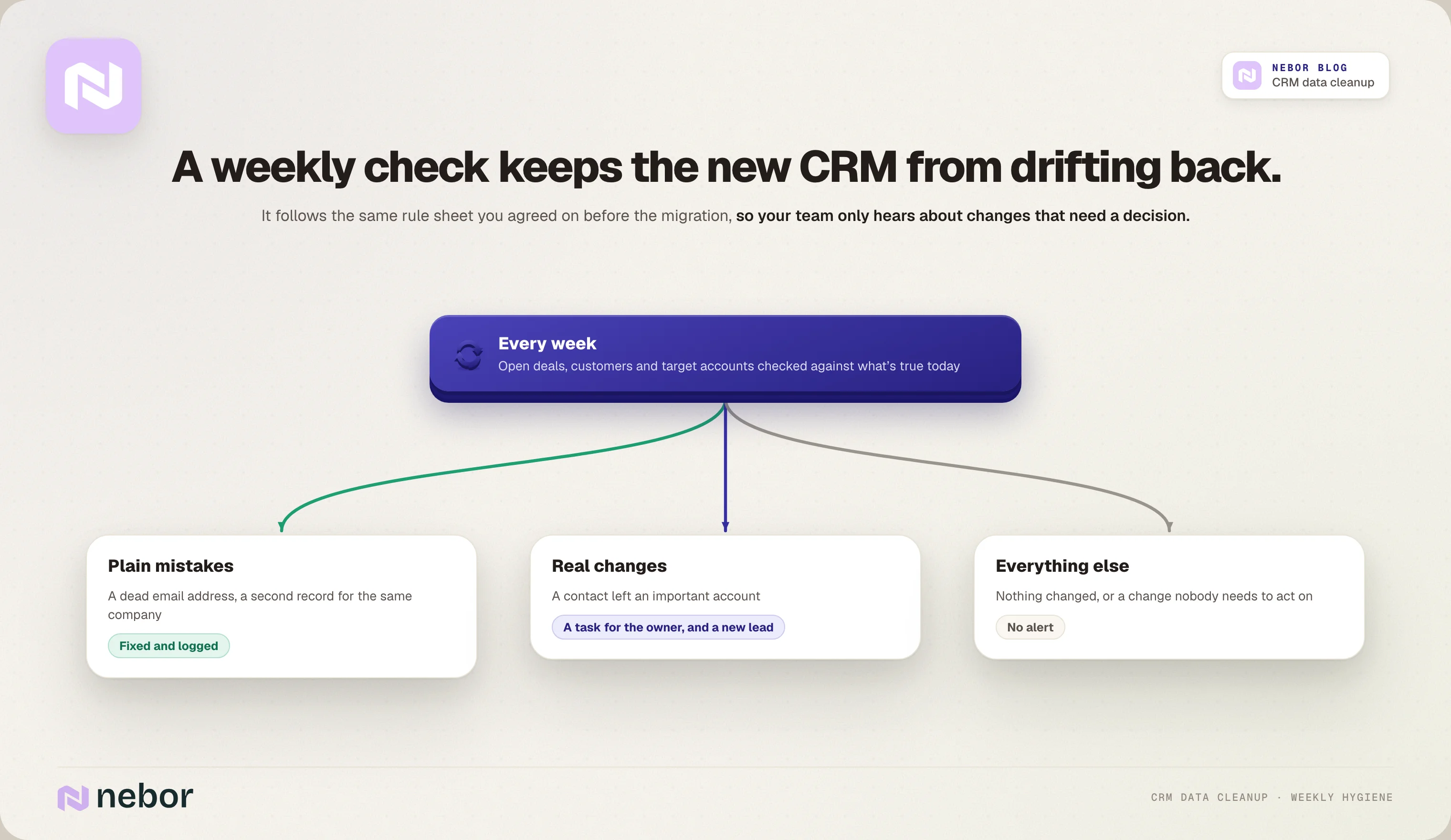
On top of that, we set up a CRM enrichment and hygiene workflow once the migration is done. Every week, it checks the data your team works with, like open deals, customers and target accounts, against what's true about each company today.
Plain mistakes, like a dead email address or a second record for the same company, get fixed and logged.
Real changes, like a contact leaving an important account, become a task for the owner and a new lead.
Your team only hears about the changes that need a decision.
Hire Nebor to clean your CRM data before you move it to a new system
We clean CRM data around one question, which is whether your reps can trust what they see in the new CRM on the first day.
We take a structured approach, where we measure your data, agree the rules with your sales and marketing leads, do the cleanup in Clay and your CRM, and set up the automations that keep it clean after the move.
Everything is built in your own HubSpot or Salesforce account with its own runbook. Across the RevOps systems we build, clients save more than 20 hours a week of manual work.
If a CRM data migration is coming up, book a meeting and we'll look at your data with you and tell you what the cleanup involves.
Data cleaning questions we hear from teams before most CRM migrations
What is CRM data cleansing?
CRM data cleansing is the work of finding and fixing dirty data in your CRM, like duplicates, outdated contacts, missing owners and inconsistent values. Before a CRM data migration, it also includes deciding which data is worth moving.
Should you deduplicate companies or contacts first?
You should start with companies, because contacts and deals are associated with them. Once the company records are clean, merging contacts is simpler and you don't break the links between objects, and deals come last.
How do you match duplicates when several accounts share a domain?
You combine more than one field to tell them apart. If one domain covers several separate accounts, like offices in different cities, match on the domain plus the city, or another field that tells them apart, and send anything uncertain to a person for review.
Does HubSpot remove duplicates automatically?
It handles exact matches on its own. When a contact is created or imported, HubSpot looks for an existing contact with the same email address, and it matches companies on domain name. Anything without an exact match, like the same person with two email addresses, still needs a manual or bulk cleanup.
How do you find duplicate records in HubSpot?
HubSpot's duplicate manager suggests likely duplicate pairs for you to review and merge, on Professional and Enterprise plans. If you have a lot of them, Data Hub Professional or Enterprise lets you handle duplicates in bulk.
Should you clean the data in the old system or in an export file?
Either works, as long as the cleaned data from your legacy system goes into the CRM data migration. We usually clean in Clay and write the fixes back to the old system by record ID, so the history stays attached and the migration starts from a clean source.
Who should own CRM data quality after the migration?
One person, usually whoever looks after RevOps or the CRM, should own the rules and the weekly checks. Sales and marketing still own their records, but somebody has to decide what clean means and change the rules when the business changes.
What's the difference between data cleansing and data enrichment?
Cleansing fixes the existing data you already have, like removing duplicates, correcting errors and standardizing values. Enrichment adds data you don't have yet from outside sources, like industry or employee count, which is why you clean first and enrich second.
Can AI agents clean your CRM data for you?
AI agents and AI tools are good at spotting likely duplicates and suggesting standard values for messy fields like job titles. You still need a person to approve merges that aren't exact matches, because a wrong merge mixes two customers' data and is hard to undo after the data migration.
How do you keep CRM data clean after a CRM migration?
Keep your naming conventions and normalization rules in place with workflows, block duplicates at the point of entry where your CRM allows it, and check the records that matter on a schedule. We set this up as a weekly workflow, so problems get caught before they spread into reports.


Related Articles

By clicking Sign Up you're confirming that you agree with our Terms and Conditions.








