
In this post:
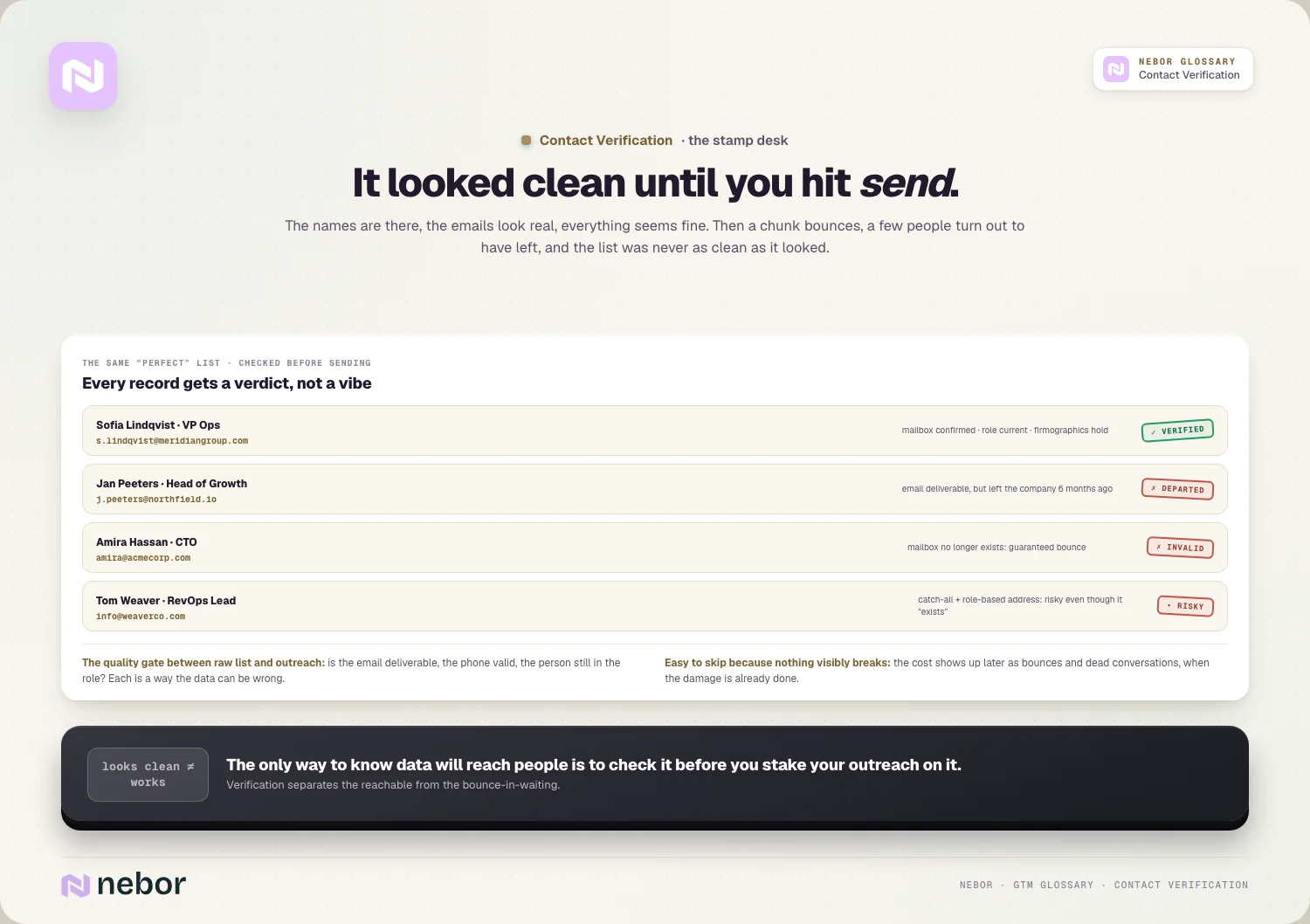
A contact list looks perfect right up until you hit send. The names are there, the emails look real, everything seems fine. Then a chunk of it bounces, a few people have left their companies, and you find out the hard way that the list was never as clean as it looked.
That gap between how a list looks and whether it works is what contact verification closes. It's the step that checks your data is real and current before you stake your outreach and your reputation on it.
Contact verification is the process of confirming that a contact's details, like their email address, phone number, and role, are valid and current before you reach out. It separates the contacts you can actually reach from the ones that will bounce or go nowhere.
Bad contact data undermines everything downstream, and it does the damage out of sight. You can have perfect targeting and great messaging, but if the contact details are wrong, your outreach never arrives, and the bounces damage your ability to reach anyone.
TL;DR
Contact verification confirms that a contact's details are valid and current, checking that the email works, the person is still there, and the data is accurate before you use it.
Contact data decays fast and bad data is costly, because unverified contacts bounce, hurt your sender reputation, and waste your team's effort on people you can't reach.
It covers more than the email alone. A full check confirms the email is deliverable, the phone is valid, and the person still holds the role, because any of those can be wrong or out of date.
The discipline is that verification never gets to be one-and-done. Data decays continuously, so verification has to be ongoing, especially right before you launch outreach to an older list.
What is contact verification, and which questions does it answer?
Contact verification is the work of confirming that the details you have for a contact are accurate and usable. Before you reach out, you check that the data will let you connect.
It answers a few specific questions at once. Is this email address real and deliverable, is this phone number valid, and does this person still work here in this role? Each one is a way the data could be wrong.
The most common focus is email, because that's what bounces most visibly. Verifying an email confirms the address exists and can receive mail, which is the single biggest predictor of whether your outreach lands.
A full verification goes further than that, checking the whole contact record, because a valid email for someone who left the company six months ago is still a dead end.
So contact verification is really a quality gate. It's the check that stands between your raw list and your outreach, making sure you only send to contacts you can actually reach.
It's easy to skip because nothing visibly breaks when you do. The cost shows up later as bounces and dead conversations, and that invisibility is exactly why so many teams overlook it until the damage is already done.
How is contact verification different from plain email validation?
These two terms overlap, and the cleanest way to hold them is that one is a part of the other.
Email validation checks specifically whether an email address is valid and deliverable. It confirms the format is right, the domain exists, and the mailbox can receive mail.
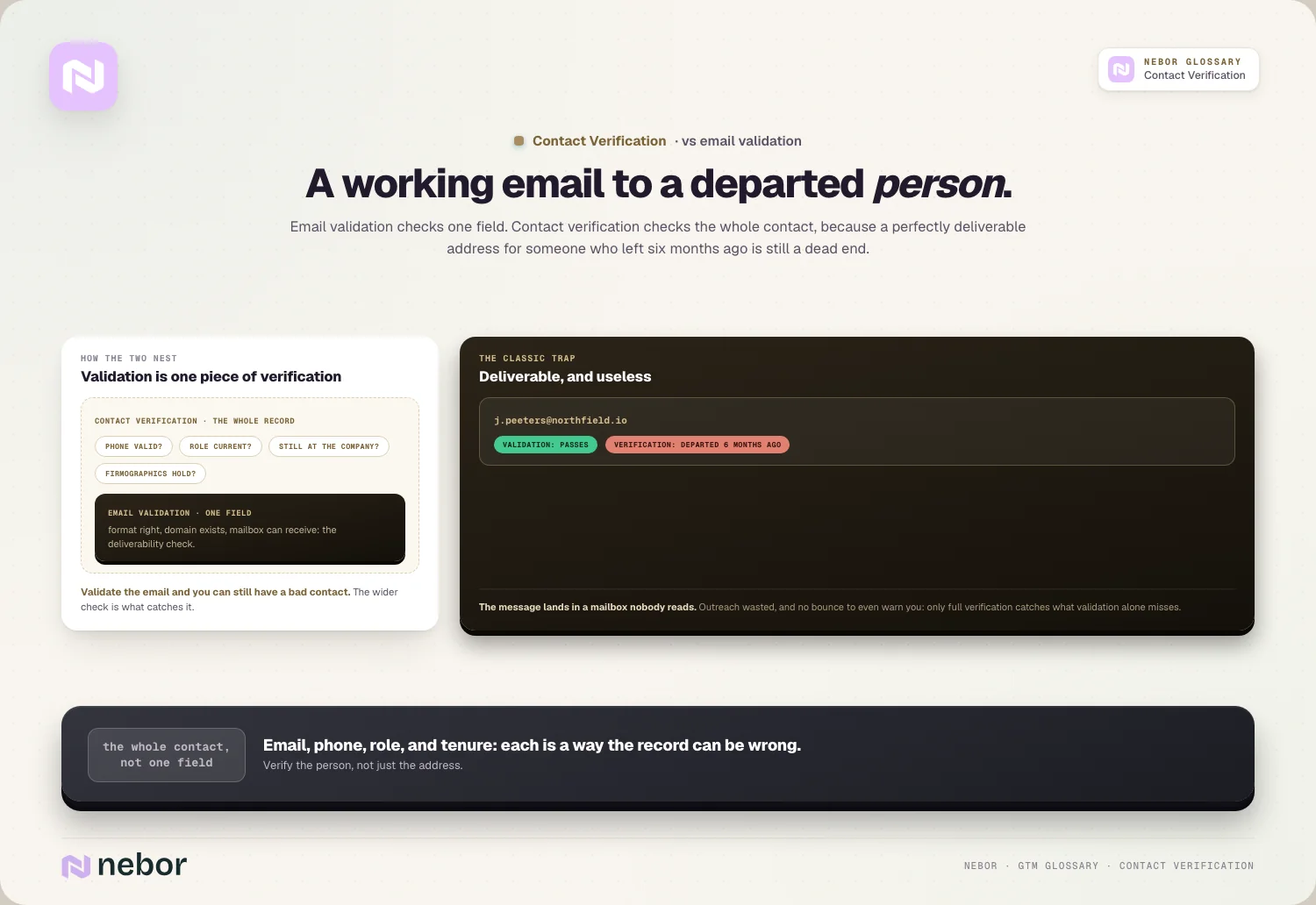
Contact verification covers more than a single field. It includes email validation but also confirms the phone number, the role, and whether the person is still at the company, covering the whole contact rather than one field.
So email validation is one piece of contact verification. You can validate an email and still have a bad contact if the person has moved on, and that's the reason the wider check matters.
The practical point is that verifying the email isn't enough on its own. A deliverable email to the wrong or departed person still wastes your outreach, so full contact verification catches what email validation alone misses.
Why does contact data go bad so much faster than you'd expect?
To understand why verification is necessary, you have to see how quickly data rots. Contact data is one of the most perishable things in your stack.
People change jobs constantly, and every time someone moves companies or roles, their work email dies and their old contact record becomes useless, which happens across your list all the time.
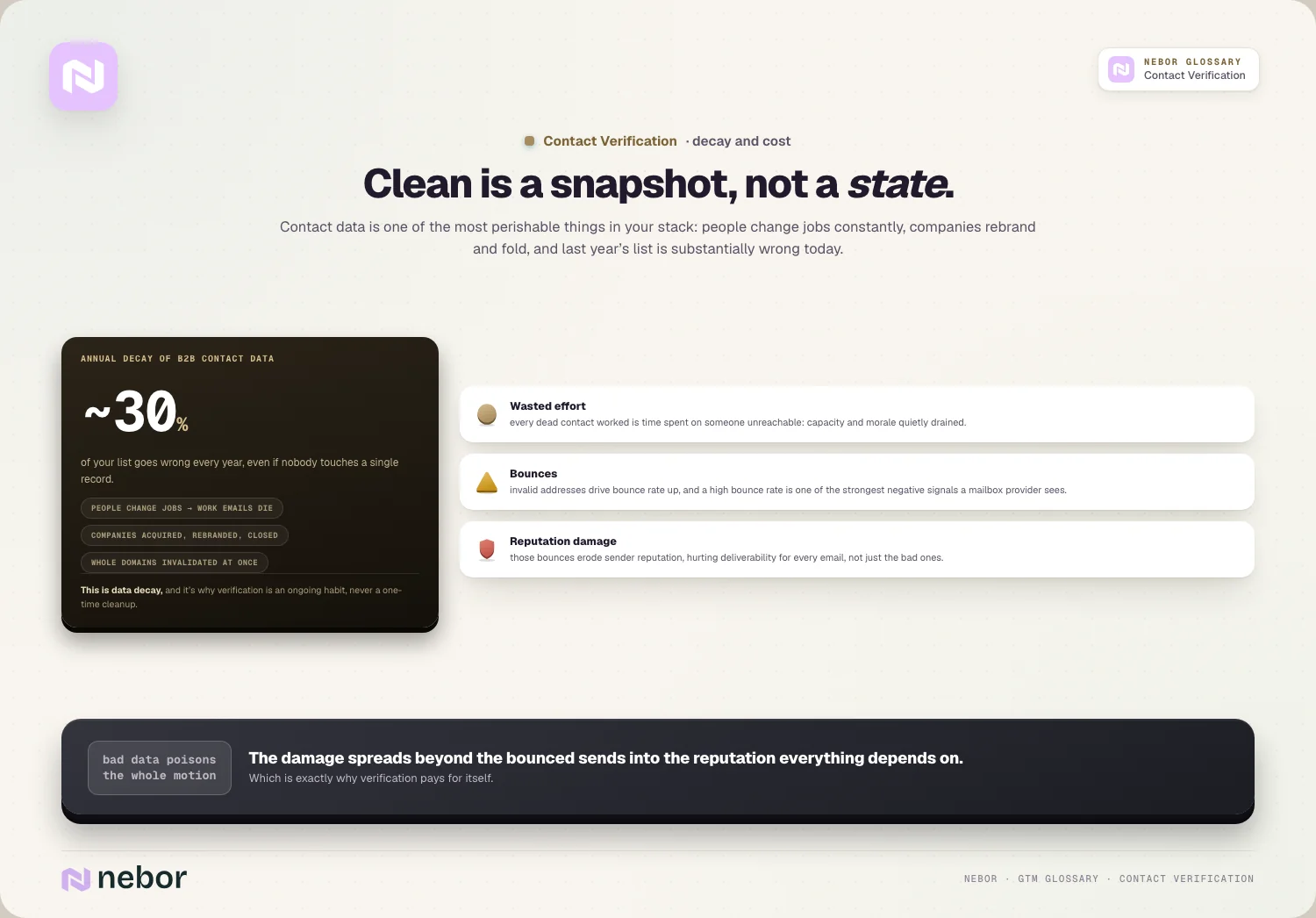
The decay rate is steeper than most people guess, with B2B contact data degrading by around 30% per year, which means a list you built a year ago is now substantially wrong.
Companies change underneath you too, because businesses get acquired, rebrand, or shut down, which invalidates email domains and contact details across whole segments of your list at once.
So a clean list is a snapshot instead of a permanent state. This is the heart of data decay, and it's exactly why verification has to be an ongoing habit rather than a one-time cleanup you do once and forget.
What does bad contact data cost you beyond the bounced emails?
The stakes of skipping verification are higher than they look, because the damage spreads beyond the bounced emails, and a few costs add up fast.
Wasted effort comes first, because every dead contact your team works is time spent on someone they can never reach, which drains your capacity and morale a little every day.
Bounces come next, since emailing invalid addresses drives up your bounce rate, and a high bounce rate is one of the strongest negative signals to mailbox providers.
And then there's the reputation damage, because those bounces erode your sender reputation, which then hurts your email deliverability for every email you send, well beyond the bad ones.
So bad data doesn't just waste a few sends. It poisons your whole outreach motion by damaging the reputation everything else depends on, and that's the reason verification pays for itself.
How does contact verification work behind the scenes, step by step?
Verification combines a few checks, each catching a different kind of bad data. Understanding them helps you trust the result.
Syntax and domain checks come first, confirming the email is formatted correctly and the domain exists and can receive mail, which catches obvious errors instantly.
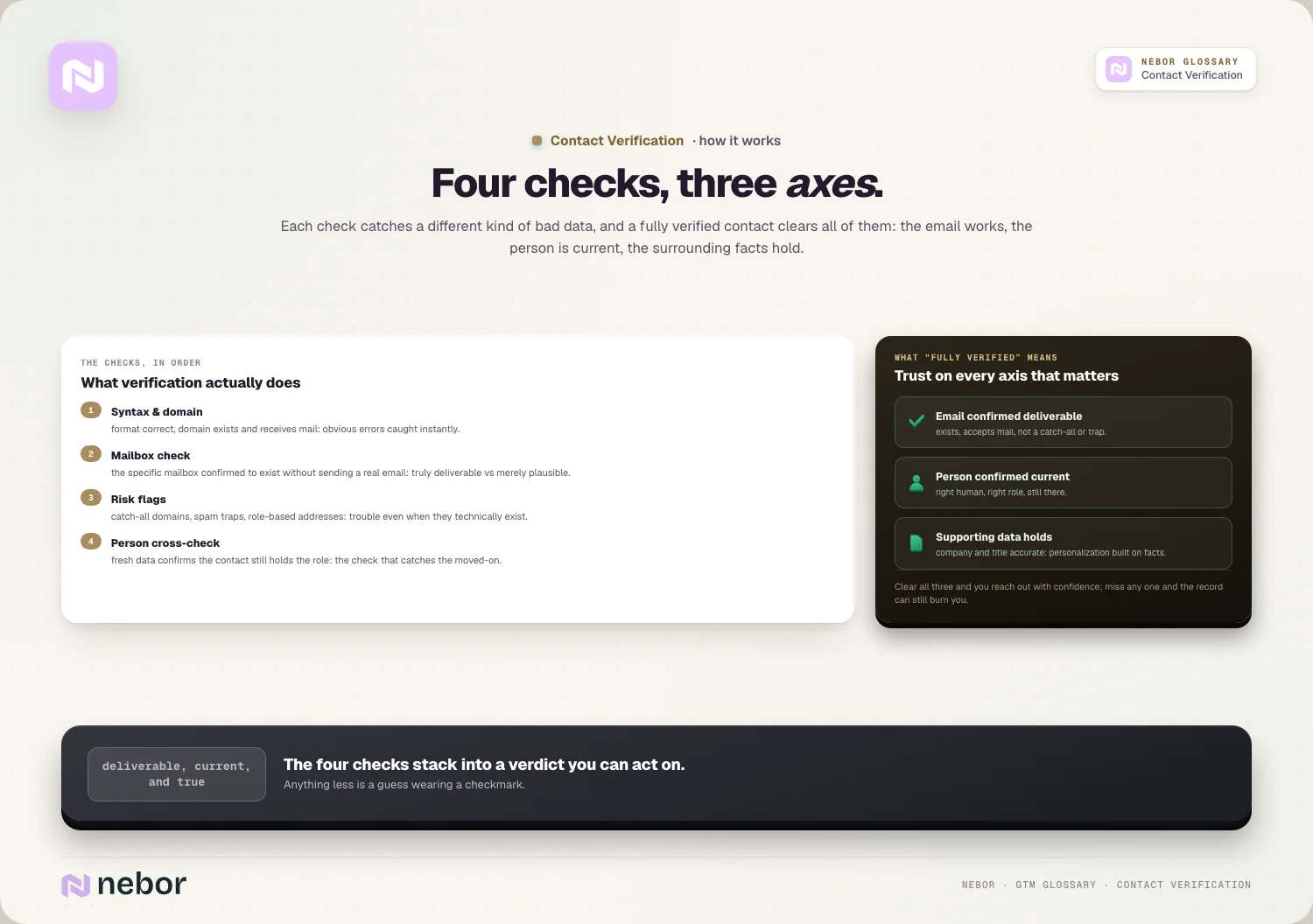
Mailbox checks go deeper, confirming the specific mailbox exists without sending an actual email, and that check separates a truly deliverable address from one that merely looks valid on paper.
Risky addresses get flagged along the way, with verification catching things like catch-all domains, spam traps, and role-based addresses that are likely to cause problems even when they technically exist.
And the best verification cross-checks the person, confirming the contact still holds the role, often using fresh data to catch people who've moved on since the record was created.
How does verification fit together with your data enrichment?
Verification and enrichment are closely related, because they're two sides of keeping data usable.
Enrichment adds and updates the data itself. When you enrich a record through data enrichment, you fill in missing details and refresh outdated ones, which is partly a verification act in itself.
The strongest approach pairs the two, where a waterfall enrichment that pulls from multiple sources can both find and confirm a contact's details, raising coverage and accuracy at once.
They share a foundation as well, because both depend on good source data and both fight the same decay, so teams usually handle verification and enrichment as part of the same data process.
So verification and enrichment work as partners. Enrichment finds and fills the data, verification confirms it's real, and together they keep your contact records both complete and trustworthy.
When should you verify your contacts for the most protection?
Timing matters with verification, because data keeps decaying, and in our experience a few moments call for it specifically.
The most important is right before you launch outreach. Verifying a list just before you send catches the decay that happened since you built it, which protects your bounce rate and reputation.
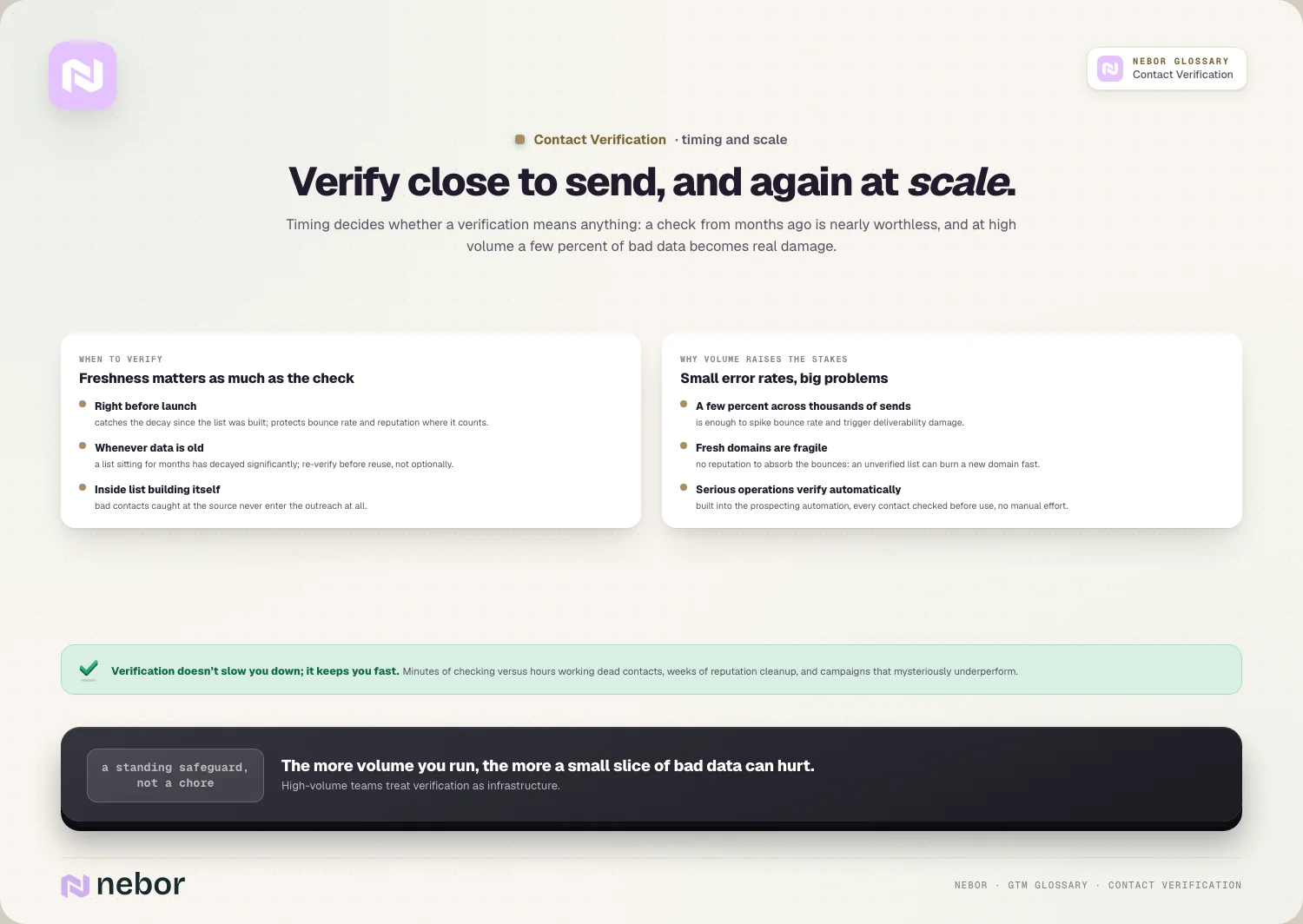
It also matters when you use older data. A list that's been idle for months has decayed significantly, so re-verifying it before reuse is essential rather than optional.
It belongs inside your list building too, because verifying as part of list building means bad contacts get caught at the source, before they ever enter your outreach.
So the rule is to verify close to send and to re-verify older data. Because decay never stops, the freshness of your verification matters as much as whether you did it at all.
How does verification protect outbound once the volume grows?
For teams doing outbound at scale, verification isn't optional, it's survival, and the reasons sharpen as volume grows.
At scale, small error rates become big problems. A few percent of bad addresses across thousands of sends is enough to spike your bounce rate and trigger deliverability damage.
New domains are especially fragile, because sending unverified lists from a fresh domain can burn it fast, with no reputation to absorb the bounces.
This is why serious operations verify automatically. Building verification into systems that automate sales prospecting means every contact is checked before it's used, without manual effort, and it's a step we bake into every build.
So verification has to scale with your sending, because the more volume you send, the more a small slice of bad data can hurt you, and that's the reason high-volume teams treat it as a standing safeguard.
What counts as a fully verified contact when you check properly?
It helps to define what good looks like, because verification can mean different depths. A truly verified contact clears several checks.
The email is confirmed deliverable, meaning the address exists, the domain accepts mail, and it isn't a risky catch-all or spam trap, so a message will land.
The person is confirmed current too, still working at the company in the role you have on file, so you're reaching a real human instead of a record left behind by someone who moved on.
And the supporting data holds up, with the firmographic data attached to the contact, like the company and title, accurate enough that your personalization is built on facts.
So a fully verified contact is one you can trust on every axis that matters. The email works, the person is real and current, and the surrounding details are right, and that combination lets you reach out with confidence.
How do you choose a verification approach that fits your volume?
There are different ways to verify contacts, and the right approach depends on your volume and stakes.
Real-time verification checks a contact at the moment you use it, making it the most current option, because it confirms the data right before you send, which is ideal for high-stakes outreach.
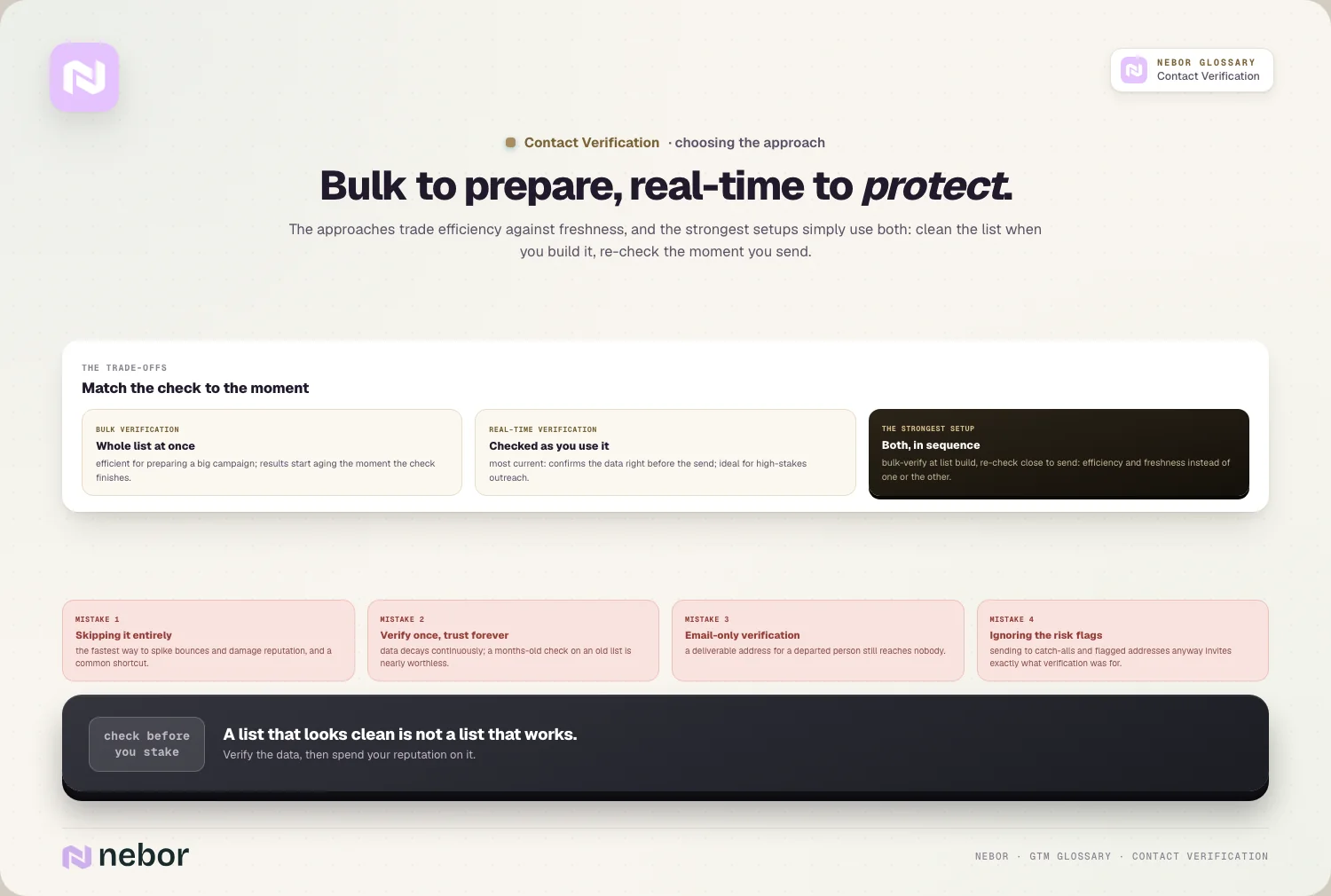
Bulk verification cleans a whole list at once. It's efficient for preparing a large list before a campaign, though the results start aging the moment the check finishes.
The strongest setups use both approaches together. You bulk-verify when building a list and re-check close to send, so you get both efficiency and freshness instead of relying on one pass.
So match the approach to the moment. Bulk verification prepares your data, real-time verification protects your most important sends, and using both keeps your list trustworthy without constant manual work.
Does verification slow your outreach down, or does it speed it up?
A common worry is that verification adds friction and slows everything down. In practice, it saves far more time than it costs.
The upfront step is small, because verifying a list takes minutes with the right tools, which is trivial next to the hours wasted working dead contacts later.
It prevents much bigger delays as well, because a verified list means fewer bounces, less reputation cleanup, and no scrambling to figure out why a campaign underperformed, all of which cost real time.
And it protects your momentum, because a reputation hit from a bad list can sideline your whole sending operation for weeks, which is a far worse delay than any verification step.
So verification isn't a drag on speed, it's what keeps you fast. A few minutes of checking protects you from the slow, expensive cleanup that bad data forces later.
What are the common contact verification mistakes that hurt you?
Verification gets mishandled in a few predictable ways, and we've cleaned up after every one of them. Avoiding them keeps your data and reputation healthy.
Skipping it entirely tops the list, because sending to an unverified list is the fastest way to spike bounces and damage your reputation, and it's a surprisingly common shortcut.
Verifying once and trusting it forever comes next, because data decays continuously, so a verification from months ago is nearly worthless on an old list.
Verifying only the email is subtler, where confirming the address is deliverable while ignoring whether the person still holds the role leaves you reaching the wrong people.
And there's ignoring the risky-address flags, where sending to catch-all domains or flagged addresses anyway, despite the clear warnings, invites the exact bounces and spam-trap hits that verification was meant to prevent.
Why a list that looks clean is not the same as a list that works
Contact verification exists because a list that looks clean is not the same as a list that works. The only way to know your data will reach people is to check it before you send.
The deeper point is that contact data is perishable. It decays continuously as people change jobs and companies change, so verification has to be an ongoing habit instead of a one-time cleanup.
The honest reality is that skipping it is expensive in ways you don't see immediately. Bad data wastes effort, spikes bounces, and wears down the sender reputation your whole motion depends on.
So if your outreach keeps bouncing or reaching the wrong people, the problem often starts with unverified data. Checking your contacts before you use them, and re-checking them as they age, is the unglamorous habit that protects everything built on top of your list.
That's why the top outbound experts treat verification as non-negotiable. It's a quiet but essential layer of any serious go-to-market system built on outreach.
Share this post
Verification
Data
Glossary
Related glossary items
Understanding the core GTM concepts




Ready to build your pipeline











