

In this post:
Every time you send an email, an invisible judge decides whether it reaches the inbox. That judge is the mailbox provider, and it's scoring you continuously on whether you can be trusted.
That score is your sender reputation, and it works a lot like a credit score for email. The higher it is, the more your messages land in the inbox, and the lower it is, the more they vanish into spam or get blocked.
Sender reputation is the trust score that mailbox providers like Gmail and Outlook assign to your sending domain and IP, based on how you send and how recipients react. It decides whether your email reaches people in the first place.
The hard part is that it's mostly invisible until it breaks. You can send for months building or destroying your reputation without seeing it directly, and the first obvious sign is usually a sudden collapse in replies.
TL;DR
Sender reputation is the score mailbox providers assign to your sending domain and IP, determining whether your emails reach the inbox, the spam folder, or get blocked entirely.
It's the gatekeeper to the inbox, because no matter how good your targeting and copy are, a poor sender reputation means your messages never get seen.
It's driven by a handful of signals, including bounce rate, spam complaints, engagement, authentication, and consistent sending volume, all watched over time.
The asymmetry to respect is that reputation is earned slowly and lost fast. Good habits build it gradually, while one careless blast can damage it for weeks, so protecting it is an ongoing discipline.
So what is sender reputation, exactly, and who is keeping the score?
Sender reputation is how much mailbox providers trust you as a sender. Providers like Gmail, Outlook, and Yahoo track your sending behavior and assign a score that reflects how trustworthy your mail looks.
That score is often described on a scale, roughly from 0 to 100, though each provider keeps its exact method private. The higher it climbs, the better your inbox placement.
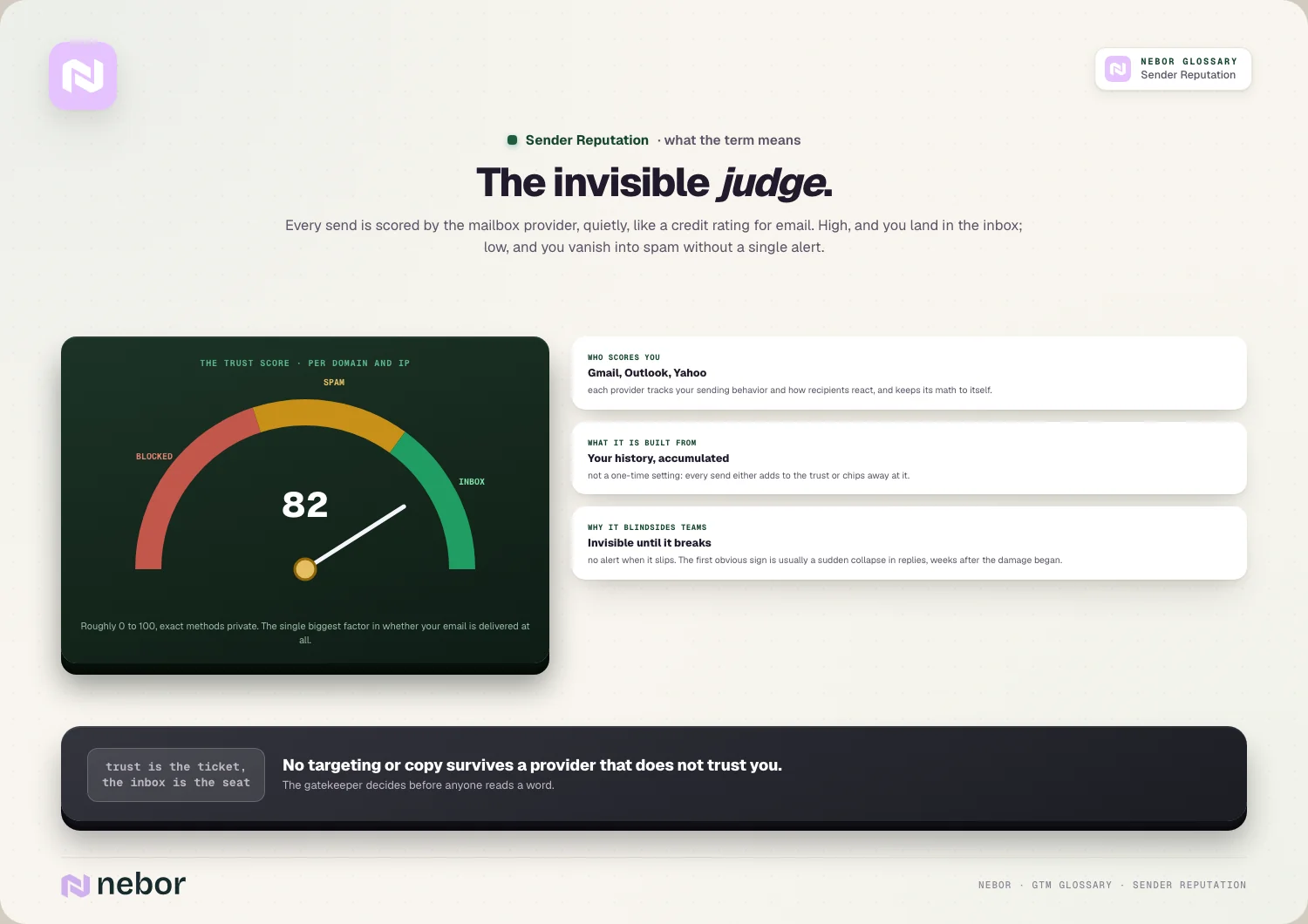
It's the single biggest factor in whether your email is delivered to the inbox. A strong reputation gets you in front of people, while a weak one routes you to spam or blocks you outright.
The key point is that it's built from your history. Providers watch how you send and how recipients respond over time, so your reputation is the accumulated result of your sending habits instead of a one-time setting.
So think of it as trust you earn with mailbox providers. Everything you do when sending either adds to that trust or chips away at it, and the inbox is the reward for keeping it high.
How is sender reputation different from domain and IP reputation?
People use these terms loosely, but they nest inside each other, with sender reputation as the broad idea and domain reputation as one part of it.
Sender reputation is the overall trust in you as a sender, measured at two levels. Providers evaluate both your sending domain and the specific IP address your mail comes from.
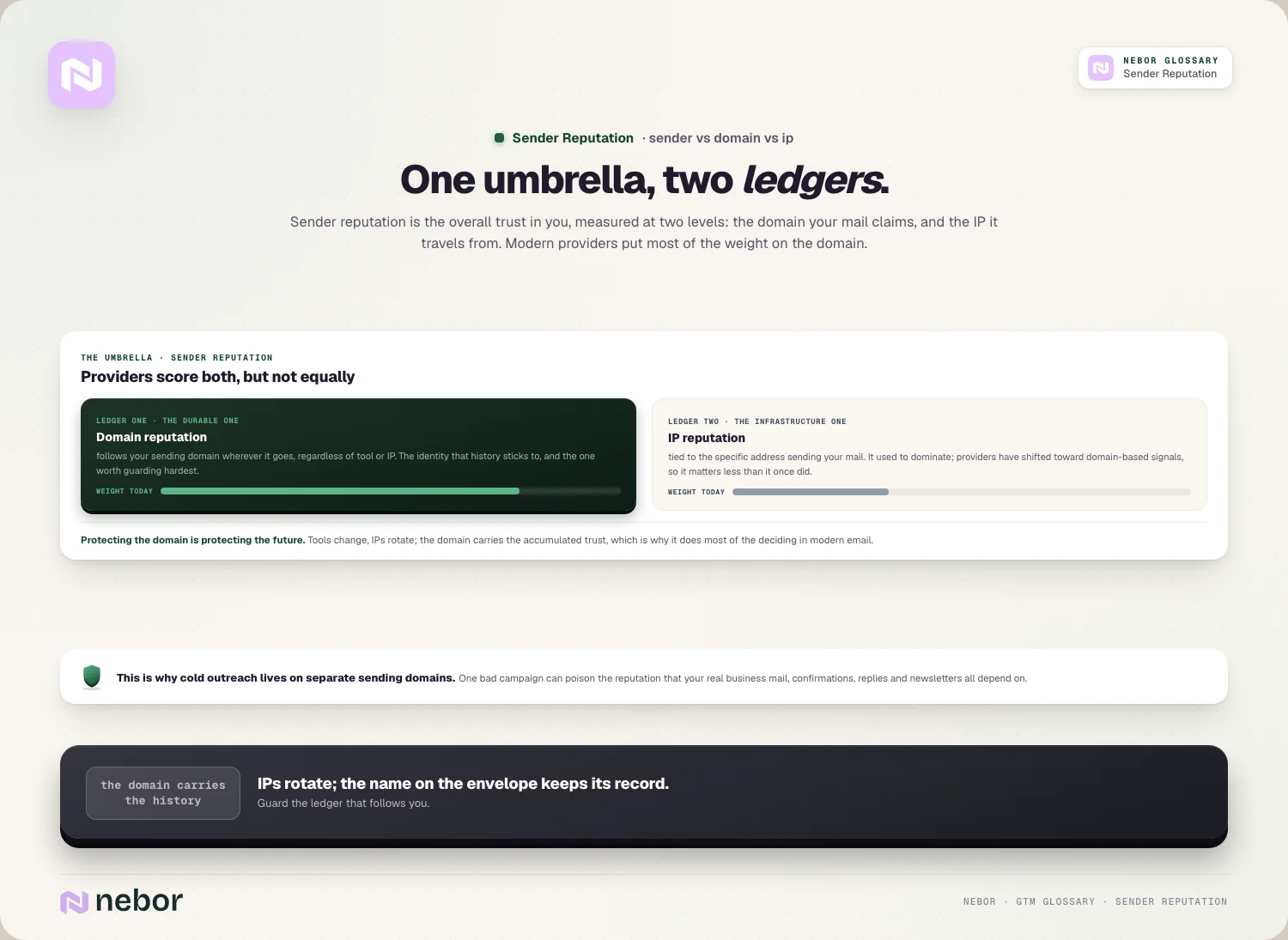
Domain reputation follows your sending domain wherever it goes. It sticks to your domain regardless of which tool or IP you use, which makes it the more durable and important of the two.
IP reputation is tied to the specific infrastructure sending your mail. It used to dominate, but providers have shifted toward domain-based signals, so IP reputation has become less central than it once was.
So sender reputation is the umbrella, covering both domain and IP. In modern email, the domain side carries most of the weight, so protecting your domain matters most.
What drives your sender reputation up or down behind the scenes?
Sender reputation is built from a handful of measurable signals, with no mystery involved. Knowing them tells you exactly what to protect.
Bounce rate carries heavy weight, because sending to invalid addresses signals a careless or scraped list, so keeping bounces low, generally under 2%, is essential.
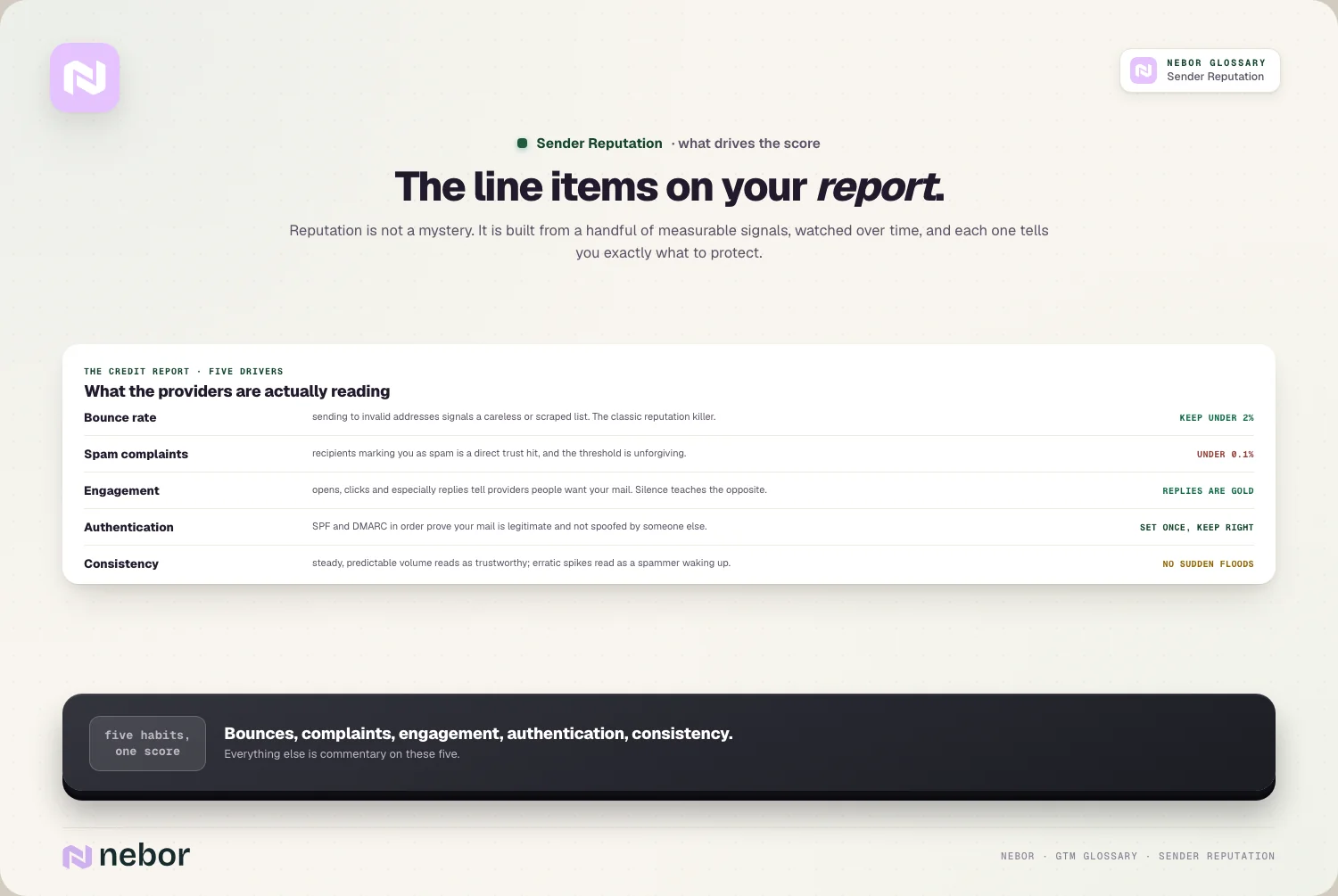
Spam complaints hit even harder, because when recipients mark you as spam, it's a direct trust hit, and the threshold is tiny, with under 0.1% being the safe line.
Engagement works in the opposite direction, because opens, clicks, and especially replies tell providers people want your mail, while constant silence tells them the opposite.
And authentication and consistency frame the rest, because proper authentication proves you are who you claim, and steady, predictable sending volume looks far more trustworthy than erratic spikes.
Why does engagement matter so much to the reputation you carry?
Engagement deserves its own look, because it's the signal many senders underestimate. Mailbox providers care deeply about whether people genuinely want your mail.
The logic is simple from the provider's side. Their job is to keep their users happy, so mail that gets opened, clicked, and replied to looks like mail people value.
Mail that's ignored looks like the opposite. If recipients never engage, providers learn your messages aren't wanted and start routing them to spam preemptively.
This is why reply rate is more than a sales metric. Replies are one of the strongest positive engagement signals, so getting real responses actively builds your reputation.
It means your targeting affects deliverability too. Reaching relevant people produces engagement, while blasting irrelevant lists produces silence and complaints, which slowly poisons your reputation.
How do authentication and infrastructure protect the score you've built?
A big chunk of sender reputation comes down to your technical setup. Without it, even good sending habits can't fully protect you.
Authentication forms the foundation underneath all of it. Records like SPF and DMARC, set up correctly, prove your mail is legitimate and not spoofed by someone else.
Your sending setup matters right alongside the records. The domains and mailboxes you send from make up your cold email infrastructure, and a clean, well-structured setup protects the reputation of your main brand.
Spreading volume out protects you as well. Distributing your sends across mailboxes through inbox rotation keeps any single mailbox from looking like a spammer, which protects the whole system.
So infrastructure and reputation are tightly intertwined. The technical foundation either supports your reputation or undermines it from below, and serious senders treat it as a first-class concern for that reason.
Why is warmup essential to building a reputation from a standing start?
New domains and mailboxes start with no reputation at all, which creates a chicken-and-egg problem. You need to send to build reputation, but sending too much too soon destroys it.
The way out of the bind is warmup. Email warmup gradually increases your sending volume over time, so providers see a slow, natural ramp instead of a sudden flood from an unknown sender.
A new mailbox blasting hundreds of emails on day one looks exactly like a spammer. Warmup avoids that by building trust in small, steady increments before you scale up.
The mistake most teams make is stopping warmup once real sending starts. Warmup is ongoing reputation maintenance instead of a one-time phase, so it should continue quietly underneath live campaigns.
So warmup is how you earn reputation from scratch and defend it later. It's the patient on-ramp that lets a new sender become a trusted one without tripping the spam filters.
How do you know whether your sender reputation is starting to slip?
Because reputation is invisible, you need ways to monitor it before it tanks your pipeline, and in our experience a few signals act as an early warning system.
The clearest is a drop in replies with no other change. If your copy and list are the same but responses fall off, your reputation and placement may be collapsing.
Your own metrics help just as much. Watching bounce rate and spam complaint rate over time catches problems early, because both directly drive reputation down when they climb.
There are dedicated reputation tools as well. Services and provider postmaster tools can show you a reputation score and flag blocklist appearances, giving you a more direct read.
When the signs appear, the move is to investigate fast. An outbound deliverability audit traces the cause, whether it's authentication, list quality, or sending behavior, before the damage spreads.
How do you build and protect sender reputation over time?
Building reputation is mostly about consistent good habits, and we tell clients the same few practices do the heavy lifting.
The biggest by far is list hygiene. Sending only to valid, engaged addresses keeps bounces and complaints low, and it's the reason teams cite list hygiene as the top reputation lever, ahead of everything else.
Next comes keeping complaints as close to zero as possible. Reaching relevant people with an easy way to opt out keeps spam complaints near zero, which protects the trust you've built.
Then there's the pairing of authentication and warmup. Getting your records right and ramping volume gradually form the technical base that keeps your reputation stable as you scale.
Finally, send consistently to people who engage. Steady volume to a clean, relevant audience built through careful list building is what compounds reputation over time.
Does sender reputation matter for warm and inbound email too?
It's easy to think of sender reputation as a cold-outreach concern, but it affects every email your company sends. A weak reputation hurts your most important mail too.
If your reputation is poor, even your warm and transactional emails suffer. Order confirmations, replies to inbound leads, and newsletters can all land in spam when the sending domain is distrusted.
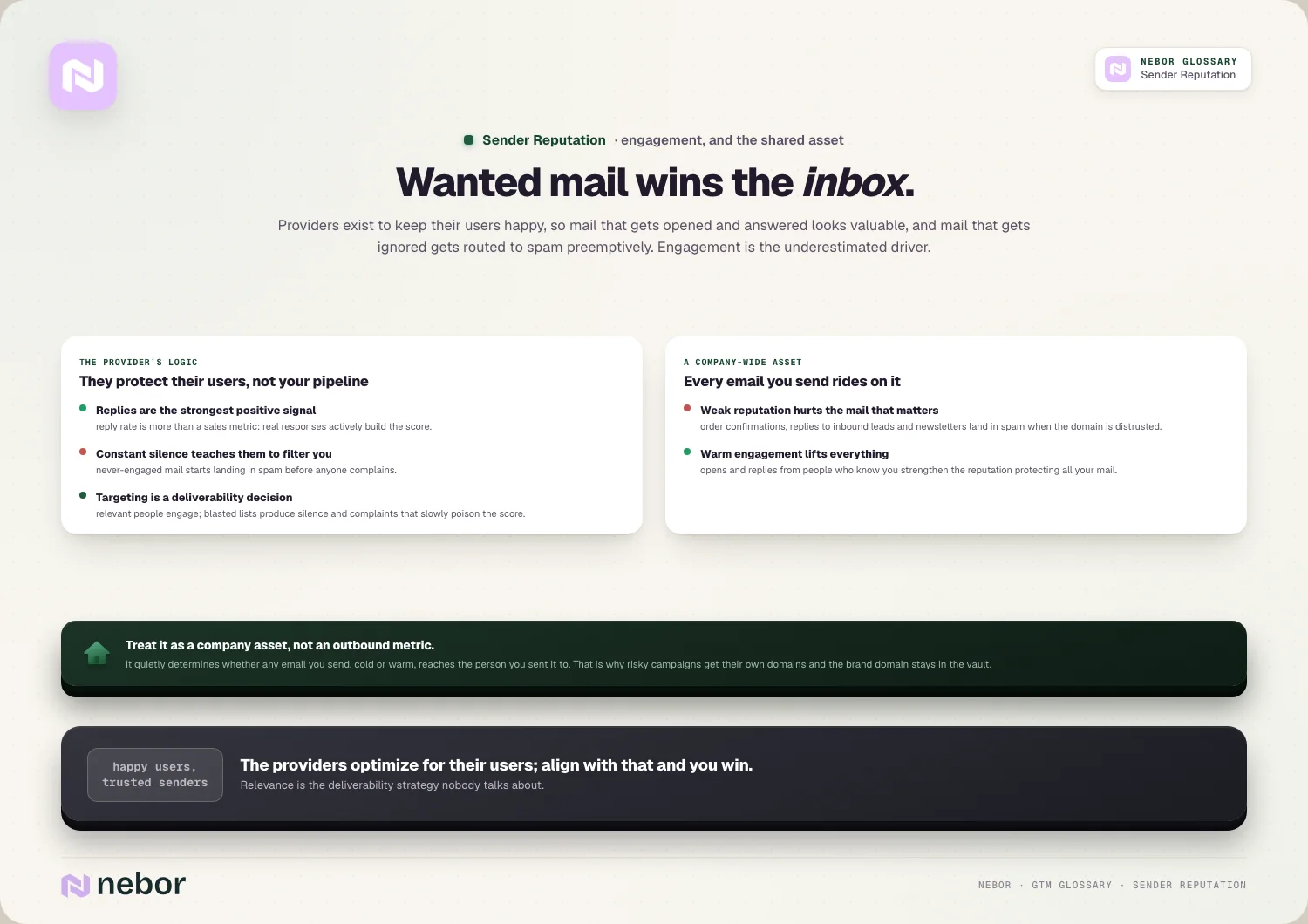
This is exactly why cold outreach belongs on separate domains. Sending risky cold campaigns from your main domain can drag down the reputation your real business communication relies on.
It also means warm engagement helps everyone. The opens and replies from people who already know you are strong positive signals that lift the reputation protecting all your mail.
So reputation deserves treating as a company-wide asset instead of just an outbound metric. It determines whether any email you send, cold or warm, actually reaches the person you sent it to.
How long does it take to fix a sender reputation once it's damaged?
Once reputation drops, the natural question is how fast you can recover. The honest answer is that it takes longer to rebuild than to break.
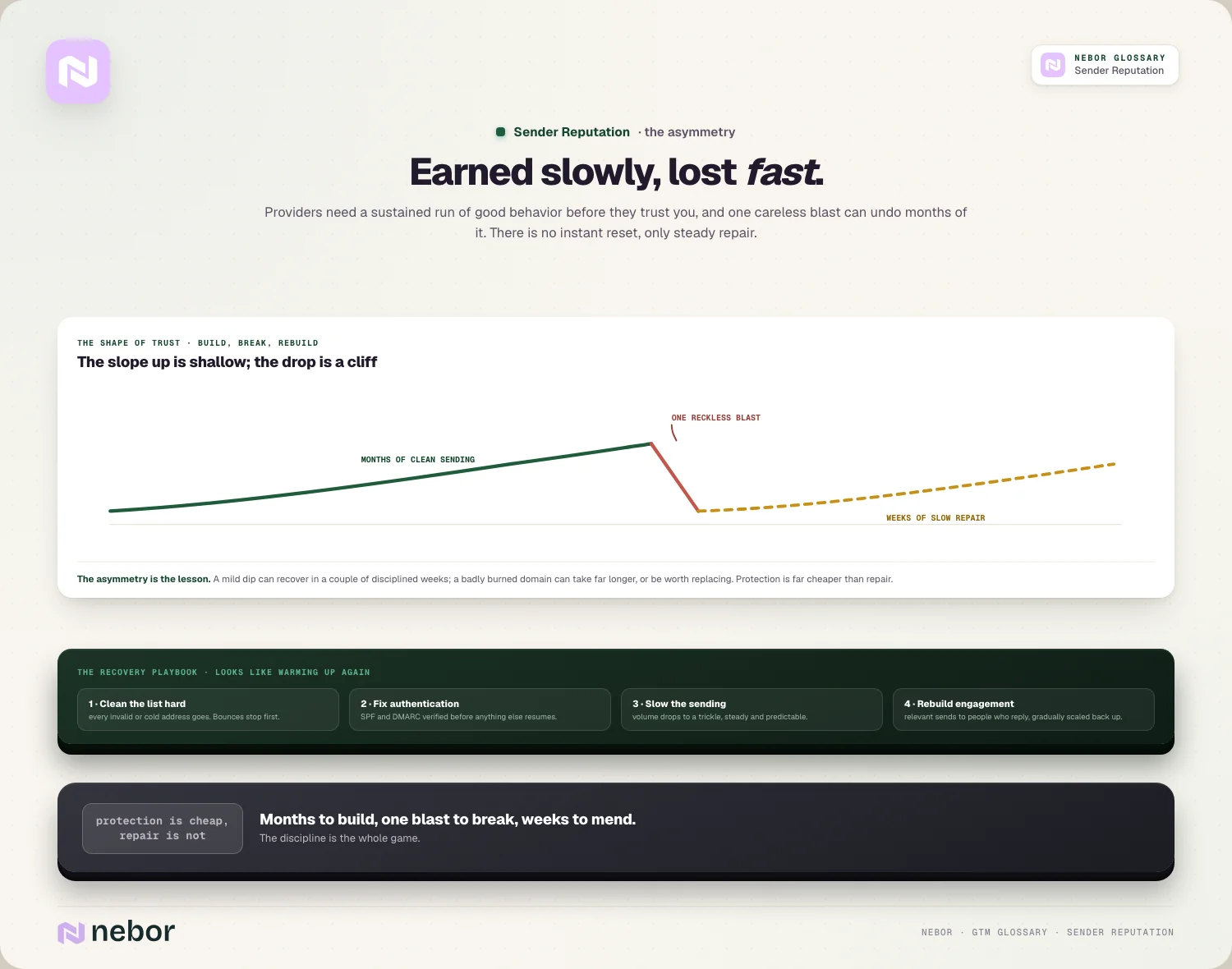
Reputation is built on patterns over time, so providers need to see a sustained stretch of good behavior before they trust you again. There's no instant reset, only steady repair.
The recovery playbook is consistent across cases. You clean your list hard, fix authentication, slow your sending, and rebuild engagement gradually, which looks a lot like warming up a new sender.
How long it takes depends on the damage. A mild dip might recover in a couple of weeks of disciplined sending, while a badly burned domain can take much longer or may be worth replacing.
This asymmetry is the real lesson of recovery. Because rebuilding is slow and painful, protecting your reputation in the first place is far cheaper than repairing it after a collapse.
What are the common mistakes that wreck a sender reputation fastest?
Sender reputation usually gets damaged in a few predictable ways, and we keep seeing the same ones in the audits we do. Avoiding them is most of the battle.
Buying or scraping lists does the fastest damage, because bad addresses drive bounces and spam-trap hits, which can crater reputation quickly and take weeks to recover from.
Sending from a cold domain with no warmup comes next, because blasting volume from a brand-new sender looks like spam and gets you filtered immediately.
Ignoring complaints and bounces is the slow-motion version, because letting these climb without cleaning your list erodes your reputation until placement collapses.
And sending cold outreach from your primary domain is the one with the widest blast radius, because one bad campaign can poison the reputation your real business mail depends on, and dedicated sending domains exist precisely for this.
Why is sender reputation so easy to ignore until it starts hurting you?
One reason sender reputation gets neglected is that it gives almost no warning. Nothing breaks loudly until placement has already collapsed.
The feedback arrives late and arrives indirectly. You don't get an alert when your reputation slips a few points, you just notice, weeks later, that replies have dried up.
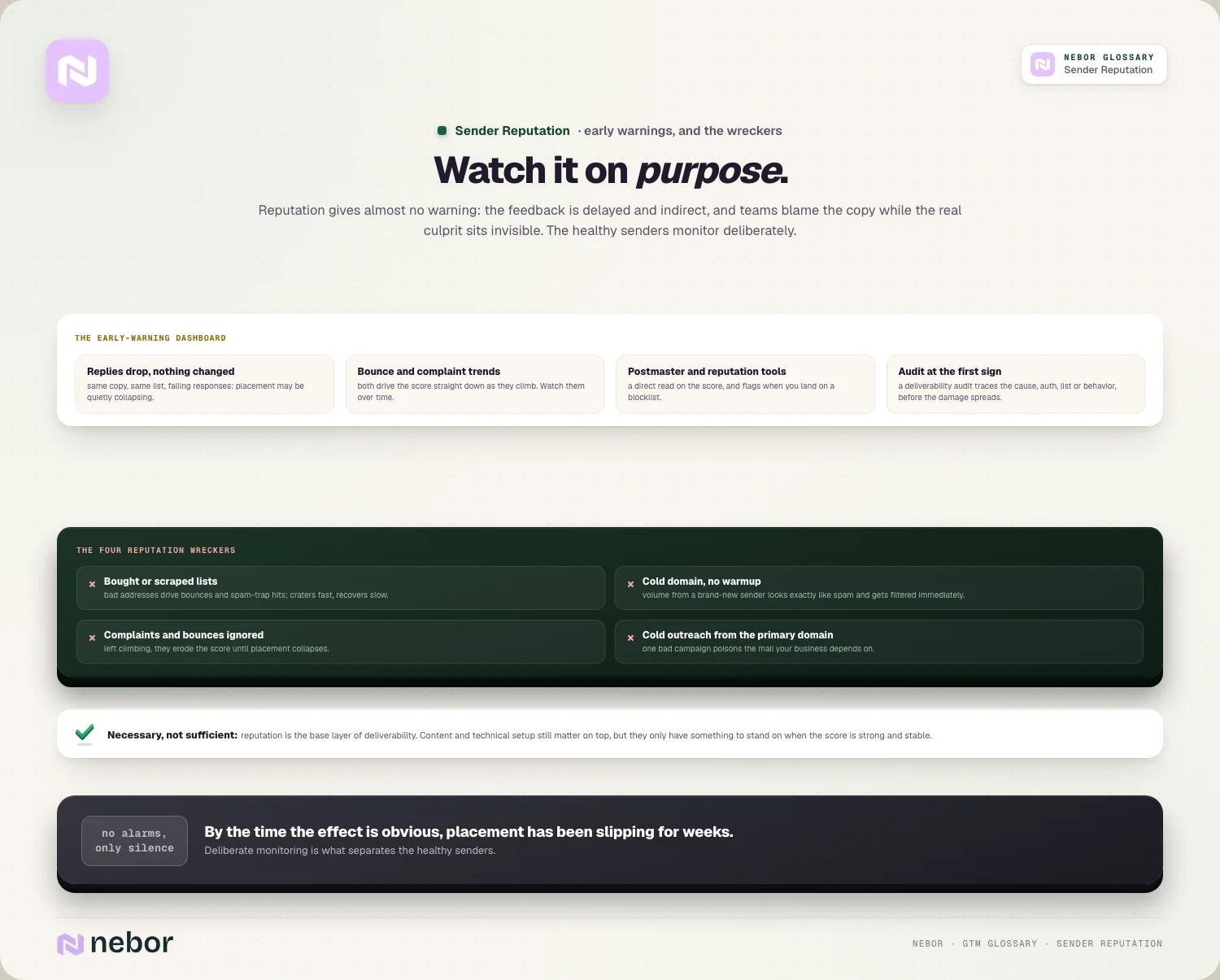
It's also easy to blame the wrong thing. When results drop, teams rewrite copy or change their list, when the real culprit was a reputation problem they couldn't see.
And the damage compounds where you can't see it. Each questionable send nudges your reputation down a little, so by the time the effect is obvious, you've been losing placement for a while.
This is why the senders who stay healthy treat reputation as something to monitor on purpose. They watch their bounce and complaint rates and reply trends deliberately, instead of waiting for the silence that signals it's already too late.
How does sender reputation tie into your overall email deliverability?
Sender reputation is the biggest single input into your deliverability, but it isn't the whole story. It works alongside a few other factors to decide inbox placement.
It is the center of your email deliverability, since providers lean heavily on reputation when deciding where to route your mail. A strong score is the closest thing to a deliverability guarantee.
But content and setup still matter on top. Spammy wording, broken links, or missing authentication can hurt placement even with decent reputation, so the pieces work together.
The practical takeaway is that reputation is necessary but not sufficient. You protect it as your foundation, then keep your content and technical setup clean on top of it.
So treat reputation as the base layer of deliverability. Get it strong and stable first, and the other deliverability factors have something solid to build on.
Why the trust you build with mailbox providers decides everything else
Sender reputation matters because it's the gatekeeper standing between your email and the inbox. No amount of clever targeting or copy helps if mailbox providers don't trust you enough to deliver it.
The deeper truth is that reputation is the sum of your habits. Every send either builds trust through clean lists, real engagement, and steady volume, or erodes it through carelessness.
The honest reality is that it's earned slowly and lost quickly. Months of good sending can be undone by one reckless blast, which is why protecting reputation is an ongoing discipline rather than a one-time fix.
So if your replies are drying up for no obvious reason, the cause may not be your message at all. It may be that mailbox providers have stopped trusting you, and rebuilding that trust is what gets you back in the inbox.
This is why the top outbound experts treat reputation as the first thing to protect. It's the quiet foundation any go-to-market system that relies on email depends on, long before targeting or copy ever come into play.
Share this post
Deliverability
Glossary
Related glossary items
Understanding the core GTM concepts




Ready to build your pipeline











