

In this post:
Pick any data provider and push your list through it. Even the best one will come back with a chunk of records missing, wrong, or incomplete, because no single provider knows everything about every company.
That gap is the whole problem waterfall enrichment solves. Instead of trusting one source and accepting its blind spots, you chain several together so each one fills what the last one missed.
Waterfall enrichment is a method that passes each record through multiple data providers in a set sequence, moving to the next provider only when the previous one fails to return good data. It maximizes coverage by combining the strengths of many sources.
The reason it works is that providers have different strengths, and we see this constantly in the builds we do. One is great at emails, another at phone numbers, another at a certain region, so cascading through them captures far more than any one could alone.
TL;DR
Waterfall enrichment passes each record through a sequence of data providers, falling through to the next whenever one comes up empty, so you fill gaps no single source could cover.
No provider has complete data, so a single source typically covers only part of your list, while a waterfall combines many to push coverage much higher.
The coverage gains are large and consistent. Single-source tools often cover 40 to 70% of a list, while a well-built waterfall reaches around 85 to 95%.
The skill is in the configuration, because the order, the stopping rules, and the cost control all matter, and that deeper craft is what the logic behind it covers.
So what is waterfall enrichment, exactly, and how does the cascade work?
Waterfall enrichment is a way of filling in data about a lead or company by querying multiple providers in order. Instead of relying on one source, you set up a cascade of them.
The flow is simple enough to follow in one pass. You ask the first provider for the data you need, and if it returns a good result, you stop. If it can't, the record falls through to the second provider, then the third, and so on.
It's called a waterfall because records cascade down. Each one drops to the next source only when the one above fails, so you move down the chain until the data is found or every source has been tried.
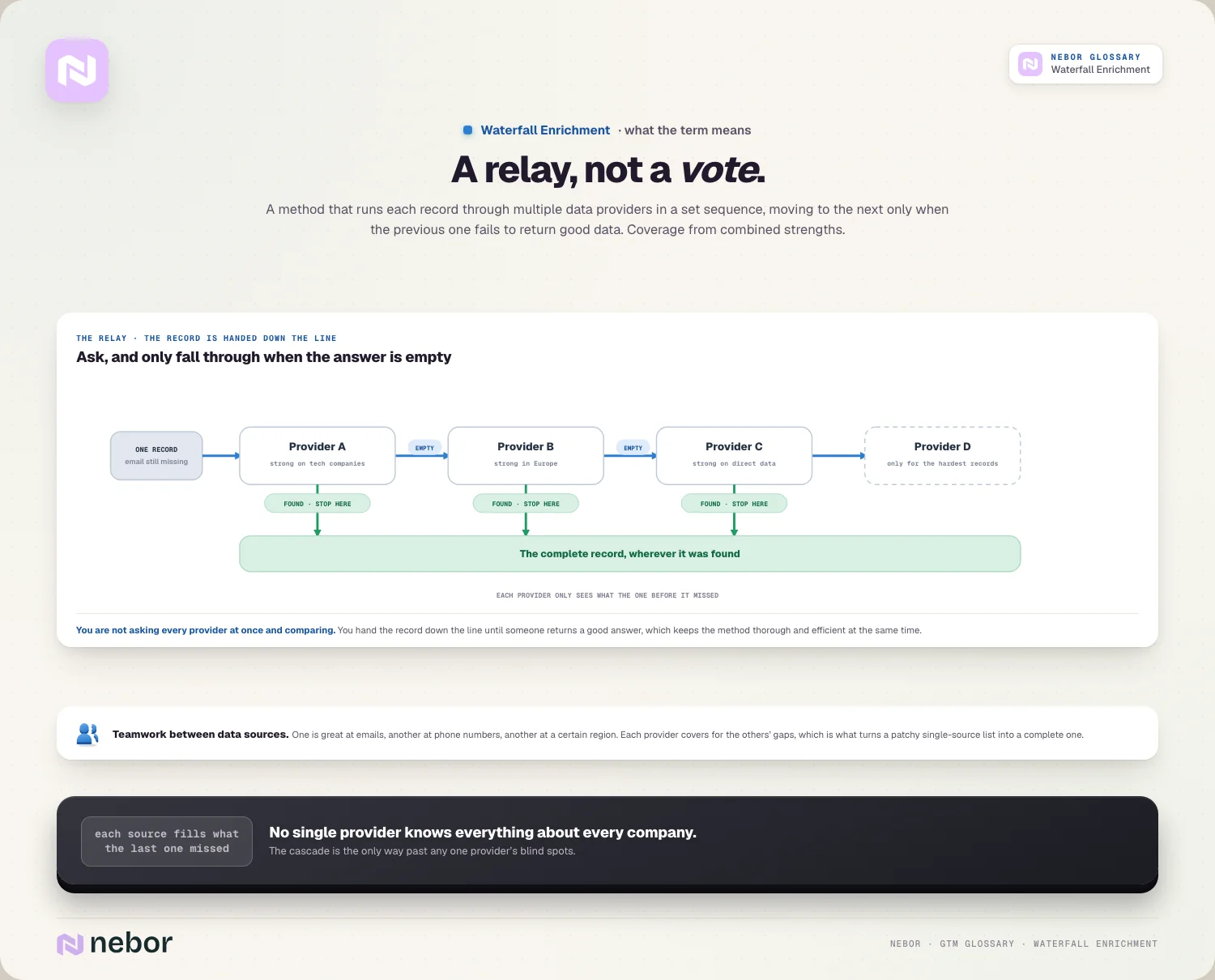
The output is a much more complete record. By the end of the cascade, a single field like an email might have been attempted by several providers, dramatically raising the odds you got it.
So waterfall enrichment amounts to teamwork between data sources. Each provider covers for the others' gaps, and that cooperation turns a patchy single-source list into a complete one.
The mental model is a relay instead of a vote. You aren't asking every provider at once and comparing, you're handing the record down the line until someone returns a good answer, which keeps it both thorough and efficient.
Why does single-source enrichment fall short no matter the provider?
To see why waterfall enrichment matters, you have to understand the limits of any one provider. The problem is structural, so picking a better tool never solves it.
No provider has anything close to complete coverage. Each one gathers data in its own way, so each is strong in some industries, regions, and data types and weak in others, with real gaps everywhere.
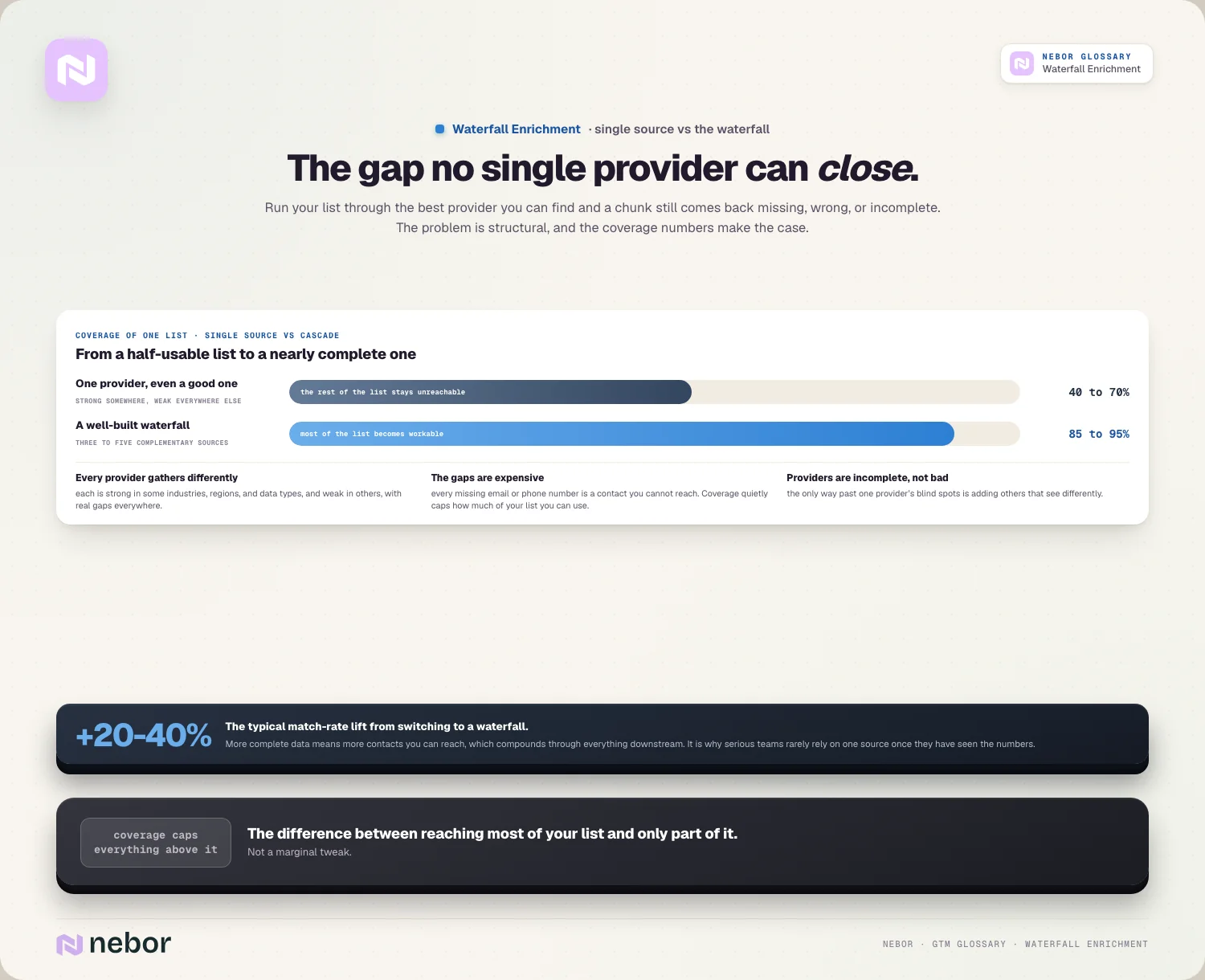
That means a single source always misses a chunk. A single-source tool typically covers only 40 to 70% of a given list, leaving a large share of records empty or wrong.
Those gaps cost you real pipeline every week. Every missing email or phone number is a contact you can't reach, so single-source coverage puts a hard cap on how much of your list you can use.
So the issue is incompleteness instead of bad providers. Waterfall enrichment exists because the only way past one provider's blind spots is to add others that see differently.
How much does a waterfall improve coverage over a single source?
The case for waterfall enrichment rests on coverage, and the numbers make it convincingly, because the improvement is substantial and consistent.
Switching from single-source to a waterfall typically lifts match rates by around 20 to 40%. That's a large jump in the share of records you can put to work.
The absolute coverage tells the story too. Where a single source covers a fraction of a list, a well-built waterfall pushes coverage to roughly 85 to 95%, turning a half-usable list into a nearly complete one.
That difference compounds downstream, because more complete data means more contacts you can reach, which means more of your list is workable for outreach.
So the coverage gain is far from a marginal tweak. It's the difference between reaching most of your target list and reaching only part of it, and serious teams rarely rely on one source once they've seen the numbers.
How is waterfall enrichment different from enrichment waterfall logic?
These two terms are nearly identical, but they describe the same system at different levels, and keeping them straight helps.
Waterfall enrichment is the overall method, the concept of cascading through multiple providers to maximize coverage. It's the what and the why of the approach.
Enrichment waterfall logic is the detailed configuration, the rules that govern how the cascade actually behaves. It's the how, covering order, stopping conditions, and branching.
So waterfall enrichment is the strategy, and the logic is the implementation. You decide to use a waterfall, and then the logic defines exactly how it behaves.
The practical point is that the concept is easy and the logic is where the skill lives. A poorly configured waterfall wastes money, so getting the logic right is what makes the method deliver.
What does a waterfall enrichment sequence look like step by step?
It helps to see the cascade in action, because the structure is straightforward once you follow it through. A typical sequence chains a handful of providers.
Say you need a work email for a contact. The waterfall asks your first provider, and if it returns a verified email, the record is done and you move on.
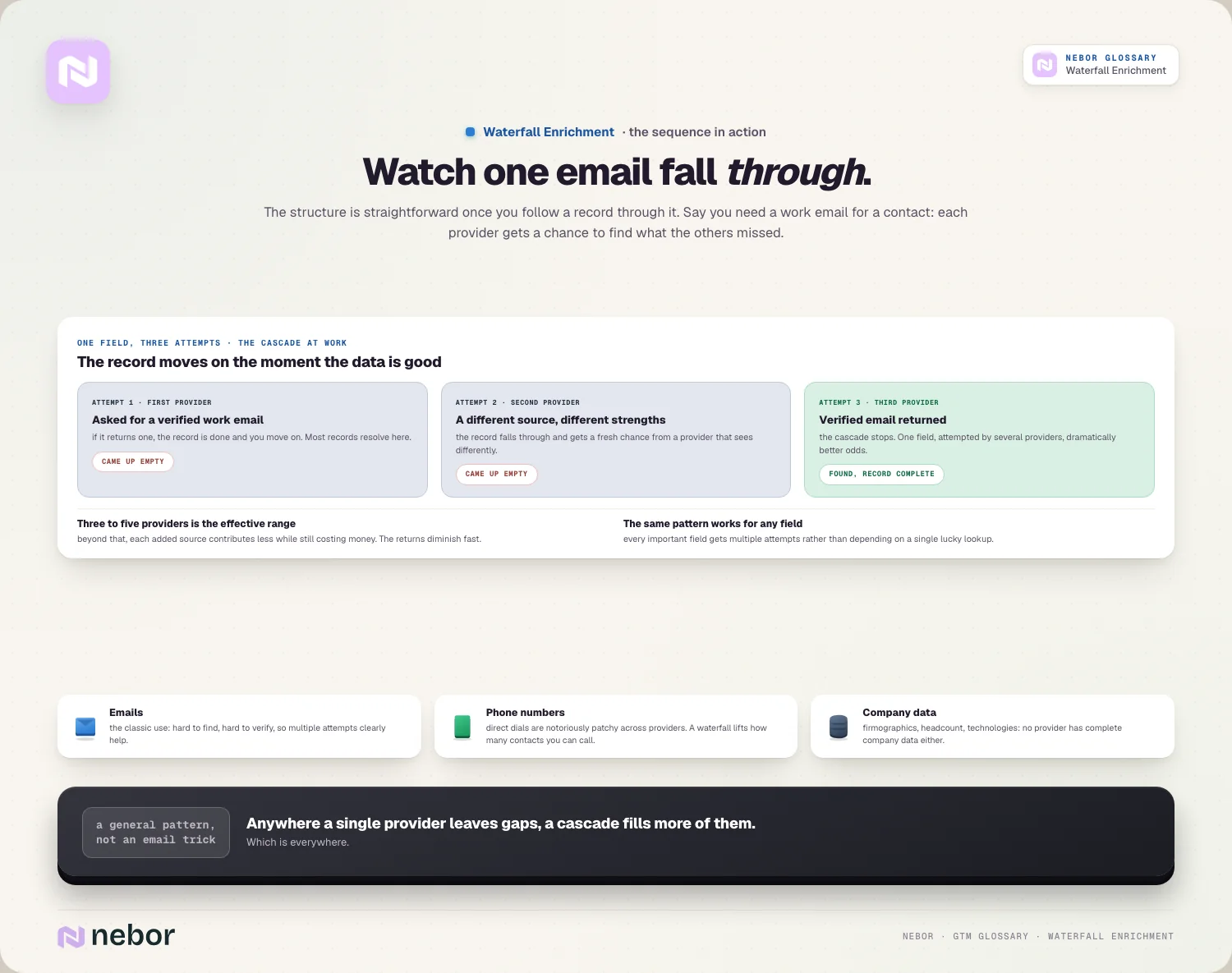
If the first comes up empty, the record falls to the second provider, then a third, each getting a chance to find what the others missed. The cascade continues until the data is found.
Most effective sequences use around three to five providers. Beyond that, each added source contributes less while still costing money, so the returns diminish.
The same pattern works for any field. Phone numbers, company details, and other data each get their own waterfall, so every important field gets multiple attempts instead of depending on a single lucky lookup.
How does waterfall enrichment control cost as well as coverage?
A subtle benefit of the waterfall is that it saves money while it improves coverage, because the cascade structure is naturally aware of cost.
The key is that you only pay for what you need. Because the waterfall stops as soon as a provider returns good data, you don't query every source for every record, which avoids paying many providers for the same field.
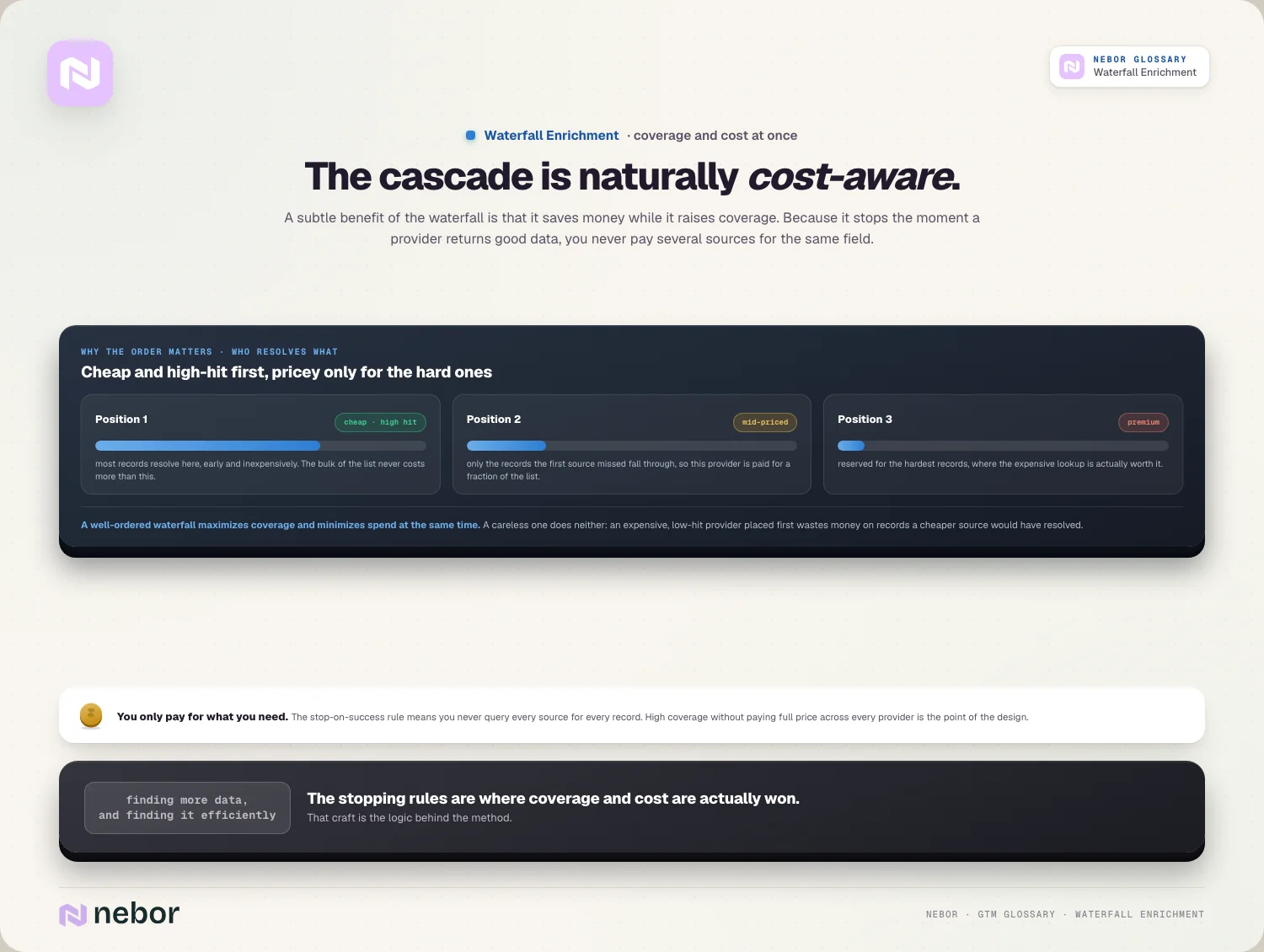
Order matters for cost as much as coverage. Putting a cheaper or higher-hit provider first means most records get resolved early, so you only fall through to pricier sources for the harder ones.
This is part of why the logic matters so much. A well-ordered waterfall maximizes coverage and minimizes spend at the same time, while a careless one does neither.
So a waterfall isn't just about finding more data, it's about finding it efficiently. The cascade lets you reach high coverage without paying full price across every provider.
How does waterfall enrichment feed your data and targeting downstream?
Waterfall enrichment is underneath everything that consumes data, working as the engine behind reliable records for your whole motion.
It's the core of effective data enrichment. When you enrich records with firmographic data or technographic data, a waterfall is what makes that enrichment genuinely complete.
It powers your list building just as directly. A list is only as useful as it is complete, so a waterfall turns a sparse target list into one you can reach.
It sharpens qualification further along the funnel. More complete data means your lead scoring and your ideal customer profile filtering work on full records instead of guessing from gaps.
So waterfall enrichment belongs in the foundations. The quality of your data caps the quality of everything built on it, and the waterfall is how you raise that ceiling.
Why does data decay turn waterfall enrichment into an ongoing habit?
A common misconception is that enrichment is a one-time job. In reality, data goes stale, which makes waterfall enrichment something you repeat.
The culprit is data decay, because people change jobs, companies move, and details shift constantly, so even a perfectly enriched record degrades over time.
This means coverage never stays permanent on its own. A list you waterfall-enriched a year ago has decayed, so a fresh pass through the waterfall keeps your data accurate and usable.
It interacts with verification as well as discovery. Beyond finding data, you want to confirm it's still valid, so enrichment and verification work together to keep records trustworthy.
So treat the waterfall as a recurring process. Repeating it on a cadence, rather than once, is what keeps your data complete and current as the world changes underneath it and your records age.
How do you choose which providers deserve a place in your waterfall?
Building a waterfall is about picking complementary providers instead of grabbing every one available. The choice of sources shapes how well the whole cascade performs.
The goal we aim for is coverage that overlaps as little as possible. Two providers with identical strengths add little, while providers strong in different regions, industries, or data types each fill real gaps.
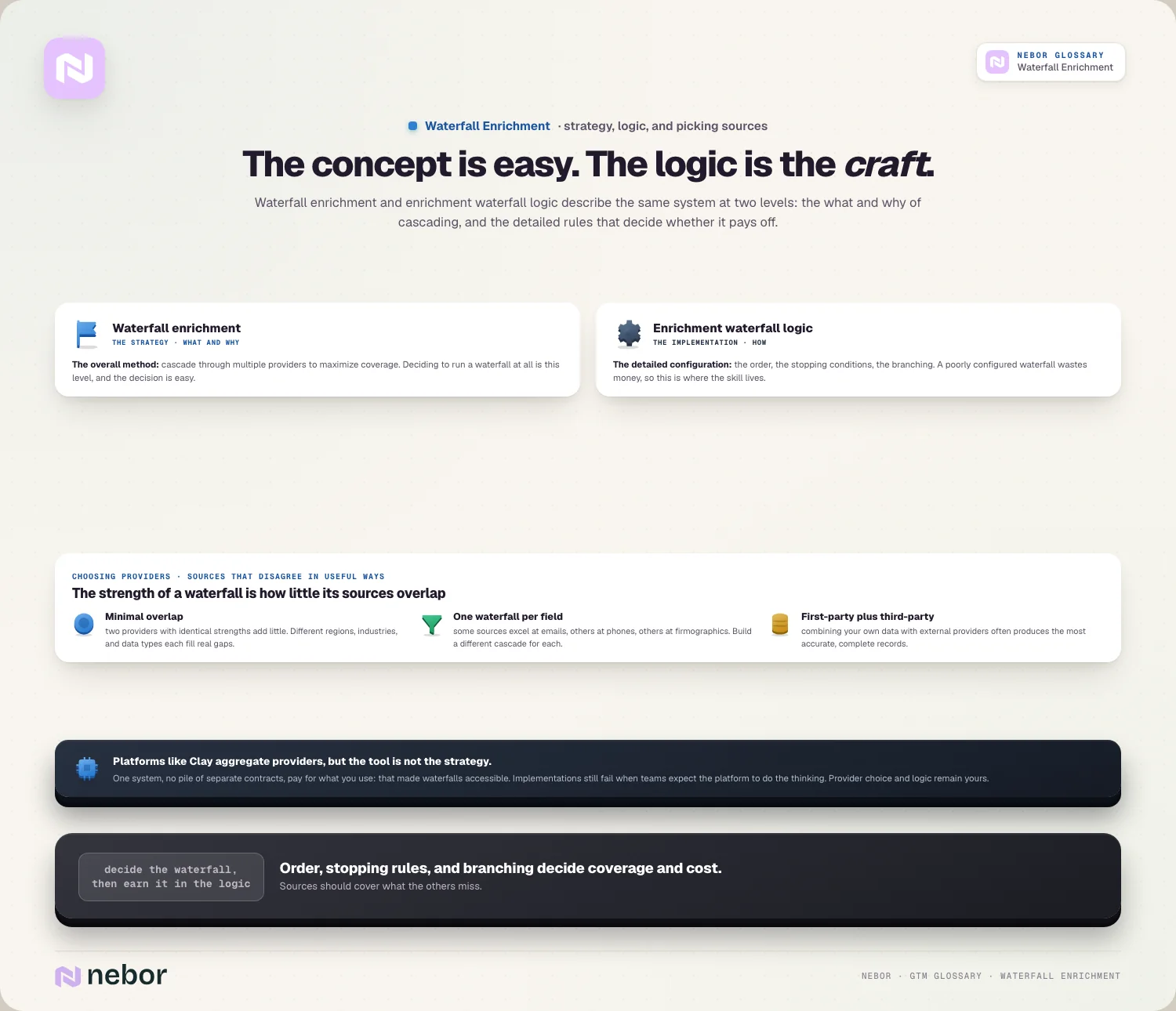
Data type shapes the choice of providers too. Some sources excel at emails, others at phone numbers, and others at firmographics, so you build a different waterfall for each field instead of one for everything.
Weighing first-party against third-party sources pays off as well. Combining your own first-party versus third-party data with external providers often produces the most accurate, complete records.
So choose providers that disagree in useful ways. The strength of a waterfall comes from sources that cover what the others miss, instead of similar ones that all fail on the same records.
Does waterfall enrichment work for any data field, or just for emails?
People often associate waterfall enrichment with finding emails, but the method applies to almost any data field, because the cascade is a general technique.
Emails are the most common use because they're hard to find and verify, so multiple attempts clearly help. But the same logic improves coverage of any field that providers struggle with.
Phone numbers make an especially strong case. Direct dials are notoriously patchy across providers, so a waterfall dramatically improves how many contacts you can call.
It works for company data just the same. Firmographics, headcount, technologies, and other details all benefit from cascading sources, because no provider has complete company data either.
So the waterfall works as a general pattern well beyond email. Anywhere a single provider leaves gaps, which is everywhere, a cascade of sources fills more of them.
How do you build a waterfall without juggling a dozen subscriptions?
A practical obstacle to waterfall enrichment is that it seems to require contracts with many data providers. Modern tooling has largely solved that problem.
The old way meant separate subscriptions and integrations for each provider, which was expensive and complex enough that many teams gave up and used one source.
Platforms now aggregate the providers for you. Tools like Clay bring many data sources together in one place, so you can build a waterfall across them without managing a pile of separate contracts.
This lowers the barrier to entry considerably. You pay for what you use across providers and configure the cascade in one system, and that shift is what made waterfall enrichment accessible to smaller teams.
The caution is that the tool isn't the strategy. A frequent reason Clay and similar implementations fail is teams expecting the platform to do the thinking, when the provider choice and logic still matter.
What are the common mistakes teams make with waterfall enrichment?
Waterfall enrichment can underdeliver when it's set up carelessly, and we keep seeing the same few mistakes in the builds we take over.
Poor ordering wastes the most money, because putting an expensive or low-hit provider first slows resolution, when a smarter order would resolve most records cheaply.
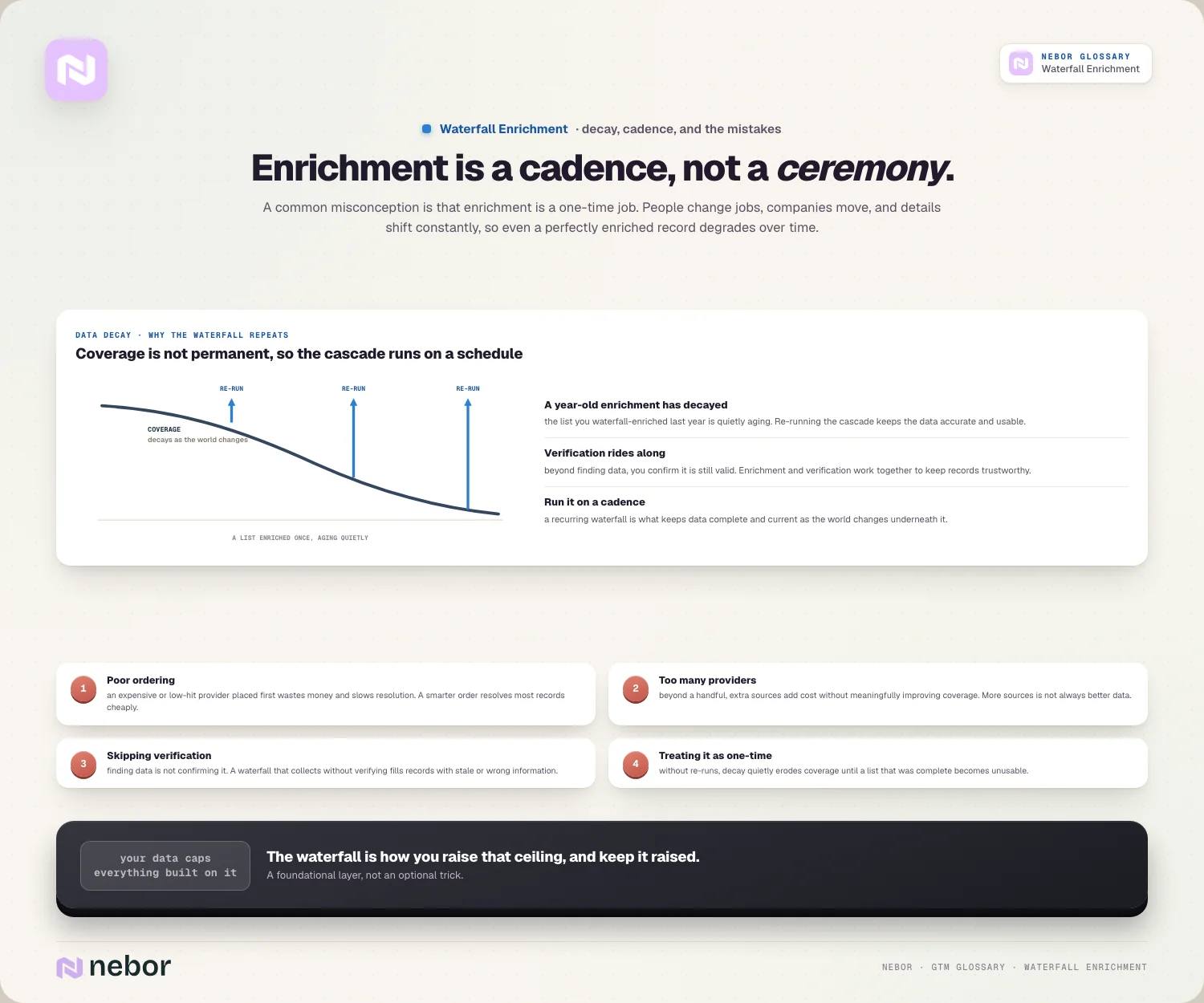
Adding too many providers comes next, because beyond a handful, extra sources add cost without meaningfully improving coverage, so more sources isn't always better data.
Skipping verification undermines what you collected, because finding data isn't the same as confirming it's correct, so a waterfall that gathers without verifying can fill records with stale or wrong information.
And treating it as one-time lets the gains rot, because without repeating the waterfall, decay erodes your coverage until a list that was complete slowly becomes unusable.
Why chaining your data sources is the only way past their blind spots
Waterfall enrichment matters because it solves the unavoidable limitation of B2B data, which is that no single provider has it all. Chaining sources is the only way past any one provider's blind spots.
The payoff is coverage you can't get otherwise. Where a single source leaves much of your list empty, a well-built waterfall fills most of it, turning a half-usable list into a workable one.
The honest requirement is that the cascade has to be configured well. The concept is simple, but the order, stopping rules, and verification are where coverage and cost are won, which is the deeper craft of the logic behind it.
So if your data still comes from one provider, you're leaving a large share of your list unreachable by design. A waterfall is how you stop accepting those gaps, and it's a foundational layer of the data that any go-to-market system depends on, especially once you automate sales prospecting at scale.
Share this post
Enrichment
Data
Glossary
Related glossary items
Understanding the core GTM concepts




Ready to build your pipeline











