
In this post:
DMARC, short for Domain-based Message Authentication, Reporting and Conformance, is the email rule that tells receiving servers what to do when a message claiming to be from your domain fails its authentication checks. It layers on top of SPF and DKIM and turns those checks into an actual policy.
Without DMARC, a failed check is just a shrug, and the receiving server decides on its own whether to deliver the suspicious mail. With DMARC, you make that call in advance, telling the world to deliver, quarantine, or reject anything that fails.
It also does something the other two records can't. DMARC reports back to you on who is sending email using your domain, which is how you finally see the spoofing and misconfiguration you were blind to before.
TL;DR
DMARC is the policy and reporting layer of email authentication. It builds on SPF and DKIM, decides what happens to mail that fails them, and sends you reports on everyone sending email as your domain.
Its policy comes in three settings, monitor only, quarantine, or reject, and the goal is to move carefully toward reject so nobody can spoof your domain. Its reports are the hidden prize, because they show you every sender using your name, legitimate or not.
So what is DMARC, and what job does it do that SPF and DKIM can't?
DMARC is the missing piece that makes SPF and DKIM mean something. On their own, those two checks can pass or fail, but they don't tell a receiving server what to do about a failure, and they don't tell you anything at all.
DMARC was designed to fill both of those gaps at once. It lets you publish a policy, a clear instruction for how receivers should treat mail that fails authentication and claims to be from you. And it sets up a reporting channel, so the providers send you data on what's being sent in your name.
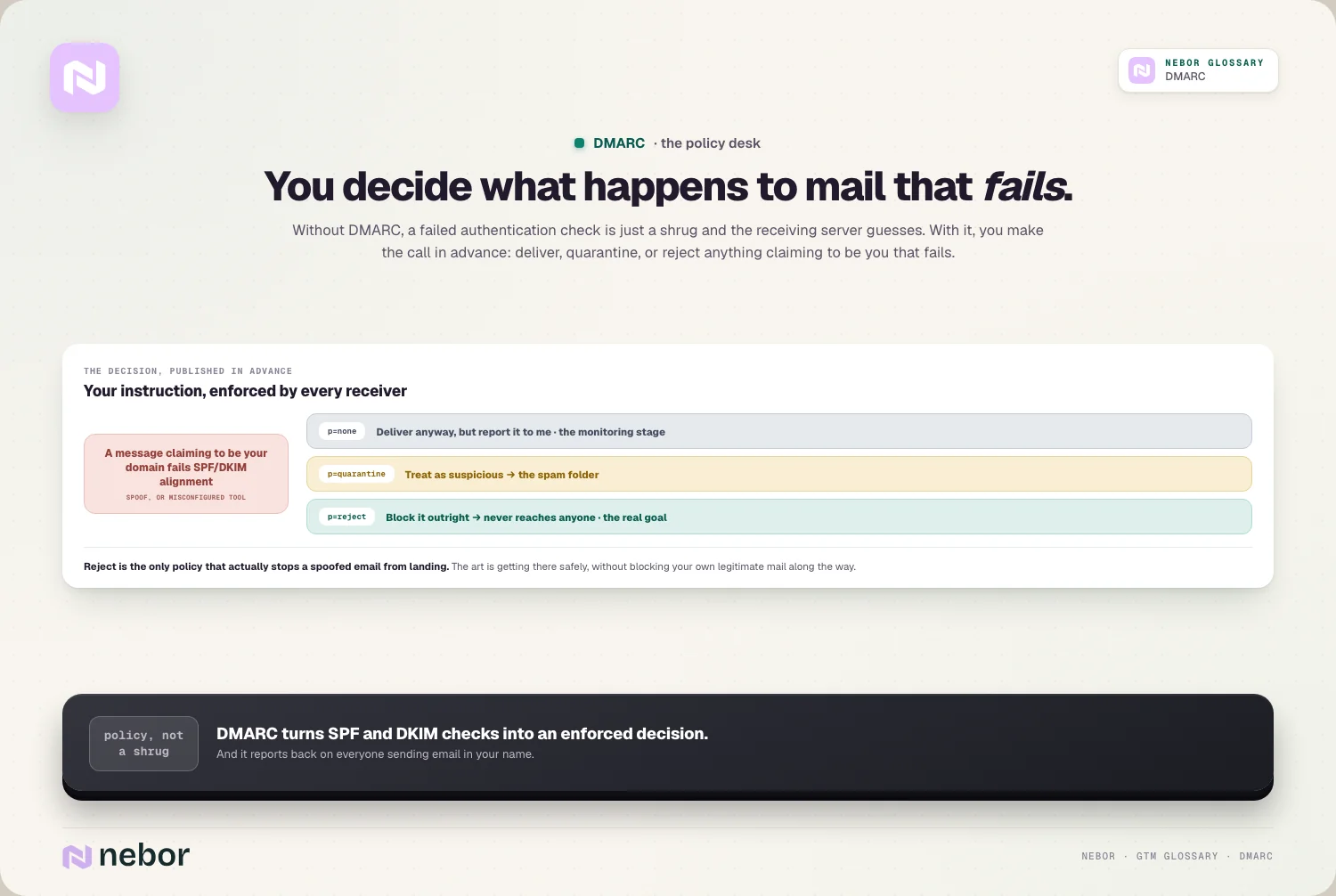
That makes DMARC the enforcement and visibility layer of DNS authentication. SPF and DKIM do the checking, and DMARC decides the consequences and shows you the whole picture. You really need all three working together, because each one alone leaves a hole.
How does DMARC actually work when an email arrives at the server?
The process happens in a fraction of a second, but the steps deserve a slow walk-through. When an email arrives claiming to be from your domain, the receiving server puts it through a quick series of checks.
First it checks SPF, confirming the sending server is authorized, and it checks DKIM, confirming the signature is valid. Then it checks alignment, making sure the domain that passed SPF or DKIM matches the domain in the visible from address.
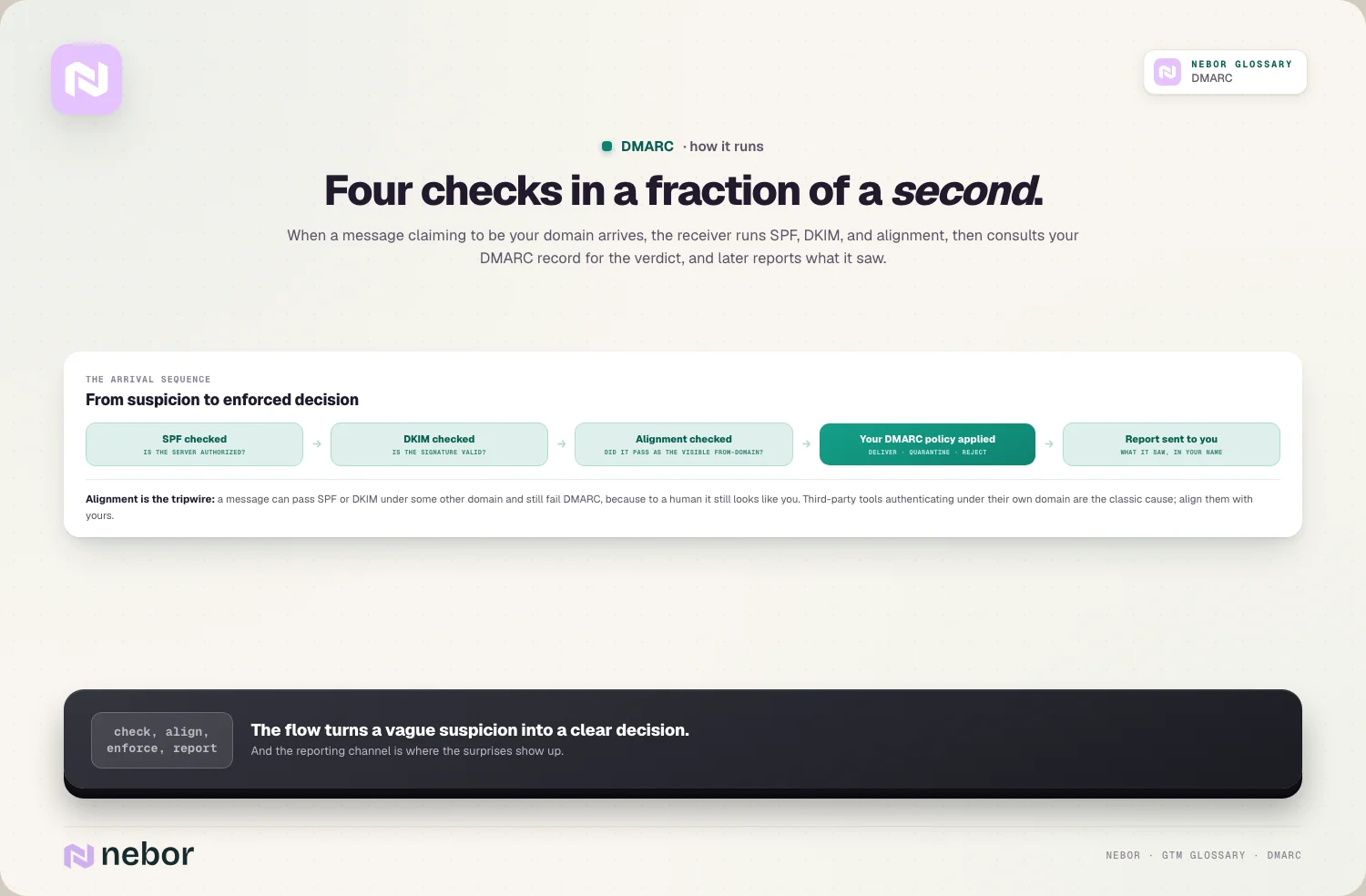
Finally, if those checks fail or don't align, the server looks up your DMARC record to see what you've told it to do.
It then delivers, quarantines, or rejects the message based on your policy, and later sends you a report on what it saw. The whole flow turns a vague suspicion into a clear, enforced decision.
What do the three DMARC policy settings really mean for your mail?
DMARC gives you three policy settings, and in our experience choosing between them is most of the work. Each one tells receivers how strict to be with mail that fails.
The first is p=none, which means monitor only. Failing mail still gets delivered as normal, but you receive reports, so this is the safe starting point where you watch without blocking anything. The second is p=quarantine, which tells receivers to treat failing mail as suspicious and usually drop it into the spam folder.
The third is p=reject, the strictest setting, which tells receivers to block failing mail outright so it never reaches anyone. Reject is the real goal, because it's the only policy that truly stops a spoofed email from landing. The art is getting there safely, without blocking your own legitimate mail along the way.
Why is DMARC alignment the part that trips almost everyone up?
Alignment is the concept that confuses most people, so let's slow down on it. A message can pass SPF or DKIM and still fail DMARC, because DMARC checks not just that the message authenticated, but that it authenticated as the right domain.
Alignment means the domain that passed the check matches the domain shown in the from address that the recipient sees. If your email visibly comes from your domain, but it only passed SPF or DKIM under some other domain, DMARC considers that a fail, because to a human it still looks like you.
This usually bites when you send through a third-party tool that authenticates under its own domain. The fix is to set up DKIM and SPF so they align with your domain instead of the tool's. Until they align, your DMARC will keep failing even though the individual checks look fine.
What do DMARC reports tell you, and why are they the real prize?
People focus on the policy, but the reports are where DMARC pays you back. Once you publish a DMARC record, the mailbox providers start sending you regular reports on every source sending email that claims to be from your domain.
That visibility is genuinely new for most teams. For the first time, you can see all the servers and tools sending as you, which immediately splits into two useful groups.
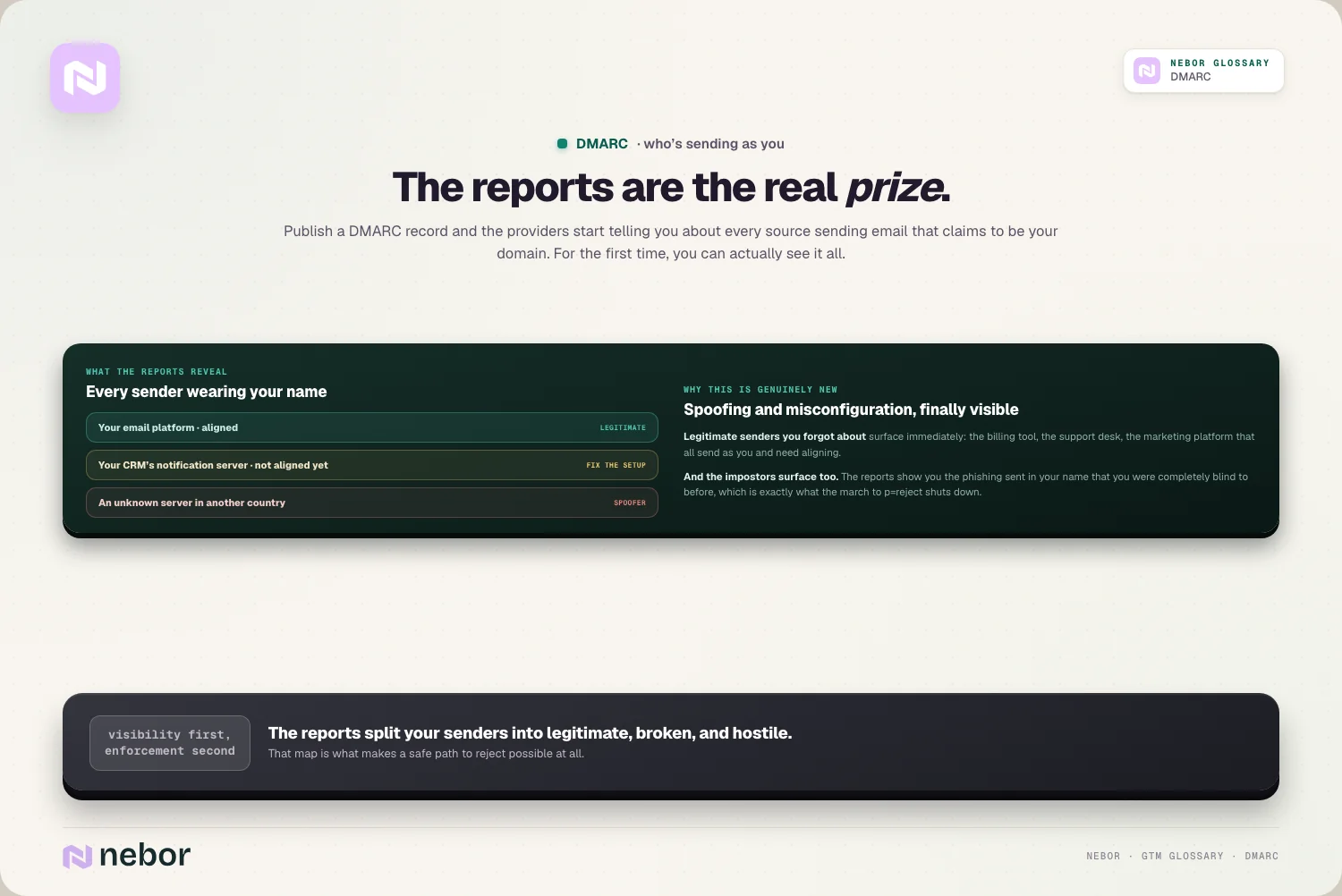
There are your legitimate senders, like your email platform and your marketing tool, and there are the ones you don't recognize, which may be spoofers or forgotten systems.
This is what makes a safe rollout possible. You read the reports, confirm your real senders are authenticated and aligned, and only then tighten your policy. Without the reports, moving to reject would be a guess, but with them, it's a controlled, informed decision.
How do you roll out DMARC safely without blocking your own email?
This is the part that makes every client we onboard nervous, and rightly so, because a careless DMARC rollout can block your own mail. The safe path is a gradual one, and it's the same for almost everyone.
You start at p=none, publishing the record in monitor mode so nothing gets blocked while you collect reports. You read those reports until you can see and authenticate every legitimate sender, fixing alignment for any tool that needs it.
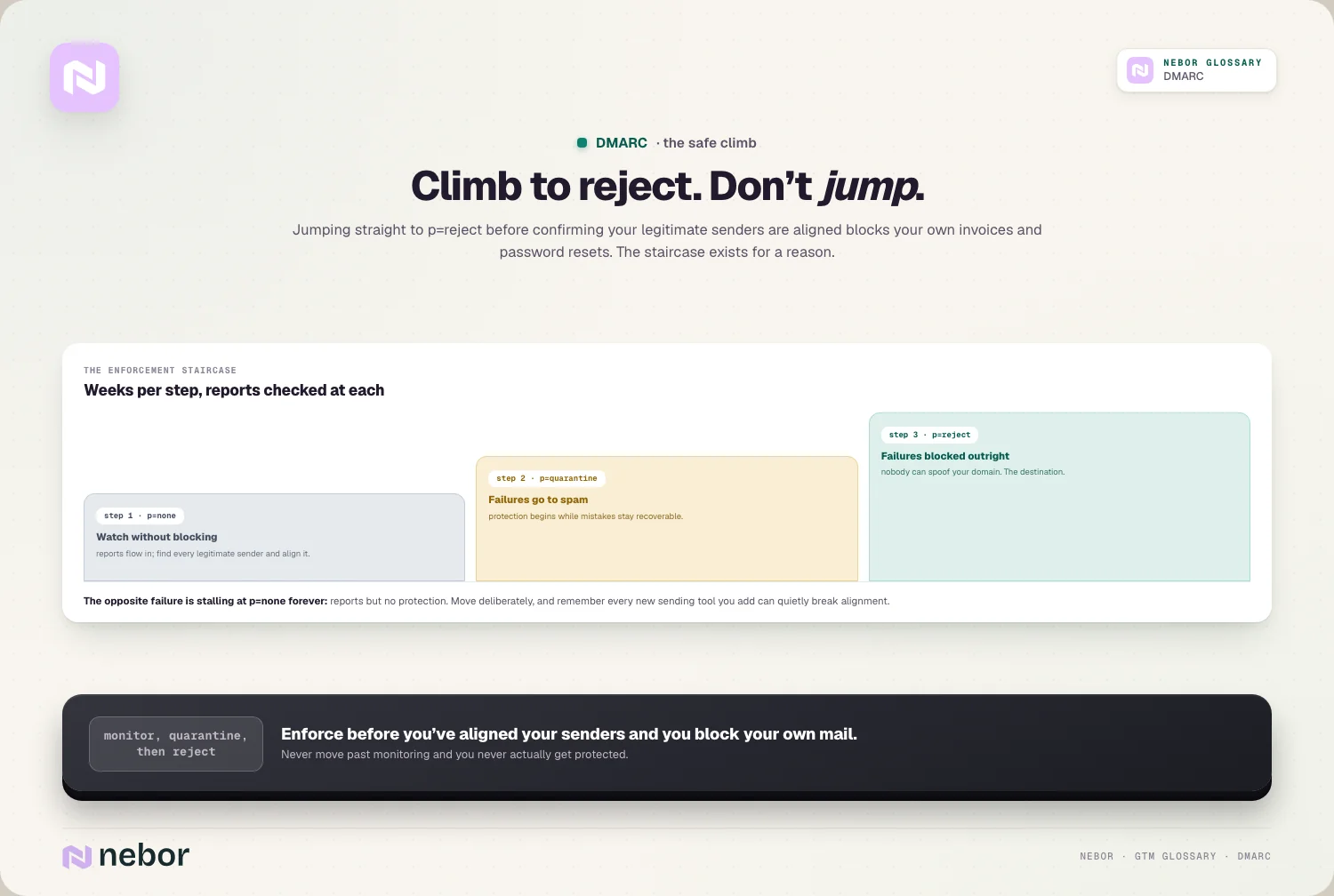
This stage can take a few weeks, and rushing it is the main way teams hurt themselves.
Once your real senders all pass and align, you move to p=quarantine, watch for any problems, then finally to p=reject. By the time you reach reject, you already know your own mail is safe, so the only thing you're blocking is the spoofed and unauthorized email you wanted to stop all along.
Why does DMARC matter so much for stopping people spoofing your domain?
The deepest reason for DMARC is security, with deliverability riding along. Email was built with no way to stop someone forging the from address, and that hole is what made phishing in a trusted company's name so effective for so long.
DMARC at reject closes that door for good. When you enforce it, a scammer can no longer send convincing email that appears to come from your domain, because receivers will block anything that fails to authenticate as you.
That protects your customers, your partners, and your own employees from being fooled by mail wearing your name.
It also protects your brand and your domain reputation. Every spoofed phishing email sent in your name can damage how people, and the providers, perceive your domain. By shutting spoofing down, DMARC keeps your good name from being dragged down by someone else's abuse.
Why is DMARC now a requirement, and no longer a nice-to-have?
DMARC used to be something mostly large enterprises bothered with, but that changed, and the change reached everyone. The big mailbox providers now expect it as a basic condition of sending.
In 2024, Google and Yahoo introduced rules for bulk senders that require SPF, DKIM, and a DMARC record, alongside easy unsubscribe and a spam complaint rate under 0.3%. At minimum you need a DMARC record published, even if it's only at p=none to start.
So DMARC has crossed from advanced best practice into a basic requirement. If you send any real volume of email without it, you're now failing a check the providers expect, which puts your email deliverability at risk before you've sent a word.
Publishing a record is the easy first step, and it immediately starts giving you reports.
What are the common DMARC mistakes that cause real, lasting damage?
DMARC is powerful, which means a few mistakes can do real harm. Knowing them in advance keeps you from learning the hard way.
The most damaging is jumping straight to p=reject without monitoring first. If you enforce before you've confirmed your legitimate senders are aligned, you'll block your own mail, including things like invoices and password resets, and that's a painful way to find a misconfigured tool.
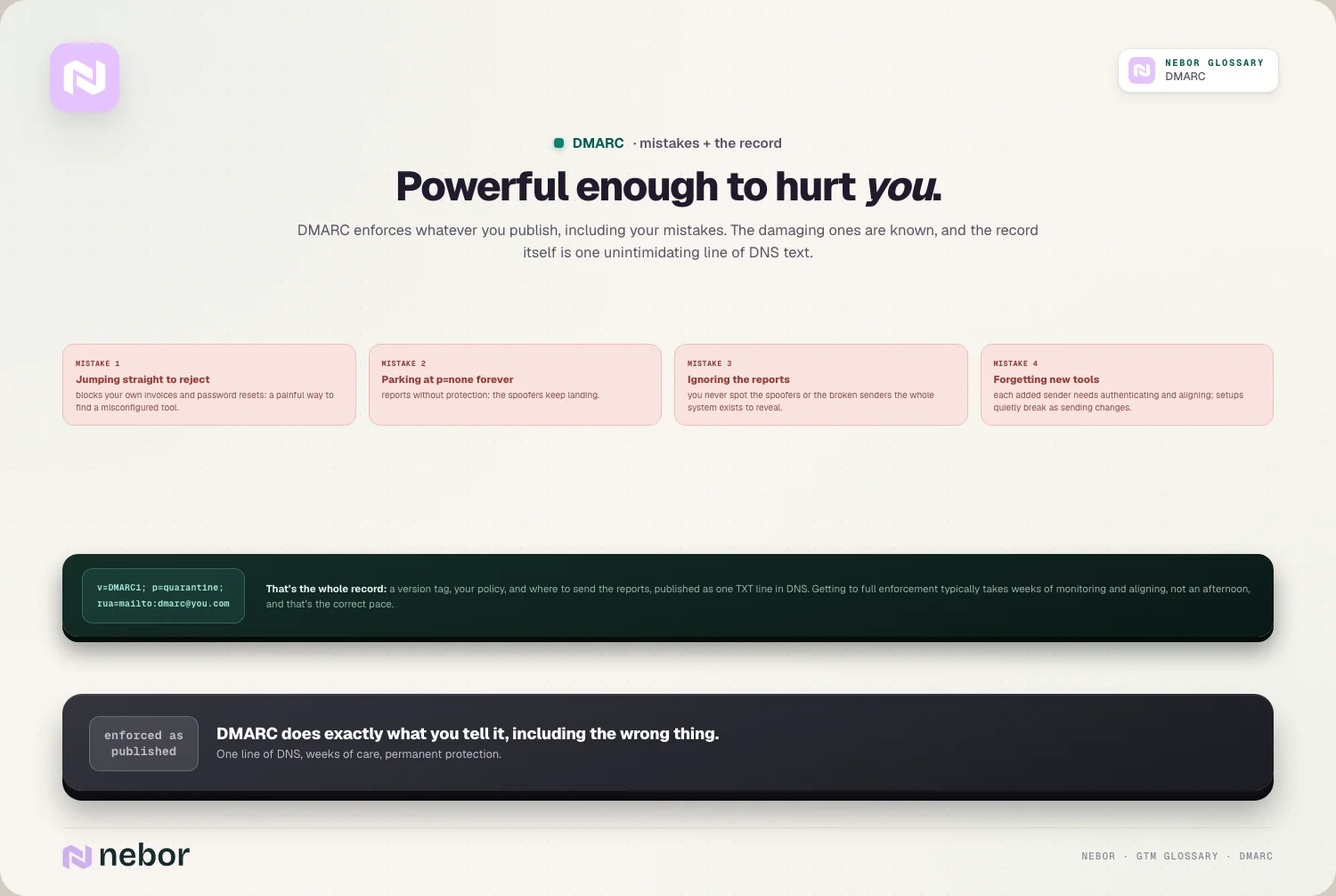
The opposite mistake is publishing p=none and then never moving past it, which gives you reports but no real protection from spoofing.
Other common errors include ignoring the reports entirely, so you never spot the spoofers or the broken senders, and forgetting that every new sending tool you add needs to be authenticated and aligned.
A DMARC setup isn't quite set-and-forget, because each time your sending changes, your alignment can break without any error you'd see.
How does DMARC tie the whole email authentication picture together?
DMARC only makes sense as the capstone on the other two records, so here's how the three stack. SPF and DKIM each prove something narrow, and DMARC turns those proofs into a policy and a feedback loop.
That's why all three belong to one sending infrastructure rather than three separate jobs. SPF says which servers can send, DKIM signs the message, and DMARC decides what happens on failure and reports who's sending as you. Take any one away and the other two are weaker for it.
For cold outreach this matters doubly, because authentication is a core part of your cold email infrastructure. You can warm domains and clean lists endlessly, but without all three records aligned and enforced, you're sending from a setup the providers don't fully trust, and they'll treat you accordingly.
What does a DMARC record actually look like, and what's inside it?
It helps to see the record itself, because it's less intimidating than the acronym suggests. A DMARC record is just a single line of text published in your DNS, made of a few tags separated by semicolons.
The most important tags are easy to read. There's the version, which marks it as a DMARC record, the policy, which is your none, quarantine, or reject setting, and the reporting address, where you want the aggregate reports sent.
A few optional tags let you tune things, like applying a softer policy to subdomains or only enforcing on a percentage of mail while you test.
You don't have to hand-write this in practice, because plenty of tools generate the record and host the reports for you. But knowing what the pieces mean helps you read your own setup, spot a misconfiguration, and understand exactly what you're telling the world to do with mail that fails.
How long does it really take to get DMARC to full enforcement?
Clients ask us to have DMARC done by Friday, but enforcement is a journey measured in weeks, sometimes months. The timeline depends on how many tools send email as your domain and how messy your current setup is.
A simple sender with one or two email tools might reach reject in a few weeks. A larger company with many systems sending in its name, from billing to support to marketing, can take months to find and authenticate them all.
The monitoring stage is where the time goes, because you can't safely enforce until every legitimate sender is accounted for.
There's no real shortcut, and trying to rush it is how you block your own mail. The good news is that the protection ramps up as you go, since even p=none gives you visibility immediately, and quarantine stops a lot of spoofing well before you reach full reject.
Does DMARC help your deliverability, or does it just cover security?
It's easy to file DMARC under security and forget its deliverability side, but it does both. The two are more connected than they look.
On the security side, DMARC stops people spoofing your domain, which protects your customers and your brand. On the deliverability side, a domain with proper authentication and enforcement looks more trustworthy to the mailbox providers, which helps your legitimate mail reach the inbox.
There's also a reputation angle that links the two. When spoofers can send phishing in your name, every one of those messages can drag down your sender reputation, even though you didn't send them.
By shutting that abuse down, DMARC protects the reputation your real deliverability depends on, so it was never a choice between security and deliverability, because doing one well quietly serves the other.
Why DMARC is the lock you finally get to close on your own domain
Past all the acronyms, DMARC is about control. It's the point where you stop hoping receivers handle your failed and forged mail sensibly, and start telling them exactly what to do with it.
That control is worth the careful rollout it takes. Once you reach enforcement, nobody can convincingly send email as you, your legitimate mail is fully authenticated, and you have ongoing visibility into every source using your domain. Few things in deliverability give you that much protection from a single record.
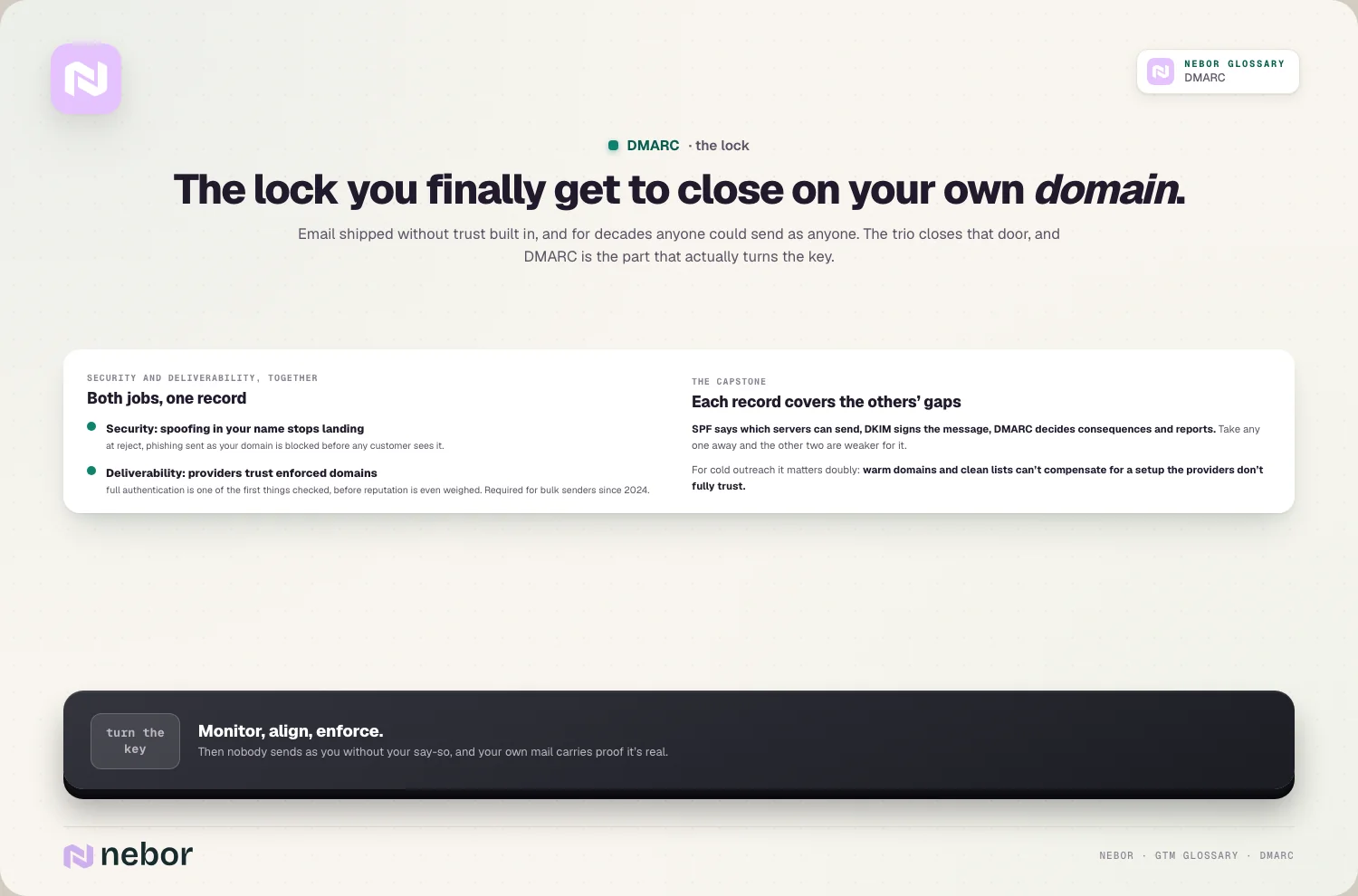
The honest catch is that DMARC rewards patience and punishes haste, so the work is in the gradual climb from monitoring to reject rather than in the final setting itself. Make that climb properly, keep an eye on the reports, and you've locked a door on your domain that should have been locked all along.
Share this post
Deliverability
Infrastructure
Glossary
Related glossary items
Understanding the core GTM concepts



Ready to build your pipeline











