
In this post:
An AI workflow is a multi-step process that uses AI to do part of the work. Some steps work off plain rules, and one or more steps use a model to write, classify, summarize, or decide something a rule couldn't.
Most of what teams call AI workflows are mostly fixed pipelines with a few smart steps. A Clay table that enriches a contact, then uses a model to draft a personalized line, is a textbook AI workflow.
TL;DR
An AI workflow isn't some machine doing your whole job for you. It's an ordinary workflow with AI dropped into the steps that need it.
That's different from an agentic workflow, where the AI also decides what to do next. Most good GTM systems are AI workflows, mostly deterministic, with a model on the few steps that need language or judgment.
The mistake is making AI the point when it was only ever a step inside the strategy. If you bolt it onto a broken process, you just scale the broken parts faster.
So what actually counts as an AI workflow when you get down to it?
An AI workflow is any multi-step process where AI does at least one of the steps. The rest can be plain rules, and the AI handles the parts a rule can't, like writing a line, classifying a reply, or summarizing a page.
In GTM this is most of what teams are building in practice. A Clay table that pulls a contact, enriches the missing fields, and then uses a model to draft a personalized opener is a clean example.
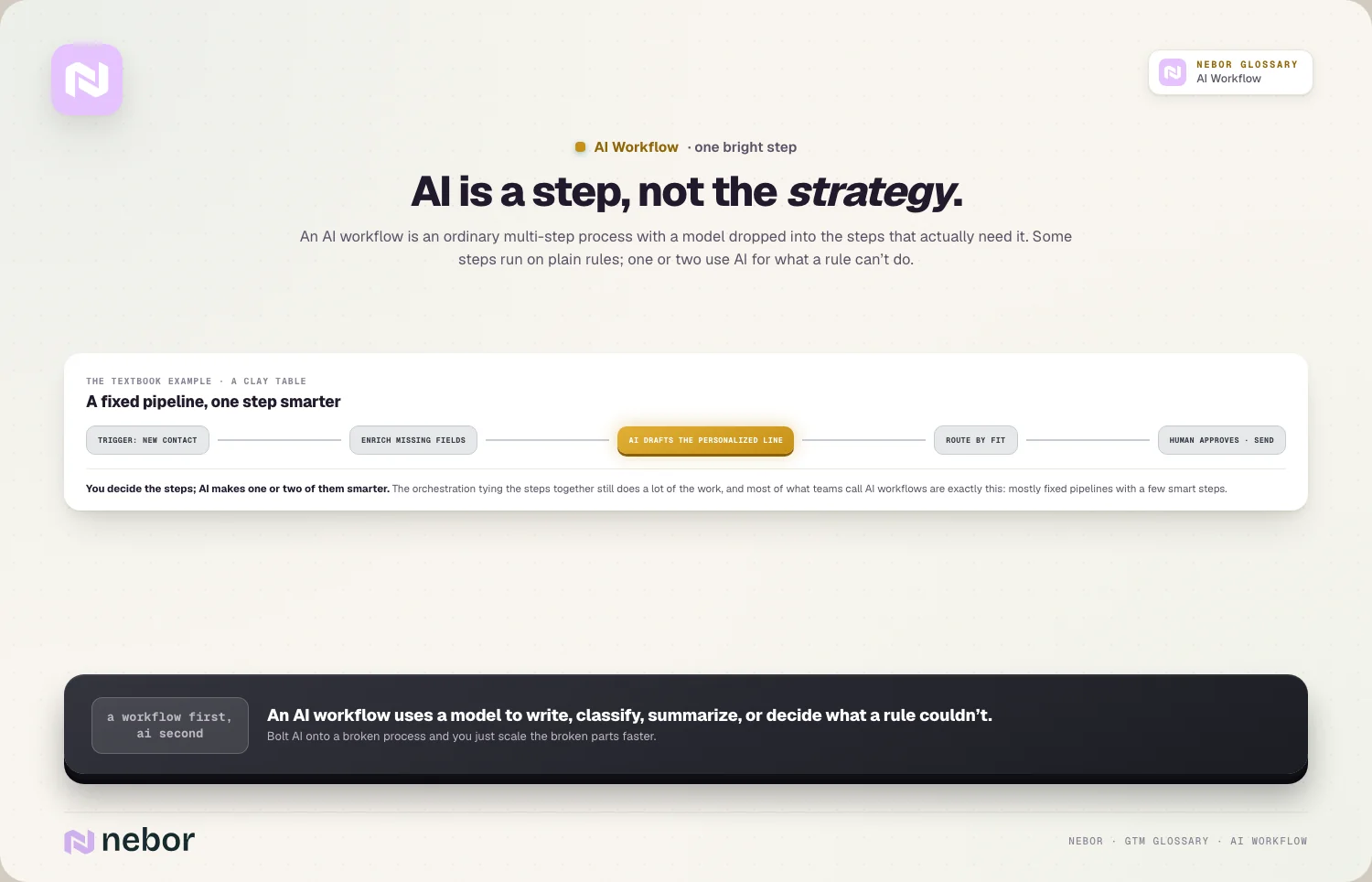
These workflows mostly follow a fixed path. You decide the steps, and AI just makes one or two of them smarter. The orchestration that ties the steps together is still doing a lot of the work.
How is an AI workflow really different from an agentic workflow?
People mix these two up constantly, but the line is easy to hold. An AI workflow uses AI inside steps you laid out. An agentic workflow lets the AI decide what step comes next.
So every agentic workflow is an AI workflow, but most AI workflows aren't agentic. The path is fixed, and that's usually a good thing.
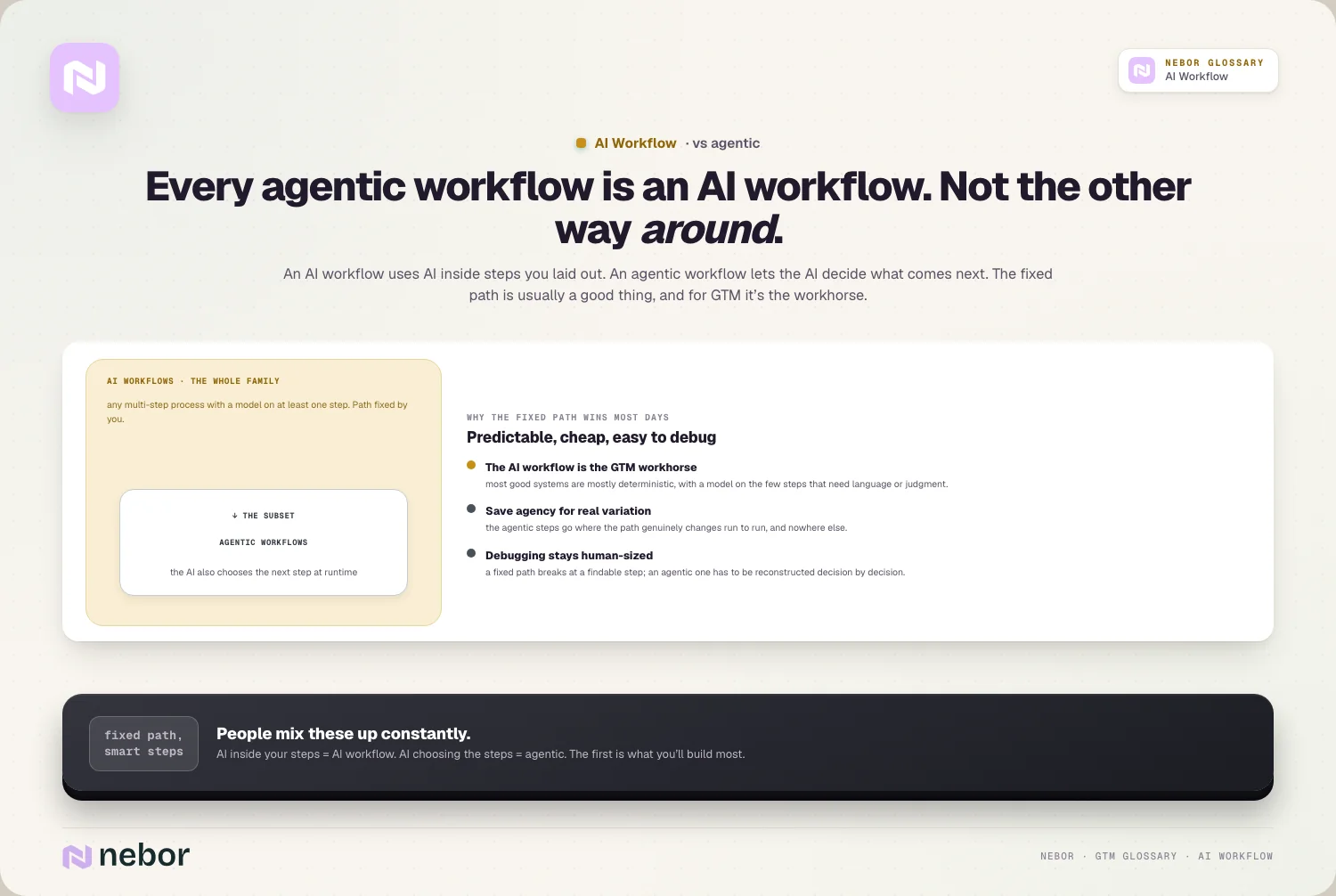
For GTM, the plain AI workflow is the workhorse. It's predictable, cheap, and easy to debug, while you save the agentic steps for the few places the path really changes.
Which steps in your workflow should you hand over to a model?
The trick is knowing which steps should be AI and which shouldn't. AI earns its place on language and judgment, the writing, classifying, extracting, summarizing, and rough scoring.
It doesn't belong on the fixed stuff. Moving a record, sending a templated email, or updating a field is cleaner as a plain rule, and if you could write the rule yourself, don't spend AI on it.
So a good workflow leans on enrichment and AI copywriting for the parts that need language, and on plain rules for everything else.
Let's break down the pieces that almost every AI workflow is built from
The shape repeats across almost every AI workflow you'll build, so the anatomy deserves a minute. Most are a chain of a few distinct kinds of step.
There's a trigger that starts it, like a new lead, a signal, or a schedule. There are data steps that gather and enrich what you know, pulling fields and filling gaps. There are AI steps that handle language or judgment, like writing a line, classifying a reply, or scoring a fit.
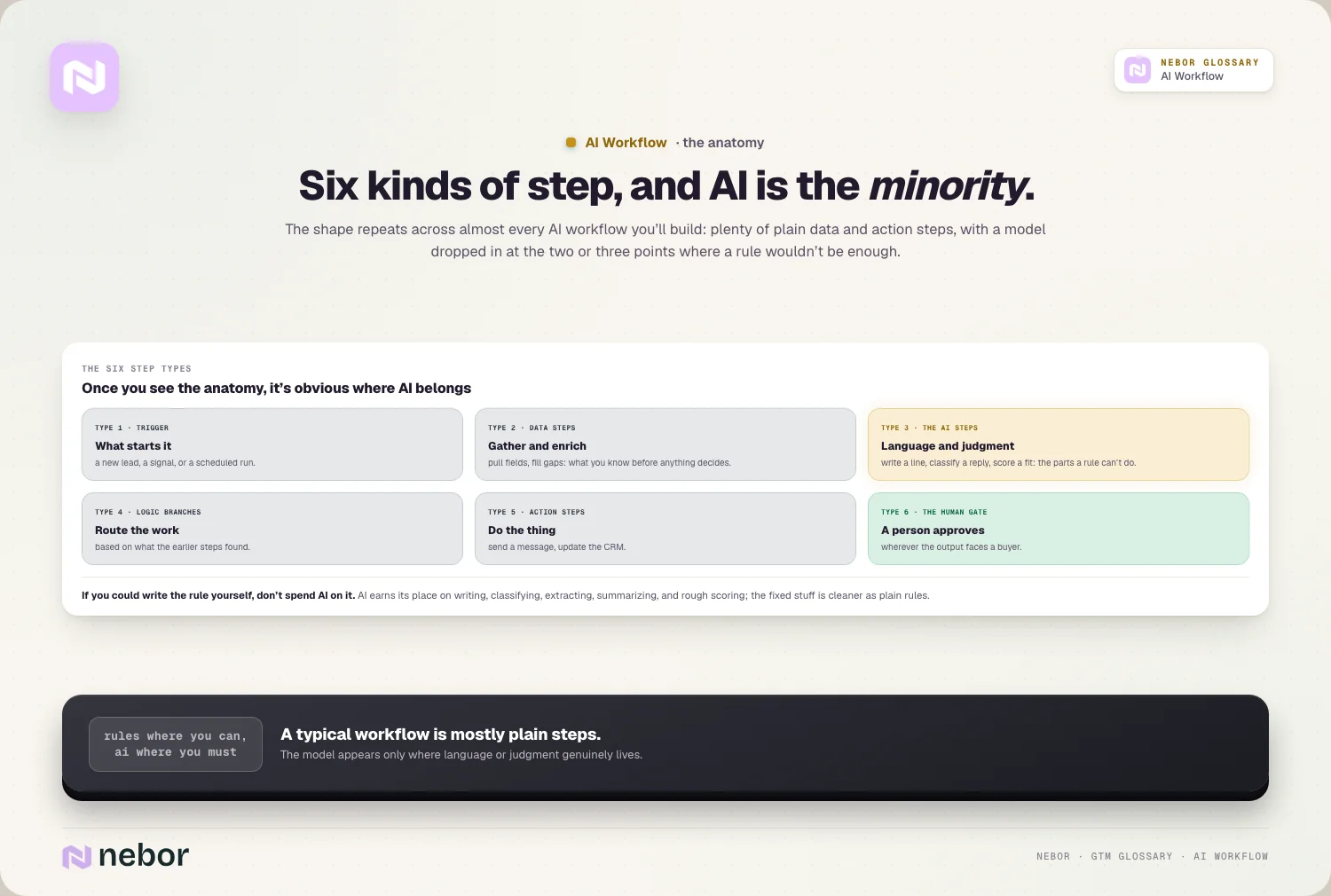
Then there are logic branches that route the work based on what the earlier steps found, action steps that do something real, like send a message or update the CRM, and a human gate wherever a person needs to approve something first.
The AI steps are usually the minority. A typical workflow has plenty of plain data and action steps, with a model dropped in at the two or three points where a rule wouldn't be enough. Once you see this anatomy, it gets obvious where AI belongs and where it's overkill.
Which AI workflows will you really end up building across inbound and outbound?
The fastest way to understand AI workflows is to see the common ones, because a handful of patterns cover most of what teams build. Each pairs fixed steps with one or two AI steps.
On inbound, one of the workflows we build most often, the website visitor workflow, names an anonymous account, enriches it, scores the fit, and drafts a summary so a rep gets a clean, ready-to-act alert.
A reply-handling workflow reads inbound responses, sorts them into interested, not-now, or bad-fit, and routes each one accordingly. A form-enrichment workflow takes a short form fill and fills out the rest of the record on its own, so routing and qualification work without a long form.
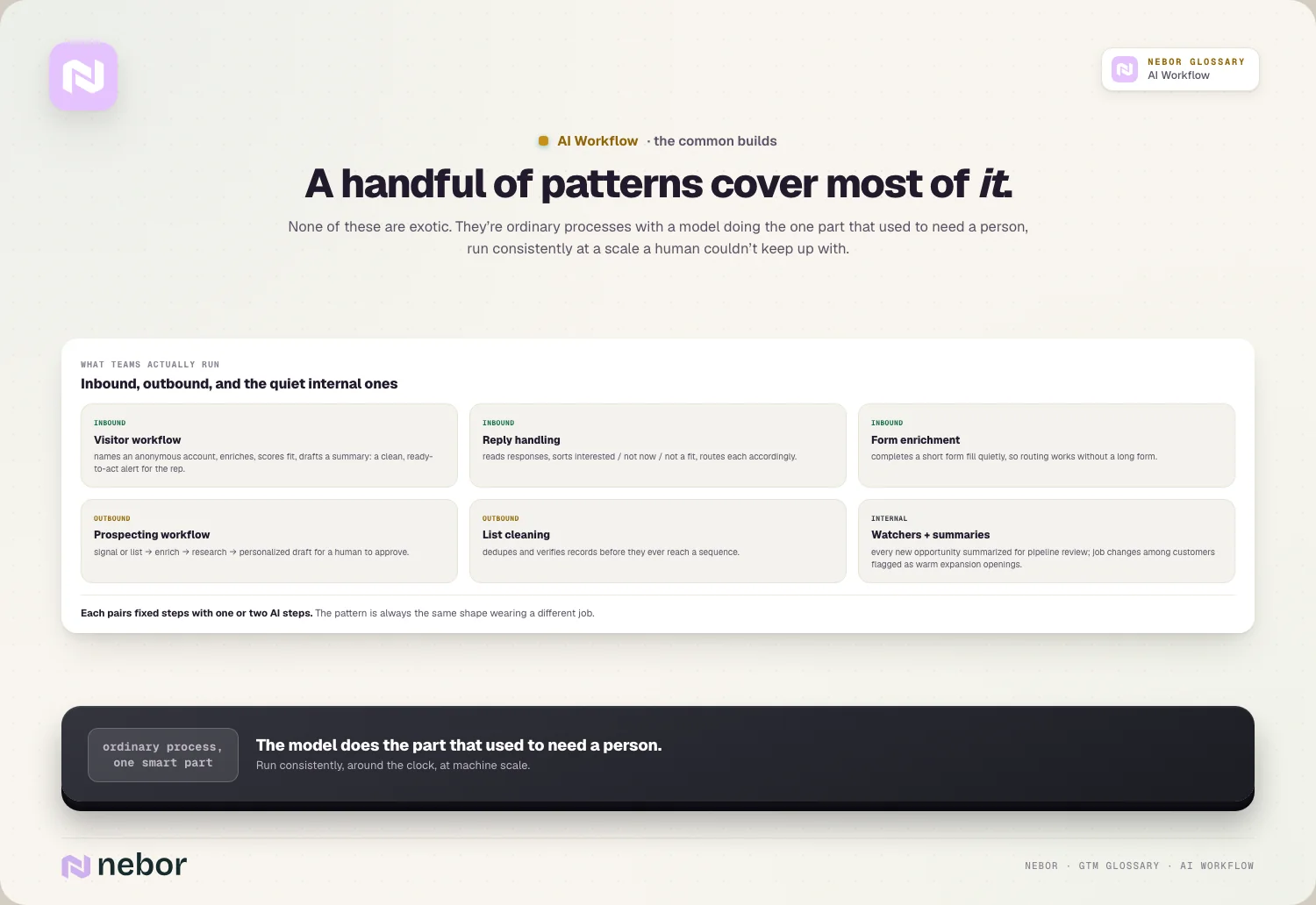
On outbound, a prospecting workflow takes a signal or a list, enriches the contacts, researches each account, and drafts a personalized first touch for a human to approve. A list-cleaning workflow dedupes and verifies records before they ever reach a sequence.
Even internal jobs fit the pattern, like a workflow that summarizes every new opportunity for the weekly pipeline review, or one that watches for job changes among your customers and flags a warm expansion opening before a rep would ever notice it.
None of these are exotic, they're ordinary processes with a model doing the one part that used to need a person, done consistently and at a scale a human couldn't keep up with.
What tools are you going to build all of these AI workflows in?
AI workflows don't live in one tool, they're stitched together from a few. Knowing the rough categories helps you see how the pieces fit.
The backbone is usually an automation or workflow tool, like Clay, n8n, Make, or Zapier, which handles the steps and connects your apps. The AI steps call a model provider underneath, and the data steps pull from enrichment sources and your CRM.
Most of this is no-code or low-code, so you don't need to be a software engineer to build a serious workflow.
The point isn't the specific tool, it's the shape. You want one place where the trigger, the data, the AI, the logic, and the actions all live together, so the workflow is visible and fixable rather than scattered across ten disconnected automations.
What separates a genuinely good AI step from a useless one in practice?
Not all AI steps are equal, and the difference usually comes down to the brief you give the model. A vague instruction produces vague output, no matter how good the model is.
A good AI step has a tight, specific job and the context to do it. Instead of asking it to write a personalized email, you give it the prospect's role, their company, the trigger you're reaching out about, and a clear example of the tone you want.
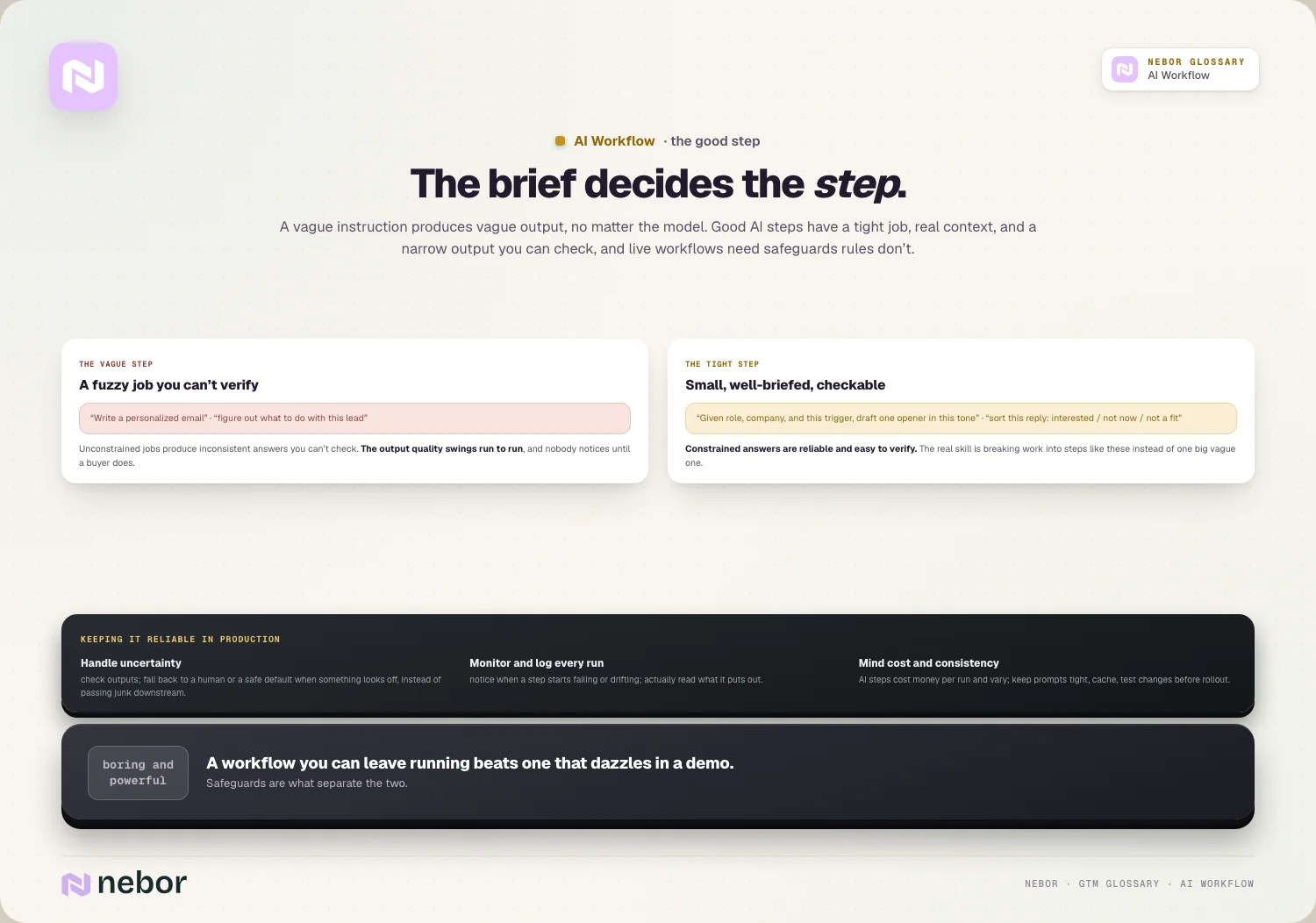
The more real detail you feed it, the better and more consistent the result.
A good AI step also has a narrow output you can check. Asking a model to sort a reply into interested, not-now, or bad-fit is reliable, because the answer is constrained and easy to verify, while asking it to figure out what to do with a lead is fuzzy and fails often.
The real skill in building AI workflows is breaking the work into small, well-briefed steps like the first kind, rather than one big vague one like the second.
So why do so many AI workflows end up quietly disappointing everyone?
Most AI workflows underperform for one reason. The process underneath them was already broken, and AI just ran the broken version faster.
As we've written, AI doesn't fix a broken prospecting motion, it scales the weak parts. If your targeting is off or your data is thin, an AI step makes the same mistakes at higher volume.
The same pattern is behind most failed Clay builds, where the tool and the model were fine and the thinking and data underneath them weren't.
How do you keep an AI workflow reliable once it goes live for real?
Building the workflow is only half the job. AI steps fail in ways rule-based steps don't, so a workflow you can trust needs a few safeguards baked in.
Handling uncertainty comes first on that list. A model will sometimes return a low-confidence or junk answer, so a good workflow checks the output and falls back to a human or a safe default when something looks off, instead of blindly passing it downstream.
Monitoring comes right behind it on the list. You want to notice when a step starts failing or drifting, which means logging every execution and reading the outputs.
Cost and consistency need watching as well. AI steps cost money per call and can vary in their answers, so you keep prompts tight, cache what you can, and test changes before rolling them out.
These safeguards separate a workflow you can leave alone from one that looks clever in a demo and breaks in production a week later.
How can you tell whether your AI workflow is moving a number that matters?
A workflow is only worth building if it moves a real number, so be clear about what you're measuring. The classic mistake is grading it on how clever it feels instead of what it changes.
Look at the outcome the workflow exists to improve. For an inbound visitor workflow, that's how fast and how often a fit account gets a relevant follow-up. For an outbound prospecting workflow, it's reply and meeting rates on the touches it produces. For a cleanup workflow, it's bounce rates and data accuracy.
Watch the quality of the AI steps too, by spot-checking their output rather than trusting it. A workflow can execute flawlessly and still produce weak drafts or wrong classifications, and the only way you'll know is by reading what it puts out.
So how do you decide which steps deserve AI and which should stay plain rules?
Since AI steps cost more and behave less predictably than rules, do a quick test before you reach for a model. A few questions usually settle the choice.
Ask whether the step has a single right answer you could write down yourself. If it does, like moving a record when a field changes, it should be a rule. Ask whether the input varies a lot from one case to the next, like researching a different company each time, because high variation is exactly where AI earns its keep.
Then ask how reversible a mistake is. A wrong CRM update is cheap to fix, but a wrong email to a buyer isn't, which tells you where to add a human check.
The rule of thumb holds through all of it. Use plain rules wherever you can, because they're cheaper and more reliable, and spend AI only on the steps that truly need language or judgment.
Why a good AI workflow lets a small team do the work of a much bigger one
The real reason AI workflows matter is how much more a small team can get done with them. A well-built one takes work that used to need several people and handles it in the background, on both sides of the funnel.
On inbound, a workflow can qualify, enrich, and route every lead the moment it arrives, the kind of around-the-clock coverage a human team can't sustain. On outbound, it can research and draft at a volume no group of reps could match, while a person still approves what goes out.
The shift underneath all of this is simple enough. The team stops doing the repetitive middle work and spends its time on judgment and real conversations.
An AI workflow isn't about replacing people, it's about clearing the repetitive middle so the same headcount produces far more without dropping quality, all built as sales automation you can see into and own.
So how should you start when you build your very first AI workflow?
If all of this feels like a lot, the good news is that you don't have to build it all at once. In our experience the best first AI workflow is small, boring, and truly useful, so you learn the shape without taking on much risk.
Pick one repetitive job your team already does by hand, like enriching new inbound leads or drafting the first research on an account. Map the fixed steps, add a model only at the one point that needs language or judgment, and keep a person checking the output while you build trust in it.
Point it at real work for a couple of weeks and watch what it produces, since a clean execution log proves very little. Once it's reliably saving time, you widen it or build the next one.
Starting small like this beats trying to automate your whole motion on day one, because you end up with something that works instead of an ambitious system nobody trusts.
So how do you build an AI workflow your whole team can trust?
Design the process before you touch a model. Map the steps and the logic first, because the workflow is the strategy and AI is just a step inside it.
Then add AI only where it earns its place, keep the data clean, and put a human in the loop on anything a buyer will see. Keep the whole thing inside a wider GTM system you own, so every step stays visible and fixable.
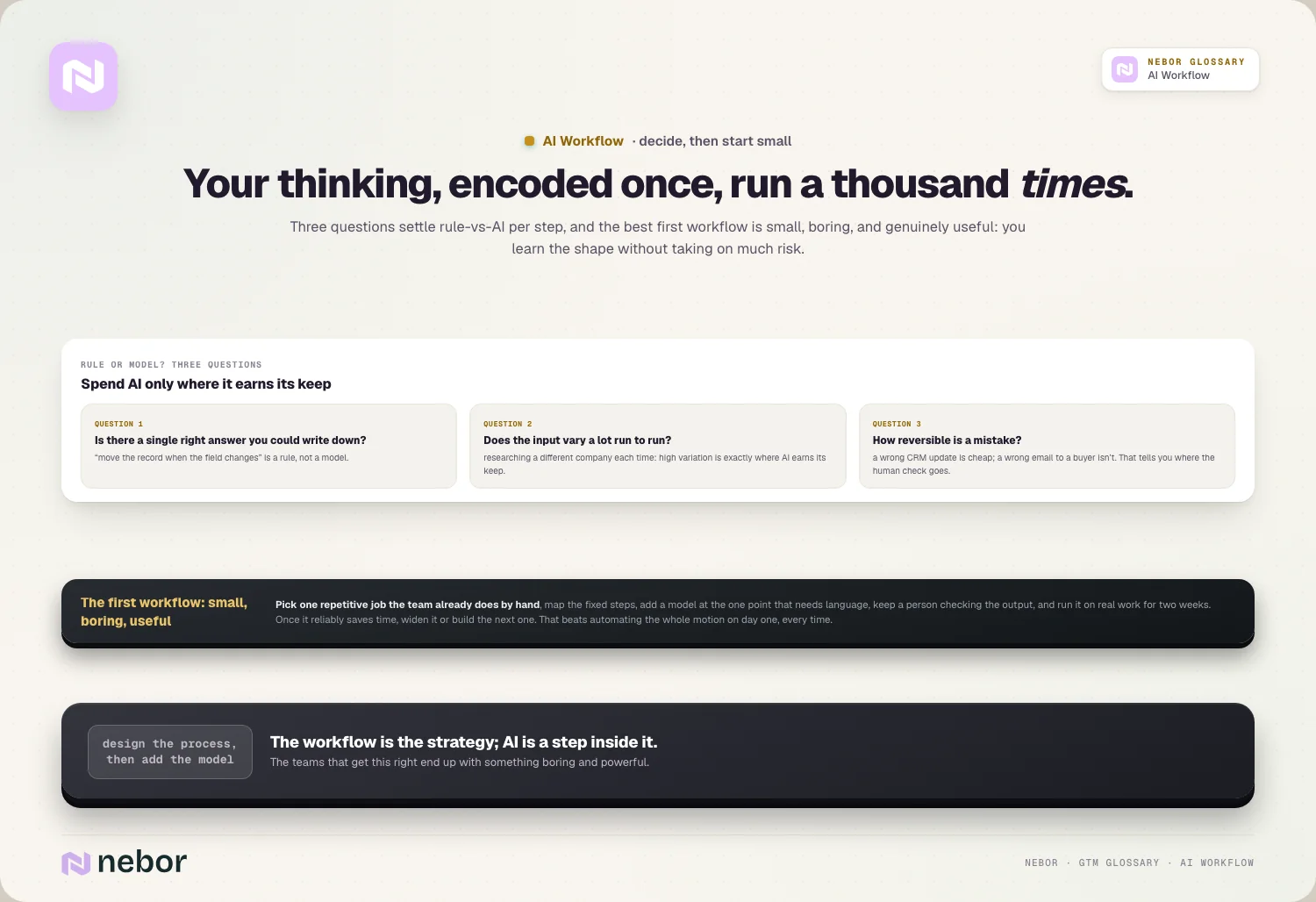
The teams that get this right end up with something boring and powerful, a process that behaves the same way every day with AI handling the few steps that need a brain. The result is your thinking encoded once and repeated a thousand times, and that only happens when the workflow comes first and the AI comes second.
Share this post
AI
Automation
Workflows
Glossary
Related glossary items
Understanding the core GTM concepts

Ready to build your pipeline











