

In this post:
By the time a customer tells you they're canceling, they decided weeks or months ago. The warning signs were there all along, in declining usage and unanswered emails, but nobody was watching the right signals.
A customer health score exists to catch those signals before the cancellation instead of after it. It turns scattered hints about a customer's wellbeing into one number that tells you whether they're thriving, drifting, or about to leave.
A customer health score is a composite metric that predicts whether a customer will renew, grow, or churn, by combining signals like product usage, engagement, support history, and billing into a single score. It's an early-warning system for your customer base.
Churn is preventable if you see it coming, and that's the whole case for the score. A health score gives you the lead time to intervene while a customer can still be saved, instead of finding out when they've already made up their mind.
TL;DR
A customer health score combines signals like usage, engagement, support, and billing into one number that predicts whether a customer will renew, expand, or churn.
It turns churn from a surprise into a warning. A good health score flags at-risk customers months before they cancel, giving you time to intervene.
The score blends several weighted dimensions, with product usage usually the heaviest, because how much a customer actually uses your product is the strongest signal of their health.
The honest limit is that a health score is only as good as its design. A score built on the wrong signals or never updated gives false comfort, so it has to be tested against real outcomes and refined over time.
So what is a customer health score, and what does it compress?
A customer health score is a single number that summarizes how well a customer relationship is going. It rolls up many signals into one read on whether the customer is likely to stay and grow.
It's usually shown in the simplest possible form, with health expressed as a 0 to 100 score or a red, yellow, and green status, so anyone can glance at an account and know its state.
It's predictive more than descriptive, because the point is to forecast what will happen instead of recording what already did, flagging customers headed for churn or ready to expand.
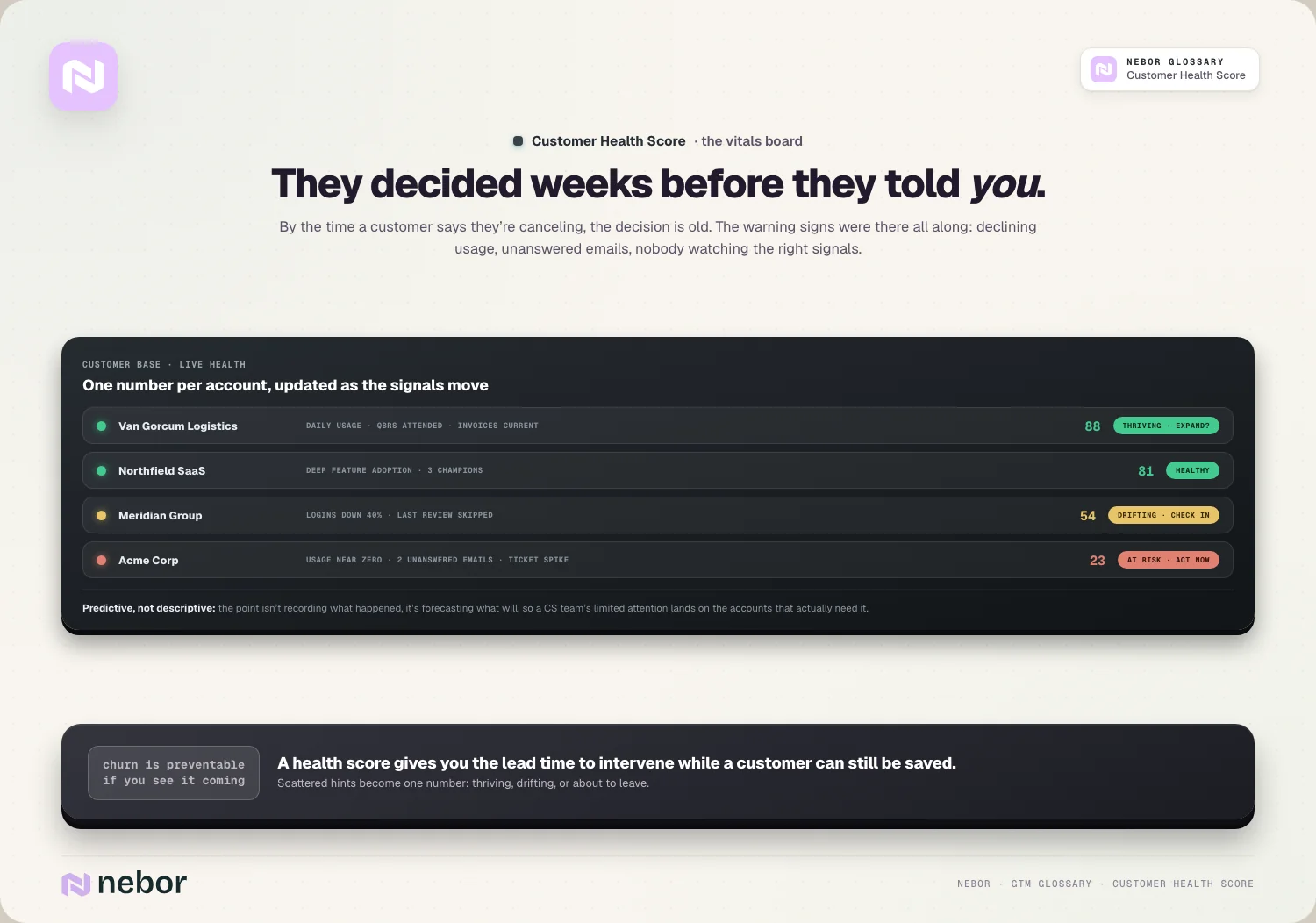
It combines many inputs into a single view, with product usage, feature adoption, support tickets, payment history, and engagement all feeding in, because no single signal captures a customer's full health on its own.
So a customer health score is really a forecast in a number. It compresses everything you know about a customer into a signal of where the relationship is heading, which is what makes it actionable.
In our experience the real value is that it scales attention. A customer success team can't deeply watch every account by hand, but a health score lets them focus their time on the customers who actually need it.
What signals go into a health score, and how do they get weighed?
A good health score blends several dimensions, each capturing a different facet of the relationship. Knowing them helps you build a score that predicts.
Product usage is usually the heaviest input. How often and how deeply a customer uses your product is the strongest signal of value, and that's the reason usage often carries around a 30% weight in well-built models.
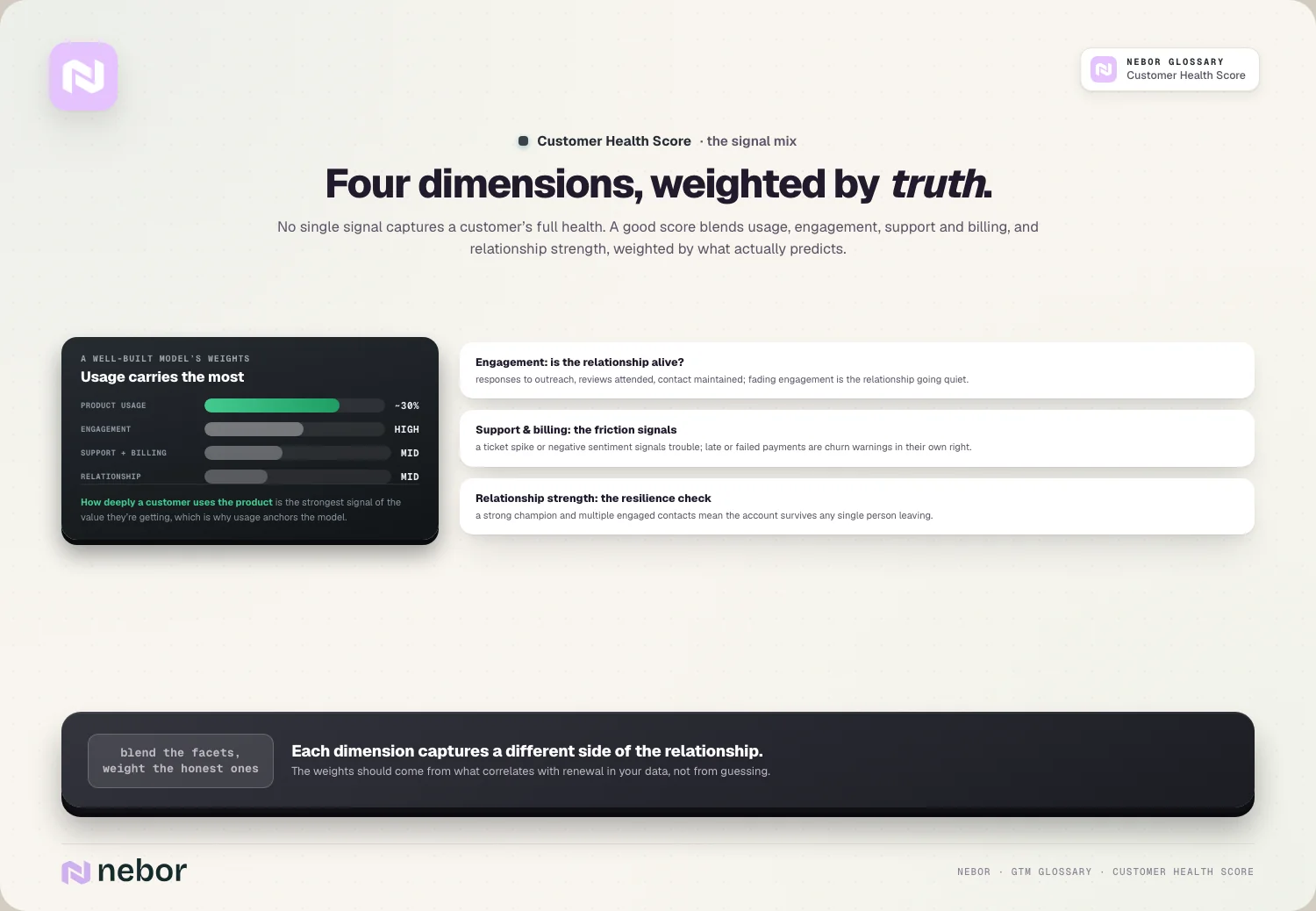
Engagement is another heavy input, because whether the customer responds to your outreach, attends reviews, and stays in contact shows whether the relationship is alive or fading.
Support and billing health matter too, where a spike in support tickets or negative sentiment signals trouble, while late or failed payments are warning signs of churn risk.
And relationship strength rounds it out, because whether you have a strong champion and multiple engaged contacts at the account tells you how resilient the relationship is if any single person leaves.
Why does product usage matter the most out of all the signals?
Among all the signals, product usage deserves special attention, because it's the most honest one. Usage reveals what customers do instead of what they say.
Usage is hard to fake, because a customer might say they're happy in a review, but if they've stopped logging in, that silence tells the truer story of their engagement.
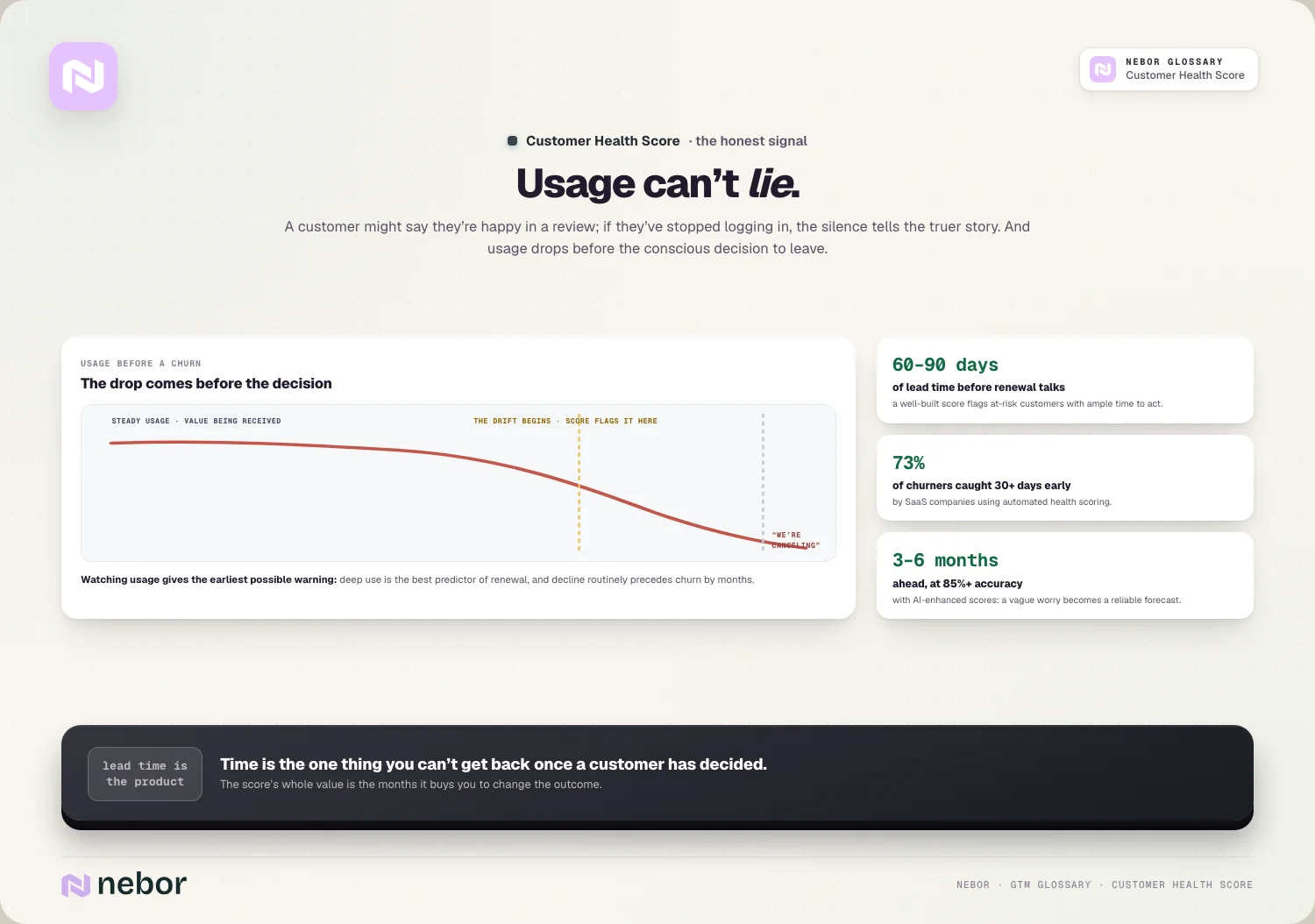
It reflects real value too, because a customer using your product deeply is getting something from it, which is the single best predictor that they'll renew, while declining usage often precedes churn.
And it moves early, because usage tends to drop before a customer consciously decides to leave, so watching it gives you the earliest possible warning of trouble.
So usage is the backbone of a health score for good reason. It's the closest thing you have to a direct measurement of whether a customer is getting what they paid for.
How early can a health score catch churn before it ever happens?
The whole value of a health score is lead time, and the numbers on that lead time are encouraging when the score is built well.
It catches risk months ahead of the moment, because a good health score can flag at-risk customers 60 to 90 days before renewal conversations even start, which is ample time to act.
Automated scoring catches most churners early too, with SaaS companies using automated health scoring identifying around 73% of churning customers at least 30 days before they cancel.
And AI pushes the window further out, because AI-enhanced health scores can predict churn three to six months in advance with over 85% accuracy, turning a vague worry into a reliable forecast.
So a health score buys you time, which is the one thing you can't get back once a customer has decided to leave. That lead time is the whole difference between saving a customer and quietly processing a cancellation.
How is a health score different from the lead scores you know?
These scores sound similar but serve opposite ends of the customer lifecycle, so they deserve keeping straight.
A lead score predicts acquisition, forecasting how likely a prospect is to become a customer, focused on people you haven't won yet.
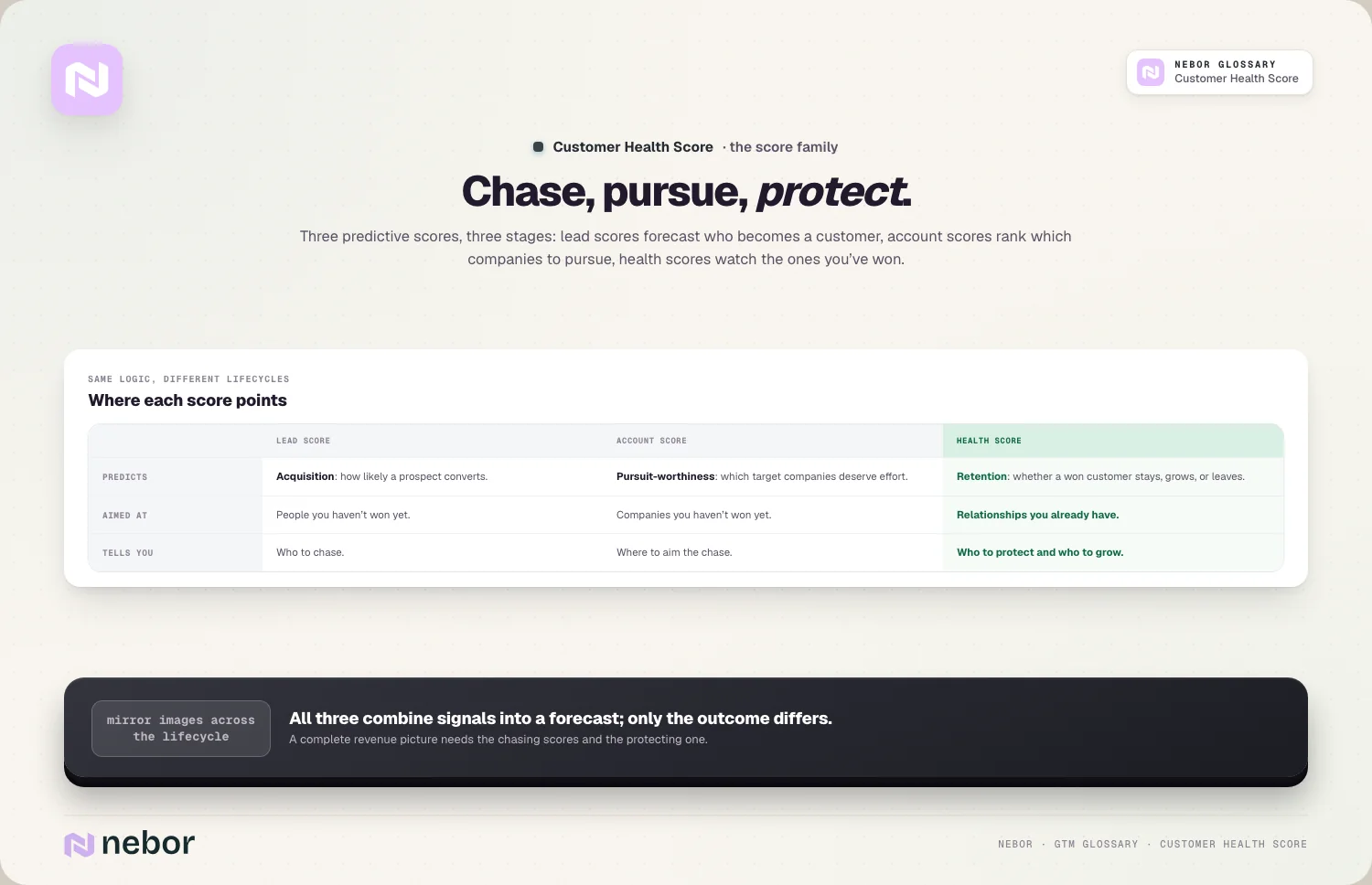
A health score predicts retention instead, forecasting whether an existing customer will stay, grow, or leave, focused on people you've already won.
The two share the same underlying logic, combining signals into a predictive score, much like predictive lead scoring, just aimed at different outcomes and different stages.
So they're mirror images across the customer lifecycle. Lead scoring tells you who to chase, health scoring tells you who to protect, and a complete revenue picture really needs both of them.
How does a health score connect to your churn and retention numbers?
A health score exists to move your retention numbers, so the connection is direct. It's the operational tool behind the metrics.
It works as the early-warning system for your customer churn rate, spotting the customers about to churn while there's still time to change the outcome.
It protects your revenue retention too, because catching at-risk accounts early helps defend net revenue retention and limit revenue churn before it happens.
And it flags expansion alongside the danger, because a health score spots thriving customers ready to grow, which turns it into a tool for finding upsell opportunities too.
So a health score is how churn and retention metrics get managed in practice. The metrics tell you the result, and the health score is how you influence it ahead of time.
How does a health score reveal expansion as well as the risk?
It's easy to think of health scores as purely defensive, but the healthiest customers are your best growth opportunities, and the score points to both.
A high health score signals readiness to expand, because customers using your product heavily and engaging deeply are the ones most likely to buy more, so the score surfaces them.
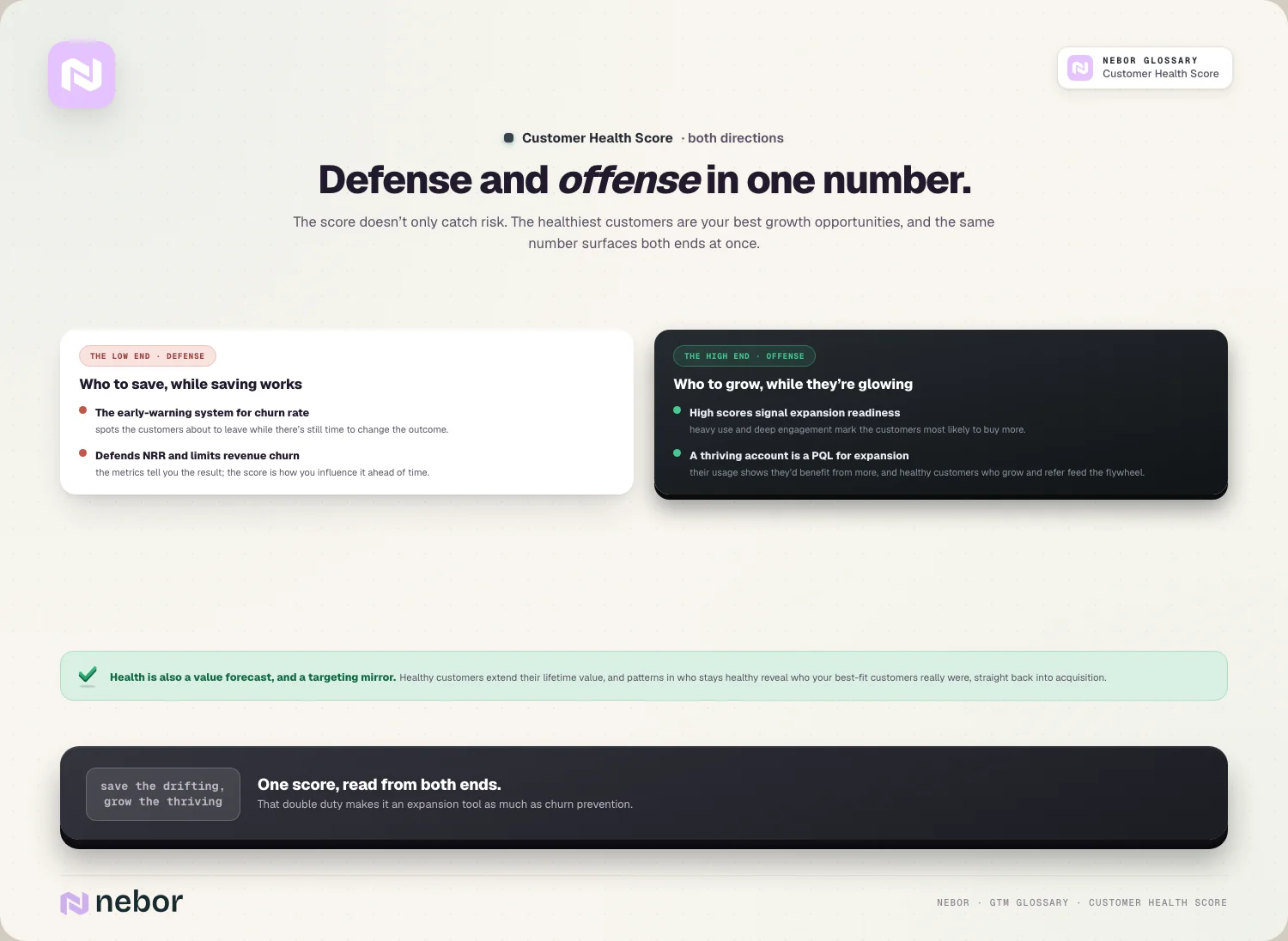
This connects to product signals as well, because a thriving account is essentially a product qualified lead for expansion, with usage showing they'd benefit from more.
It even feeds new acquisition, because healthy, growing customers refer others, adding spin to a GTM flywheel where retention drives new growth.
So a health score works in both directions at once. It tells you which customers to save and which to grow, which makes it a tool for expansion revenue every bit as much as churn prevention.
How do you build a health score your team can genuinely trust?
A health score is only useful if it predicts outcomes, which takes deliberate design, and we hold every model to a few principles.
You start simple, because beginning with three to five core signals like usage, engagement, and support beats a complex model you can't maintain or trust.
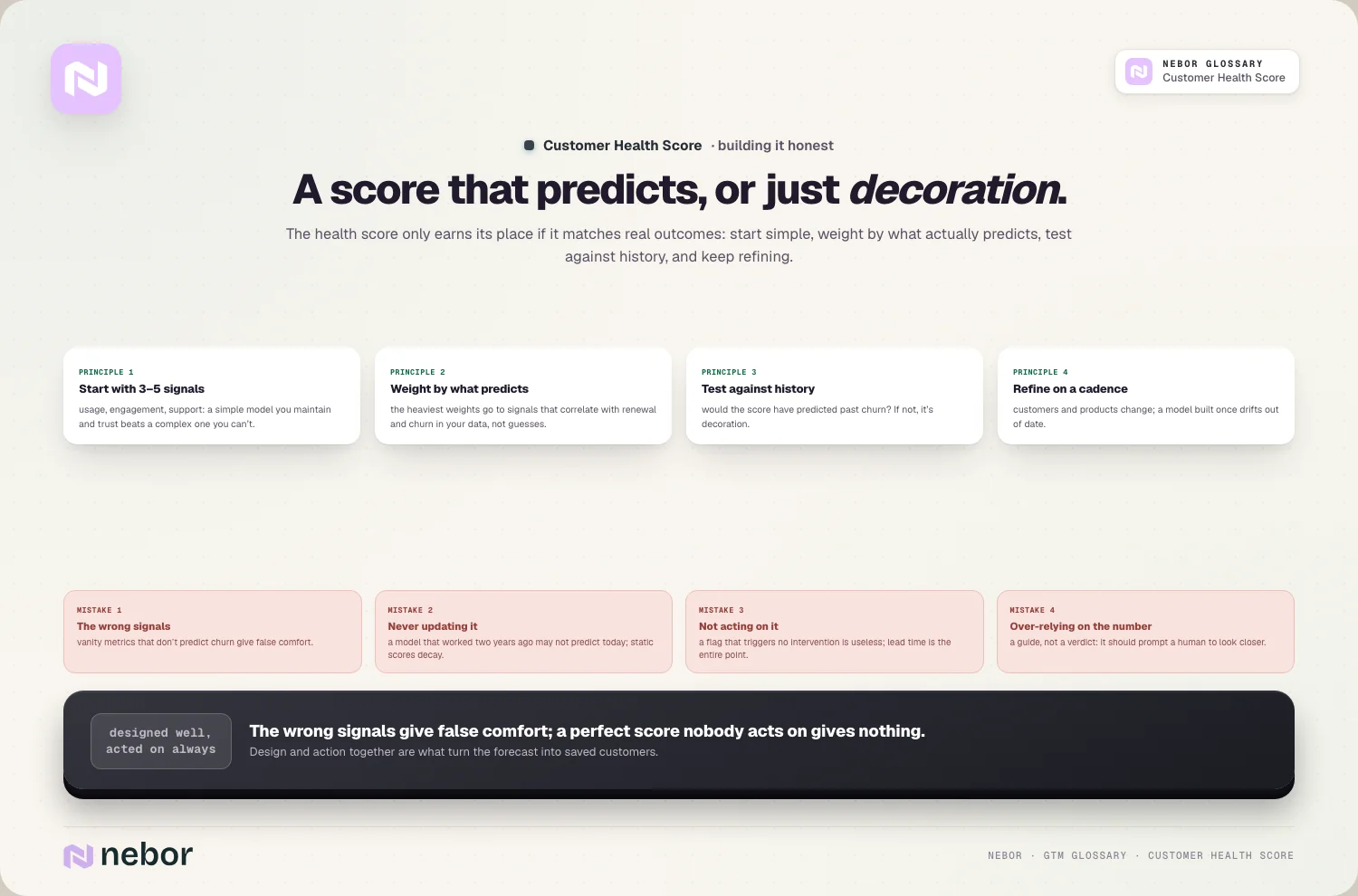
The weighting follows what predicts, with the most weight on the signals that correlate with renewal and churn in your data, instead of guesses about what matters.
History is the test that counts, because checking whether your score would have predicted past churn tells you if it works, and a score that doesn't match real outcomes is just decoration.
And refinement never really ends, because customers and products change over time, so a model built once drifts out of date, and the best teams revisit their score on a regular cadence.
How does a health score relate to customer lifetime value then?
Health and value are closely linked, so it helps to connect them. A healthy customer is usually a more valuable one.
Health predicts longevity first, because a customer with a strong health score is likely to renew and stay, which directly extends their customer lifetime value by keeping them around longer.
Health predicts expansion too, because thriving customers buy more over time, which raises their value beyond just staying, so a high health score often means a growing account.
The link goes both ways as well, because higher lifetime value justifies more investment in keeping customers healthy, and a customer worth more is simply worth more effort to protect.
So a health score is partly a value forecast. It tells you not just whether a customer will stay, but how much they're likely to be worth if they do, which guides where to invest.
Does customer fit show up in your health scores down the line?
A pattern worth noticing is that fit and health are connected. The customers who score healthy are often the ones who fit you well in the first place.
Good-fit customers tend to score healthy, because when a customer matches your ideal customer profile, they get real value and use the product deeply, which shows up as a strong health score.
Poor-fit customers struggle to score well no matter what, because a customer who was never a great match often shows low usage and engagement however hard your team works, which the score reflects.
This makes health scores a feedback loop on targeting. Patterns in which customers stay healthy reveal who your best-fit customers really are, which can sharpen your acquisition.
So health scores connect back to the very start of the relationship. A base full of healthy customers usually means you sold to the right ones, which is a signal worth feeding straight back into who you target.
How is a health score different from the account scoring you build?
These two account-level scores are easy to confuse, because they apply at different stages of the same relationship.
Account scoring ranks prospects, predicting which target accounts are worth pursuing, focused on companies you haven't won yet.
A health score tracks customers instead, predicting whether accounts you've already won will stay, grow, or leave, focused entirely on existing relationships.
The two share the account-level view, both looking at the whole company rather than one contact, but one aims at acquisition and the other at retention.
So account scoring and health scoring bookend the whole relationship. One helps you win the right accounts, the other helps you keep them, which together cover the full account lifecycle end to end.
What are the common health score mistakes that breed false comfort?
Health scores fail in a few predictable ways, and we've watched each one lull a team into false calm, so avoiding them keeps the score trustworthy.
Using the wrong signals tops the list, because a score built on vanity metrics that don't predict churn gives false comfort, so the signals have to be validated against real outcomes.
Never updating it comes next, because a model that worked two years ago may not predict churn today, given that products and customers evolve, so a static score slowly decays.
Not acting on it is the quiet one, where a health score that flags risk but triggers no intervention is useless, because the entire point is the lead time to do something.
And there's over-relying on the number, because a score works as a guide instead of a final verdict, so it should prompt a human to look closer rather than replace real judgment about an account.
Why a health score turns churn from an ambush into a warning
A customer health score exists because churn is preventable when you see it coming, and a surprise when you don't. By the time a customer cancels, they decided long ago, and a health score is how you catch that decision while it can still be changed.
The deeper point is that it compresses many signals into one actionable read, with product usage usually the most telling. It turns scattered hints about a customer's wellbeing into a forecast you can act on.
The honest requirement is that the score be built well and acted on. The wrong signals give false comfort, and even a perfect score is worthless if it triggers no intervention, so design and action both matter.
So if customers keep churning without warning, the gap is usually that nobody was watching the right signals in time. A well-built health score turns churn from an ambush into a problem you can get ahead of.
That proactive retention is exactly what a modern go-to-market system is built to support. It works best when the scoring and alerts happen automatically across your whole customer base, so nothing slips through unnoticed.
Share this post
RevOps
CRM
Glossary
Related glossary items
Understanding the core GTM concepts




Ready to build your pipeline











