In this post:
Data hygiene is the ongoing practice of keeping your business data accurate, complete, consistent and current in every system that holds it, by fixing errors, removing duplicates, filling gaps, retiring stale records and making sure connected tools don't contradict each other.
Most teams think of it as a CRM job. But a go-to-market team's data lives in far more places than the CRM: the marketing platform, the sequencer, Clay tables, enrichment exports, ad audiences, the billing system, a warehouse, and a surprising number of spreadsheets. Each of them gets written to by different people and different integrations, and each one feeds decisions.
That's where it usually goes wrong. A team cleans the CRM properly, and the next sync from another tool writes the old values straight back. Or the CRM is spotless while the list that actually goes into a campaign comes from an export nobody has touched in a year.
TL;DR
Data hygiene is the umbrella. CRM hygiene covers one system, data decay is one cause of dirty data and data normalization is one technique. Data hygiene covers all of them, across every tool.
Count your data stores before you clean anything. The sequencer, Clay tables, CSV exports and ad audiences usually hold more stale and duplicate data than the CRM.
Much of the mess is made at the seams between tools. In HubSpot's Salesforce sync, a two-way field means the most recent value always wins, even when the most recent value is wrong.
Give every important field one system of record and one sync direction, and write the map down.
Bad data is often born bad. In a Harvard Business Review study of 75 executives' own records, 47% of newly created records had at least one critical error.
Check data at the moments it moves (imports, new syncs, sends, scoring and AI runs, tool retirements) and delete what you no longer need, which UK GDPR guidance expects of you anyway.
Nebor maps where a client's GTM data lives, decides with them which system owns each field, and builds the sync rules and checks in their own tools before handing the map over.
Data hygiene, CRM hygiene, decay and normalization: how they fit
People swap these four terms freely, but each one names a different job, and the job you pick decides what you actually work on.
Data hygiene is the practice as a whole, applied to every system that stores customer, prospect and account data.
CRM hygiene is that practice inside one system, usually the most important one. It covers merging duplicates, filling fields and archiving stale records in HubSpot or Salesforce.
Data decay is the main reason clean data stops being clean. People change jobs and companies change shape, and nothing in your tools updates itself.
Data normalization is one of the techniques: making values in a field follow one format so filters and rules can match them.
Two other practices sit right next to it. Data enrichment fills in what's missing, and contact verification and email validation confirm that what's there still works. They're the tools hygiene reaches for, not separate projects.
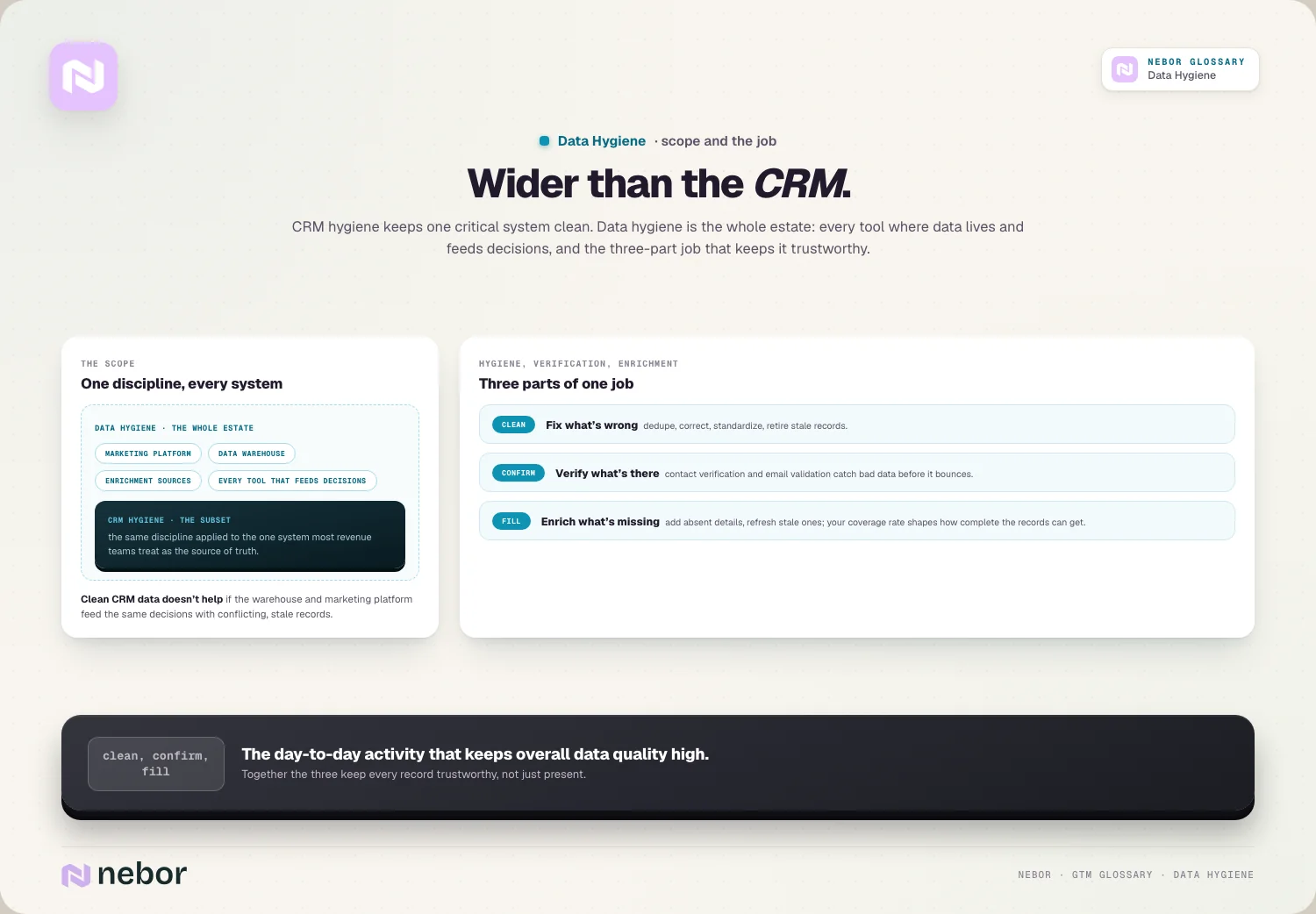
You'll also hear data quality used for all of this. Data quality is the goal, a state your data is in. Data hygiene is the work that gets it there and keeps it there.
The GTM data that never makes it into a CRM audit
Before you clean anything, list where the data lives. In most of the B2B companies we work with, the CRM is one of many places that hold contact or account records, and it's often the only one anyone has ever audited. A typical inventory looks like this:
The sequencer or sales engagement tool. It holds its own copy of every contact you've emailed, its own bounce and unsubscribe records, and often a different job title from the CRM because it was imported from a different list.
Clay tables and other enrichment workbooks. They're built for one campaign, enriched once, and then left in place for months, still connected to a push into the CRM.
CSV exports. Webinar attendee lists, event scans, a rep's "top accounts" sheet, the list a previous agency handed over. They live in shared drives and get re-imported whenever someone needs a list in a hurry.
The marketing automation platform, if it isn't the CRM, with its own subscription status and lifecycle stages.
Ad audiences, uploaded from an export at some point and refreshed whenever someone remembers.
Billing and product data, which hold the truest answer to who is a customer, and which often disagree with the CRM about it.
A warehouse or reporting layer that combines several of the above, and inherits every disagreement between them.
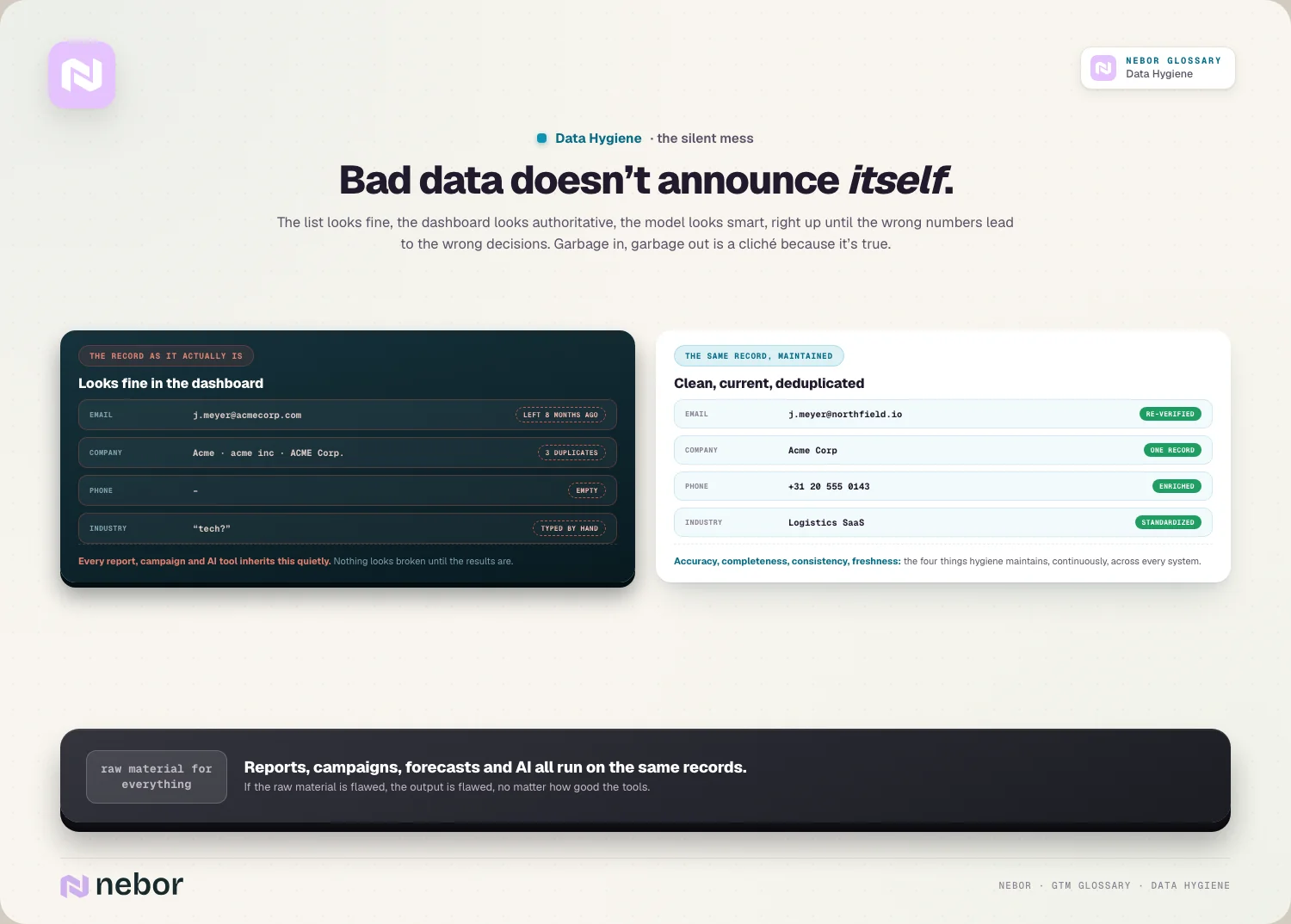
Every one of these feeds a decision. The sequencer decides who gets emailed, the ad audience decides who sees your ads, and the CSV decides who ends up in the next round of list building. A clean CRM doesn't help if the list that actually goes out came from somewhere else.
When two systems disagree, which one is right?
Here's a pattern we run into constantly. A rep learns on a call that a contact moved from Head of Sales to Chief Revenue Officer and updates the CRM. A week later, a Clay table that enriched the same contact months ago pushes its stored title back into the CRM, because that push was never switched off. The rep's correction is gone, and nobody knows it happened.
Or the reverse. A prospect unsubscribes from a sequence. The sequencer records it, but the unsubscribe never reaches the CRM, so marketing adds the same person to a newsletter the following month. That's not just untidy. It's a compliance problem and a complaint risk for your sending domain.
Neither of these is a data entry mistake. They're sync decisions that nobody made on purpose. HubSpot's documentation for its Salesforce integration spells out how blunt those decisions are. With a two-way field, the most recent value will always overwrite any existing values, and deleting a value on one side deletes it on the other. Even the safer "Prefer Salesforce unless blank" rule uses the current Salesforce value as the baseline on a contact's first sync, which can overwrite a more recent value in HubSpot.
Many sync tools work on a similar principle: the latest write wins unless you tell them otherwise. So a hygiene problem in one tool becomes a hygiene problem in every tool connected to it, and cleaning one system while the syncs run unchanged only lasts until the next sync.
Give every field one home
The fix for disagreeing systems is a decision, not a cleanup. For each field that matters, pick the one system that owns it, and set every sync so that value flows out of that system and never back in.
A field map doesn't need to be elaborate. A shared sheet with five columns does the job: the field, its system of record, which tools read it, the sync direction, and who decides when the rule changes. The answers are usually obvious once someone asks the question:
Customer status and contract value belong to billing, not to the CRM.
Unsubscribes and bounces belong to whichever tool sends the email, and they must flow into every other tool that can send.
Job title and seniority belong to the CRM, with enrichment allowed to fill a blank but never to overwrite a value a rep entered.
Product usage belongs to the product database, pushed into the CRM on a schedule.
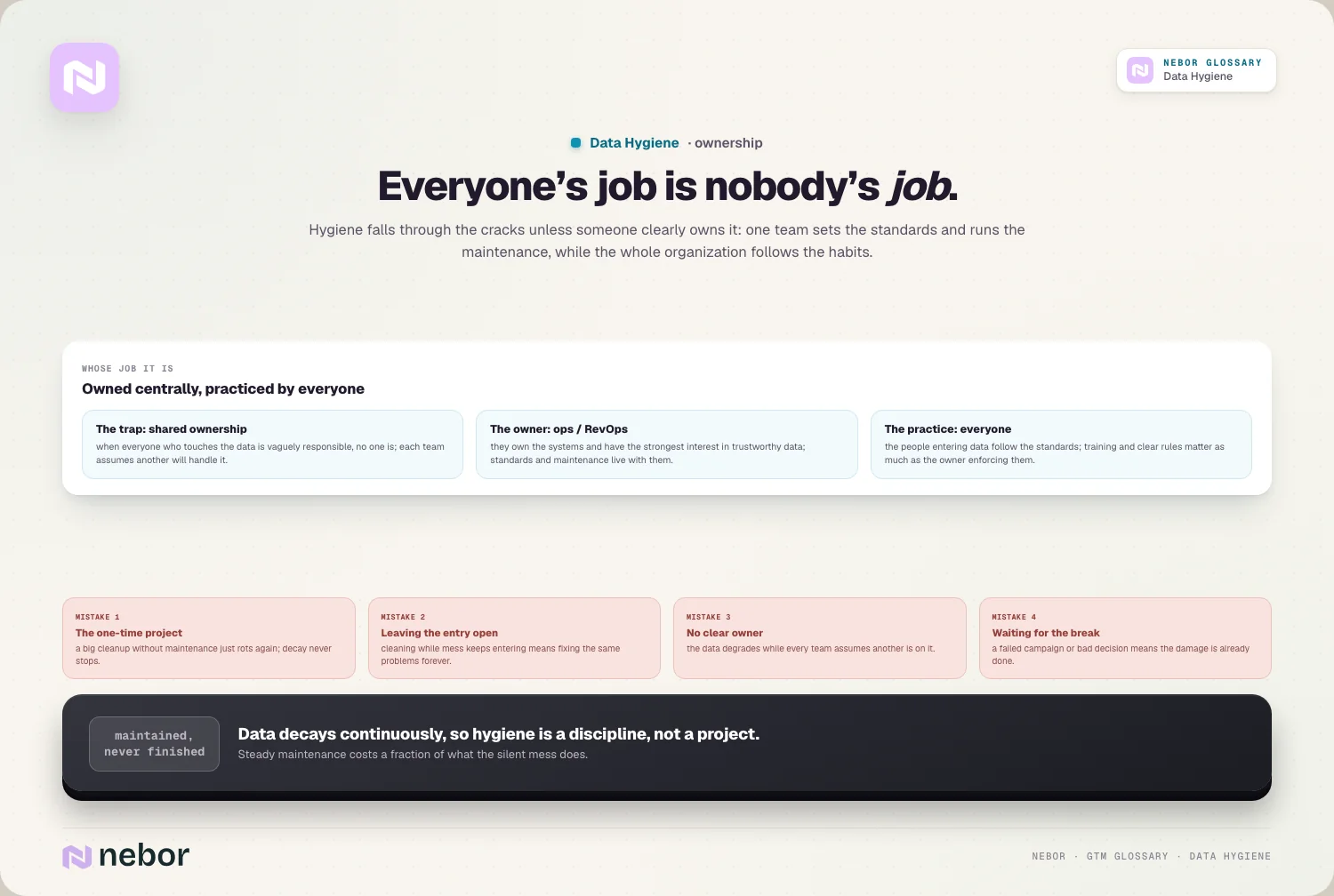
Someone has to own the map itself. In most companies that's revenue operations, because it's the team that connects the tools. The owner doesn't clean every record. Their job is to say no when a new integration wants two-way access to a field it shouldn't touch.
Bad data is often born that way
It's tempting to think of dirty data as clean data that aged. A lot of it arrives broken. Harvard Business Review published a study in which 75 executives checked 100 recent records from their own departments. On average, 47% of the newly created records had at least one critical error, and only 3% of the scores met even the loosest standard the authors would call acceptable.
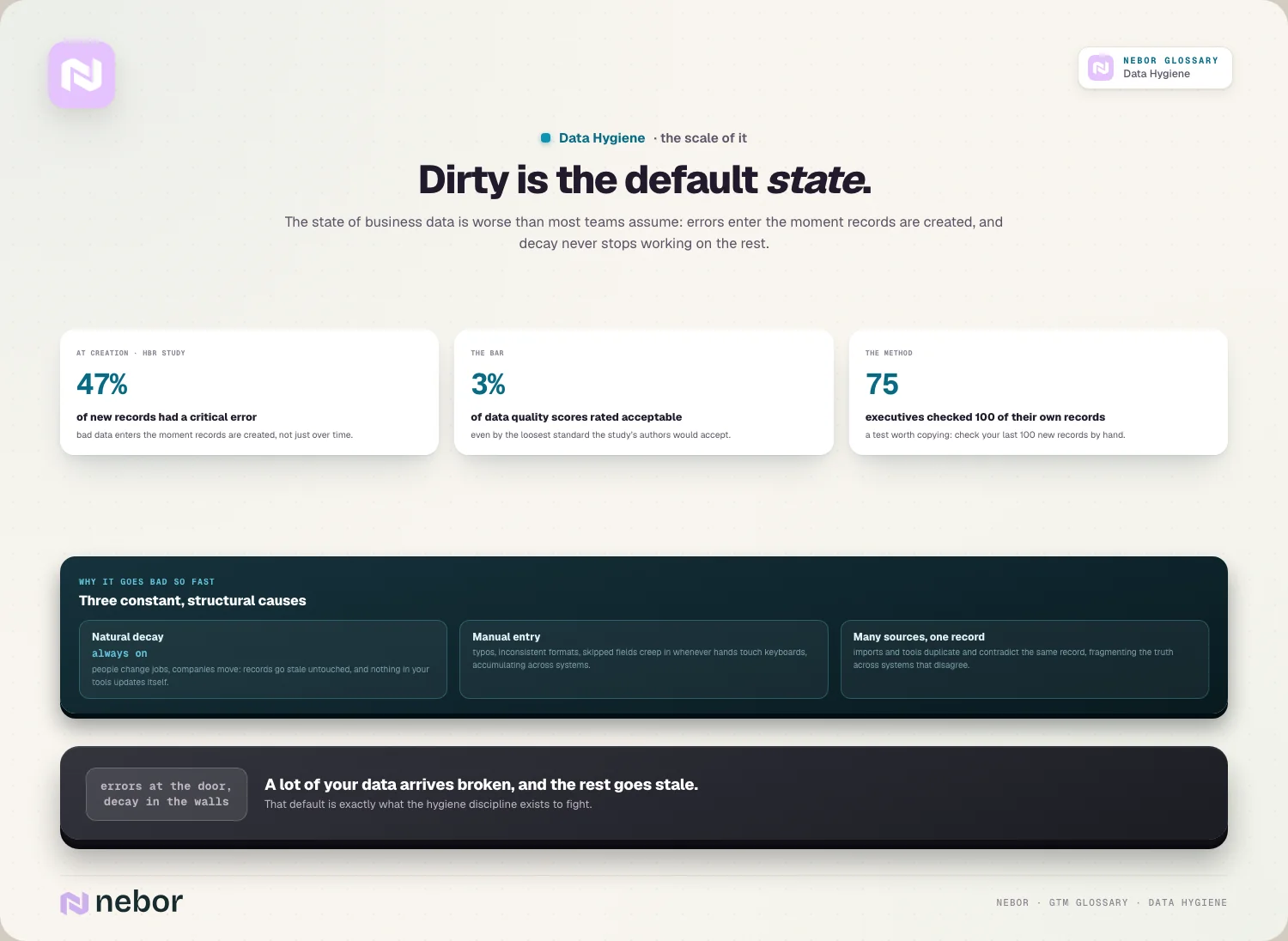
In GTM systems the errors come from the same places every time: forms that accept anything, imports mapped in a hurry, enrichment providers that write their own formats, and integrations that create a new record because they couldn't match an existing one. That's why the study's method is worth copying. Take the last 100 records each system created, check them by hand against reality, and count how many are fully correct. Records created last week tell you about your entry points, which is a different question from how fast old records age.
Measuring data hygiene across systems
The UK government's Data Quality Framework uses six dimensions defined by DAMA UK: completeness, uniqueness, consistency, timeliness, validity and accuracy. Most of them can be measured inside one tool, and CRM hygiene already does. Two of them only make sense across tools, and those are the ones an umbrella view has to add.
Consistency is the first. The framework puts it plainly: data is consistent if it doesn't contradict data in another data set. In GTM terms, the CRM and billing should agree on how many customers you have, and the sequencer and the CRM should agree on who has unsubscribed.
Uniqueness is the second. A contact can be a single, clean record in the CRM and still exist four times across the sequencer, two Clay tables and an ad audience, each copy aging on its own. Recognizing those copies as one person or one company is the job of identity resolution.
A few cross-system checks cover both, and they're quick to run:
Customer count in the CRM versus active subscriptions in billing.
Unsubscribes and hard bounces in the sending tools that are missing from the CRM's suppression fields.
Contacts in your active sequences that don't exist in the CRM at all.
The number of places a single test contact turns up when you search for it everywhere.
If those numbers drift apart, a sync is broken or missing, and fixing the sync matters more than cleaning the records it keeps breaking.
Check the data at the moments it moves
Calendar-based cleanups work for a single system. Across many systems, it works better to tie checks to the moments data changes hands, because that's when bad values spread.
Before an import. Match against existing records, map every column on purpose, and reject rows that fail validation instead of fixing them after they land.
Before switching on a new sync. Decide the direction per field and test it on a handful of records, given what a first sync can overwrite.
Before a send. Check the list against the suppression data from every tool that sends, not only the one you're sending from, and drop addresses that already bounced elsewhere. Every dead address raises your bounce rate and costs sender reputation.
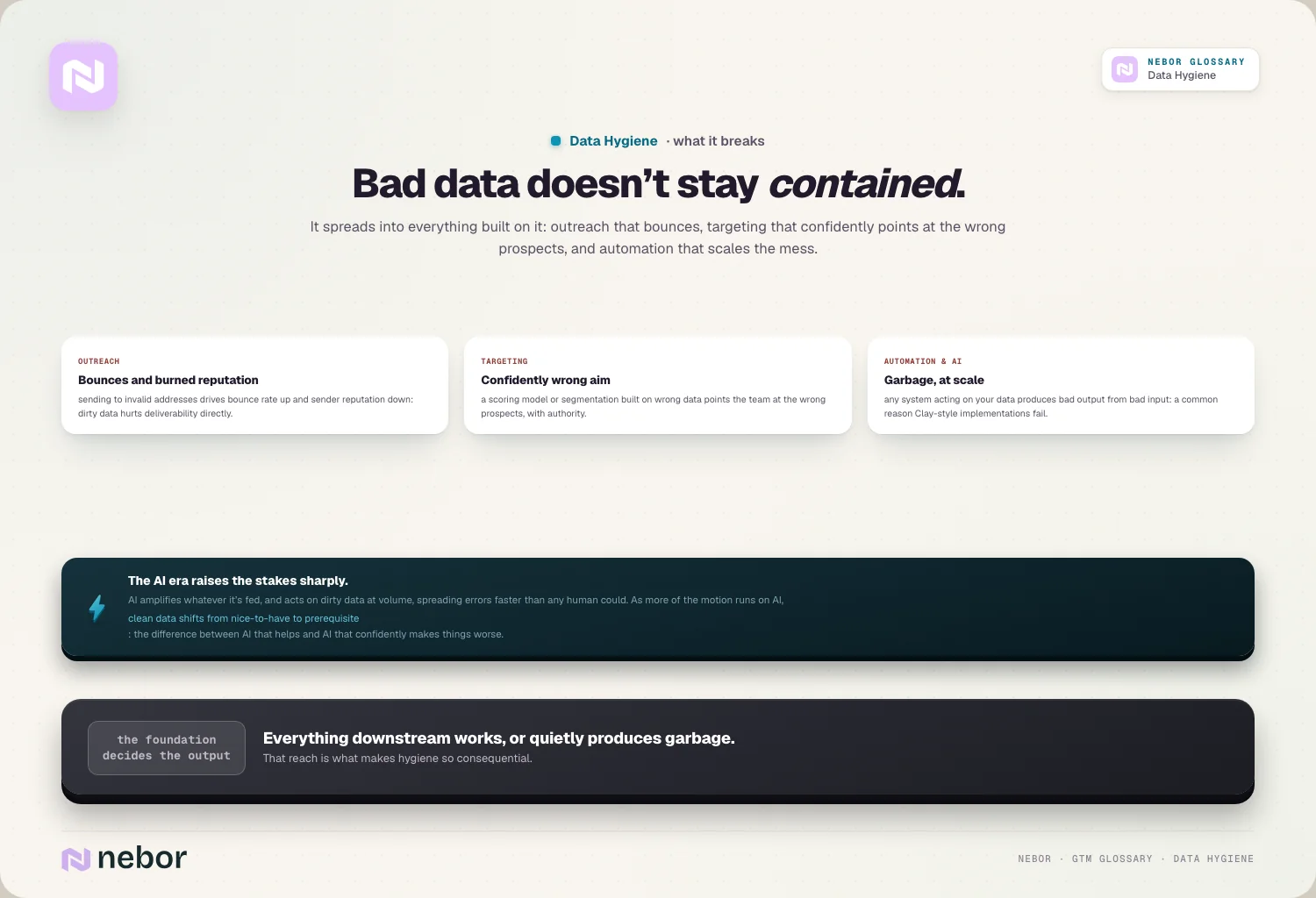
Before a model reads it. Any lead scoring model, AI agent or Clay workflow will act on whatever it's given, at volume, which is a common reason Clay and similar implementations fail. A rep spots an obviously wrong record. An automated step sends to it.
When a tool is retired. Export what you need into the system of record, then delete the rest instead of leaving a dormant copy around.
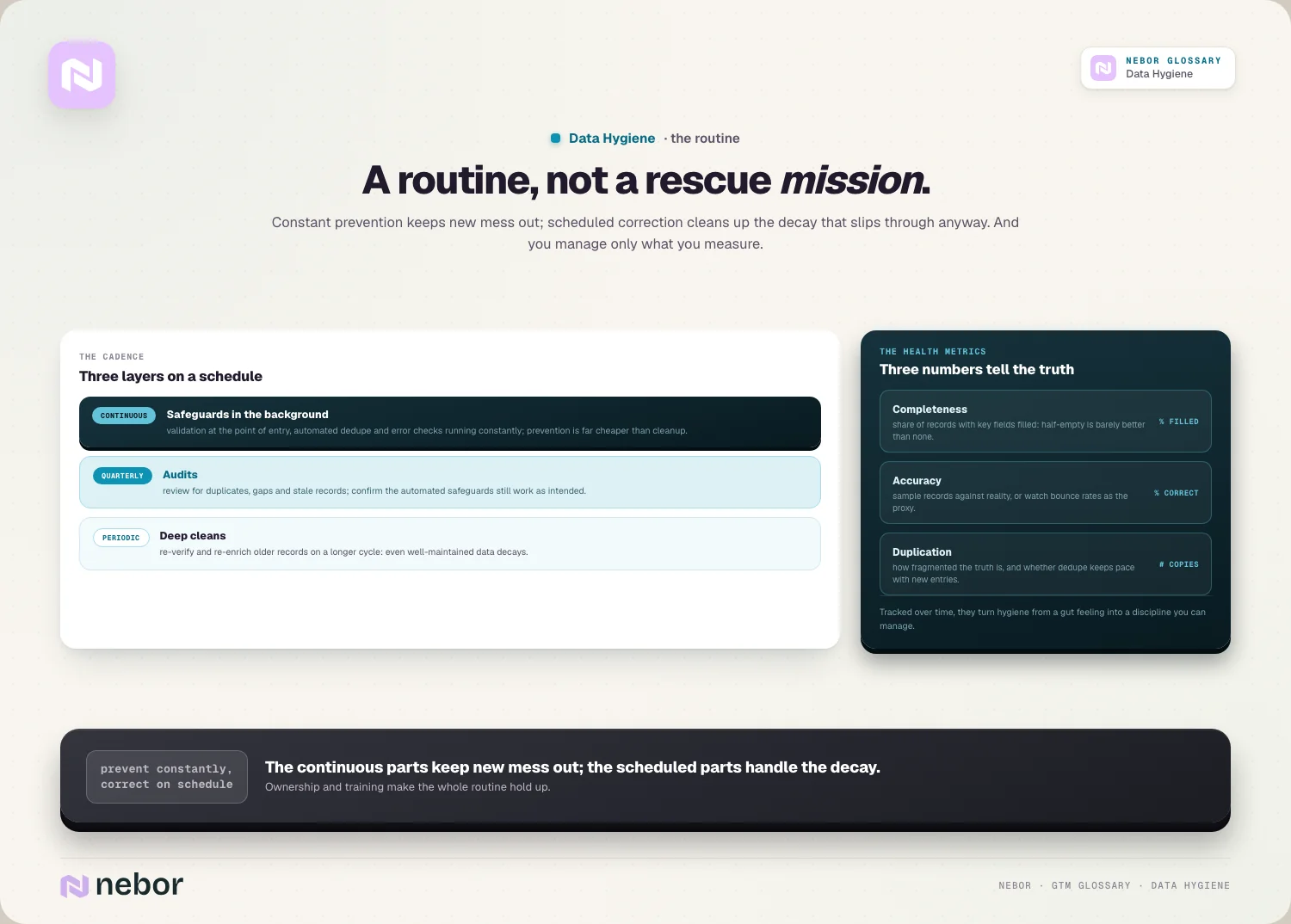
Most of these checks can run as automated steps in the same pipelines that move the data, as part of your workflow orchestration. It's the same plumbing you'd build to automate sales prospecting, with a gate added at each handoff. Your coverage rate sets how far enrichment can fill the gaps, so the gate should also decide what happens to a record that can't be completed.
Deleting is part of data hygiene too
The most underrated hygiene task is throwing things away. Old exports, one-off Clay tables, last year's event lists and the contacts of a market you stopped selling to all keep aging, and as long as they exist, someone will eventually import them again.
There's a legal reason as well as a practical one. The UK regulator's guidance on storage limitation says you must not keep personal data for longer than you need it, and that you should periodically review what you hold and erase or anonymise it when you no longer need it. The EU GDPR has the same principle. A prospect list you bought three years ago and never used is a hygiene problem and a compliance one.
The exception is your suppression data. Unsubscribes and do-not-contact flags are the one thing you want everywhere, kept current in every tool that can send, because they're the record that stops you contacting someone who asked you not to.
Wrapping up
Data hygiene is less about scrubbing records than about knowing where your data lives and how it moves. Once you can name every store, the system that owns each field and the direction each sync runs, the cleaning itself becomes routine work for automation and a short list of checks.
The teams that get this wrong usually aren't careless. They cleaned the system they could see and left the syncs, the exports and the side tables running as before, so the old values came back. The teams that get it right treat the connections between tools as part of the data, and they delete what they no longer need.
That foundation matters more each year, because more of a modern go-to-market system is automated and nothing in an automated step stops to ask whether a record looks wrong.
When we do this for a client, we start by mapping every place their GTM data lives, agree the field owners with their team, and then build the sync rules and checks in the tools they already run, leaving the map with the person who'll keep it current.
Frequently asked questions
Is there a difference between data hygiene and data cleansing?
Data cleansing usually means a one-off correction: fixing errors, merging duplicates and removing bad records in a dataset at a point in time. Data hygiene is the ongoing practice that includes cleansing but also covers prevention, such as validation at entry, sync rules between tools and deleting data you no longer need. A cleanse fixes today's mess. Hygiene is what stops the same mess from coming back next quarter.
Is data enrichment part of data hygiene?
Yes, as one of its tools. Hygiene has three jobs: fixing what's wrong, confirming what's there and filling what's missing. Enrichment does the filling and refreshing, while verification and email validation do the confirming. Enrichment can also make hygiene worse if it's set up badly, for example when a provider overwrites values a rep entered by hand or writes its own formats into fields your filters rely on.
How does data hygiene affect list building and outbound?
A prospect list is only as good as the records it's pulled from. Dirty source data gives you duplicates that get emailed twice, contacts who left months ago and addresses that bounce, which hurts your sender reputation before anyone reads a word. Clean, deduplicated and verified data lets you segment precisely and personalize on fields you can trust, instead of sending generic copy to half-wrong records.
Who should own data hygiene in a small company?
One named person, even if it's only part of their job. In a small team that's often whoever runs the CRM and connects the tools, typically a RevOps or marketing operations lead, or a founder in the earliest stage. They set the standards and own the field map. Everyone who enters data still follows the rules, but shared ownership without a name attached usually means nobody checks.
Why do data cleanups fall apart within a few months?
Usually because the cleanup fixed the records and left the causes running. Forms still accept anything, imports still create duplicates, and syncs from other tools write old values back over corrected ones. Decay keeps working too, since people change jobs whether or not you've just cleaned. A cleanup lasts when it's followed by validation at entry, clear sync rules and checks that run on their own.
Can AI tools clean your data for you?
They can take on a lot of the mechanical work, such as spotting records that probably describe the same company, flagging a title that doesn't fit the company it's attached to, or checking which fields are most often empty. They shouldn't decide on their own what the right value is. The safest setup limits the model to answers you've approved, keeps the original value, and sends anything uncertain to a person.
What is a system of record?
A system of record is the one tool whose value counts when two systems disagree about the same field. Billing might be the system of record for customer status, the CRM for job titles and the sending tool for unsubscribes. Naming one per field matters because syncs otherwise let the most recent write win, so a stale value from a side tool can overwrite a correct one without anyone noticing.
Does GDPR require data hygiene?
Not by that name, but two of its principles amount to it. Personal data has to be accurate and, where necessary, kept up to date, and it shouldn't be kept longer than you need it. For a sales and marketing team that means correcting or removing outdated contact data, honoring opt-outs in every tool that can send, and deleting old lists and exports you no longer use.
What is the difference between data hygiene and data governance?
Data governance sets the rules: who owns which data, who may change it, how long it's kept and which standards apply. Data hygiene is the day-to-day work of keeping the data in line with those rules. A company can have a governance document and dirty data, which happens when nobody runs the routine. In smaller GTM teams the two are often the same person and the same field map.
What tools do you need for data hygiene?
Less than most teams expect. The CRM's own duplicate and validation settings handle a lot. Add a verification service for email addresses, an enrichment source or waterfall for missing fields, and a workflow tool such as Clay, n8n or Make to run checks when data moves between systems. The bigger gap is rarely a missing tool. It's a missing decision about which system owns each field.
Share this post
Data
RevOps
CRM
Glossary
Related glossary items
Understanding the core GTM concepts
Automation
CRM Hygiene
CRM hygiene is the ongoing work of keeping your CRM data clean and current by removing duplicates, fixing errors, filling empty fields and updating stale records, so forecasts, routing and automations can trust it.

Automation
Data Decay
Data decay is the way B2B contact and company data goes out of date as people change jobs, companies move and emails stop working. It never stops, so the fix is a routine rather than a one-off cleanup.
Automation
Data Enrichment
Data enrichment is the process of adding missing or updated details to contact and account records from outside sources, so a thin record with just an email or domain becomes a full, usable profile.

Automation
Identity Resolution
Identity resolution connects scattered signals like website visits, emails, ad clicks and IP addresses into one profile of a real person or company, so you can see who is behind the activity.
Ready to build your pipeline