

In this post:
Open your CRM and look at the job title field, and, like most teams we work with, you'll probably find "VP of Sales," "Vice President, Sales," and "VP - Sales" all describing the same role.
To a human they're identical, but to your systems they're three different values, so a filter for sales VPs misses two of the three without telling you.
Data normalization is the fix for that mess. It takes the countless inconsistent ways the same information gets entered and forces them into one standard format, so every record that means the same thing looks the same to the systems that read it.
Data normalization is the practice of standardizing the format and values of your data fields so that entries meaning the same thing are recorded the same way. It converts variations like "VP of Sales," "Vice President Sales," and "VP - Sales" into a single consistent value across every record in your database.
It matters so much because almost everything you do with data assumes consistency. Segmentation, routing, scoring, reporting, and automation all break in silence when the same value is written five ways, so normalization is the unglamorous foundation that lets every other data-driven process work.
TL;DR
Data normalization standardizes the format and values of your fields so records meaning the same thing are stored identically, like collapsing every variation of a job title into one form.
It exists because your systems read values literally, so "USA," "U.S.," and "United States" count as three different countries unless something forces them into one.
Its payoff shows up everywhere downstream, because clean, consistent fields are what let segmentation, routing, scoring, enrichment, and reporting do their jobs instead of misfiring.
Skipping it is expensive, with bad data estimated to cost companies around 12% of revenue, because inconsistent fields corrupt targeting, forecasts, and automation across the whole go-to-market motion.
What data normalization does, field by field, inside your CRM
Normalization works at the level of individual fields, taking the many ways a value can be written and mapping them to one agreed standard. For a job title field, it decides that every variant of a sales VP becomes a single canonical value, so the field holds one consistent entry instead of dozens of near-duplicates.
The goal is that records meaning the same thing look the same to your systems. Your CRM doesn't understand that "Chief Executive Officer" and "CEO" are identical, so normalization removes that ambiguity by ensuring only one of them ever appears, which lets a machine group and filter the data correctly.
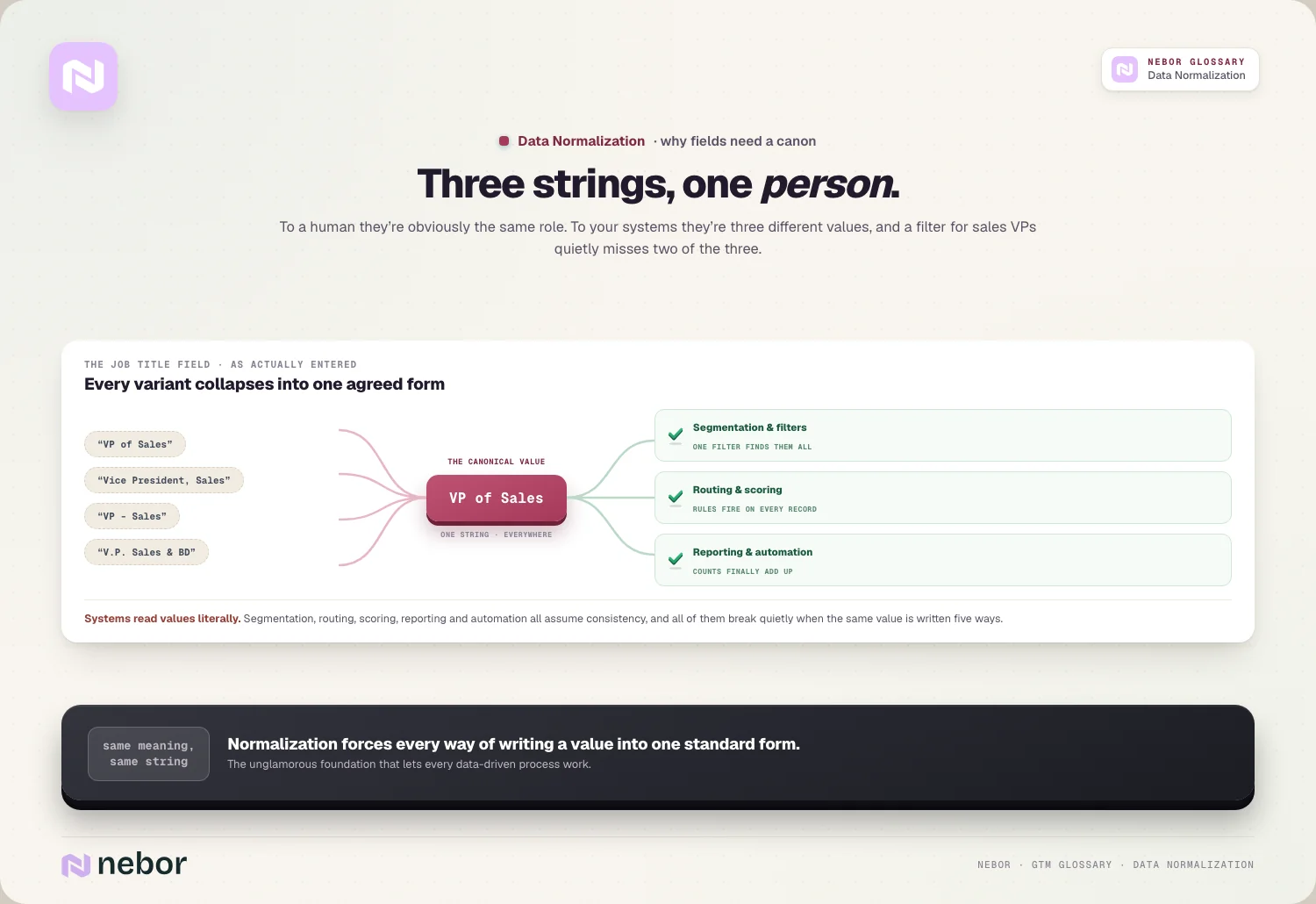
This standardization applies across every field where variation creeps in. Company names, phone numbers, countries, industries, and revenue ranges all accumulate inconsistent formats over time, and normalization brings each field into a defined shape so the whole record is uniform instead of a patchwork of styles.
The everyday fields that most need normalizing and how they drift
Job titles are the classic normalization problem because there are endless ways to write the same role. "VP of Sales," "Vice President, Sales," and "VP - Sales" all mean one thing, and without normalization each counts separately, which fragments any attempt to target or count people by their actual function.
Company names drift in their own way, usually around legal suffixes and abbreviations. The same company appears as "Acme," "Acme Inc.," and "Acme, LLC," so a decision about whether to include registration terms like inc or ltd has to be made and applied consistently, or the same account splits into several.
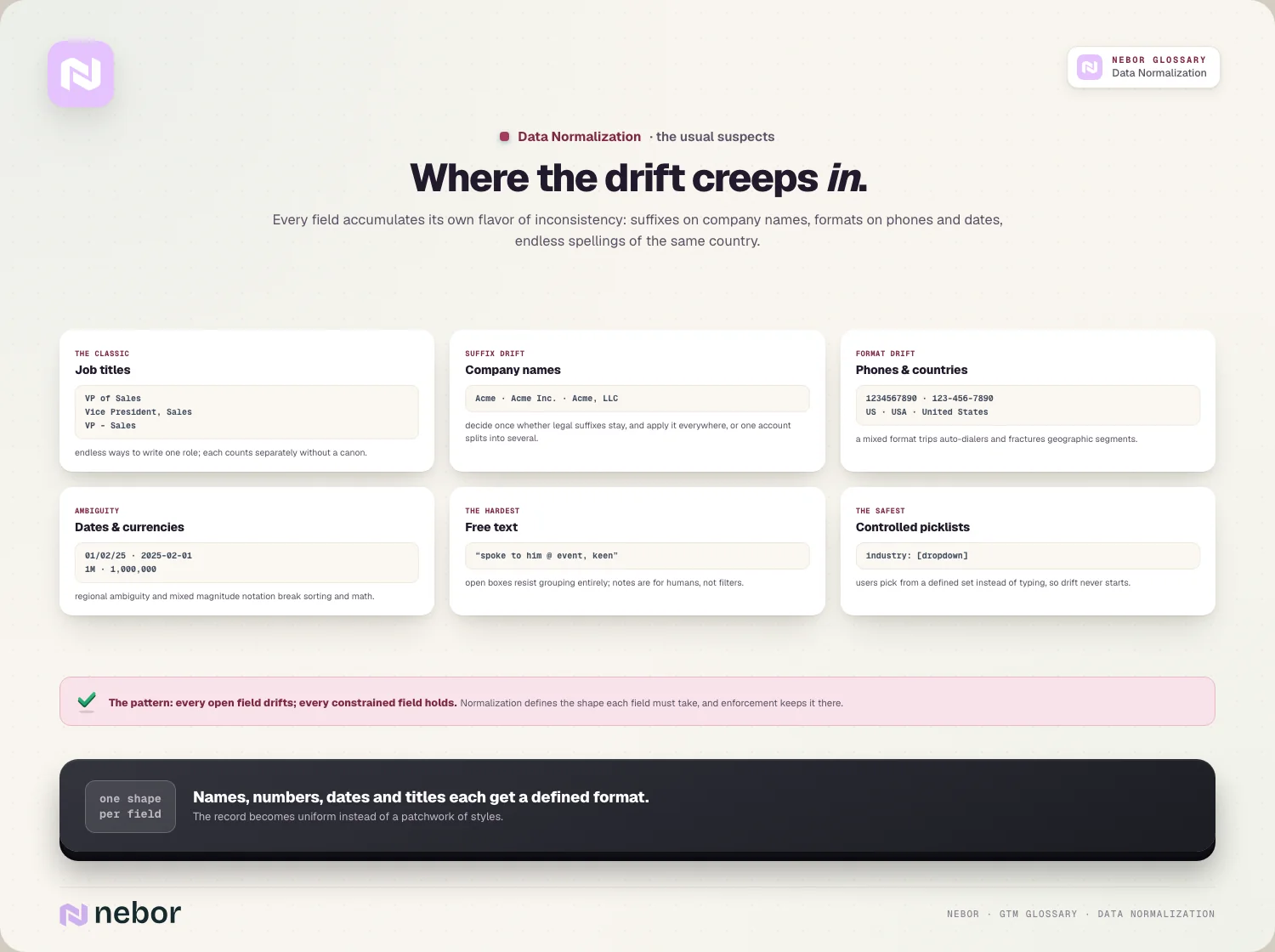
Formats like phone numbers and geography cause quieter breakage. A phone stored as 1234567890 in one record and 123-456-7890 in another can trip up an auto-dialer, and countries written as "US," "USA," and "United States" fracture any geographic segmentation, so these formatting fields need a single defined pattern.
Beyond these, dates, currencies, and free-text fields drift just as badly. A date written as 01/02/25 is ambiguous across regions, and a revenue figure that mixes "1M" and "1,000,000" won't sort correctly, so each needs a single agreed format.
Free-text fields are the hardest of all, because notes and open comments resist grouping entirely. The safest fields to rely on are the ones where users pick from a controlled set of values instead of typing whatever they want into an open box.
Why inconsistent data breaks your segmentation and targeting unseen
The most immediate cost of unnormalized data shows up when you try to segment your database. If you build a list of every sales leader by filtering on job title, inconsistent values mean the filter catches only the exact phrasing you chose and silently drops everyone whose title was written differently.
That gap directly undermines how well you can target. Building a precise ideal customer profile depends on being able to slice your data by title, industry, and company size, and every inconsistent value is a place where the right prospects fall out of your segments without anyone noticing.
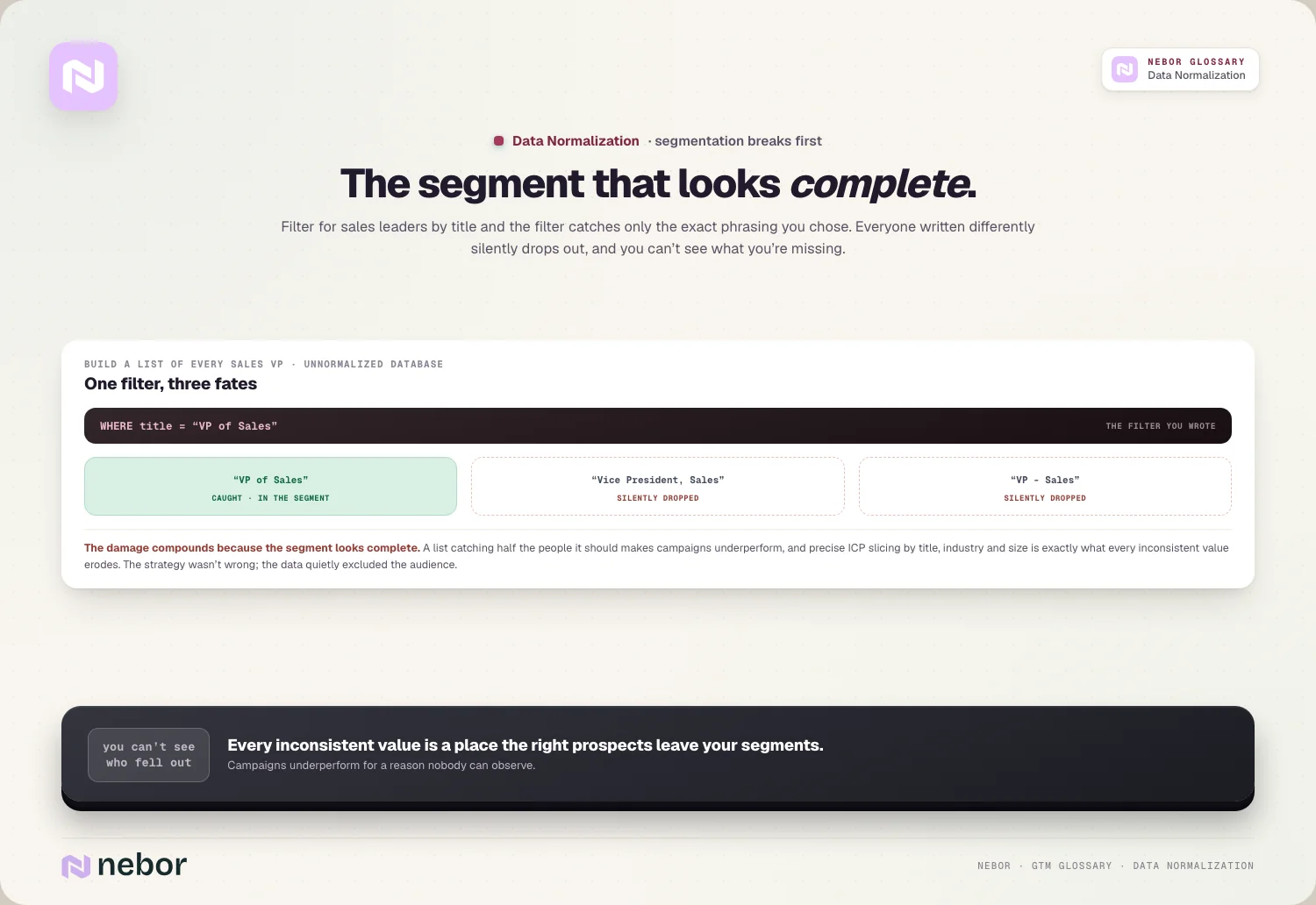
The damage compounds because you can't see what you're missing. A segment that looks complete may be catching half the people it should, so campaigns underperform not because the strategy is wrong but because the underlying data excluded a chunk of the audience the segment was meant to reach.
How normalization keeps your routing, scoring, and automation from misfiring
Beyond segmentation, normalized fields are what let your automated processes work correctly. Routing rules, lead scoring, and enrichment all read field values to decide what to do, so when those values are inconsistent, the automation either does the wrong thing or stalls.
Routing is a clear example of the dependency. Rules that assign leads by country or company size only work if those fields are standardized, so reliable lead routing and accurate lead-to-account matching both assume the data feeding them has already been normalized into consistent values.
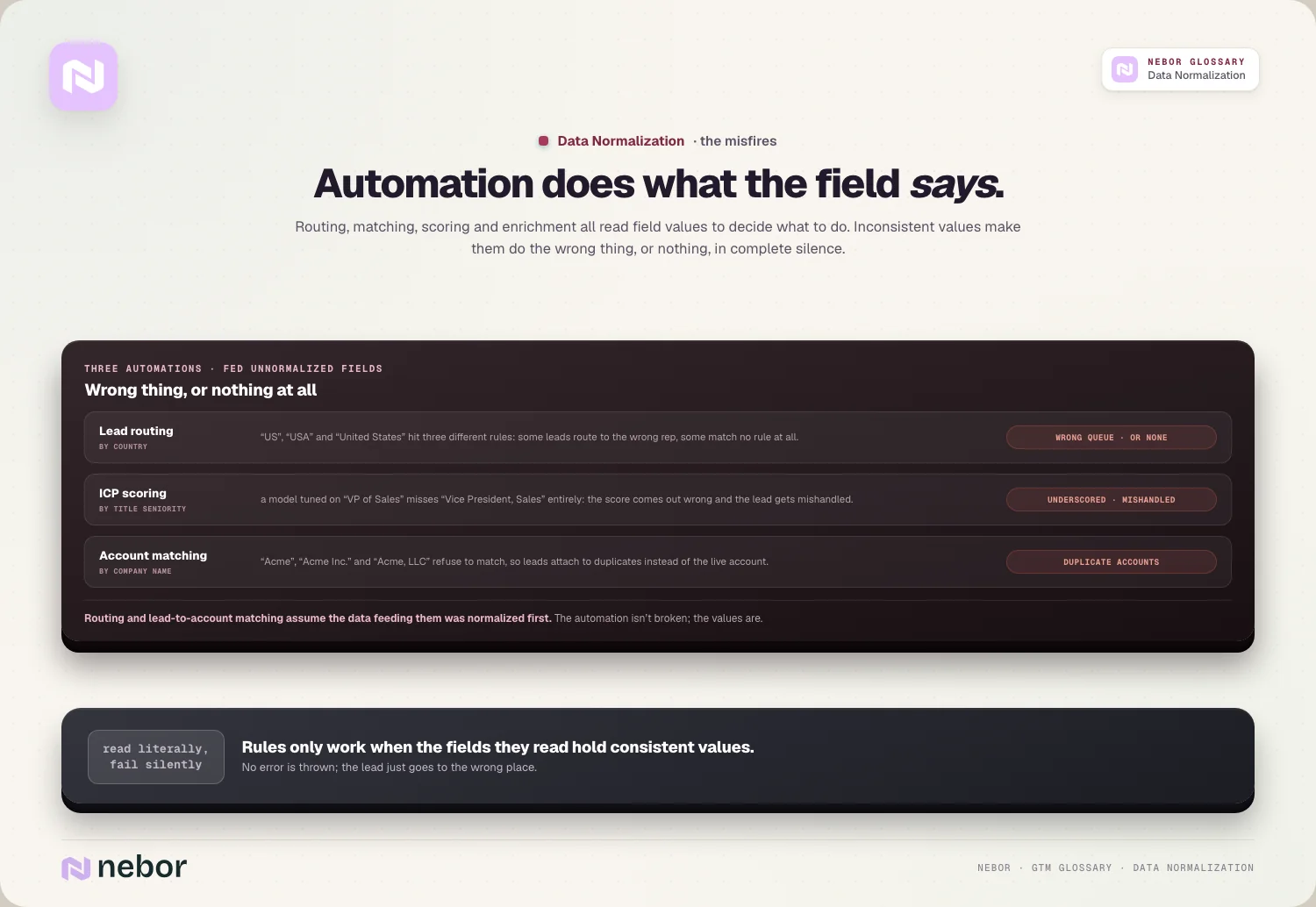
Scoring breaks in the same quiet way when titles or industries aren't standardized. An ICP scoring model that awards points for senior titles will miss a "Vice President, Sales" if it was tuned on "VP of Sales," so the score comes out wrong and the lead gets mishandled, all because one field wasn't normalized first.
Why reporting and forecasting fall apart without normalized fields underneath
Reporting is where unnormalized data does its most misleading damage, because the numbers look precise while being wrong. If industries, revenue ranges, or employee counts are formatted inconsistently, any report that groups by them splits real categories apart, so your analytics describe a reality that doesn't exist.
Forecasting inherits that same corruption, because a forecast built on data where one segment is recorded several ways can't accurately roll up performance. Inconsistent fields chip away at forecast accuracy even when the forecasting method itself is sound.
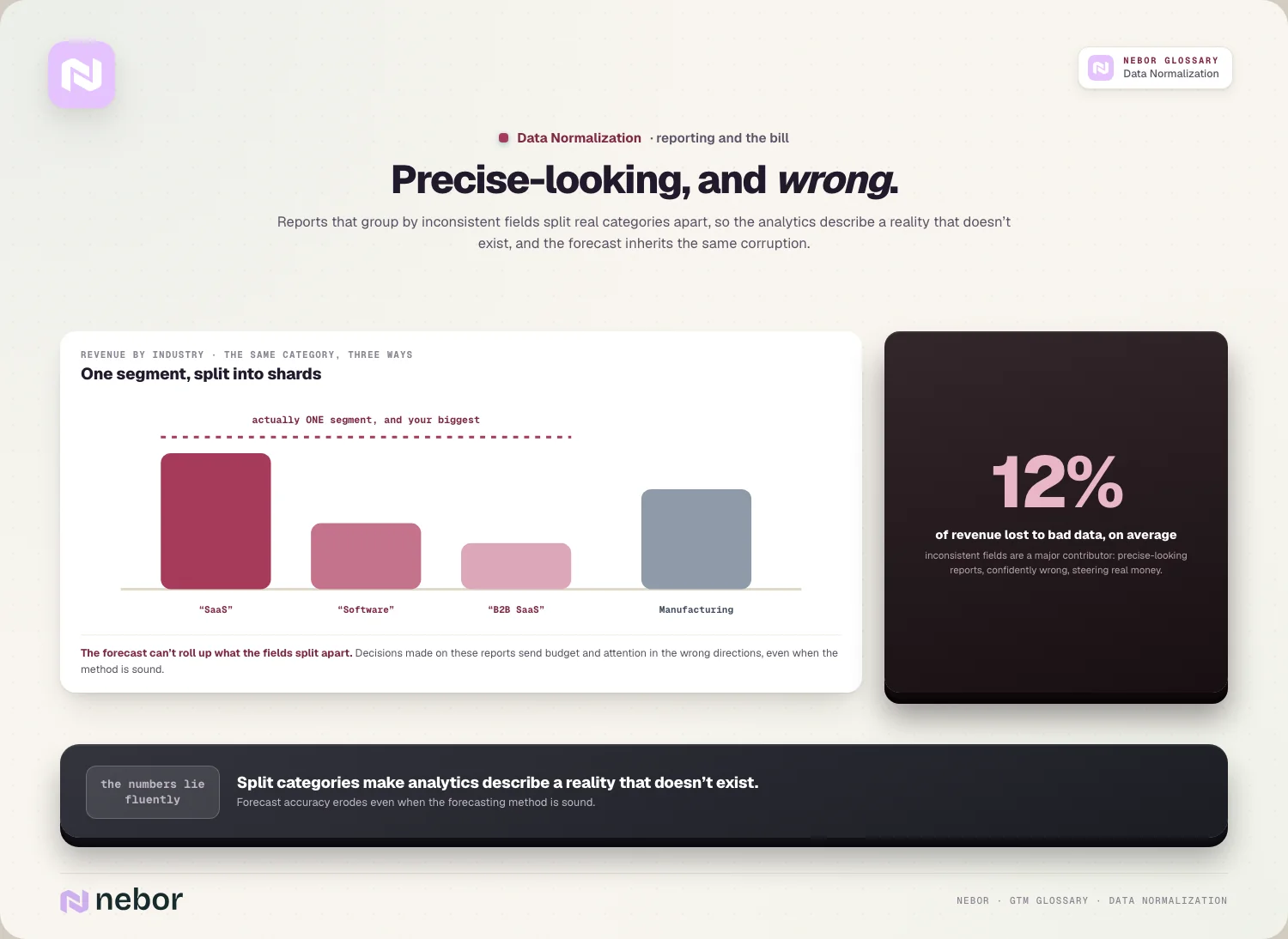
The financial stakes here are larger than they appear. Companies lose an estimated 12% of revenue on average to bad data, and inconsistent fields are a major contributor, because decisions made on unreliable reports send budget, effort, and attention in the wrong directions.
How data normalization differs from enrichment, deduplication, and database normalization
Normalization gets confused with related data tasks, so it helps to separate them. Enrichment adds missing information, deduplication merges records for the same entity, and normalization standardizes the format of the information already there, so the three solve different problems even though they often happen together.
The relationship is that normalization usually has to come first. You can't reliably deduplicate accounts when the same company is written five ways, and enrichment works better against clean fields, so normalizing values is often the step that makes the other cleanup tasks succeed at all.
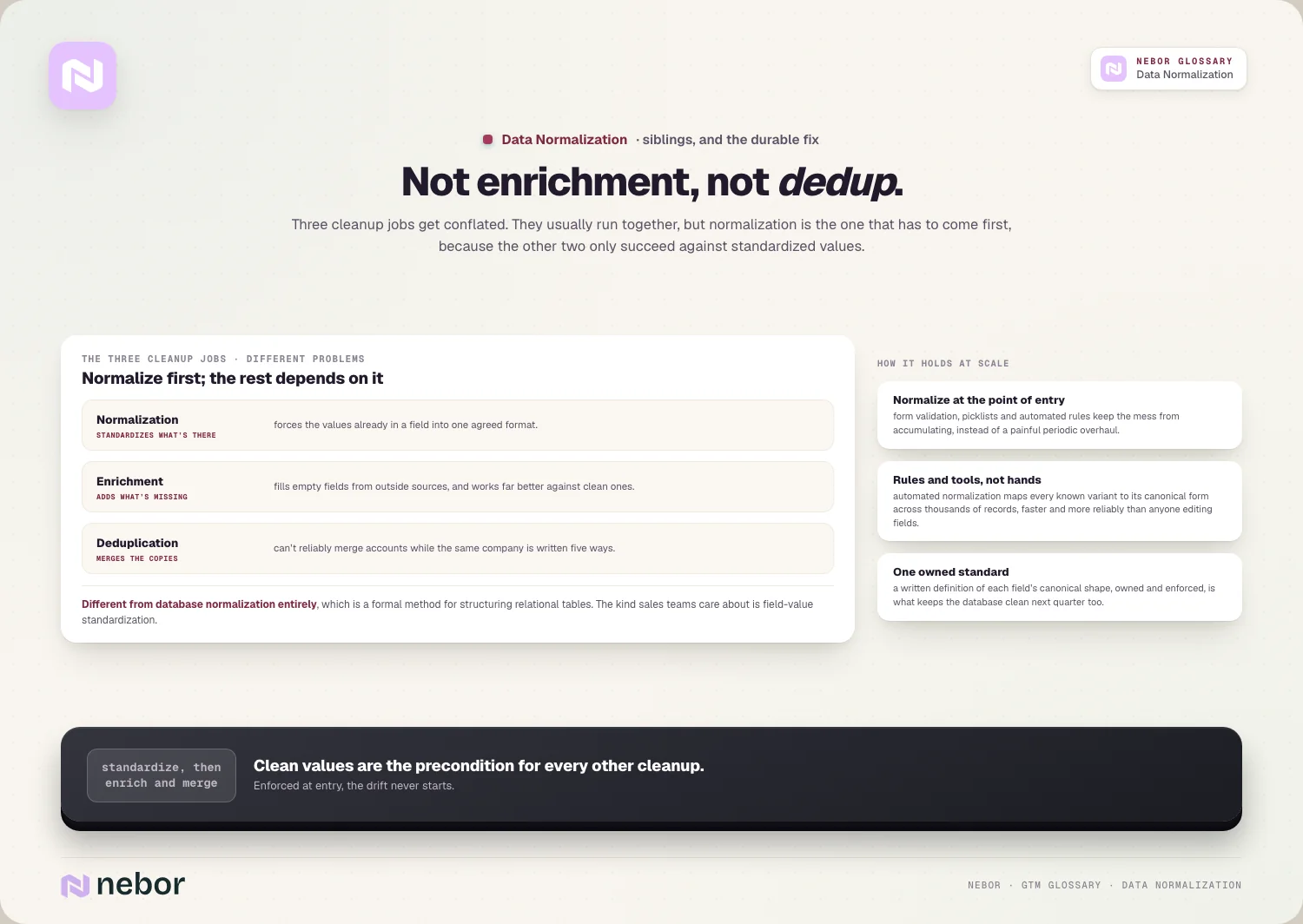
It's also worth separating from database normalization, a different concept entirely. Database normalization is a formal method for structuring relational tables to remove redundancy, whereas the normalization sales teams care about is standardizing field values, and conflating the two causes confusion.
How teams normalize their data consistently once it reaches scale
The most durable approach is to normalize data as it enters instead of only cleaning it up later. Standardizing values at the point of entry, through form validation, picklists, and automated rules, keeps the mess from accumulating, so the database stays clean instead of needing a painful periodic overhaul.
Rules and tools do the heavy lifting because the volume is too high for manual work. Automated normalization applies your standards across thousands of records, mapping every known variant of a title or country to its canonical form far faster and more reliably than a person editing fields by hand.
Normalization also has to be ongoing instead of a one-time project, because data constantly drifts.
New records arrive in new formats and integrations import their own conventions, so mature revenue operations teams treat normalization as a standing process built into their workflow orchestration instead of a task they finish once.
How to decide on the single standard each of your fields should follow
Before any tool can normalize a field, someone has to define what the correct form is, and that decision matters more than the software. For job titles you choose whether to standardize on the short form or the long one and how granular the buckets should be, and every record then maps to that single choice.
The right standard is driven by how you'll use the field instead of by neatness.
If you route, score, and plan territory carving on seniority, your title standard has to preserve the levels those rules depend on, whereas a field used only for display can be simpler, so the use case decides how much detail the standard keeps.
A quick example shows the tradeoff at work: you might map "VP of Sales," "Vice President, Sales," and "SVP Sales" all to a single "VP Sales" value if you only segment by function, but keep the SVP distinct if seniority changes how the lead is routed, because the standard should match the decisions the field drives.
Writing the standards down is what keeps normalization consistent as the team grows. A documented convention for each key field, covering titles, company names, countries, and industries, means new records and new hires all normalize toward the same target, which stops the database drifting back into the mess.
The common mistakes teams make when they normalize their data
The most common mistake, in the CRMs we audit, is treating normalization as a one-off cleanup and letting the mess return. Clients ask us why the data went bad again, and the answer is almost always that nothing guarded the inflow.
Doing a big standardization project and then ignoring the inflow of new data means the database drifts back into inconsistency within months, so without ongoing rules the effort is quickly undone.
Another is failing to agree on the standard before normalizing. If the team hasn't decided whether company names include legal suffixes or how job titles should be grouped, different people normalize toward different targets, which just creates a new kind of inconsistency in place of the old one.
The subtler mistake, and the one we see in cleaner-looking CRMs, is normalizing so aggressively that useful detail is lost.
Collapsing every senior title into one bucket erases distinctions that matter for targeting, so good normalization standardizes formatting and obvious synonyms while preserving the real differences that segmentation and lead qualification depend on.
Why data normalization is the quiet foundation your whole data stack stands on
The deepest way to understand normalization is as invisible infrastructure whose absence shows up everywhere. Nobody celebrates a well-normalized title field, but its absence causes broken segments, misrouted leads, wrong scores, and shaky reports, so it ends up deciding whether everything built on the data works.
Its value is that it makes data trustworthy enough to act on automatically. When fields are consistent, you can build segments, rules, and reports with confidence that they mean what they say, which is exactly what turns a database from a liability into an asset your whole motion can depend on.
A go-to-market system is only as reliable as the data underneath it, and normalization is what keeps that foundation solid. When the records stay consistent, the outreach you automate sales prospecting to send targets the right people, and every downstream decision rests on data you can believe.
Share this post
Data
RevOps
Glossary
Related glossary items
Understanding the core GTM concepts




Ready to build your pipeline











