

In this post:
So, a new lead arrives in your CRM, and on its own it's just a name, an email, and a company typed into a field. What it doesn't know is that its company is already a live account your team is working, that an executive owns it, and that colleagues have engaged all month.
Without connecting the lead to that context, you treat a warm, active account like a cold stranger.
Lead-to-account matching is the step that supplies that missing context. It automatically links each incoming lead to the existing account record it belongs to, so the moment a lead comes in, your systems know exactly which company it's part of and everything you already know about that company.
Lead-to-account matching, often shortened to L2A, is the automated process of connecting an incoming lead to the right existing account record in your CRM. It uses the lead's details, especially the email domain and company name, to figure out which account it belongs to and attach it there.
It's so important because almost everything downstream depends on knowing the account. Routing the lead to the right rep, aligning it with an account play, and giving sales the full picture all require the lead to be matched first, which makes L2A a quiet prerequisite for much of a modern motion.
TL;DR
Lead-to-account matching automatically links an incoming lead to the existing account record it belongs to, using signals like the email domain and company name.
It supplies the context a raw lead lacks, connecting it to the account's owner, stage, history, and other engaged contacts so the lead is handled with full knowledge.
It's the prerequisite for accurate routing, because a lead has to be matched to the right account before it can be sent to the right rep or aligned with an account play.
It matters most for account-based motions, where the whole strategy depends on visibility at the account level instead of the individual lead.
What lead-to-account matching does inside your CRM, step by step
When a lead enters your system, L2A evaluates its details and searches your existing accounts for the company it belongs to. If it finds a match, it links the lead to that account record, so the lead is no longer a floating individual but a known contact attached to a known company.
That connection instantly enriches how the lead is understood. Once matched, the lead inherits the account's context, including who owns it, what stage the relationship is in, which other people from the company have engaged, and whether there's already an opportunity underway.
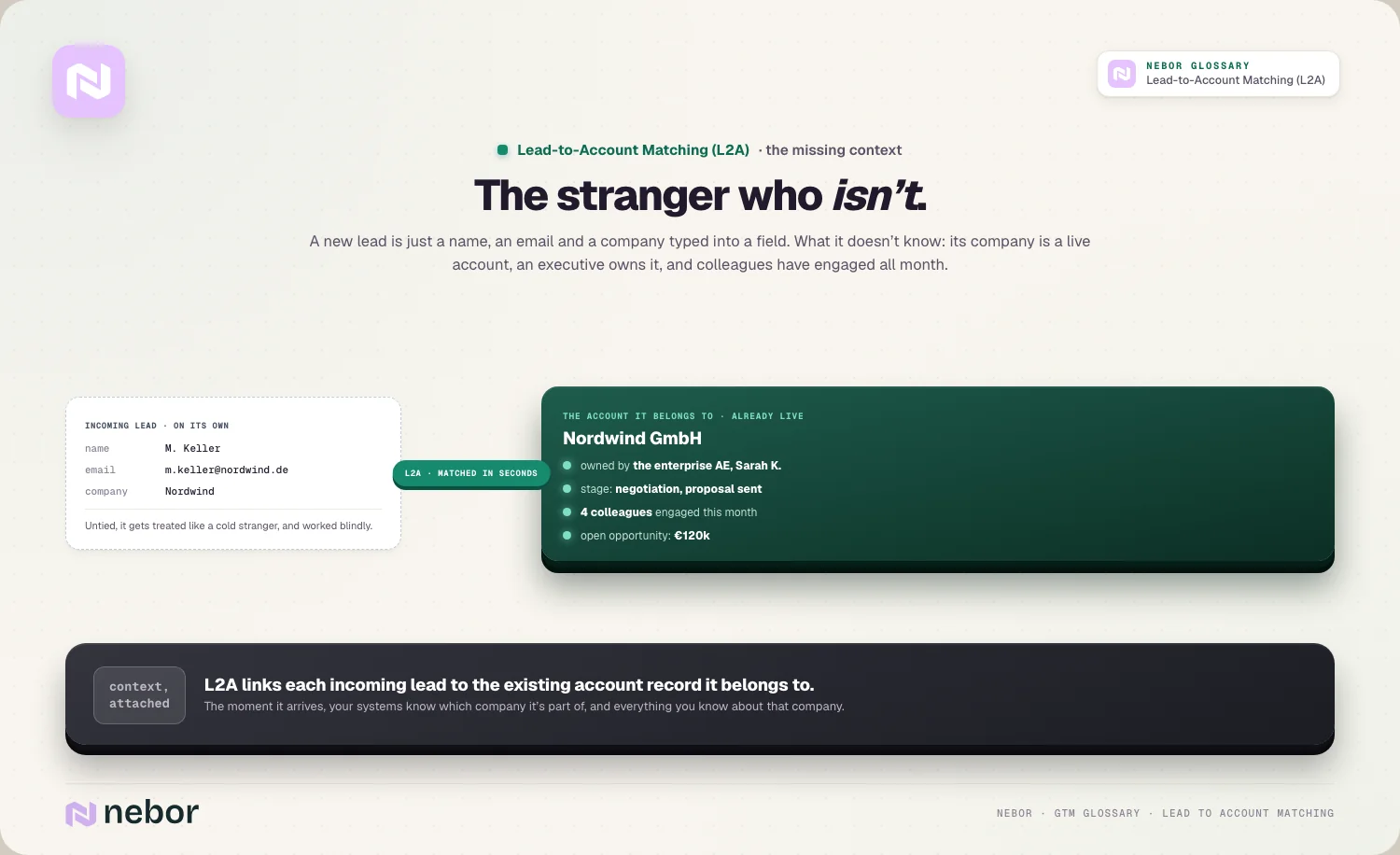
Without that link, the lead stays in isolation and gets treated as if the company had no history with you. L2A is what turns a bare lead record into a contextualized one, which is the difference between handling it blindly and handling it with everything you already know.
Why an individual lead needs to be tied to its account at all
A single lead only tells you about one person, but B2B deals happen through a whole buying committee, so the account is the unit that really matters. Knowing that a lead's company is a target account, an active opportunity, or an existing customer changes everything about how you treat that lead.
The context also prevents costly mistakes in how you engage. Without matching, you might cold-pitch someone whose company is already deep in a deal, or route a lead as brand new when their colleagues are mid-negotiation, both of which look careless to the buyer and confuse your own team.
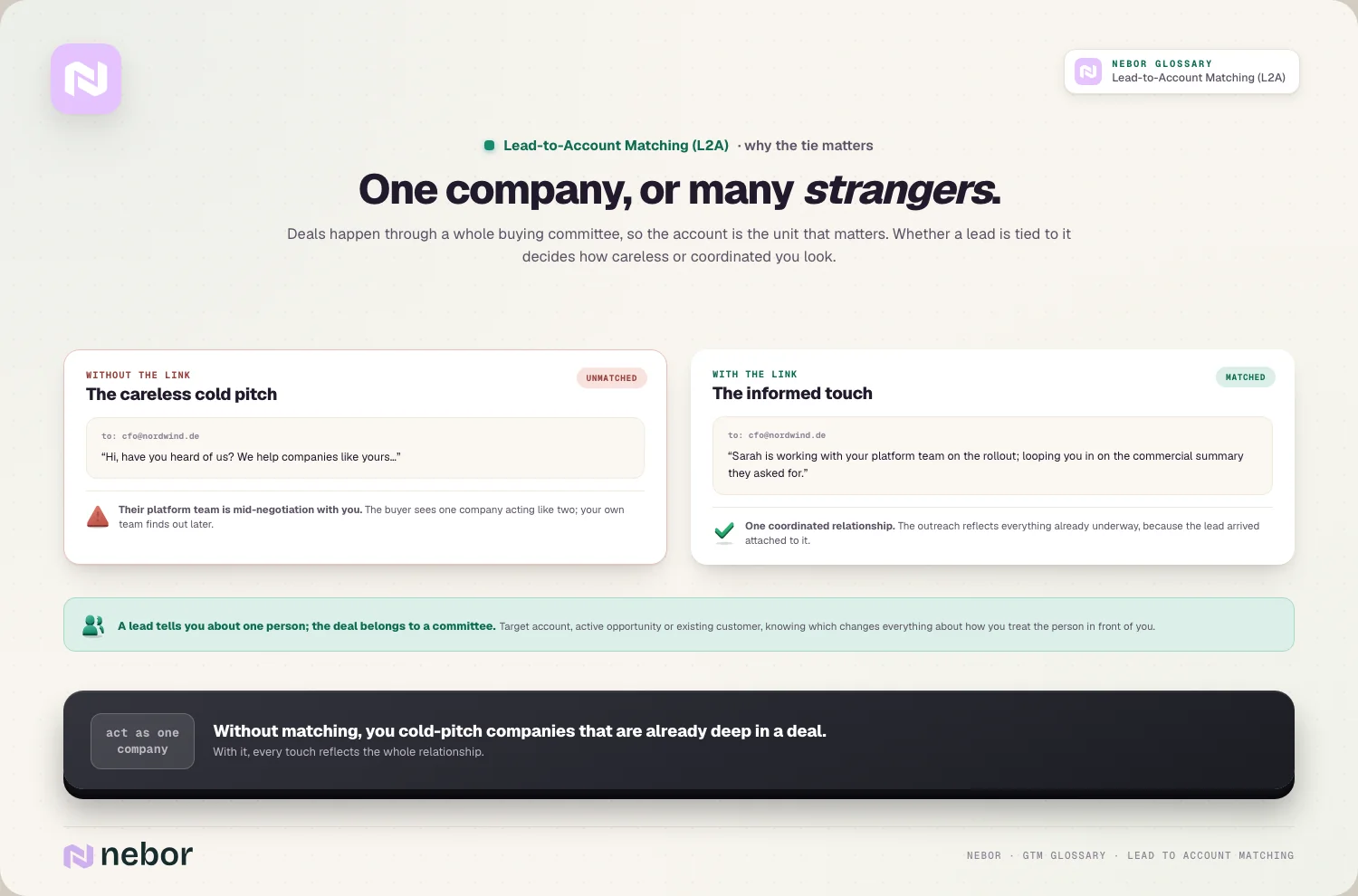
Tying the lead to its account is what lets you act as one coordinated company instead of a set of disconnected touches. When every lead is understood in the context of its account, your outreach reflects the whole relationship instead of pretending each contact exists in a vacuum.
How the matching works underneath, with exact and fuzzy match logic
The most reliable matching signal is the email domain, because a lead with an address ending in a company's domain almost certainly belongs to that company. This exact-match approach handles a large share of leads cleanly, because a domain is a precise and hard-to-fake link between a person and their employer.
Company name is the other main signal, but it's far messier, which is where fuzzy matching comes in. The same company might be entered as "Acme Corp," "Acme Inc.," "ACME," or with a typo, so fuzzy matching recognizes that these variations all refer to the same account instead of treating them as different companies.
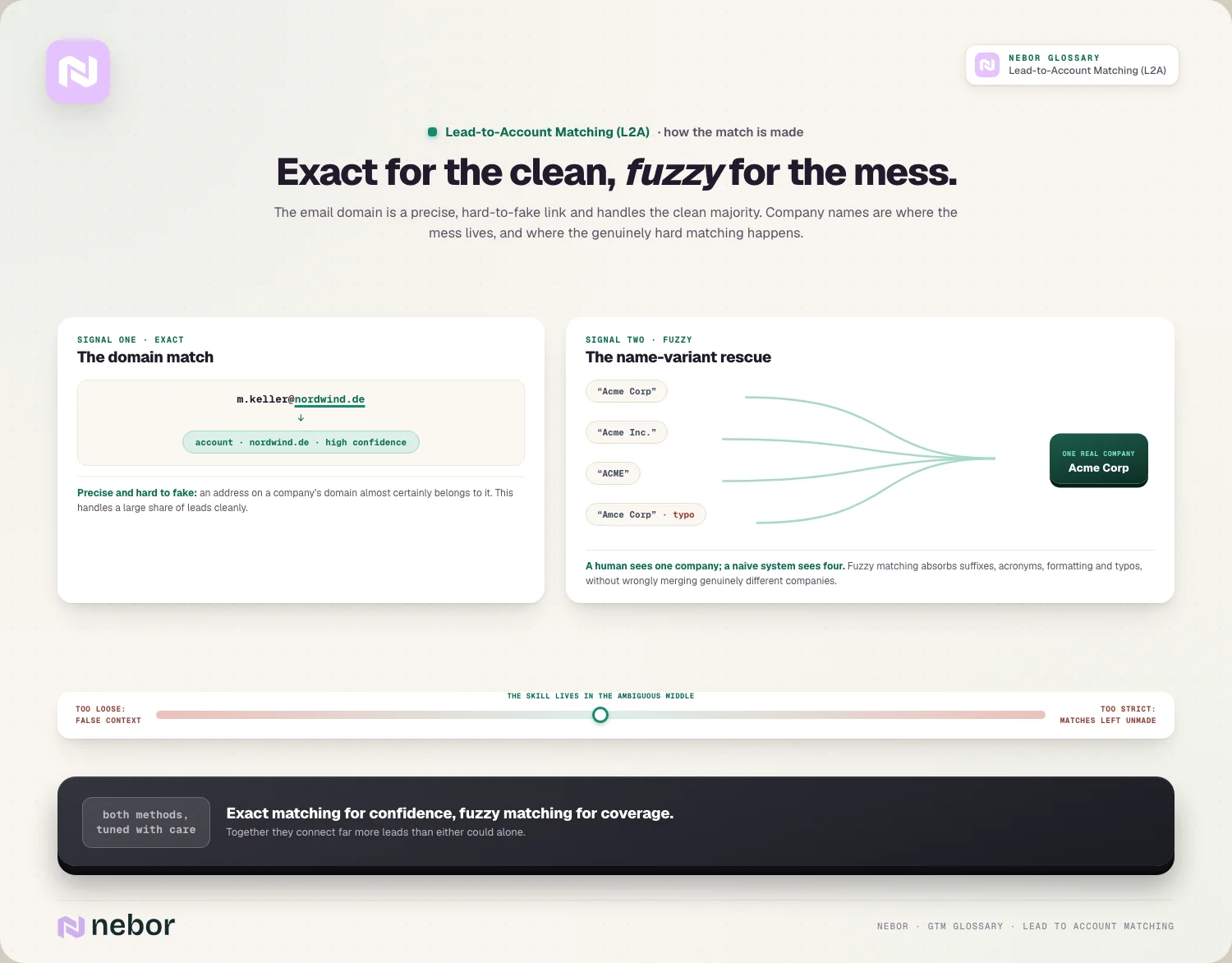
Good L2A combines both approaches to catch as many leads as possible. Exact domain matching handles the clean cases with high confidence, while fuzzy name matching rescues the leads whose details don't line up perfectly, so together they connect far more leads than either method alone.
Why fuzzy matching is the truly hard part of the whole problem
The difficulty in L2A isn't the obvious matches but the messy ones, and company names are where most of the mess lives. A single company can appear under many spellings, with or without legal suffixes, as an acronym, or with typos, and a human sees these as the same while a naive system sees them as different.
Fuzzy matching exists to close that gap by recognizing that variations refer to one real company. It has to account for abbreviations, extra words like "Inc." or "LLC," formatting differences, nicknames, and name changes, all without wrongly merging two truly different companies that happen to have similar names.
Getting that balance right is what separates good matching from bad. Too loose and it links leads to the wrong accounts, too strict and it leaves matchable leads unmatched, so the real skill in L2A is handling the ambiguous middle where names almost, but not quite, line up.
Why lead-to-account matching is the prerequisite for good routing
L2A and lead routing are often confused, but they do different jobs in sequence, with matching coming first. Matching determines which account a lead belongs to, and only then can lead routing determine which rep should get it, so the match is what gives routing its accuracy.
This ordering is essential because routing decisions usually depend on the account. Sending a lead to the account executive who owns its company, or to the right territory, only works if the system first knows which account the lead is part of, and establishing that is exactly the job L2A does.
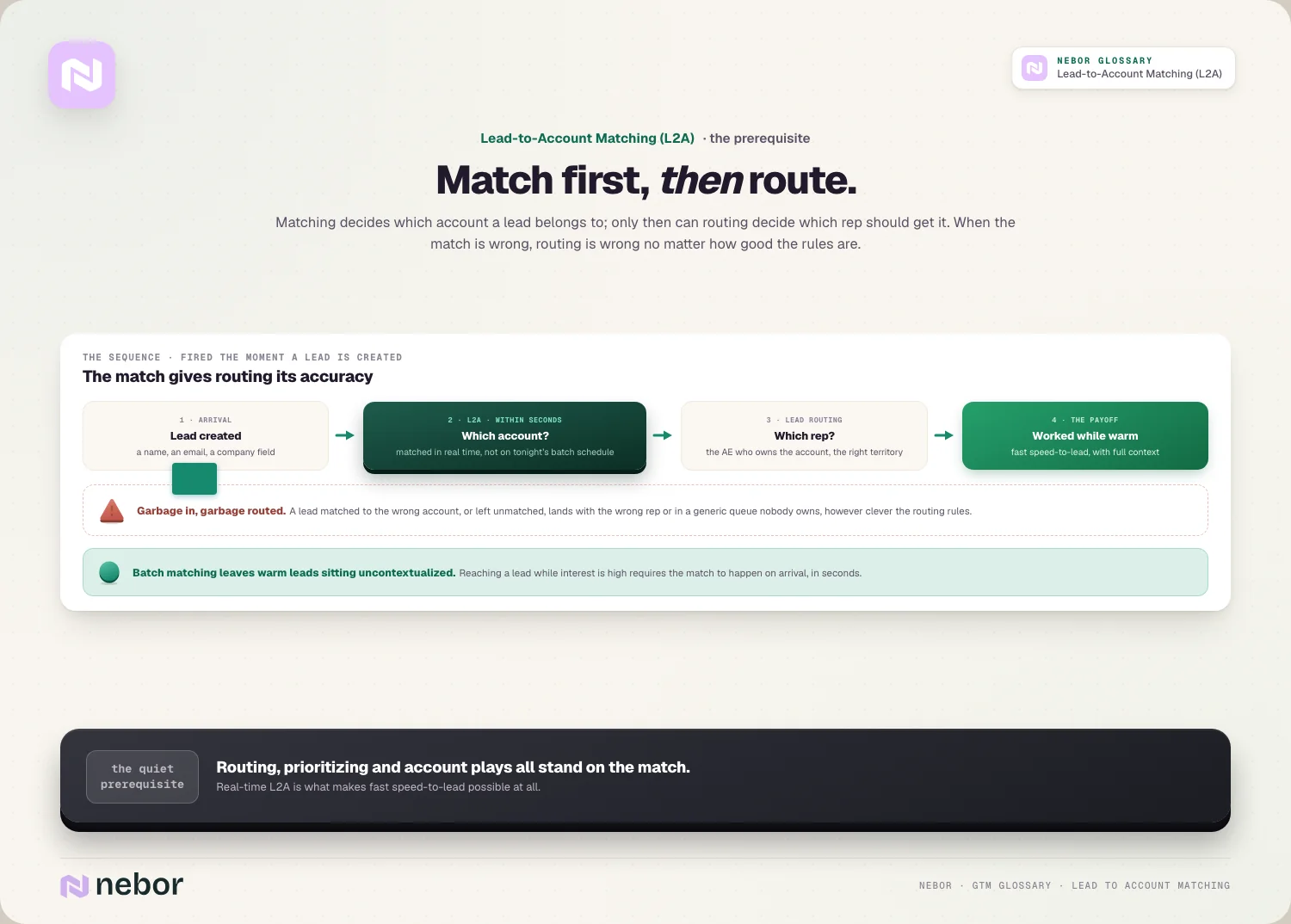
When matching is wrong, routing is wrong no matter how good the routing rules are, and we keep seeing this exact failure in the setups we audit.
A lead matched to the wrong account, or left unmatched, gets sent to the wrong rep or dropped into a generic queue, so accurate L2A is the foundation the whole routing process stands on.
Why account-based motions depend so heavily on accurate matching
Account-based marketing works at the level of the company instead of the individual, which makes L2A essential for it. An account-based play targets a specific set of accounts defined by your ideal customer profile, so every incoming lead has to be recognized as part of one of them.
Without matching, an ABM strategy can't function at the account level it's built around. A lead from a high-value account looks like any other until it's matched, so the system can't alert the owner, feed account scoring, or align the lead with the play the account is in.
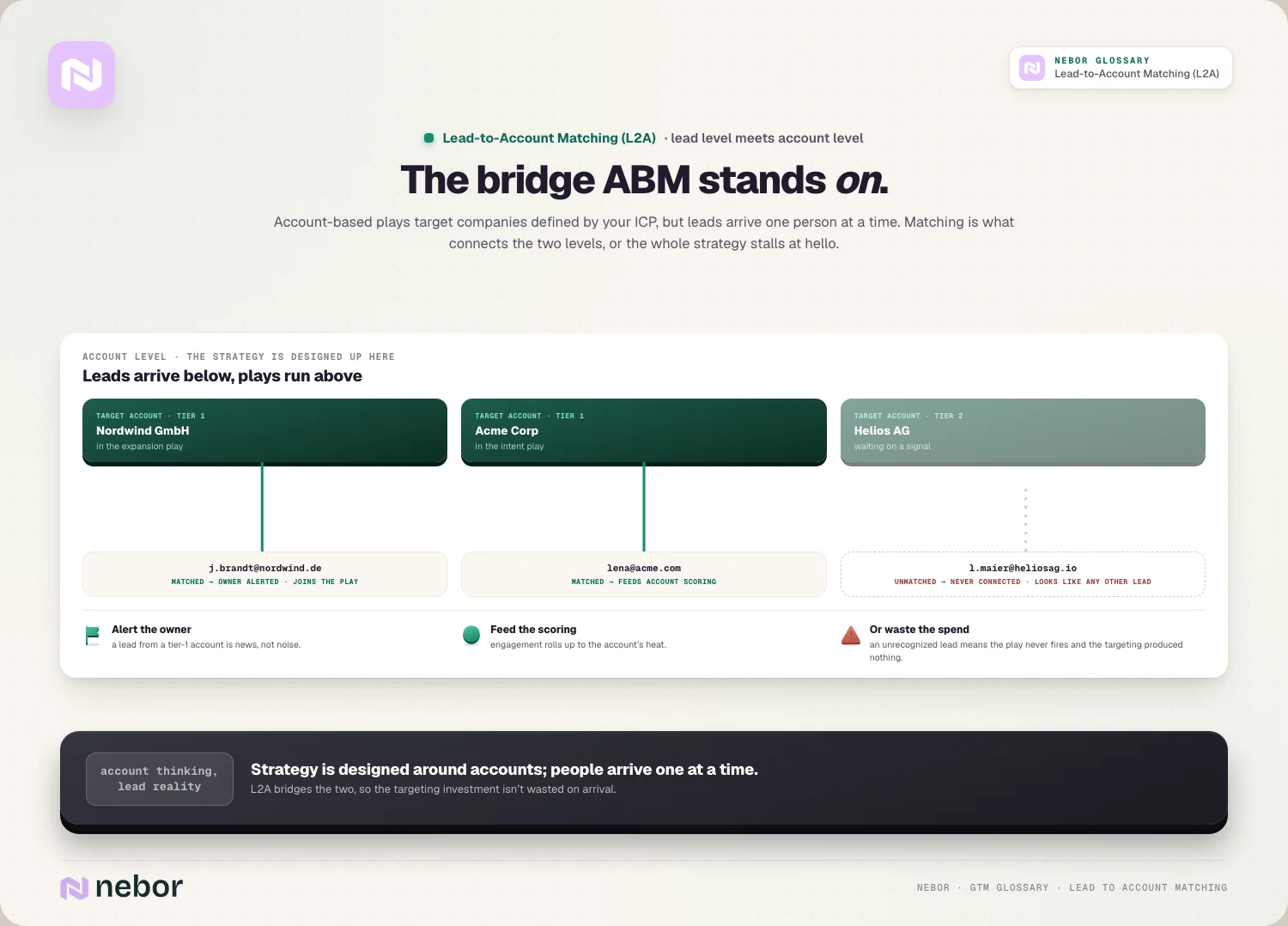
This is why L2A is often described as bridging the gap between lead-level and account-level thinking. It connects the individual leads that arrive to the accounts a strategy is designed around, so the effort invested in targeting specific accounts isn't wasted the moment a real person from one shows up.
Why speed matters and matching has to happen in real time now
Matching a lead is only useful if it happens fast enough to act on, so modern L2A happens the moment a lead is created. As soon as the lead arrives, the matching logic evaluates it and links it to an account within seconds, so routing and follow-up can happen immediately instead of after a delay.
That speed connects directly to how quickly you can respond. Because matching is the first step, doing it in real time is what makes fast speed to lead possible, because a lead can't be routed and worked quickly if it's still waiting to be matched hours later.
Batch matching on a schedule leaves a gap where fresh leads wait without context. In a motion where reaching a lead while their interest is high matters, real-time matching is what keeps the whole downstream process moving at the speed a warm lead requires.
How lead-to-account matching depends on clean underlying data
L2A can only be as accurate as the data it works with, so the quality of your account and lead records directly shapes how well matching performs. Messy, duplicated, or inconsistent account data makes matching harder, because the system is trying to link leads to records that may themselves be tangled.
Good matching and good data therefore reinforce each other, and we tell clients to invest in both together. Strong CRM hygiene and ongoing data hygiene give L2A clean accounts to match against, and accurate matching in turn keeps the database organized instead of scattering duplicate company records everywhere.
Enrichment helps close the gaps that stop a match. When a lead arrives with thin details, inbound enrichment can fill in the company information the matching logic needs, so enriching leads on arrival improves both the match rate and the quality of the context that follows.
What goes wrong across the funnel when lead-to-account matching fails
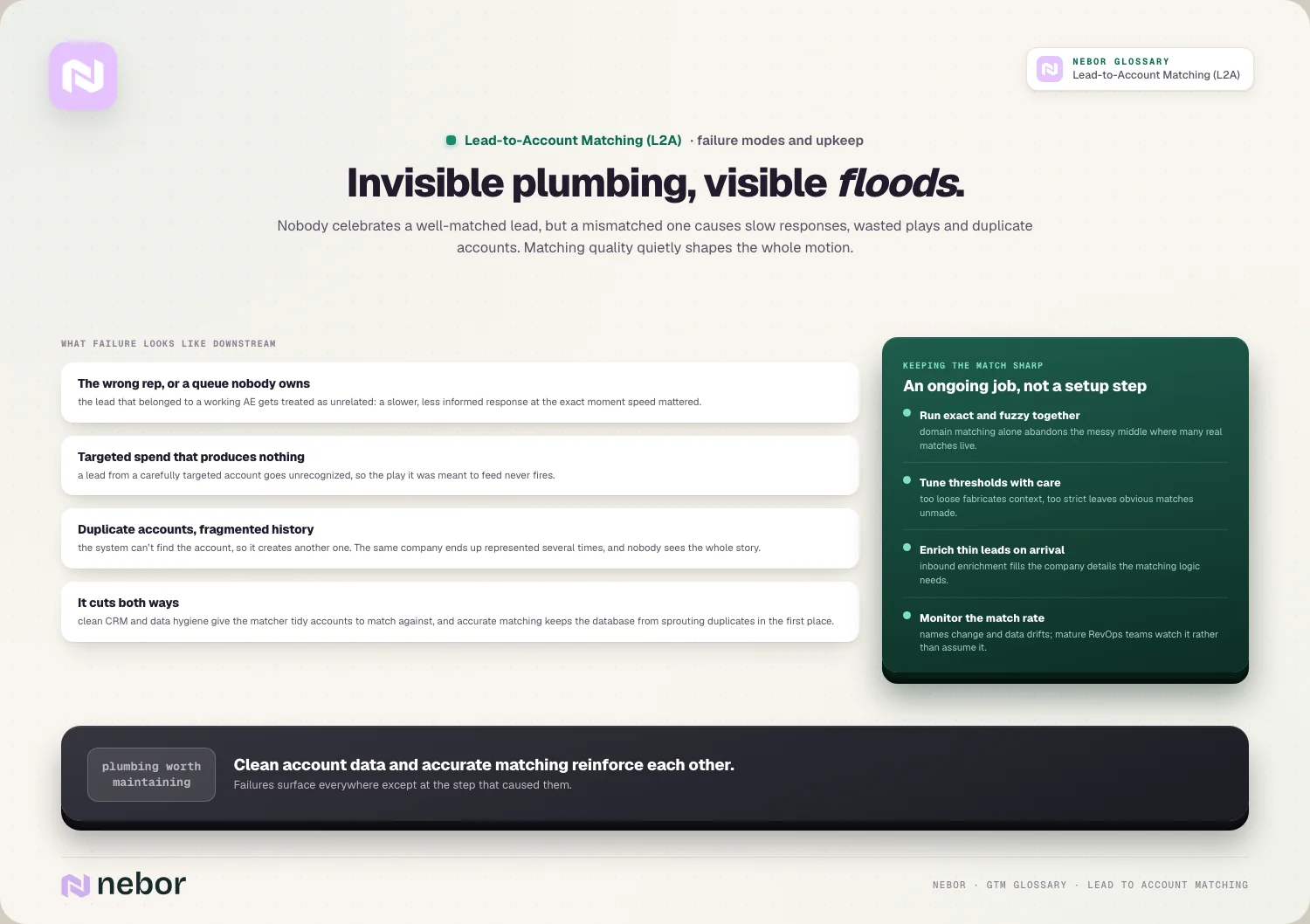
When matching fails, the most visible symptom is leads landing with the wrong rep or in a generic queue nobody owns. A lead that should have gone to the account executive working its company instead gets treated as unrelated, so the response is slower and less informed than it should be.
Failed matching wastes marketing and sales investment as well. When a lead from a carefully targeted account isn't recognized, the account-based play it was meant to feed never happens, so the money and effort spent targeting that account produce nothing because the connection was never made.
Duplicate accounts are another common consequence of weak matching, and in our experience they're the mess that takes longest to untangle later.
When the system can't connect a lead to an existing account, it may create a new one, so the same company ends up represented several times, which fragments the account's history and undermines the conversion rate the whole account view is meant to support.
The common mistakes teams make with lead-to-account matching
The most common mistake is relying on exact matching alone and ignoring the messy middle. Domain matching handles clean leads, but without fuzzy name matching a large share of leads whose details don't line up perfectly go unmatched, so the system misses many of the connections it should make.
Another is tuning the matching too aggressively in either direction. Matching that's too loose links leads to the wrong accounts and creates false context, while matching that's too strict leaves obvious matches unmade, so the thresholds need real care instead of a default setting.
Treating L2A as a one-time setup instead of an ongoing concern is also frequent. Companies change names, data drifts, and new edge cases appear, so matching logic that isn't maintained slowly degrades, and mature revenue operations teams monitor their match rates instead of assuming the system keeps working.
Why lead-to-account matching is the quiet foundation of account-level selling
The deepest thing to understand about L2A is that it's invisible plumbing whose failures show up everywhere else. Nobody celebrates a well-matched lead, but a mismatched one causes slow responses, wasted plays, and duplicate accounts, so matching quality shapes the whole motion's performance from below.
Its real value is that it lets a company operate at the account level even though leads arrive one person at a time. By connecting each individual to the account they belong to, L2A is what makes coordinated, account-based selling possible instead of a stream of disconnected leads handled in isolation.
Inside a modern go-to-market system, reliable lead-to-account matching is what turns raw leads into contextualized opportunities.
It's the first link in the chain that everything you automate sales prospecting around depends on, because a lead can't be routed, prioritized, or worked well until it's connected to the account it's really part of.
Share this post
CRM
Data
Glossary
Related glossary items
Understanding the core GTM concepts




Ready to build your pipeline











