

In this post:
Behind every cold email program that sends at real volume is something most people never see, which is a fleet of mailboxes, often spread across several domains, quietly sharing the load. No single account is doing the heavy lifting, because no single account can.
Mailbox rotation is the practice that manages that fleet. It spreads your sending across many mailboxes, and usually several domains, so each account sends only a small, safe amount while the group together carries the volume you need.
Mailbox rotation is the strategy of distributing cold email sends across multiple mailboxes and domains in a managed pattern, so no individual account exceeds safe limits. It treats your mailboxes as a coordinated pool rather than a set of separate inboxes.
It stands right next to inbox rotation, and the two terms often get used interchangeably. The useful distinction is one of scope.
Inbox rotation describes the schedule, meaning which batch of accounts is sending now and which is resting, while mailbox rotation describes building and maintaining the whole fleet of accounts and domains those batches are drawn from.
TL;DR
Mailbox rotation spreads cold email across a managed pool of mailboxes and domains, so each account stays under safe daily limits while the fleet carries real volume.
It overlaps heavily with inbox rotation, and the practical difference is scope, because mailbox rotation covers building, distributing, and maintaining the accounts and domains as well as deciding which of them send in a given stretch.
The rule of thumb most people still quote caps each account near 40 cold emails a day, and the realistic ceiling now is closer to 10 to 20, so you add mailboxes to scale instead of pushing any single one harder.
One trap deserves flagging early, because rotating inboxes builds trust while constantly rotating fresh domains resets it, so a stable domain footprint beats churning through new ones.
What mailbox rotation means once you look at it under the hood
Mailbox rotation is a way to send cold email at scale without overloading any one account. You keep a pool of mailboxes, put a batch of them to work for a stretch, and keep the rest idle until their turn comes around.
The fleet usually spans several domains at once. Instead of one domain holding all your mailboxes, you spread accounts across a handful of related domains, so activity looks distributed instead of concentrated.
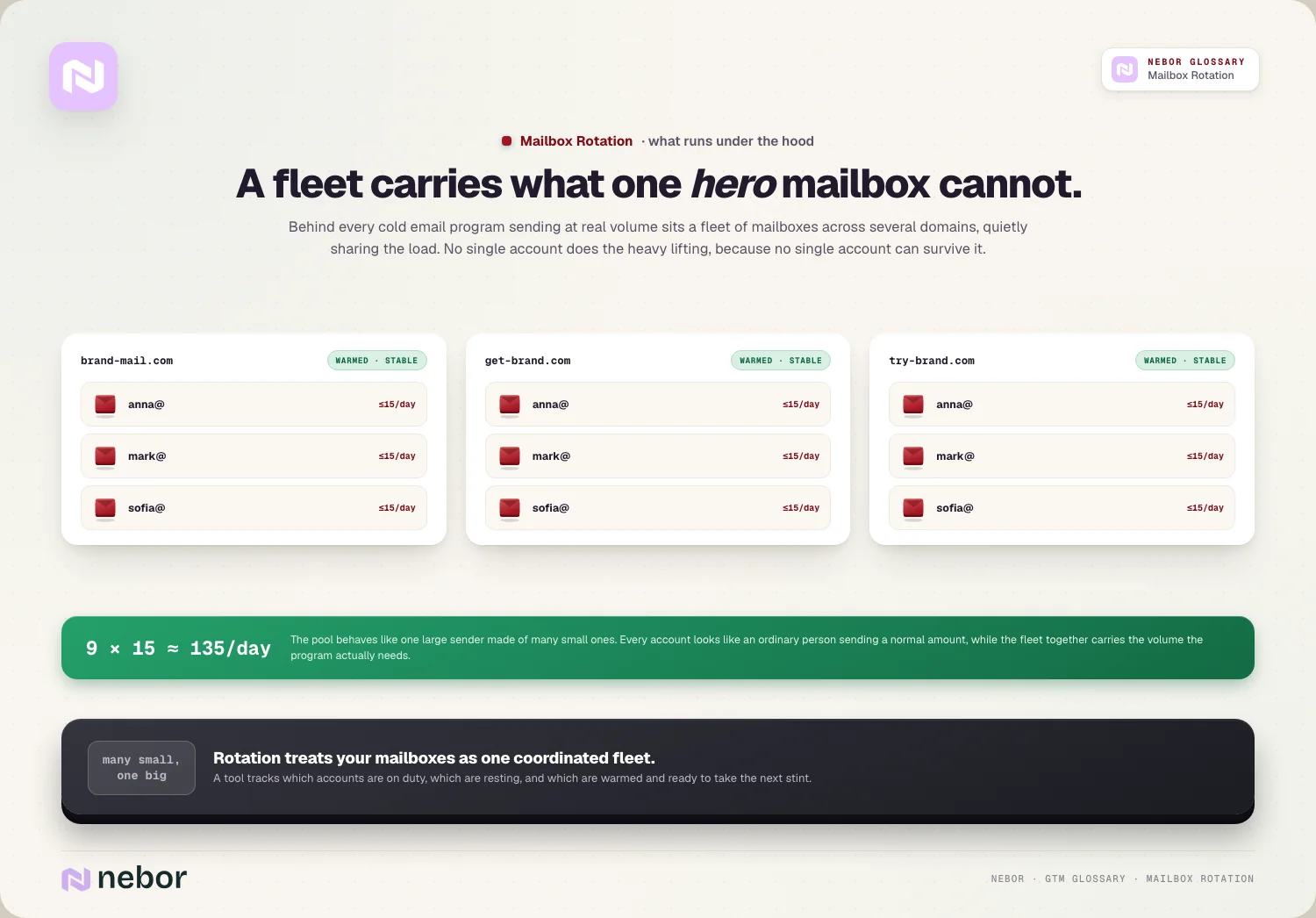
Each mailbox carries only a small share. With the load split across many accounts, every individual mailbox sends only a modest daily amount, which keeps each one inside the limits providers tolerate.
The pool behaves like one large sender made of many small ones. That structure is what lets a program send thousands of emails a day while every single account still looks like an ordinary person sending a normal amount.
A tool works on top of the fleet to coordinate it. It tracks which account sent last, which are warmed and ready, and which need a rest, then hands each new message to the right one so the load stays even.
How mailbox rotation differs from plain inbox rotation in everyday use
These two terms cause real confusion, and clients ask us about the difference often. They describe the same broad goal from slightly different angles.
Inbox rotation is mostly about the sending mechanic. It's the act of cycling each message through the next account so volume spreads evenly across your inboxes.
Mailbox rotation leans toward the fleet architecture. It includes deciding how many mailboxes you need, how to spread them across domains, and how to keep that whole fleet healthy over time.
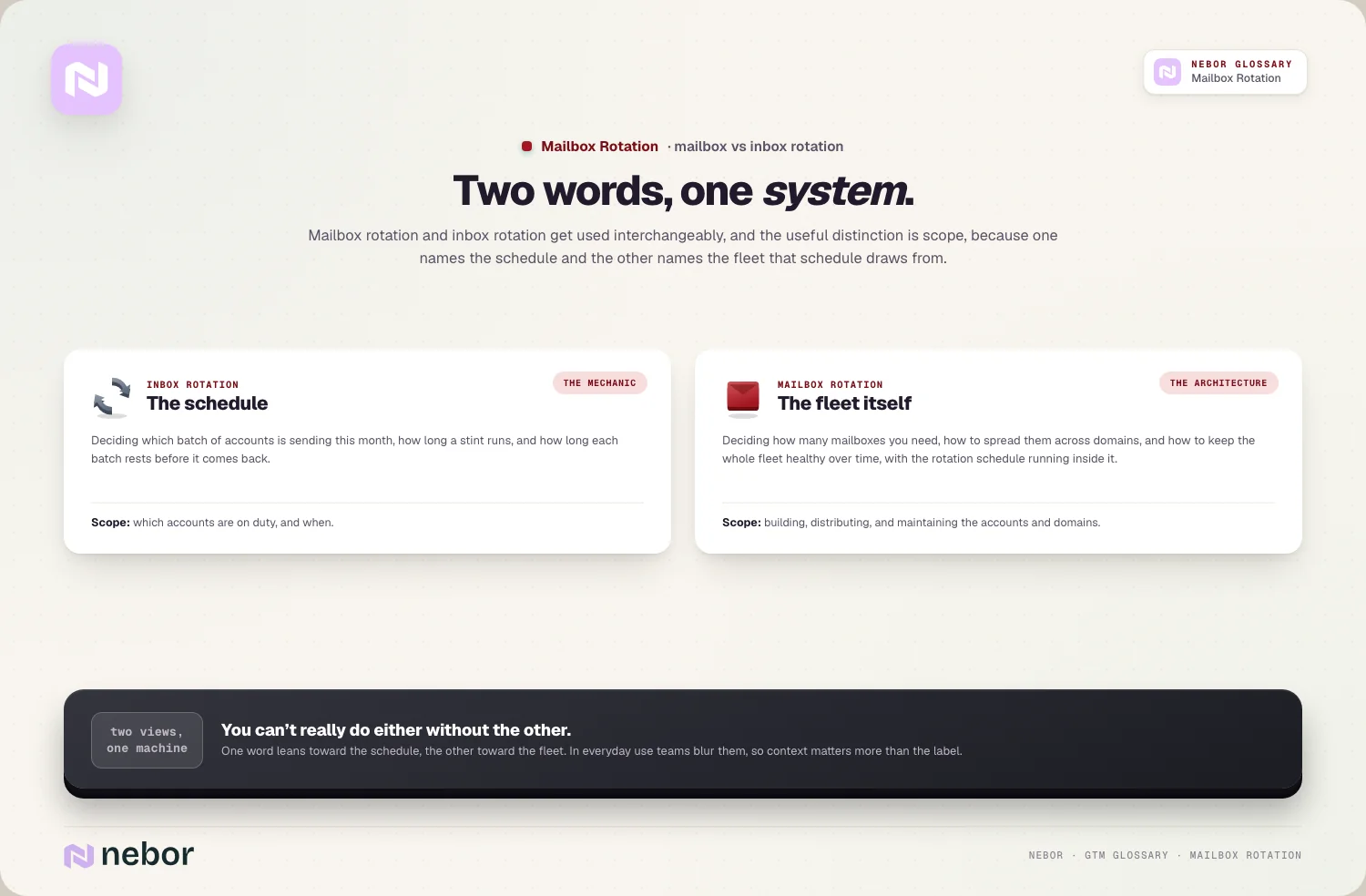
In everyday use, people blur the two. Plenty of teams say inbox rotation when they mean the full setup, and mailbox rotation when they mean the same thing, so context matters more than the label.
The honest takeaway is that they're two views of one system. One word leans toward the cycling, the other toward the fleet, but you can't really do either without the other.
For this entry, the mailbox-rotation angle is the fleet itself. That means how many accounts you keep, how they spread across domains, and how you keep them healthy, with the cycling treated as the engine that drives them.
Why one mailbox simply cannot carry real outbound volume on its own
The entire reason this practice exists comes down to a hard sending limit. A single mailbox can only send so much cold email before providers turn on it.
Mailbox providers watch sending volume very closely. A new account that suddenly sends hundreds of cold emails a day looks abnormal, and that pattern gets flagged as spam quickly.
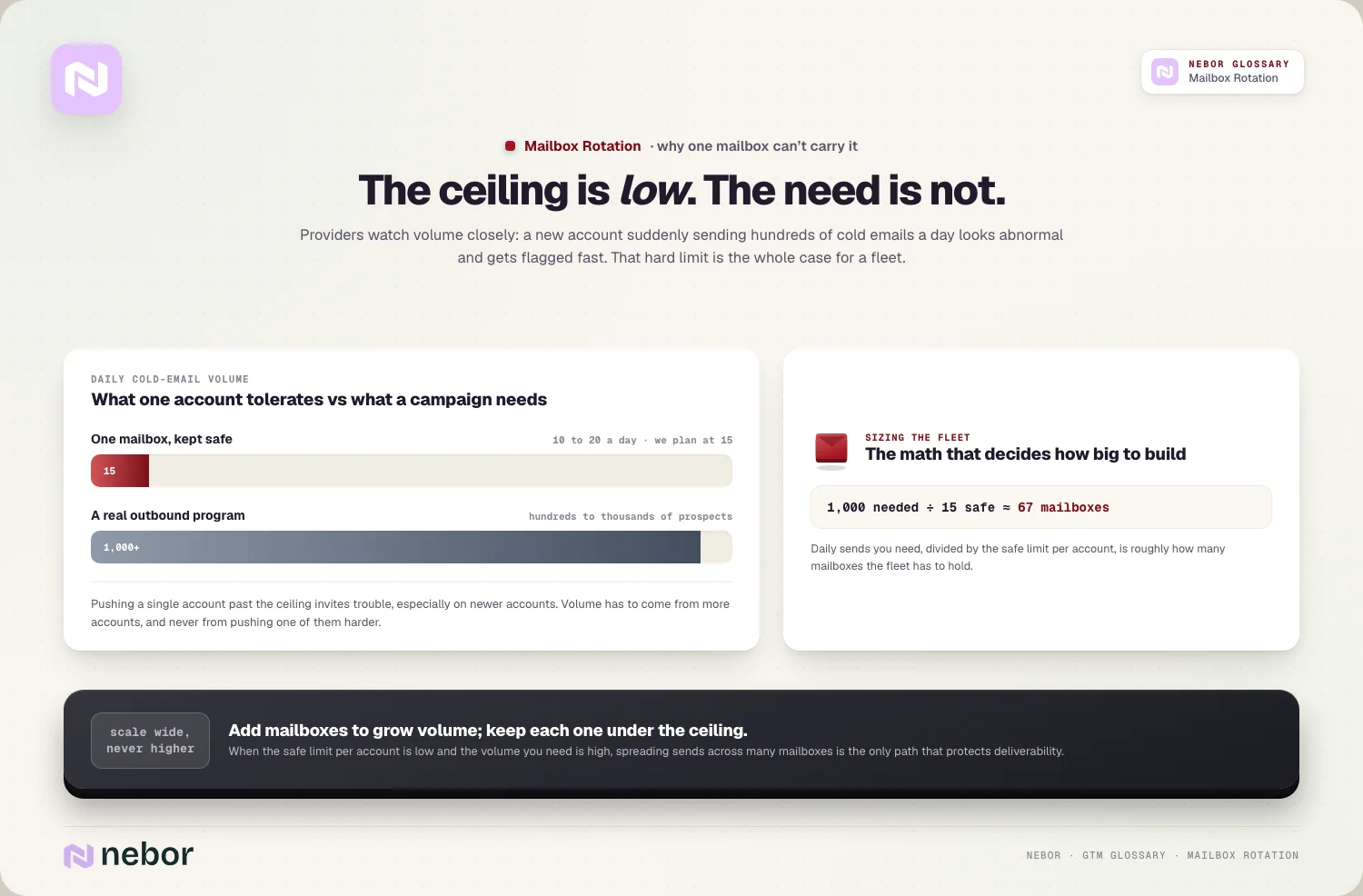
The safe ceiling is lower than most expect. A widely used rule of thumb caps each account near 40 cold emails a day, and the number we work to today is roughly half that, because providers have tightened steadily and anything above 20 invites trouble on all but the oldest accounts.
Real campaigns need far more than that. Reaching hundreds or thousands of prospects means you need dozens of accounts once the per-account ceiling is 10 to 20, because one mailbox staying under that limit can't come close on its own.
That math is the whole case for a fleet. When the safe limit per account is low and the volume you need is high, the only path that protects deliverability is spreading sends across many mailboxes.
Why rotating inboxes builds trust while rotating domains destroys it
A subtle but expensive mistake hides inside this topic, and it deserves calling out plainly. Not all rotation is the same, and one version works against you.
Adding mailboxes on trusted domains builds reputation. When you grow your fleet on stable, warmed domains, each account accumulates a track record, and that history is what keeps you out of spam.
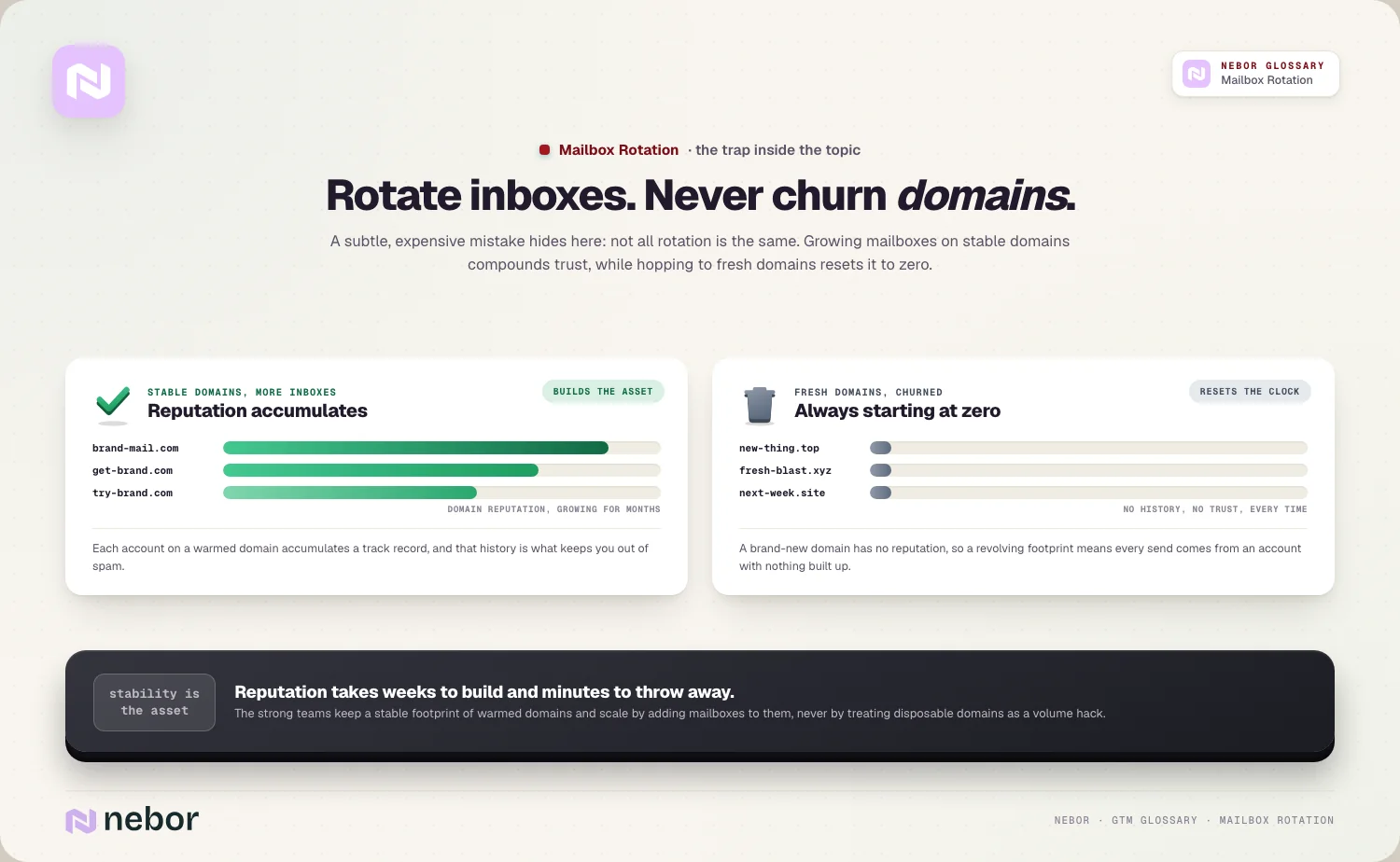
Constantly swapping in fresh domains does the exact opposite. A brand-new domain has no reputation, so churning through new domains means you're always sending from accounts with no trust built up.
The strong teams rotate inboxes while holding their domains steady. They keep a stable footprint of warmed domains and scale by adding mailboxes to them, instead of treating disposable domains as a volume hack.
So the goal is a durable fleet instead of a revolving one. Stability is the asset here, because reputation takes weeks to build and only minutes to throw away by hopping to fresh domains.
How you structure a healthy fleet of mailboxes and domains in practice
Building the fleet is a deliberate exercise, and the structure shapes how well it performs, so a few principles guide a healthy setup.
Spread your mailboxes across several of your domains. Instead of piling every account onto one domain, you distribute them, so no single domain shows a suspicious concentration of sending.
Keep only a few mailboxes per domain. Putting a small number of accounts on each domain spreads activity naturally, which avoids the abnormal spikes that come from overloading one.
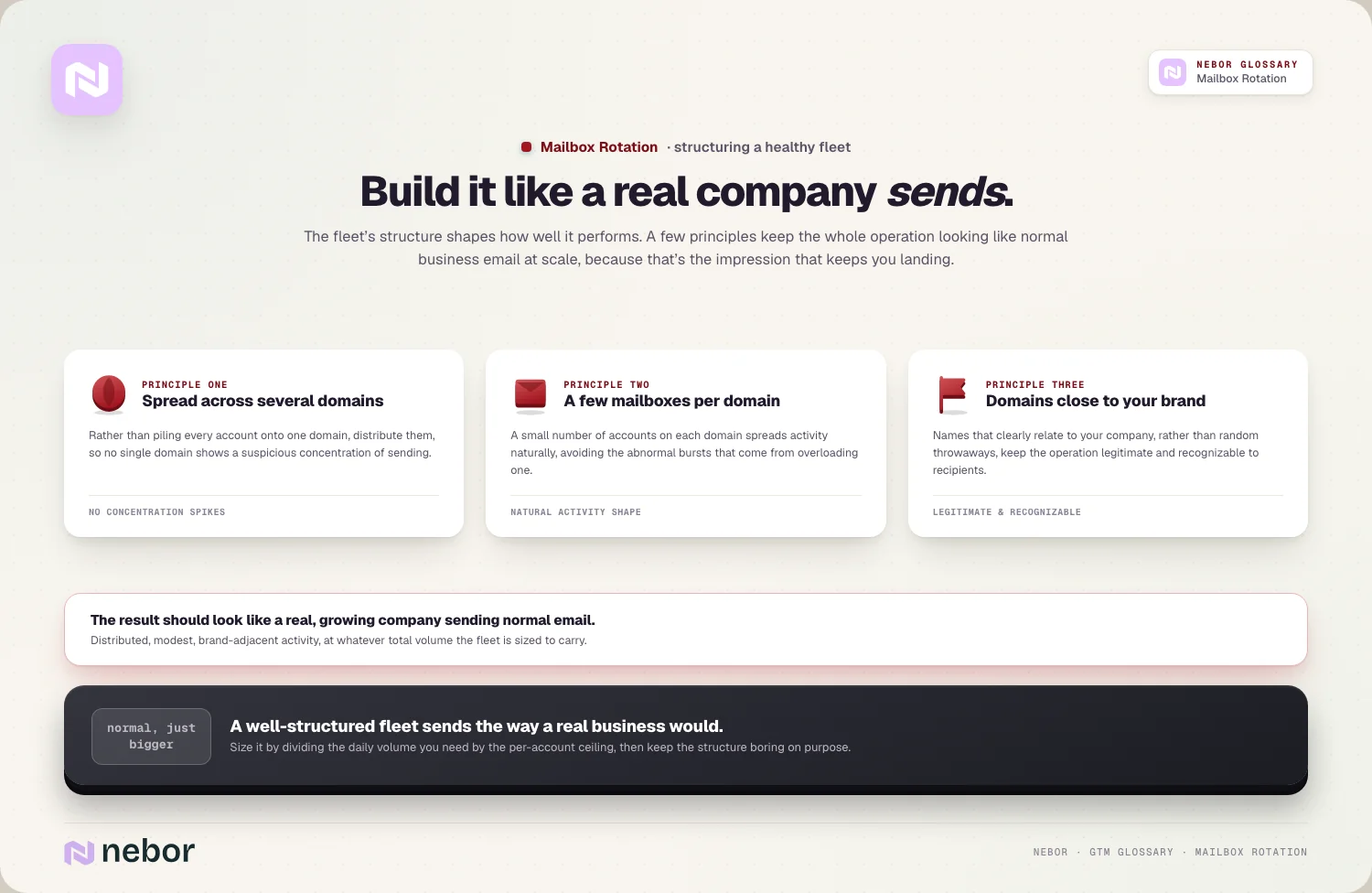
Keep the domains close to your brand name. Using domains that clearly relate to your company, instead of random throwaways, keeps the whole operation legitimate and recognizable to recipients.
The result should look like normal business email at scale, and in our experience that impression is the whole test. A well-structured fleet sends the way a real, growing company would, which is exactly the impression that keeps your messages landing.
Size the fleet to the volume on your list. If you divide the daily sends you need by the safe limit per account, you get roughly how many mailboxes the fleet has to hold, which is the math that decides how big to build it.
Why every mailbox in the rotation needs warmup before it sends
A fresh mailbox can't be thrown straight into heavy sending, and skipping this step burns accounts fast. Warmup is what prepares each one for duty.
New accounts arrive with no reputation at all. A mailbox that sends real cold volume on day one looks immediately suspicious, because providers expect new accounts to start slow.
Warmup builds each account a gradual history. Following a sender warmup protocol ramps every new mailbox up slowly, generating normal-looking activity before it ever touches a campaign.
The fleet needs a standing warmup pipeline. Because you add mailboxes over time, warmup is an ongoing process that readies new accounts before they join the active rotation.
So warmup and rotation work as a pair. The rotation spreads the load across accounts, and warmup makes sure each account is trusted enough to take its share without getting flagged.
How mailbox rotation depends on the rest of your sending setup
Rotation is powerful, but it only works on top of a sound foundation. Without the underlying pieces, spreading volume across accounts just spreads the damage.
It rests on authentication before anything else. Every domain in the fleet needs proper authentication records in place, because rotation can't save mailboxes that providers can't even verify.
It's part of your wider sending infrastructure too. The fleet of mailboxes and domains is one layer of the whole technical setup that delivers your cold email reliably.
It protects sender reputation and the broader domain reputation. By keeping each account inside safe limits, rotation preserves the trust that ultimately decides whether you reach the inbox.
So rotation is a multiplier on a healthy base instead of a fix for a broken one. Volume spread across poorly set up accounts still lands in spam, just from more places at once.
How mailbox rotation works alongside throttling and clean lists
Spreading sends across accounts is only one of several controls, and it pairs with a couple of others that together keep your sending safe.
Throttling controls the pace of each account. Where rotation spreads volume across accounts, email throttling controls how fast each one sends, so messages trickle out naturally rather than in bursts.
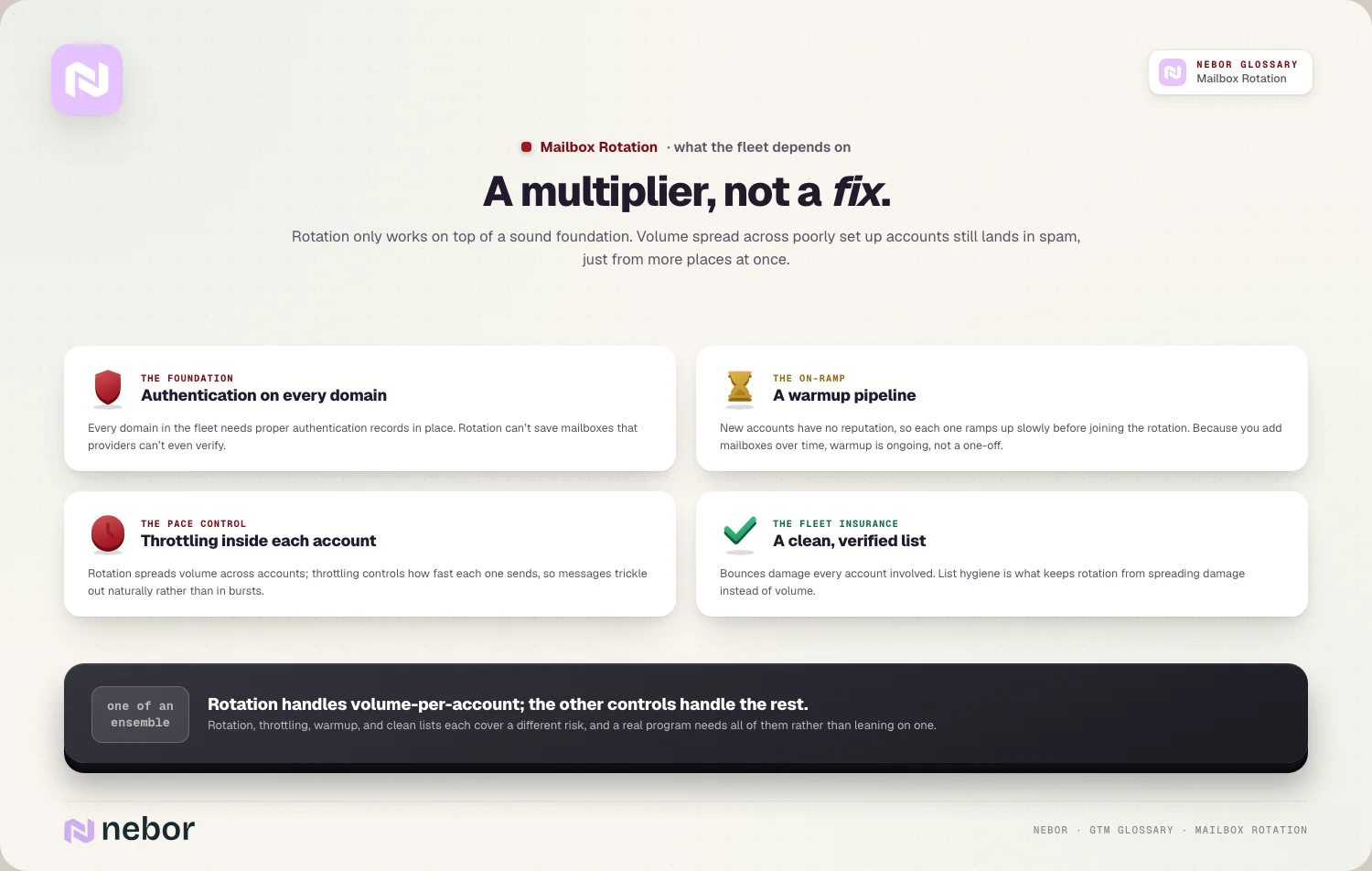
List quality protects the whole fleet at once. Sending to bad addresses produces bounces that damage every account involved, so a clean, verified list on your side is what keeps rotation from backfiring.
The three controls reinforce one another constantly. Rotation, throttling, and clean lists each handle a different risk, and a program needs all three instead of leaning on any one alone.
So mailbox rotation is one instrument in a small ensemble. It handles the volume-per-account problem, while throttling handles pace and list hygiene handles the quality of who you're hitting.
How a rotation fleet makes your whole sending operation more resilient
Beyond raw scale, keeping a fleet of mailboxes gives you something a single account never could, which is resilience. Problems stop being catastrophes and become chores.
A single burned account stops being fatal. If one mailbox hits deliverability trouble, you can pause it while the rest of the fleet keeps sending, so one problem doesn't halt the whole operation.
You can isolate and diagnose issues precisely. With many accounts, you can spot which mailbox or domain is struggling and address it specifically, often during a regular outbound deliverability audit.
The fleet absorbs ordinary wear and tear. Mailboxes degrade over time, so a pool lets you retire tired accounts and add fresh ones without interrupting your sending.
This turns maintenance into a routine instead of a crisis. With a fleet, replacing a worn account is a scheduled swap instead of an emergency, because the rest of the pool covers the gap while the new mailbox warms up.
So a rotation fleet is as much about safety as scale. Spreading sending across many accounts means no single failure can take down your outreach, which is a quieter but real benefit.
The common ways teams get mailbox rotation wrong in practice
Mailbox rotation fails in a handful of predictable ways, and we keep seeing the same ones in the fleets clients bring us. Most trace back to treating it as a volume hack.
The most common is pushing each account too hard. Loading every mailbox past safe limits to send more, faster, undoes the entire point and gets accounts flagged.
Another is churning through fresh domains constantly. Treating new domains as disposable resets your reputation over and over, so you never build the trust that keeps you in the inbox.
A third is skipping warmup on new mailboxes. Throwing fresh accounts straight into heavy sending burns them quickly, because they have no history to lean on.
The last is rotating on a weak foundation. Spreading volume across accounts without proper authentication, warmup, and a clean list just multiplies the ways your email lands in spam.
How mailbox rotation connects to the cold emails your prospects read
A fleet of mailboxes is invisible to the people you email, but it shapes whether they ever see your message. The connection goes straight to the inbox.
Rotation decides placement while your writing decides the rest. A great cold email still fails if it sends from a burned account, so rotation is what gives your writing a chance to be read.
It protects the metric that matters most. Landing in the inbox instead of spam is what keeps your reply rate healthy, because a message no one sees can't earn a response.
It underpins your overall email deliverability as well. The whole point of spreading sends is to keep more of them arriving where prospects will genuinely open them.
So the unseen fleet and the visible reply are tightly linked. Rotation does its job in the background precisely so your message gets the chance to do its job in the foreground.
Why mailbox rotation is really about respecting how email works
The instinct behind mailbox rotation can look like gaming the system, but the truth is the opposite. It's an attempt to send the way email expects you to.
Providers reward the behavior that looks normal to them. A fleet of mailboxes each sending a modest, steady amount mimics how real people and companies email, and that resemblance is exactly what keeps you trusted.
The practice fails the moment it turns greedy. Pushing accounts past safe limits or hopping domains to dodge filters is where rotation stops mimicking real email and starts looking like the abuse providers hunt for.
A durable fleet is a long-term asset instead of a trick. Warmed mailboxes on stable domains accumulate reputation you can rely on for years, which is worth far more than a short burst of reckless volume.
For any team serious about outbound, a well-built rotation fleet is the unglamorous infrastructure that makes the rest possible. It's the foundation a modern go-to-market system sends from, and the quiet plumbing you can automate sales prospecting on top of once it's built right.
Share this post
Deliverability
Infrastructure
Glossary
Related glossary items
Understanding the core GTM concepts



Ready to build your pipeline











