

In this post:
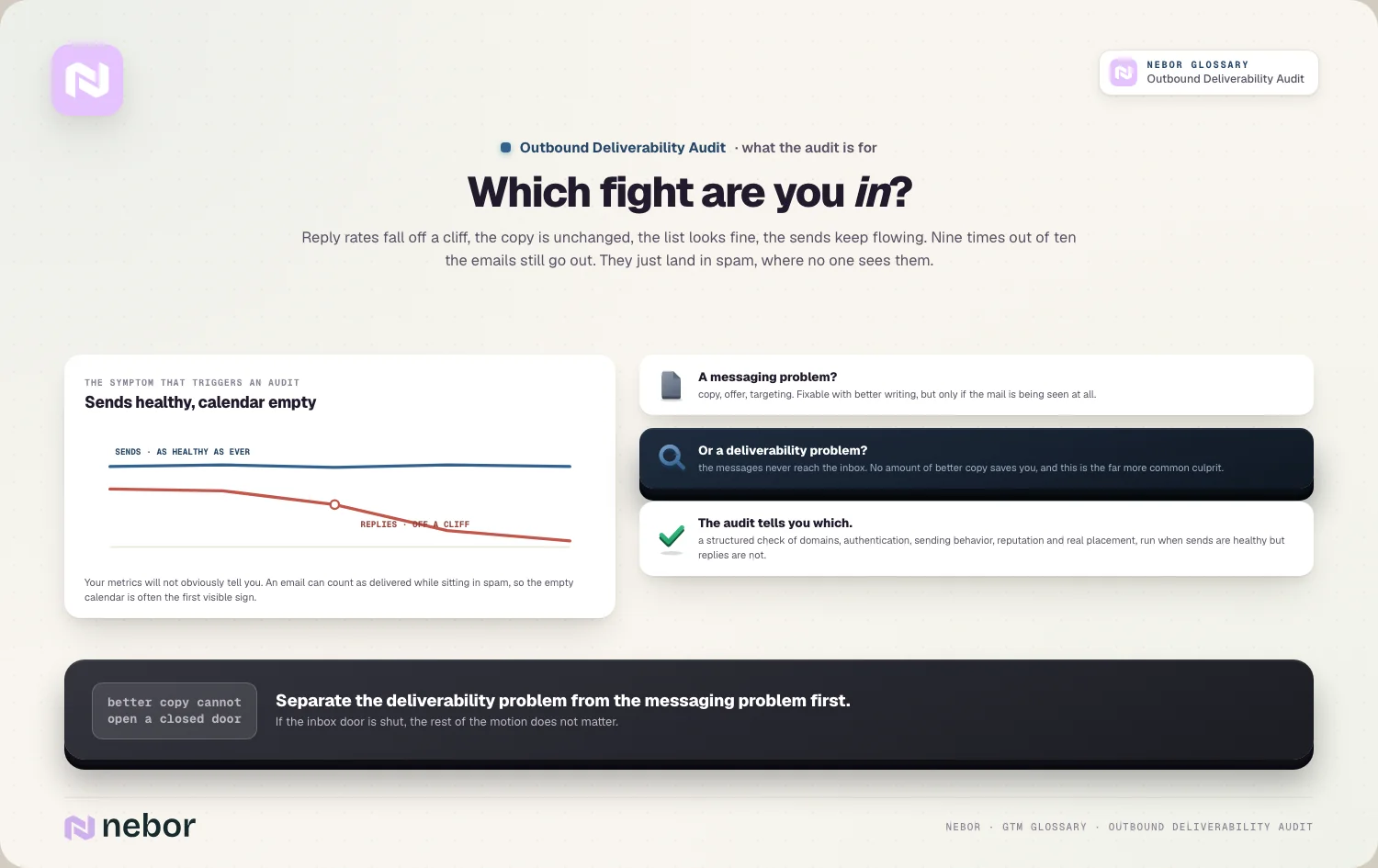
Reply rates fall off a cliff and nobody knows why. The copy is the same, the list looks fine, the team is sending as much as ever, and yet the meetings just stop coming.
Nine times out of ten, the emails are still going out. They're just landing in spam, where no one ever sees them.
An outbound deliverability audit is a structured check of your entire cold email setup to find out why your messages aren't reaching the inbox, and what to fix. It's the diagnostic you reach for when sends are healthy but replies aren't.
The point is to separate a deliverability problem from a messaging problem. If your emails never reach the inbox, no amount of better copy will save you, so the audit tells you which fight you're actually in.
TL;DR
An outbound deliverability audit is a systematic review of your domains, authentication, sending behavior, and reputation to diagnose why cold emails land in spam instead of the inbox.
Deliverability stays invisible right up until it breaks. You can send thousands of emails that technically deliver but never get seen, and your metrics won't obviously tell you, only your empty calendar will.
A good audit walks the whole chain, from DNS records like SPF, DKIM, and DMARC, through domain and warmup health, sending volume, list quality, and actual inbox placement testing.
The ongoing truth is that deliverability isn't a one-time fix. Reputation decays, providers change rules, and warmup never really ends, so an audit is something you repeat regularly instead of once.
What does an outbound deliverability audit actually cover inside?
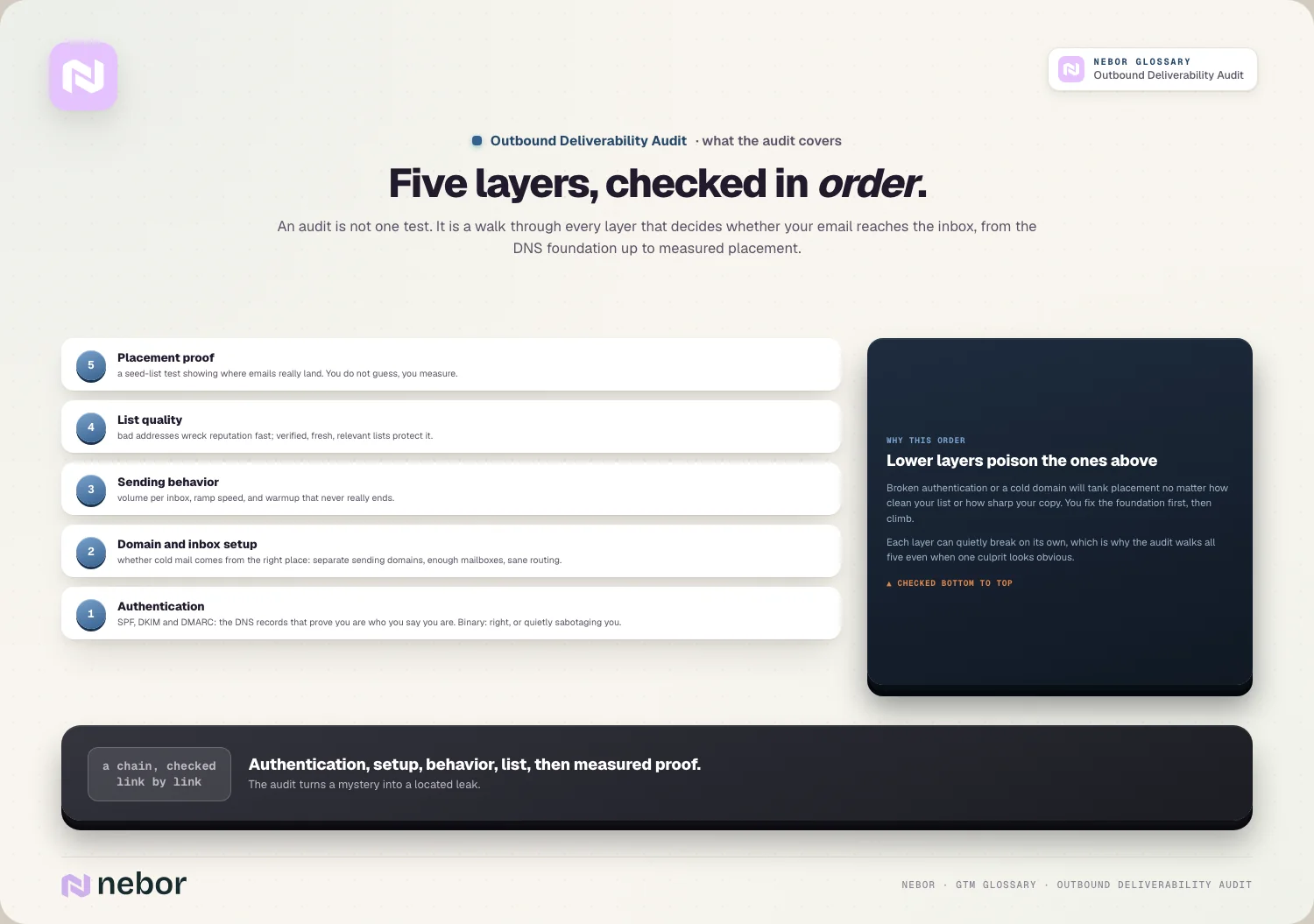
An audit isn't one test, it's a walk through every layer that decides whether your email reaches the inbox. Each layer can break without a sound, so you check them in order.
The first layer is authentication, the DNS records that prove you are who you say you are. The second is your domain and inbox setup, including whether you're sending from the right place.
The third is sending behavior, meaning volume, ramp, and warmup. The fourth is list quality, since bad addresses wreck reputation fast.
The last layer is the proof, actual inbox placement testing that shows where your emails really land, so instead of guessing, you measure.
The reason to go in this order is that lower layers poison higher ones. Broken authentication or a cold domain will tank placement no matter how clean your list is, so you fix the foundation first.
How do you check your authentication setup during the audit?
Authentication is where most audits start, because it's the foundation and it's binary. Either the records are right or they're sabotaging you unseen.
There are three records that matter, and they work together. SPF says which servers are allowed to send for your domain, which you can dig into under SPF.
DKIM adds a cryptographic signature that proves the message wasn't tampered with, covered under DKIM. DMARC ties the two together and tells providers what to do if a check fails, which is the job of DMARC.
In the audit you confirm all three exist and are configured correctly. A missing or misaligned record is one of the most common reasons cold email lands in spam, and it's usually a quick fix.
One detail matters more in 2025 than it used to. A weak DMARC policy is increasingly treated as a red flag, so part of the audit is checking your policy is strong enough to be trusted rather than merely present.
If you want the full picture of how these records fit together, the DNS authentication entry walks the whole stack end to end.
Why does your domain and inbox setup matter so much to placement?
Even with perfect authentication, the wrong domain setup will sink you. So the audit looks hard at where your cold email is really coming from.
The biggest red flag is sending cold email from your primary domain. One spike in spam complaints can poison the reputation of your main domain, which then hurts every email your company sends, including real business mail.
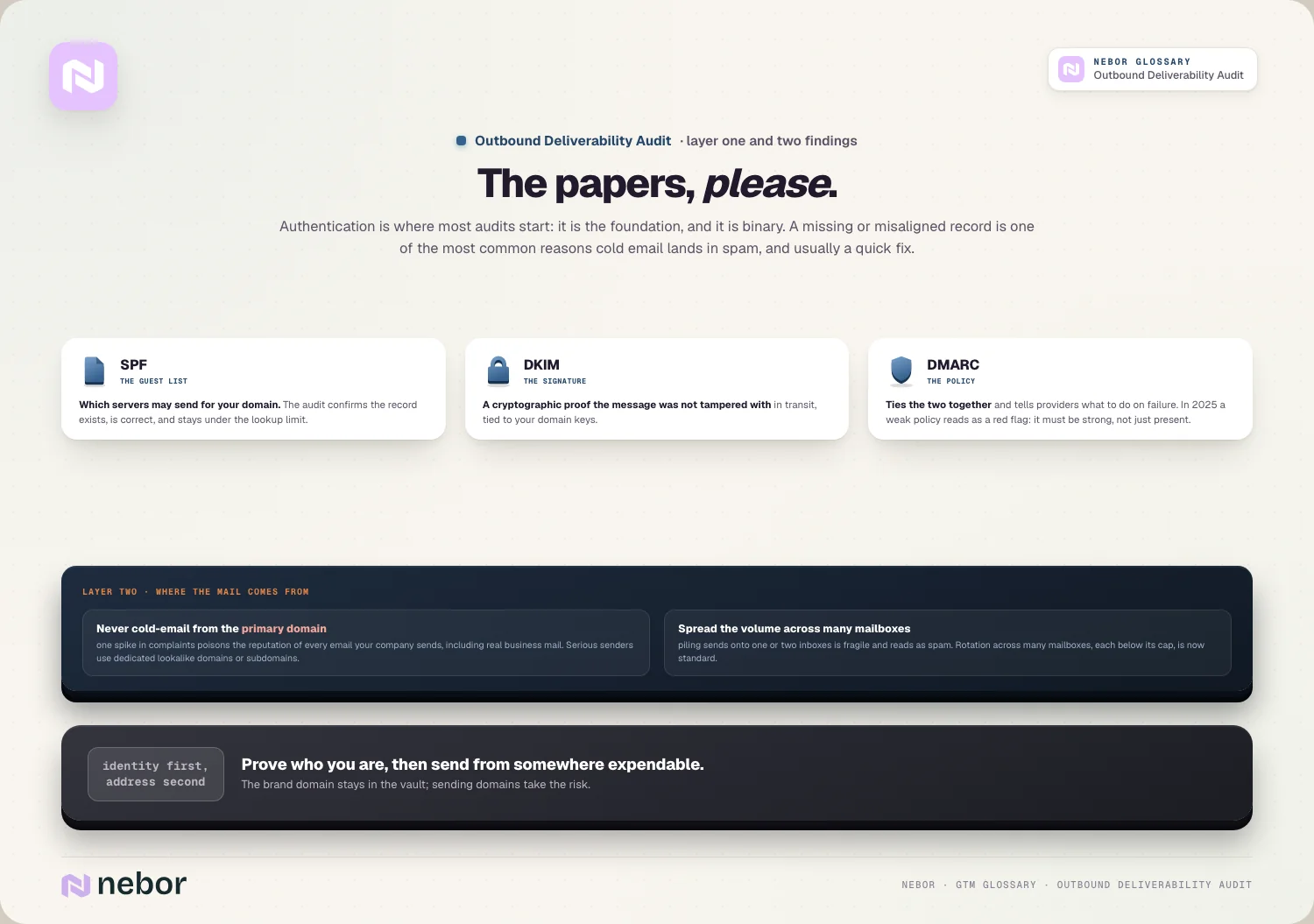
The fix that most serious senders use is separate sending domains, usually lookalike domains or subdomains dedicated to outbound. These build their own reputation that providers judge independently from your brand domain.
The audit also checks how many mailboxes you have in play and how sending is spread across them. Piling all your volume onto one or two inboxes is fragile, and that's the reason inbox rotation across many mailboxes is now standard.
This whole layer is really about your cold email infrastructure. The audit treats the domains, mailboxes, and routing as a system, and a weak link anywhere drags the rest down.
What does the audit check about how your team sends day to day?
Once the setup is sound, the audit turns to behavior, because you can have a perfect technical foundation and still burn it with reckless sending. How you send matters as much as what you send.
The first thing to check is volume per inbox. Pushing each mailbox to its limit looks efficient but reads as spammy, so the careful senders we work with cap well below the maximum, often around a few dozen sends a day per inbox.
Ramp comes second, because new inboxes can't blast at full volume on day one, they have to build up gradually, and the audit checks you're not scaling faster than your reputation can support.
The third is warmup, and this is where teams slip. Warmup isn't a one-time setup phase, it's ongoing reputation maintenance, which is the entire job of email warmup.
A common audit finding is that a team warmed up their inboxes once, then stopped the moment real sending began. That's exactly when warmup should continue, quietly propping up reputation underneath your live campaigns.
How does list quality show up inside a deliverability audit?
Your list is a deliverability input on top of a targeting one, which surprises people. Who you send to directly shapes whether you reach the inbox at all.
Bad addresses are the clearest danger, because emailing invalid or dead inboxes drives up your bounce rate, and a high bounce rate is a strong negative signal to providers.
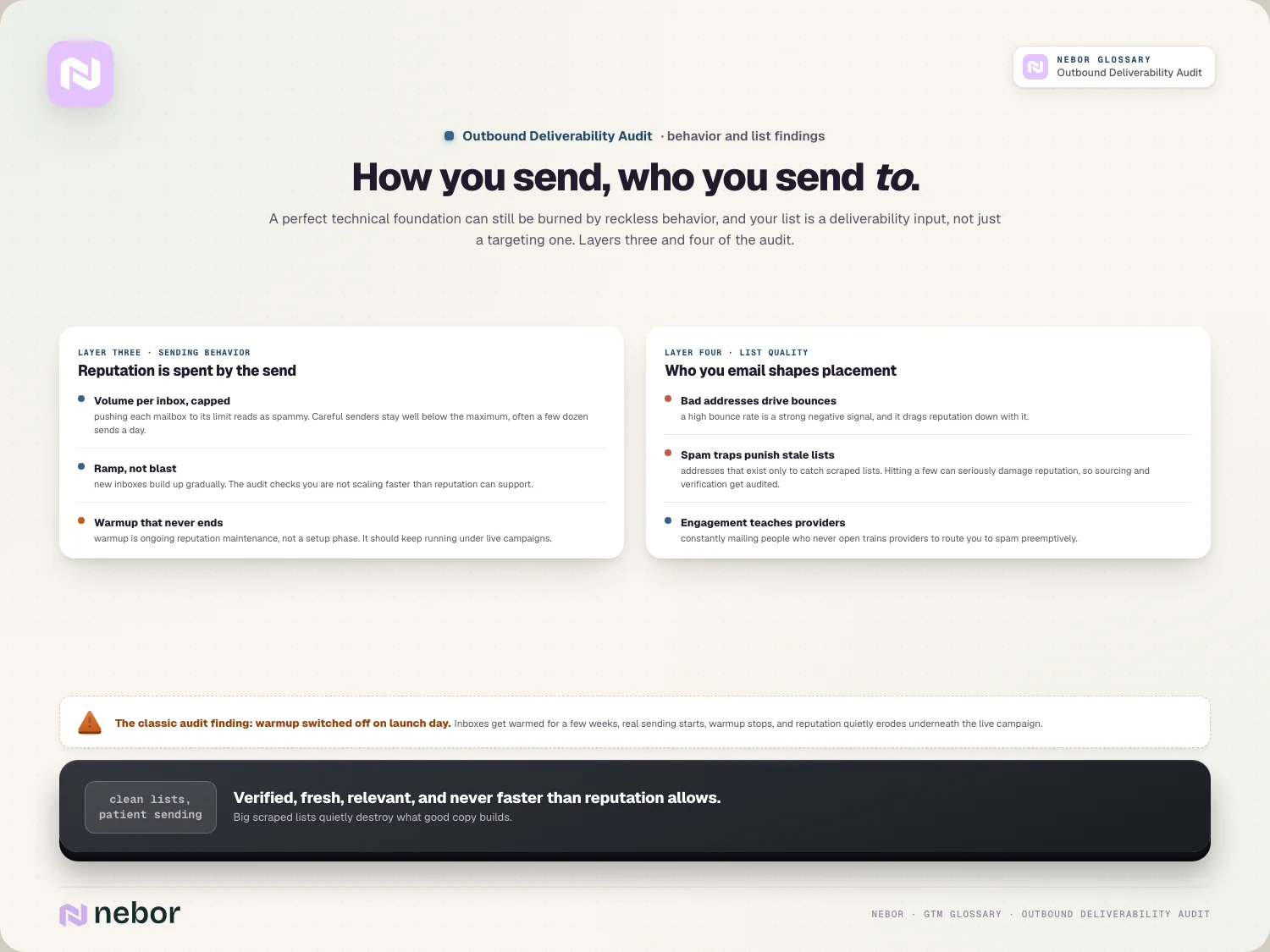
Worse are spam traps, addresses that exist only to catch senders using stale or scraped lists. Hitting even a few can seriously damage your reputation, so the audit looks at how your list was sourced and verified.
There's also the engagement angle to watch, because if you constantly email people who never open or reply, providers learn that your mail isn't wanted, and they start routing it to spam preemptively.
So part of the audit is checking that your list is verified, reasonably fresh, and truly relevant. Clean, well-targeted lists protect deliverability, while big scraped ones destroy it from below.
How do you measure real inbox placement instead of guessing?
This is the part that turns an audit from opinion into evidence. You can check every setting and still need proof of where emails really land.
The tool for this is a seed-list inbox placement test. Services send your email to a spread of test accounts across Gmail, Outlook, Yahoo, and others, then report exactly where each one landed.
That report is gold, because it shows the truth your own metrics hide. An email can count as delivered and still land in spam, so delivery rate alone tells you almost nothing about placement.
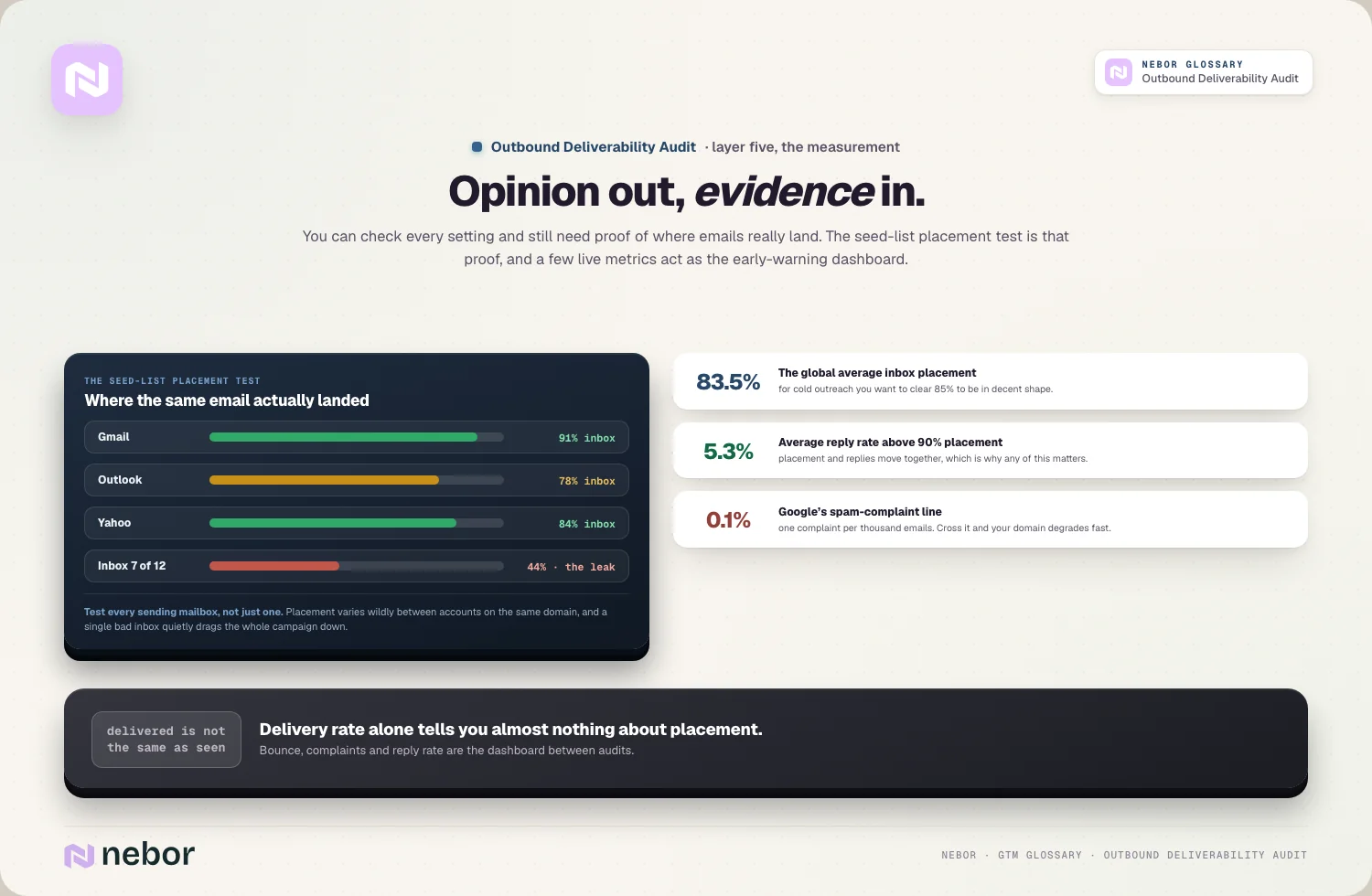
The numbers give you a target to aim at. The global average inbox placement rate is around 83.5%, and for cold outreach you generally want to clear 85% to be in decent shape.
The effort pays for itself, because placement and replies move together. Campaigns above 90% inbox placement average around 5.3% reply rates, which is the whole reason any of this matters.
One more thing the audit checks here is consistency across inboxes. You test each sending mailbox instead of just one, because placement can vary wildly between accounts even on the same domain. A single bad inbox can drag a whole campaign down without showing itself.
What numbers tell you your deliverability is starting to slip?
Beyond a placement test, a few ongoing metrics act as an early warning system. The audit sets these up so you catch trouble before your pipeline dries up.
Bounce rate leads the watchlist, because a rising rate usually means list quality is decaying, and it drags reputation down with it, so you want it low and stable.
Spam complaint rate comes next, and the threshold here is unforgiving. Google treats 0.1%, or one complaint per thousand emails, as the line you must not cross, and going over it degrades your domain fast.
And reply and engagement rate close the set, because a sudden drop, with no change to your copy or list, is often the first visible sign that placement has collapsed out of view.
Watching these together is what makes deliverability manageable. They're the dashboard that tells you when it's time for a fuller audit rather than waiting for the calendar to go empty.
How does deliverability connect to the rest of your outbound work?
It's tempting to treat deliverability as a niche technical chore, but it's underneath everything in outbound. If the inbox door is closed, the rest of your motion doesn't matter.
Deliverability is the gate in front of your whole email deliverability effort and every campaign that rides on it. Great targeting and great copy are wasted if the message never gets seen.
It also shapes your domain reputation, which compounds over time. Good sending habits build reputation slowly, while one careless blast can undo months of it, which is why auditing regularly pays off.
And it's foundational to any serious attempt to automate sales prospecting at scale. The more volume you send, the more a small deliverability problem multiplies into a big pipeline one.
This is also why so many of the top outbound experts treat deliverability as the first thing to fix when outbound stops working. It's the layer most likely to be silently broken.
What are the most common problems an audit turns up in the wild?
After enough of these audits, the same culprits keep showing up. Knowing them helps you guess where your own leak probably is before you even start.
The most frequent is a missing or weak DMARC policy. Teams set up SPF and DKIM, skip DMARC, and lose placement to providers that no longer trust unprotected senders.
A close second is sending cold email straight from the primary domain. It feels harmless until a complaint spike contaminates the company's real mail, and by then the damage is done.
Then there's the stopped warmup, where an inbox gets warmed for a few weeks, real sending starts, warmup gets switched off, and reputation slowly erodes underneath the live campaign.
Overloaded inboxes are another regular, with all the volume funneling through a couple of mailboxes instead of spreading across many, so each one looks like a spammer to providers.
And the stale list closes the set, because old or scraped addresses drive bounces and hit spam traps, and people blame their copy when the real problem is who they emailed.
Can you do a deliverability audit yourself, or do you need help?
A lot of an audit is genuinely DIY. The authentication checks, a seed-list placement test, and a look at your bounce and complaint rates are all things a careful operator can do with off-the-shelf tools.
Free and cheap tools cover most of it. DNS checkers confirm your SPF, DKIM, and DMARC records, and a placement-testing service shows you where your emails land across providers.
So for a single domain and a handful of inboxes, you can absolutely audit yourself. The steps in this entry are the checklist, and working through them catches the majority of problems.
Where it gets harder is at scale. Once you're managing many domains and dozens of mailboxes feeding real cold email campaigns, keeping every layer healthy becomes a job in itself.
That's the point where teams either build deliverability into their operating routine or bring in someone who lives in it. Either way, the audit itself stays the same, what changes is how often and how thoroughly you work through it.
So how often should a deliverability audit like this happen?
The honest answer is more often than most teams think. Deliverability refuses to stay configured, drifting constantly whatever you set.
A full audit makes sense when you launch a new outbound motion, when reply rates drop without explanation, or when you add new domains and mailboxes. Those are the moments something is most likely off.
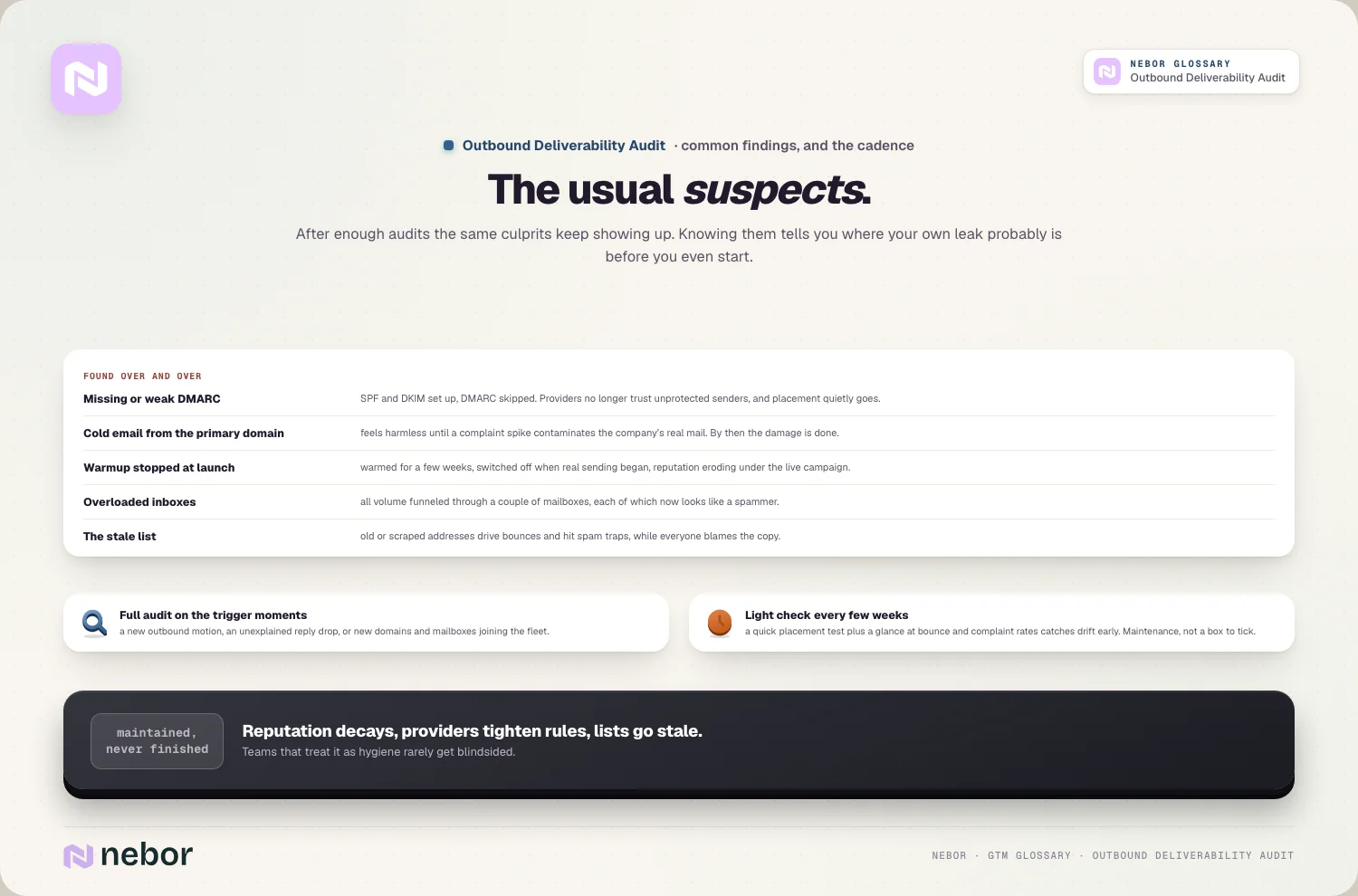
Beyond that, a lighter check on a regular cadence keeps you safe. In our experience, a quick placement test and a glance at your bounce and complaint rates every few weeks catches drift early.
The mindset shift is the real takeaway. Reputation decays, mailbox providers keep tightening their rules, and lists go stale, so deliverability is a thing you maintain instead of a box you tick.
Teams that treat it as ongoing hygiene rarely get blindsided. The ones who set it up once and look away are usually the ones wondering, months later, why a motion that used to work has gone quiet.
Why the audit beats rewriting your emails when replies dry up
If outbound suddenly stops working, resist the urge to rewrite your emails first. The more likely culprit is that your messages aren't reaching the inbox at all, and better copy can't fix a closed door.
An outbound deliverability audit is how you find that out for sure. It walks the whole chain, authentication, domains, sending behavior, list quality, and real placement, until you know exactly where the leak is.
Do a full one when things break, a lighter version regularly, and treat the whole thing as ongoing maintenance rather than a one-off setup. That's the difference between guessing why replies dried up and knowing.
If the inbox is sound, everything else in your outbound finally gets a fair shot. If it isn't, your best work never even arrives, which is a far more common problem than most teams realize.
Share this post
Deliverability
Outbound
Glossary
Related glossary items
Understanding the core GTM concepts




Ready to build your pipeline











