

In this post:
An AI agent is a software system that takes a goal and works toward it on its own. The simplest way to picture one is an LLM in a loop. It looks at the situation, decides what to do, takes an action, sees what happened, and goes again until the job is done.
The model is the part everyone talks about, but it's the smallest piece. An agent only gets useful once you give it memory, tools, and a clear job. Without those, you just have a chatbot that sounds confident.
TL;DR
Almost everything gets called an AI agent now. A single prompt with no memory and no tools isn't an agent. It's a text generator with good marketing.
A real agent has four parts working together, a model to reason, memory to hold context, tools to act, and a loop that plans and executes the steps. The model is interchangeable, while the tools and the data you connect decide whether it works.
In GTM, that's the whole lesson in one line. The teams that get value from agents give them one narrow job, good tools, clean data, and a human gate. The teams that don't get value hand a vague goal to a clever model and hope.
How you can tell a real AI agent from a chatbot wearing the label
The simplest test is whether the thing acts or just answers. A chatbot answers your question and stops. An AI agent looks at a goal, decides what to do, does it, checks the result, and keeps going until it's finished.
That loop of observe, decide, act, and observe again is the whole difference. A copilot works next to you and helps while you stay in control of every step. An agent takes a chunk of the work and handles it on its own.
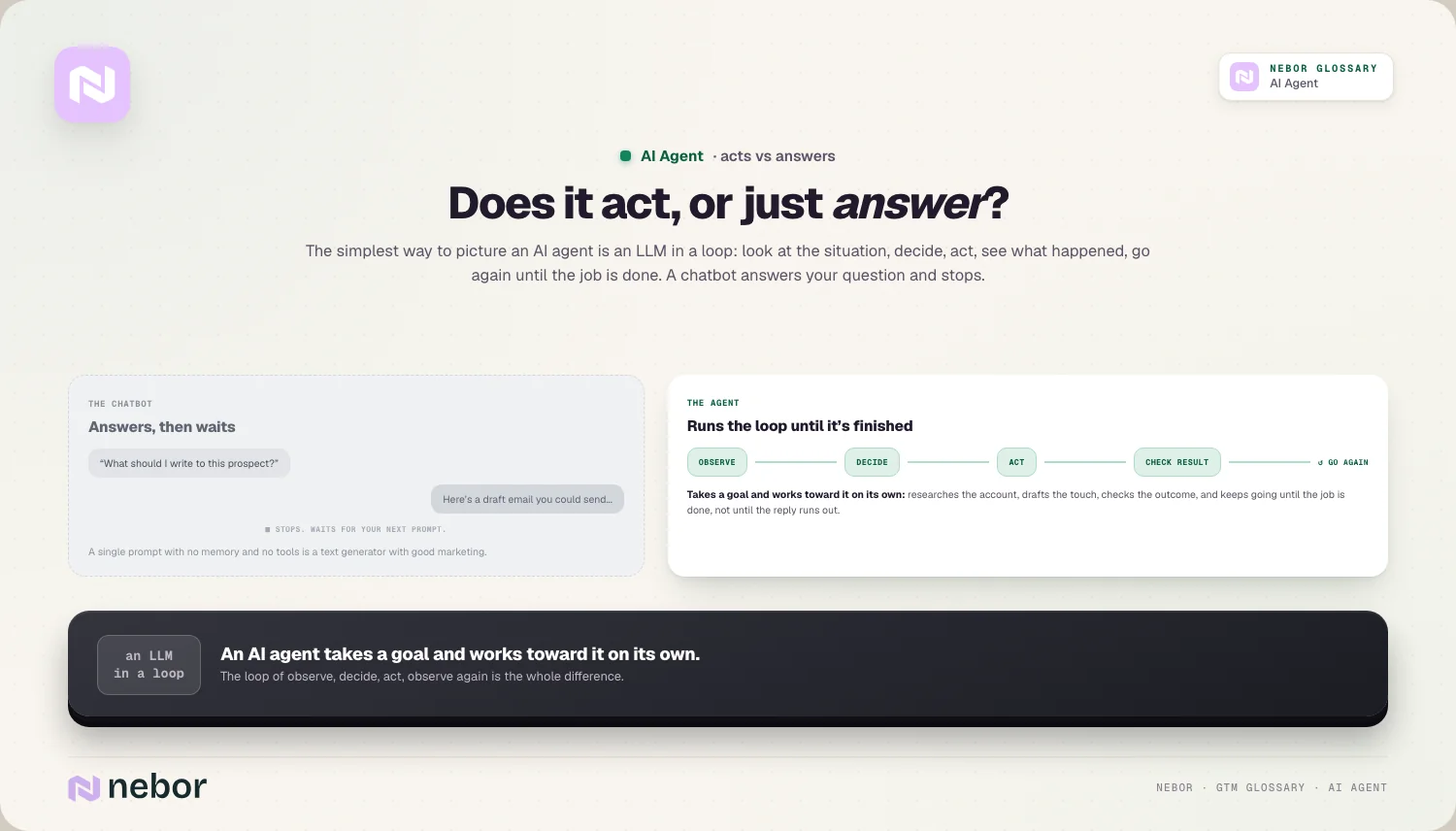
Older automation like an RPA bot follows fixed rules, so it breaks the moment a page or a data format changes. An agent makes a decision instead of following a script, so it handles the messy, changing cases that rules can't cover.
The four parts every real AI agent needs before it can do its job
Under the hood, every real agent has four parts working together. Take one away and it stops being an agent.
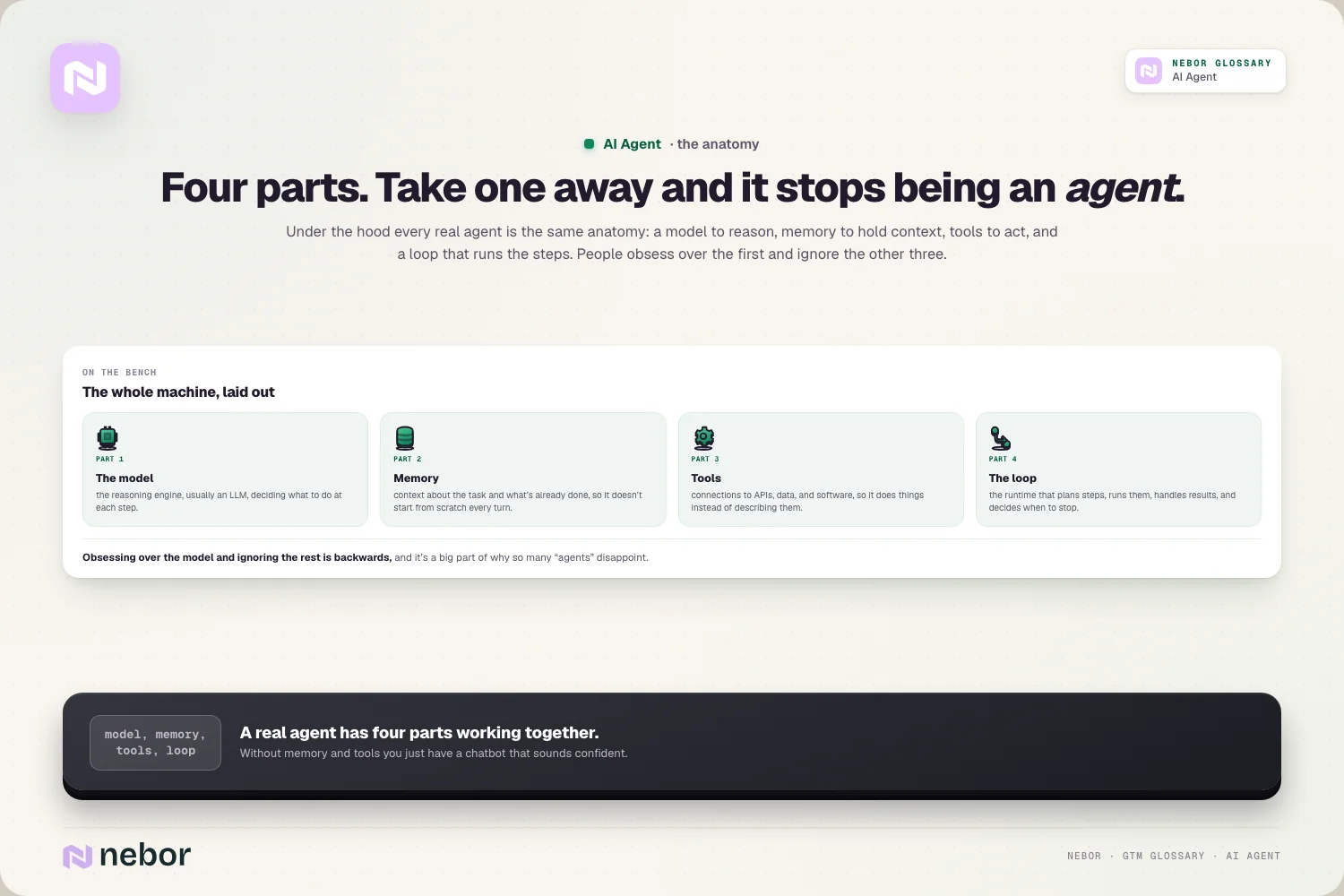
A model. The reasoning engine, usually an LLM, that decides what to do at each step.
Memory. A way to hold context about the task and what it's already done, so it doesn't start from scratch every turn.
Tools. Connections to APIs, data, and other software, so it can actually do things instead of just describing them.
A loop. The runtime that plans the steps, executes them, handles the results, and decides when to stop.
People obsess over the first one and ignore the other three. That's backwards, and it's a big part of why so many "agents" disappoint.
Why the model ends up being the smallest part of the whole agent
Here's the thing most agent demos hide. The model is the easiest part to get right, and you can swap it for a better one almost any week.
What actually makes an agent useful is the boring stuff around it. Good tools so it can act, and clean data so its decisions rest on something real. An agent reasoning over stale or thin data just makes bad calls faster.
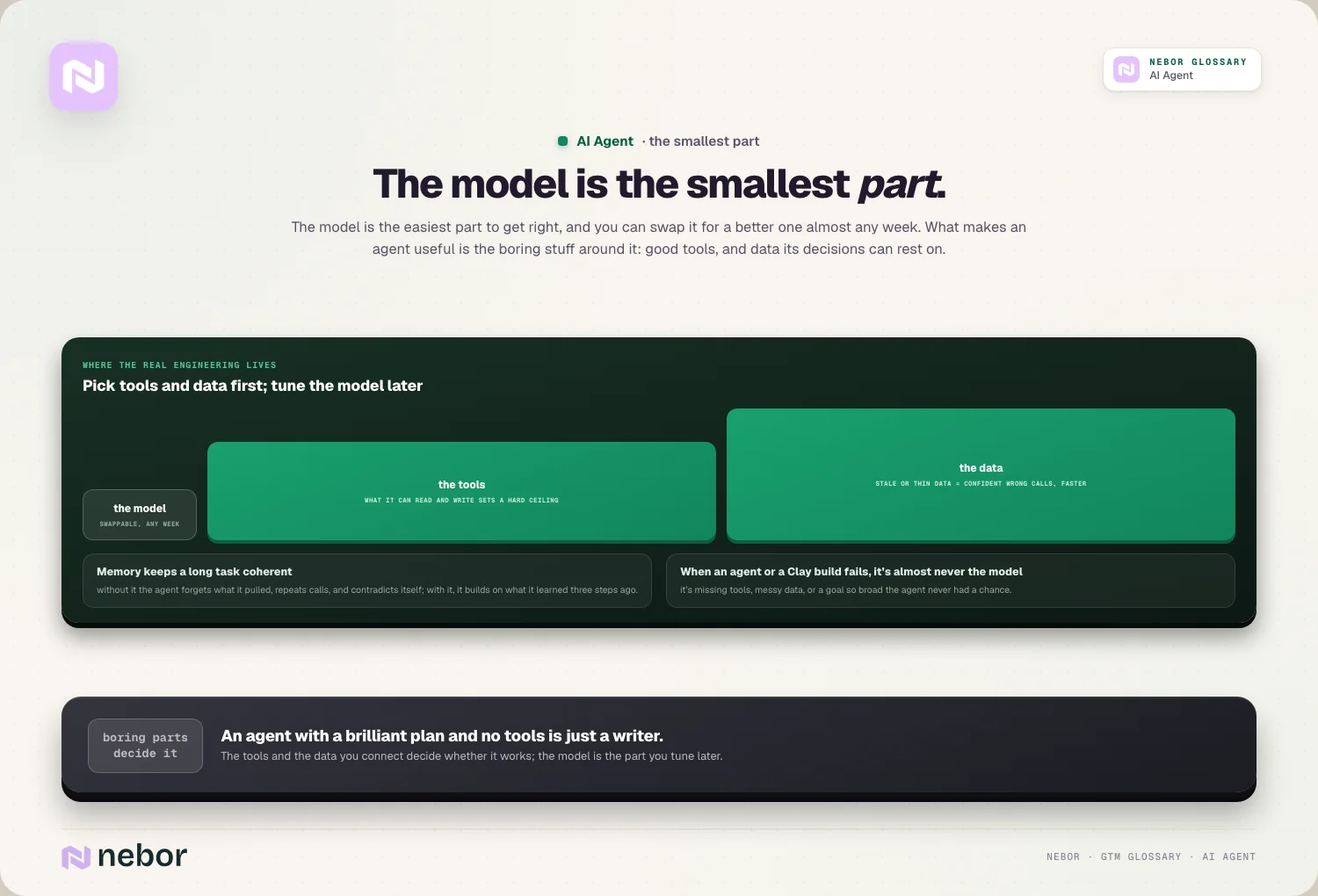
We see the same pattern on almost every build. When an agent or a Clay build fails, it's almost never the model but missing tools, messy data, or a goal so broad the agent never had a chance.
How the memory and tools quietly decide whether your agent is any good
If the model is the part you can swap out, memory and tools are the parts you have to get right yourself, and they're where most of the real engineering lives.
Memory is what keeps a long task coherent. Without it, an agent forgets what it already pulled, repeats the same calls, and contradicts itself halfway through. With it, the agent builds on what it learned three steps ago and stays on track.
Tools are what turn reasoning into action, because an agent with a brilliant plan and no tools is just a writer. The quality of its tools, the data it can read, and the systems it can write to set a hard ceiling on what it can accomplish.
Pick the tools and the data first, and treat the model as the part you tune later.
The kinds of AI agents you'll meet across a working GTM stack
Not every agent is built the same, and the differences matter when you're choosing one. A few rough types come up again and again.
The narrow single-task agent does one bounded job, like building a research brief or cleaning a record, then stops. It's the safest and most reliable kind, because the output is easy to check.
The conversational agent lives in a chat window and acts when you ask, which keeps a human in the loop by default. The background agent wakes on a trigger or a schedule with nobody watching, so it needs much tighter guardrails.
Then there are multi-agent setups, where several agents take different roles and pass work between them. They're powerful for big jobs, but every handoff is a place a small error can grow, so they're harder to keep reliable than people expect.
The jobs AI agents handle well across your whole go-to-market motion
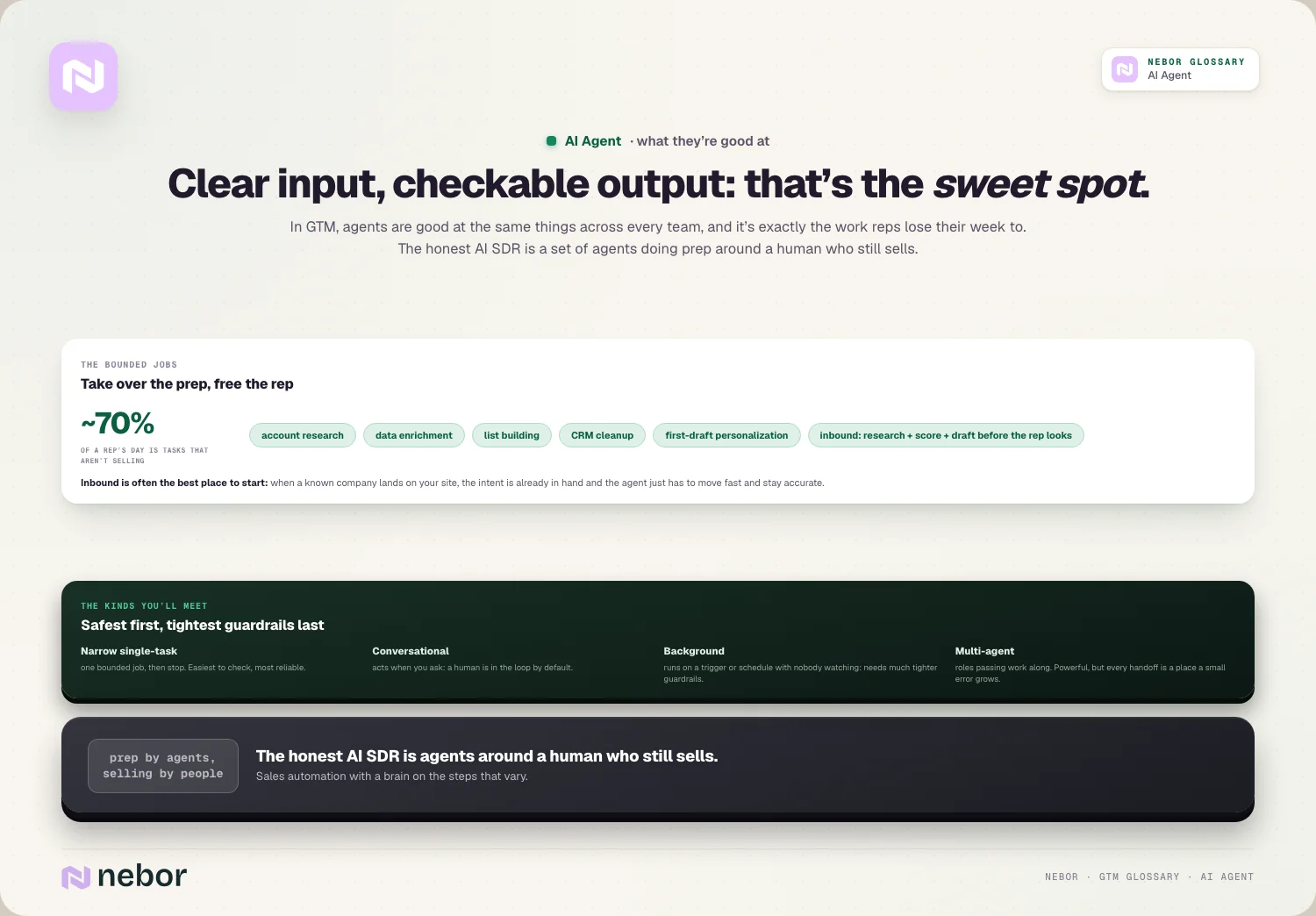
In go-to-market, agents are good at the same things across every team. Account research, data enrichment, list building, CRM cleanup, and first-draft personalization are all jobs with a clear input and a checkable output.
That matters because reps lose most of their week to exactly this work. On our own numbers, reps spend around 70% of their day on tasks that aren't selling. An agent that takes those over frees the rep for the human parts, and we've gone deep on which prospecting jobs you can hand to a machine.
This is also the honest version of an AI SDR, which was never a robot closing deals. It's a set of agents doing the prep around a human who still sells, really just sales automation with a brain on the steps that vary.
The inbound side is often the best place to start, because the intent is already there. When a known company lands on your site or fills a form, a single agent can research them, score the fit, and draft a tailored first touch before your rep even looks.
Our website visitor workflows lean on exactly this kind of bounded agent, where the intent is already in hand and the agent just has to move fast and stay accurate.
How an AI agent is different from a copilot, an assistant, and an RPA bot
The word "agent" gets stretched to cover almost anything with AI in it, so the quickest fix is to line up the neighbors and see where the real line falls.
A copilot works alongside you and waits for your input at every step. It suggests, you decide, and you stay in control of the flow. An agent takes a whole chunk of the work and handles it without checking in on each move.
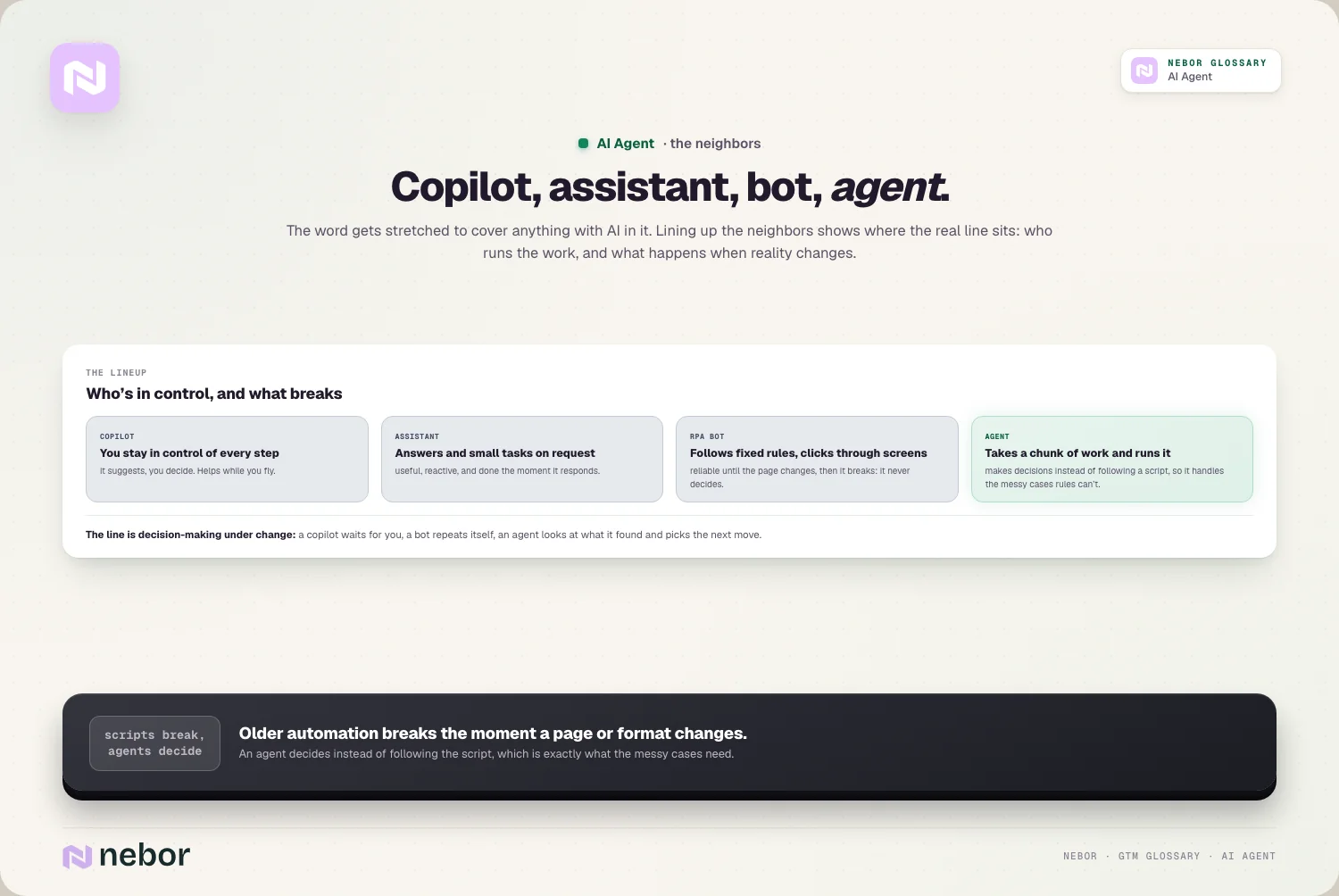
An assistant is usually just a chatbot with a friendly name. It answers what you ask and stops there, with no goal of its own and no ability to act in your systems. The moment it can pursue a goal, use tools, and loop, it stops being an assistant and becomes an agent.
An RPA bot follows a fixed script across screens, so it's predictable right up until a page or a field changes, and then it breaks. An agent makes a decision instead of following a script, and that decision-making is what lets it survive the messy, shifting cases that snap a rule-based bot.
How much autonomy you should give an AI agent, and when to give it
Autonomy comes in degrees, and the smart move is to start low and turn it up only as the agent earns it.
At the lowest setting, the agent only drafts, and a person does everything else. This is where you should begin with anything a buyer might see, because the cost of a mistake is just a few seconds of a rep's editing time.
A step up, the agent acts on its own but pauses before anything irreversible, like a send or a CRM write that's hard to undo. Higher still, it handles a whole bounded task and only flags the exceptions it isn't sure about.
Full autonomy, where the agent owns a customer relationship end to end with no gate, is the setting almost no GTM team should be at yet. The right level isn't fixed forever, you raise it as the override rate falls and your trust in the agent grows.
Where AI agents break, and how to give one a job it can finish
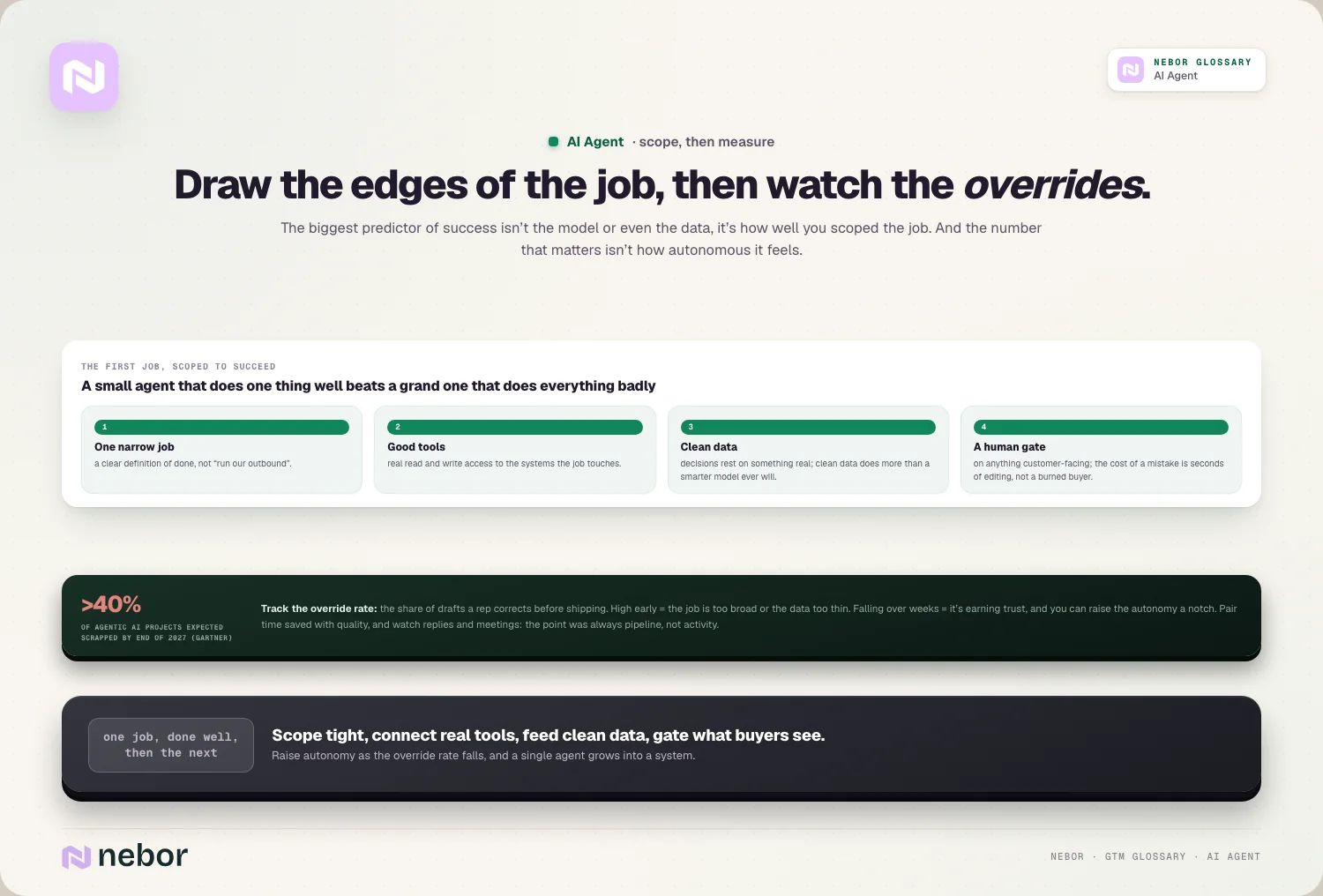
Agents break in predictable ways, and almost all of it traces back to the job instead of the model. The most common mistake is handing an agent a goal that's too big, like "handle our outbound," instead of one clear task.
Bad data in your CRM breaks them too, and so does giving them no real tools. The riskiest move of all is full autonomy on anything a buyer sees. Autonomous outbound with no oversight scales mistakes, which is part of why Gartner expects companies to scrap more than 40% of agentic AI projects by the end of 2027.
The fix looks the same every time. Give the agent one narrow job, good tools, clean data, and a human in the loop on anything customer-facing. A small agent that does one thing well beats a grand one that does everything badly.
How you'd measure whether an AI agent is really pulling its weight
It's easy to be impressed by how autonomous an agent feels. The number that matters more is how often a person has to step in and fix what it produced.
Track the override rate, meaning the share of the agent's drafts or decisions your reps have to correct before anything ships. A high rate early on usually means the job is too broad or the data is too thin, and it rarely means the agent is hopeless.
A falling rate over a few weeks is the clearest sign it's earning trust.
Pair time saved with quality, because an agent that saves an hour and doubles the error rate isn't a win. And keep an eye on the downstream result, the reply rate and the meeting rate, since the point was always pipeline rather than activity.
How to scope an AI agent's first job so it succeeds on the first try
The single biggest predictor of whether an agent works isn't the model or even the data. It's how well you drew the edges of its job. Most disappointments trace straight back to a scope that was too loose.
Pick a task with a clear definition of done. "Build a one-page brief on this account with these five fields filled in" is a job an agent can finish and you can check. "Improve our outbound" is a wish pretending to be a task, and an agent handed a wish will wander.
Give it a job where the output is easy to verify. Research notes, enriched fields, and draft copy all get a quick human glance before they matter, which makes them forgiving places to learn what the agent gets right and wrong.
Save the high-stakes, hard-to-check work for later, once the override rate has come down and you trust it.
And resist the urge to widen the job too fast. An agent that nails one narrow task earns you the right to give it a second one. An agent handed everything at once usually does all of it badly and teaches you nothing about where the real limits are.
Why clean data does more for your AI agent than a smarter model ever will
If you only fix one thing before deploying an agent, fix the data underneath it. The model can reason beautifully and still be wrong if your records are stale, thin, or duplicated.
An agent has no instinct that something looks off, so when the data is bad it just keeps going at full speed, wrong and certain, faster than a human ever could.
So treat enrichment, deduplication, and CRM hygiene as the real prerequisites instead of the optional extras. A modest model on clean, current data beats a frontier model on a messy CRM almost every time, which is why the data work is where most of the payoff hides.
How a single AI agent grows into a whole system of connected agents
One agent on its own is a unit rather than a system, and the real power shows up when you connect several of them.
A few agents and steps chained together make an agentic workflow. Several agents with different roles handing work between each other make a multi-agent setup, and that combined capability, seen from a distance, is what people mean by agentic AI.
However you combine them, the agents should work inside the same workflow orchestration as the rest of your stack, so you can see what each one did and keep control.
The lasting takeaway is almost dull, and that's the point. The model will keep getting better on its own, but it was never the hard part.
In our experience, the teams that get real value from AI agents obsess over the job, the tools, and the data underneath, and they keep a person on the hook for anything a buyer will ever see.
Share this post
AI
Automation
Glossary
Related glossary items
Understanding the core GTM concepts


Ready to build your pipeline











