In this post:
A zero-leakage pipeline is one built so no leads or deal value are lost to operational gaps like missed handoffs, slow routing or broken follow-up as opportunities move from stage to stage. In practice it's an operating standard: every stage has a time limit and a named owner, every breach shows up on a list the next morning, and someone is responsible for clearing that list.
The term is the other half of lead leakage. Lead leakage describes the problem, the interested prospects who drop out because your process stopped before they did. A zero-leakage pipeline describes the state you're aiming for, where every lead and every deal either gets a decision from a person or a recorded reason why not.
Nobody gets to literal zero, and that isn't the point. The point is that no loss happens silently. A team running this standard can still drop a lead, but it will see the drop within a day, know whose it was, and know which rule failed.
TL;DR
The standard rests on four rules: every open record has an owner who still works there, every stage has a time limit, every breach lands on a named person's list, and nothing leaves the pipeline without a reason.
Set the limits per stage, not one for the whole funnel. New inbound leads get minutes, a positive outbound reply gets an hour, open opportunities need a dated next step and activity at least every two weeks, and closed-lost needs a reason before the stage can change.
Each limit comes with a fallback owner, a specific person such as the SDR team lead or the sales manager, never a shared inbox.
A daily exception report lists every record that broke a rule. Team leads clear their lines each morning, RevOps owns the rules and the weekly trend, and an empty report is the goal.
In an illustrative Zwolle example, the first report flagged 23 of 85 open opportunities, worth €402,000, with no live next step. Two weeks of reviews closed 11 of them honestly and put 9 back in motion.
When the same kind of line keeps coming back, fix the cause (routing, follow-up, handoffs or data) instead of clearing it by hand every day.
What a zero-leakage pipeline asks of every record
The standard is easier to run when it's stated as rules a CRM report can check, rather than as an aspiration. Four cover nearly everything:
Every open lead, contact and deal has an owner, and that owner is an active user. A record assigned to someone who left in the spring has no owner, whatever the field says.
Every stage has a time limit. A new lead has minutes to get a first touch, an open opportunity has days to show activity, and a proposal has a set number of days before someone asks what happened.
Every breach appears on a list a named person reviews, with a fallback owner who takes over when the first one doesn't act.
Nothing leaves the pipeline without a reason. Disqualified, lost to a competitor, no budget, couldn't reach after the agreed attempts: each exit is recorded, so a loss and a leak can be told apart later.
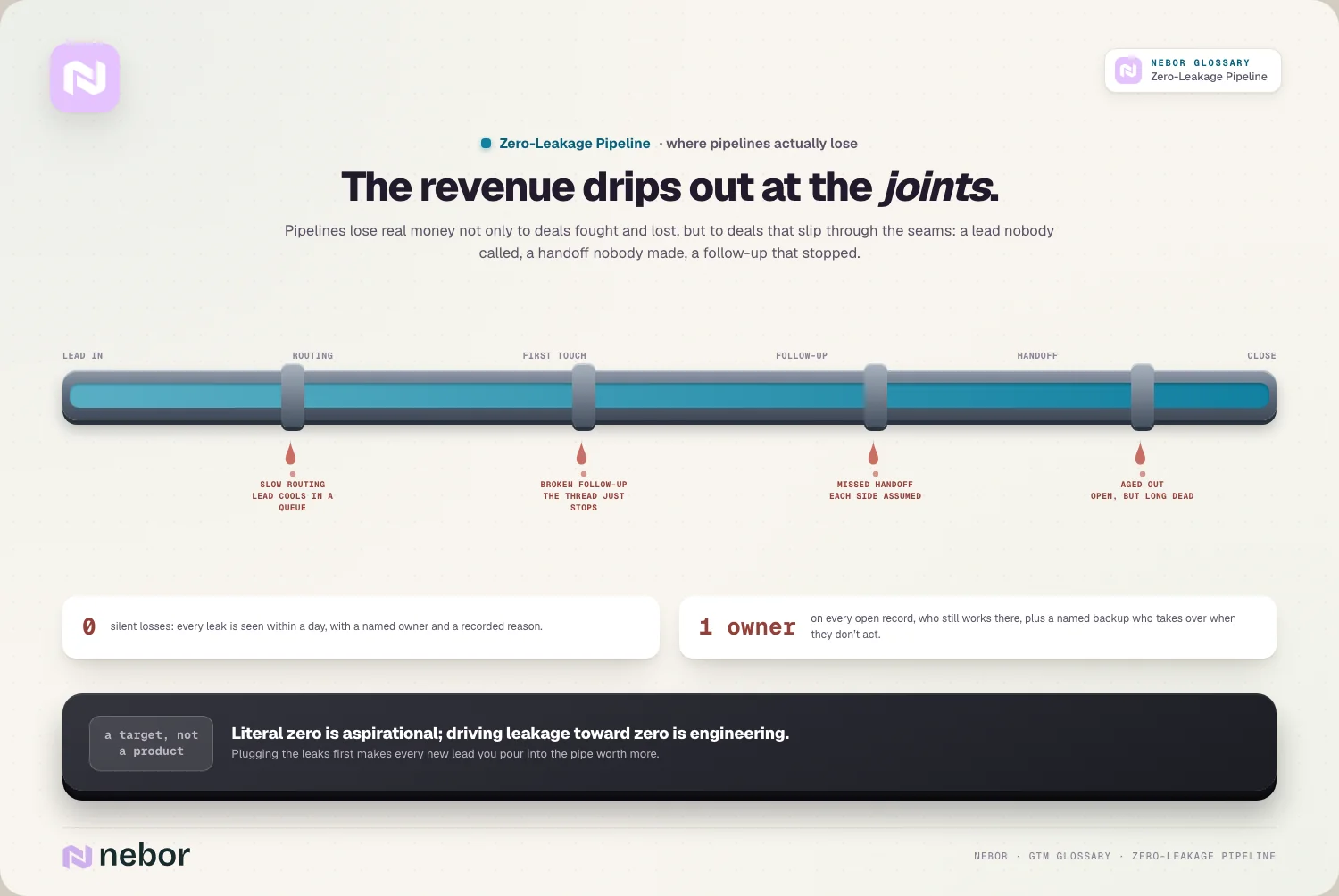
The lead leakage entry follows leads through five handoffs between the form and the first meeting. A zero-leakage pipeline applies the same thinking to the whole pipeline, including the opportunity stages after the first meeting, where leaks are fewer but each one is worth far more.
Every stage gets a time limit and a backup owner
One limit for the whole funnel doesn't work, because a demo request and a deal in contract review move at completely different speeds. Here's a starting set we'd sketch for a B2B team with SDRs and account executives. The numbers are illustrations to argue about with your own sales team, not a benchmark.
Stage | Time limit | When it's missed | Fallback owner |
|---|---|---|---|
New inbound lead (demo or contact request) | Owner within 1 minute, first touch within 5 minutes in working hours | Lead moves to the next rep in the pool | SDR team lead |
Positive reply to outbound | Owner alerted at once, personal reply within 1 working hour | Alert repeats in the team channel | SDR team lead |
Lead in follow-up | Agreed minimum attempts within 10 working days | Can't be closed as "no response" until the attempts are logged | SDR team lead |
Meeting booked | Context note to the account executive within 1 working day, reschedule attempt within 2 working days of a no-show | Task moves to whoever booked the meeting | Sales manager |
Open opportunity, any stage | A next step with a date, and logged activity at least every 14 days | Deal appears on the exception report | Sales manager |
Proposal sent | Follow-up within 5 working days, manager review after 30 days in stage | Deal appears on the exception report | Sales manager |
Closed lost or disqualified | A reason from a fixed list before the stage changes | The CRM won't save the change | None needed |
The first row is the tightest because the evidence there is the oldest. When Harvard Business Review's 2011 test of how firms handle online leads timed their replies, the answers that did come took 42 hours on average and 23% of firms never answered. A firm that got hold of the lead within sixty minutes ended up with a qualified lead close to seven times as often as one that waited longer. The mechanics of hitting those first two rows belong to lead routing, and the clock itself to speed to lead. The standard's contribution is making sure a miss is seen and picked up.
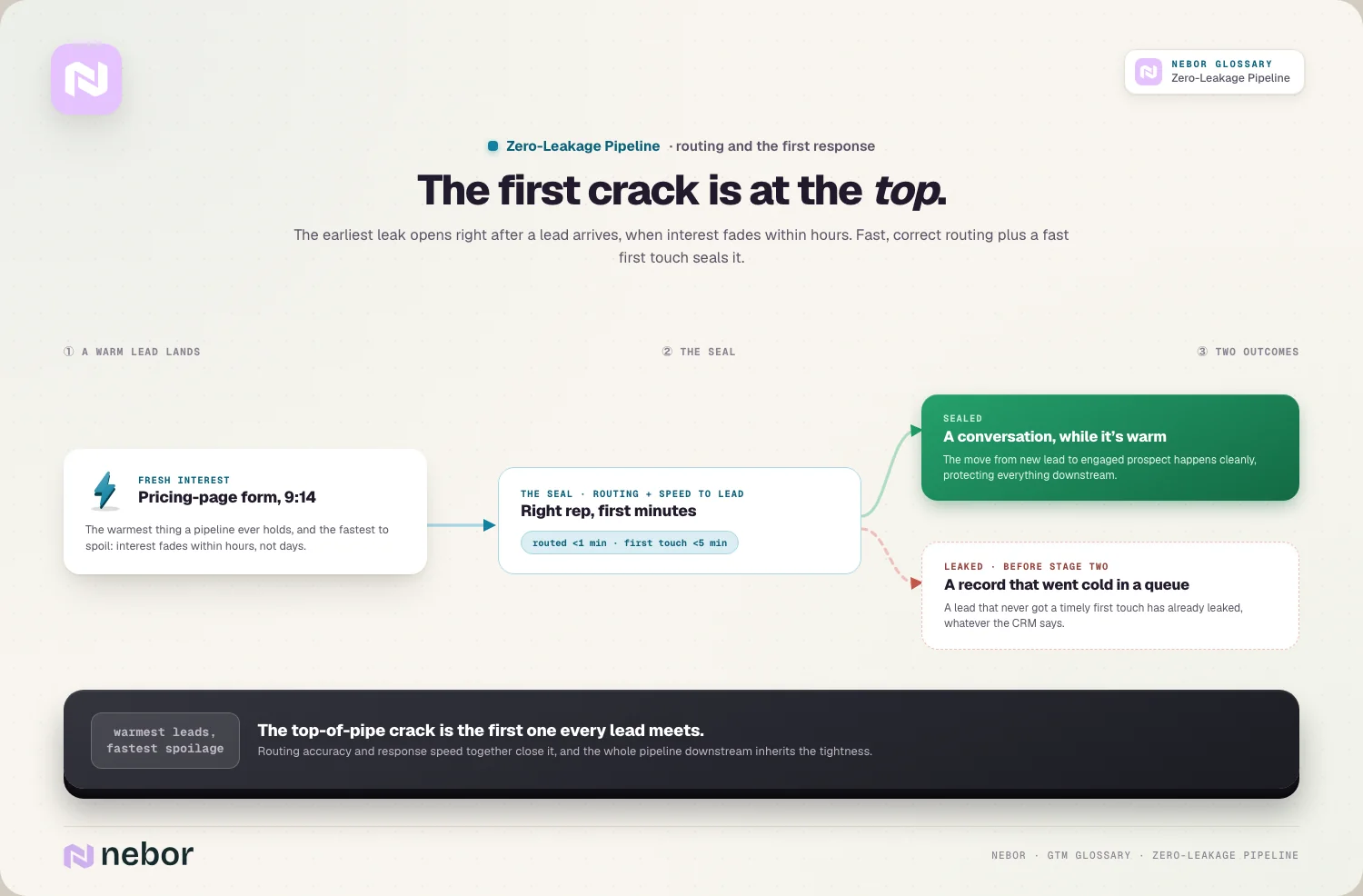
The follow-up row is where deals go quiet without anyone deciding anything. A structured follow-up sequence does the remembering, and the rule that a lead can't be marked "no response" before the attempts are logged stops the shortcut of closing a lead after one voicemail.
The last row is the cheapest to build. In HubSpot, a pipeline can show conditional stage properties when a user moves a record into a stage, and if one is required, users can't save the record until they fill it in. Make a closed-lost reason required on the closed-lost stage and the "no reason given" problem disappears, at least for deals reps move by hand.
Pick fallback owners by name. A shared inbox or a "sales team" queue is where breaches go to be ignored, because everyone can see them and nobody has to act. The fallback also needs a deputy for holidays, or the whole pipeline's safety net goes on leave with one person.
The daily exception report, and who clears it
The standard only works if breaches are visible the next morning, not at the end of the quarter. That's the job of one report, or a small set of saved views, that lists every record currently breaking a rule:
Records with no owner, or an owner who has been deactivated.
Leads and positive replies past their first-touch limit.
Leads closed as "no response" with fewer than the agreed attempts.
Meetings marked as no-shows with no reschedule attempt.
Open opportunities with no next step date, an overdue one, or no logged activity in 14 days.
Deals that have sat in their current stage longer than that stage's limit.
The stage-age line needs a property that knows when the deal arrived. HubSpot's stage calculated properties include "Date entered current stage" and "Time in current stage", and HubSpot's own example is a workflow that creates a follow-up task when a deal entered Contract Sent more than seven days ago. In Salesforce, the same lines are reports and list views filtered on owner status, last activity and next step date.
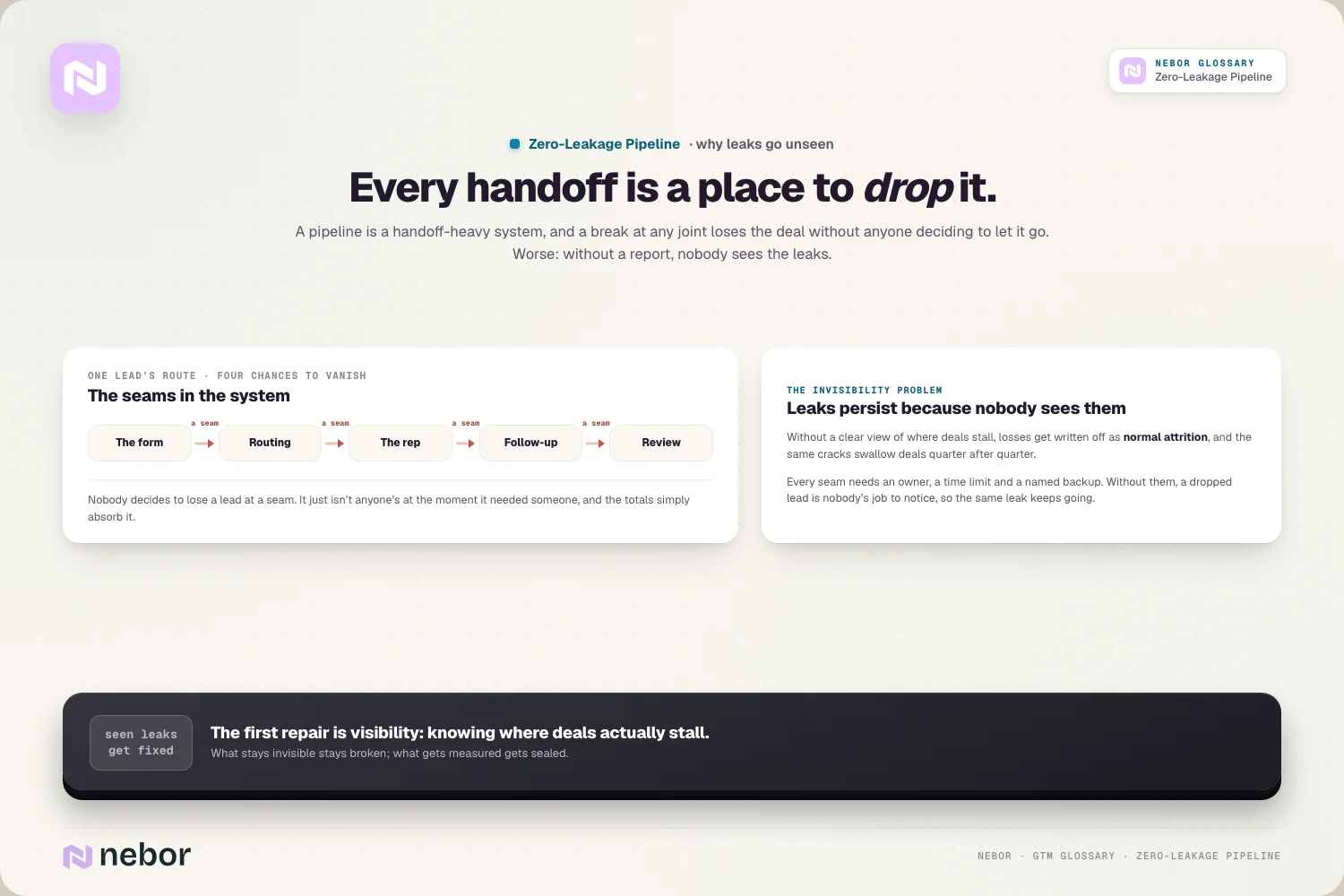
Then decide who reads it. In the setups we build, the SDR team lead clears the lead and meeting lines first thing each morning, the sales manager clears the opportunity lines, and RevOps owns the definitions, fixes anything caused by a broken rule or sync, and reports the count of exceptions per stage once a week. Each line is cleared by an action (a call logged, an owner changed, a next step set) or by an honest close with a reason.
HubSpot can email a report on a daily schedule, but recurring report emails only go to HubSpot users, and the data is captured two hours before the send time, so an 08:30 email shows the pipeline as it stood at 06:30. That's fine for a morning review. Just don't schedule it for 09:00 and expect to see the leads that arrived at 08:00.
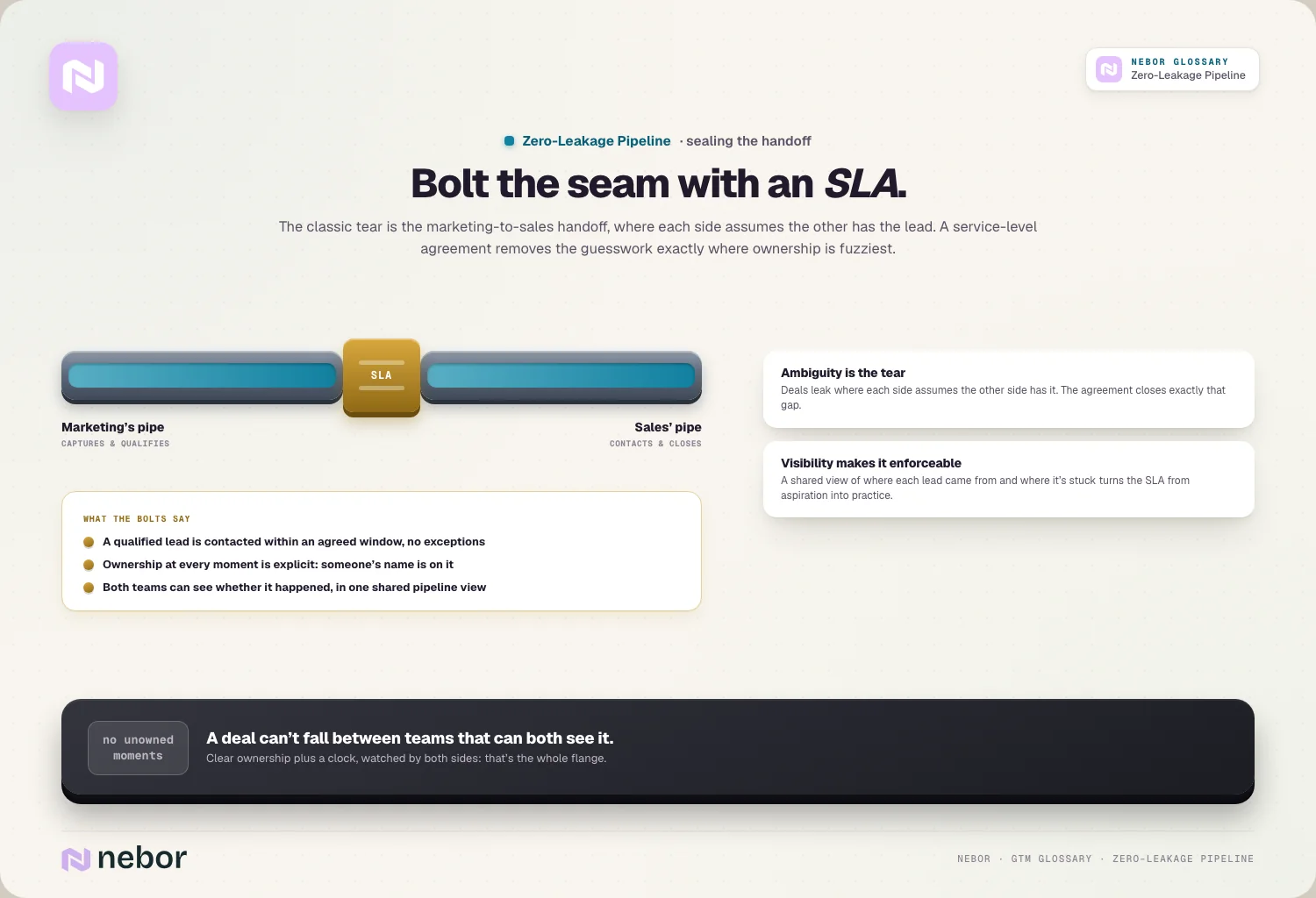
The marketing-to-sales handoff deserves its own line in this agreement, because it's where each side most often assumes the other has the lead. Both teams should be able to open the same report. If you run HubSpot, the post on passing leads from marketing to sales without losing context covers what should travel with each lead.
Four weeks of exception reports at a Zwolle software company
Here's how the first month played out for a fictional but realistic team: a Zwolle company selling rostering software to care homes, with two SDRs, four account executives and one RevOps person. At the start it had 85 open opportunities worth €1,530,000 in total.
The first report listed 36 lines:
7 inbound leads past their first-touch limit, mostly from a webinar the previous Thursday.
4 records (3 leads and 1 open opportunity) still owned by an account executive who left in August.
23 open opportunities with no next step date, or one more than a week overdue, worth €402,000 together. That's just over a quarter of the open pipeline's value. The three oldest had sat in their stage for 71, 94 and 128 days.
2 deals closed lost in the previous month with no reason recorded.
The leads and the orphaned records took a morning to sort out. The 23 stalled opportunities took the sales manager two weeks of short daily conversations with each account executive. By the end of that, 9 had a dated next step agreed with the buyer (€161,000), 11 were closed lost with a reason (€176,000), and 3 were still waiting on a decision the account executives were chasing (€65,000). Those three groups add up to the €402,000 the report flagged.
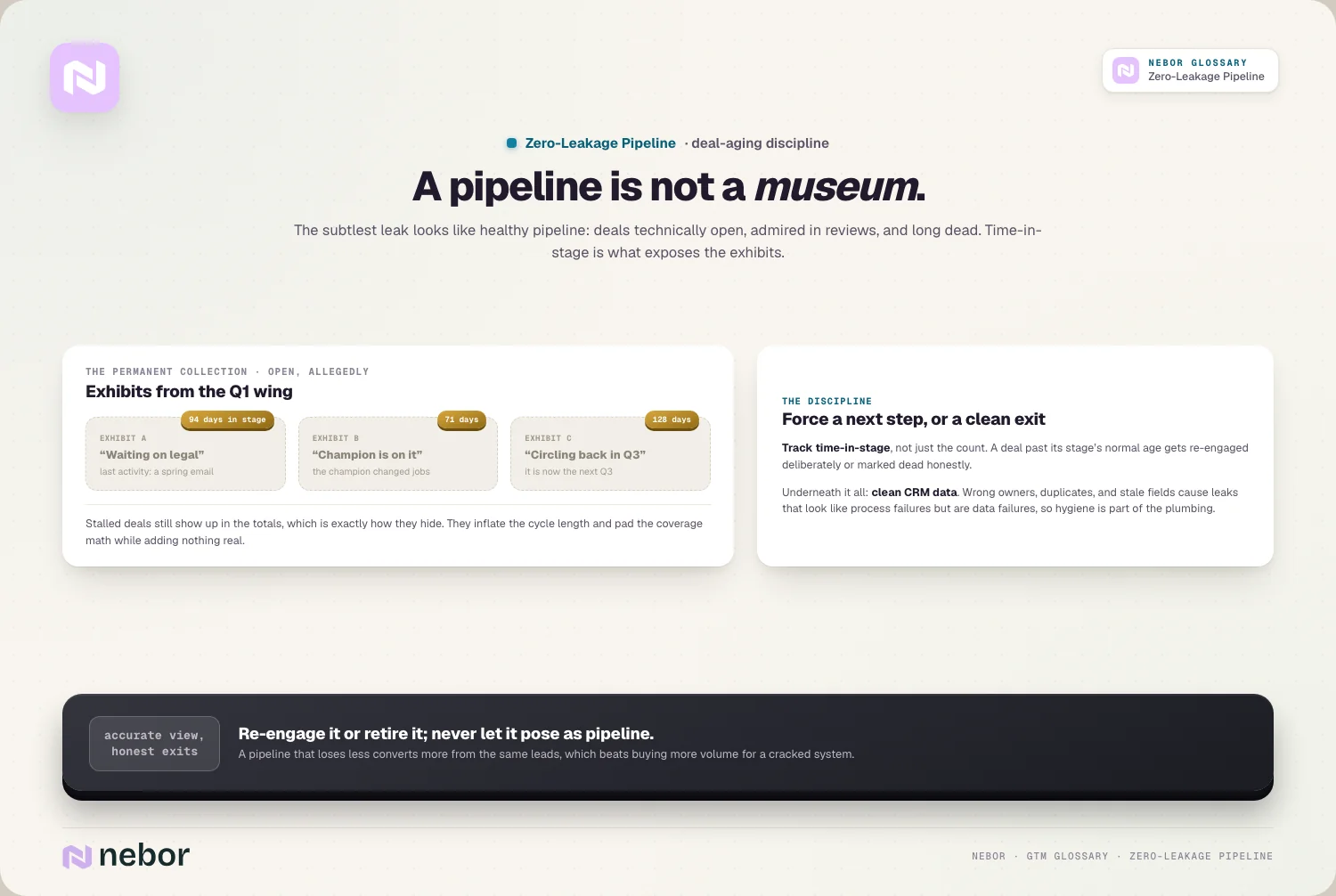
On paper the pipeline shrank by €176,000, to €1,354,000. In practice nothing was lost that day. Those deals had stopped moving months earlier, and closing them made the pipeline's real size visible. Pipeline coverage looked worse and became believable, which is what the sales manager needed for forecast accuracy. Stalled deals that stay open also stretch the team's reported sales cycle length without adding anything real.
By week four the morning list usually held a handful of lines, and most of them were the same kind: meetings booked by an SDR that the account executive hadn't confirmed. That pattern is the useful output. One recurring line points to one rule that needs fixing.
When the same line comes back every morning
Clearing exceptions by hand works for stragglers. It doesn't work for a leak that produces three new lines every day, and that's the signal to fix the cause instead.
Repeat offenders tend to fall into four groups. Unowned leads and late first touches point at the routing rules or the data they read. Leads closed after one attempt point at the follow-up cadence. Unconfirmed meetings and no-shows without a reschedule point at the handoff between SDR and account executive. Wrong owners, duplicates and records that match no rule point at CRM hygiene, because a deal routed on bad data leaks just as surely as one nobody touched.
Stage-to-stage conversion rate helps you find the leaky stages in the first place. A stage where plenty of leads enter and few leave, with no matching rise in recorded reasons, is leaking rather than losing. If the drop sits right at the start, look at lead qualification as well as routing, since a vague definition of a qualified lead produces handoffs nobody feels responsible for.
The longer-term fix is to connect the steps so fewer things depend on someone remembering. Workflow orchestration ties capture, routing, follow-up and handoff into one flow, and the same owner and timer rules then apply to replies from outbound once you move prospecting work onto automated workflows. A good sign the fixes are working is a report that stays short even when lead volume rises.
Is the overhead worth it?
Running this standard costs something. Someone has to define the limits, build the report, and spend ten or fifteen minutes on it every morning. Badly tuned limits create noise: if half the opportunities breach a 14-day activity rule because your deals genuinely move slowly, the report trains people to ignore it. Start with loose limits, tighten them once the list is short, and drop any line nobody acts on.
The case for doing it anyway is that the leads and deals it protects have already been paid for. When revenue falls short, the usual response is to ask for more leads, but a leaking pipeline wastes part of every new lead too. Closing the leaks first means each new lead you buy afterwards has a better chance of turning into revenue, and it makes the revenue engine easier to reason about, because the numbers in the CRM describe what is actually happening.
The bottom line
A zero-leakage pipeline is less a technology than a habit with a report attached. The rules are simple to write down: an active owner on every record, a time limit on every stage, a backup person for every limit, a reason on every exit. What makes it hold is that someone looks at the breaches every morning and the patterns get fixed at the source.
The first report is usually the uncomfortable one, because it shows deals that stopped months ago and leads that never got a call. After a few weeks it becomes routine, and the pipeline total starts to mean what everyone assumed it meant.
We set this up as part of the plumbing behind a B2B revenue team: the stage limits, fallback owners and exception reports, built where the sales team already works, in its own CRM accounts. The team ends up with the reports, the rules behind them and a short guide to adjusting the limits as the pipeline changes.
Frequently asked questions
Is a truly zero-leakage pipeline achievable?
Not literally. Some leads give a wrong phone number, some prospects go silent for reasons you'll never learn, and some deals die without anyone being at fault. The goal is that every loss is seen and explained. A pipeline counts as zero-leakage in practice when each lead or deal that leaves it has a recorded reason and each breach of a time limit is noticed within a day.
Does a small sales team need a zero-leakage pipeline?
A team of two or three reps can often see every open lead and deal on one screen, so a formal report adds little. What still pays off at that size is the cheap part: an active owner on every record, a required reason for closing a deal, and a next step date on every opportunity. Add the daily exception report once nobody can hold the whole pipeline in their head.
What is the difference between lead leakage and a zero-leakage pipeline?
Lead leakage is the problem: interested prospects lost because a process step failed, such as a form that never synced or follow-up that stopped after one attempt. A zero-leakage pipeline is the goal state and the operating standard that gets you there, with time limits per stage, fallback owners and a daily report of breaches. It also extends past the first meeting into the opportunity stages.
How is a zero-leakage pipeline different from CRM hygiene?
CRM hygiene keeps records accurate: no duplicates, correct owners, current fields. A zero-leakage pipeline checks that the right things happen to those records on time. The two depend on each other, because routing and reports built on dirty data produce leaks of their own, but a perfectly clean CRM can still have deals sitting untouched for months if nobody watches the time limits.
How do you stop reps from ignoring the exception report?
Keep it short and make every line someone's job. A report with eighty lines a day gets skimmed, so start with loose limits and tighten them as the list shrinks. Review it in a fixed slot, such as the first ten minutes of the morning stand-up, and drop any line that never leads to an action. A rule nobody acts on teaches people to ignore the rest.
Does a zero-leakage pipeline cover renewals and expansion deals?
It should, because renewals and upsells leak in the same ways: an account manager leaves, a renewal date passes without a conversation, or an expansion opportunity is created and never touched. Give the renewal pipeline its own stages and time limits, such as a first conversation a set number of days before the contract ends, and include those deals on the same exception report.
Can you run a zero-leakage pipeline without a dedicated RevOps person?
Yes, but someone still has to own the rules. In smaller teams that's often the head of sales or a senior SDR who spends an hour a week on definitions and reports. The daily review stays with the team leads either way. What doesn't work is leaving the rules unowned, because time limits and fallback owners go out of date every time the team changes.
How does a zero-leakage pipeline affect the sales forecast?
It usually makes the forecast smaller at first and more reliable after that. Stalled deals that sat open for months get closed or re-engaged, so the pipeline total stops counting value that was never going to land. Required next steps and stage age limits also mean the deals left in each stage are actually moving, which makes stage-weighted forecasts closer to what ends up closing.
Can automated tasks replace the daily exception report?
Partly. Workflows that create a task for the owner when a time limit passes handle most breaches before anyone needs a report. The report still matters for the breaches automation can't see or fix: tasks that were ignored, records whose owner left, sync failures and rules that stopped matching. Think of tasks as the first reminder and the report as the check that the reminders worked.
Share this post
RevOps
Automation
Glossary
Related glossary items
Understanding the core GTM concepts
Automation
Lead Leakage
Lead leakage is the loss of interested leads as they move through your funnel because of process failures like slow follow-up, bad data or broken routing, even though they could have converted.

Automation
Lead Routing
Lead routing is the automated process of assigning each incoming lead to the right rep, team or queue based on rules you set, so someone can follow up while the lead's interest is still fresh.

Automation
Speed to Lead
Speed to lead is the time between a prospect showing interest, like filling out a form or requesting a demo, and your team making real contact. Faster responses connect with far more leads.

Automation
Workflow Orchestration
Workflow orchestration is a central layer that coordinates your tools, automations and steps so they work as one connected system, managing how data and actions move from one step to the next.
Ready to build your pipeline